1. Εισαγωγή
This manual provides essential information for setting up, operating, maintaining, and troubleshooting your Thunderobot Storm 15 4050 Gaming Laptop. Please read it thoroughly to ensure optimal performance and longevity of your device.
Βασικά Χαρακτηριστικά:
- Επεξεργαστής: Intel Core i7-13620H (10 Cores, up to 4.9 GHz)
- Γραφικά: GPU φορητού υπολογιστή NVIDIA GeForce RTX 4050
- Μνήμη: 32GB DDR4 RAM (3200 MHz)
- Αποθήκευση: 1TB PCIe M.2 SSD
- Επίδειξη: 15.6-inch Full HD (1920x1080) 165Hz, 100% sRGB, DC Dimming
- Λειτουργικό σύστημα: Windows 11 Home
- Ψύξη: Advanced Frost Cooling System with multi-heat-pipe design and high-pressure turbine fan
- Πληκτρολόγιο: Full-size backlit keyboard with numeric keypad
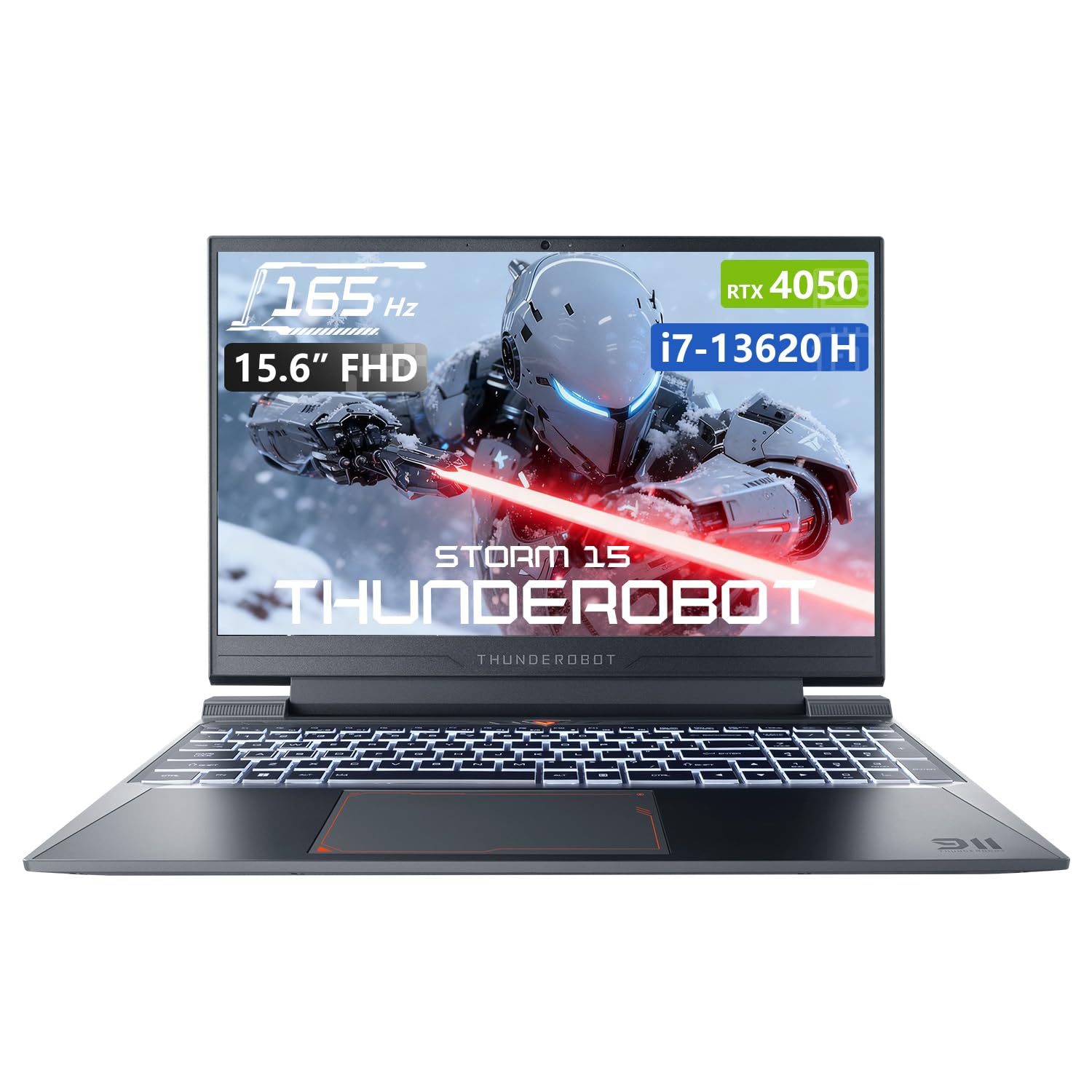
Image: The Thunderobot Storm 15 4050 Gaming Laptop, showcasinτον κομψό σχεδιασμό του και το φωτιζόμενο πληκτρολόγιο.
2. Ρύθμιση
2.1 Αρχική ενεργοποίηση
- Ανοίγω τις αποσκευές: Αφαιρέστε προσεκτικά τον φορητό υπολογιστή και όλα τα αξεσουάρ από τη συσκευασία.
- Σύνδεση τροφοδοσίας: Συνδέστε τον προσαρμογέα AC στην υποδοχή τροφοδοσίας του φορητού υπολογιστή και, στη συνέχεια, σε μια πρίζα.
- Ενεργοποίηση: Ανοίξτε το καπάκι του φορητού υπολογιστή και πατήστε το κουμπί λειτουργίας, το οποίο συνήθως βρίσκεται πάνω από το πληκτρολόγιο ή στο πλάι.
- Αρχική εγκατάσταση: Ακολουθήστε τις οδηγίες στην οθόνη για να ολοκληρώσετε την εγκατάσταση των Windows 11 Home, συμπεριλαμβανομένης της γλώσσας, της περιοχής, της σύνδεσης δικτύου και της δημιουργίας λογαριασμού χρήστη.
2.2 Σύνδεση περιφερειακών
Ο φορητός υπολογιστής σας είναι εξοπλισμένος με διάφορες θύρες για τη σύνδεση εξωτερικών συσκευών.

Image: Diagram illustrating the various ports and slots available on the Thunderobot Storm 15 laptop.
- Συσκευές USB: Connect USB mice, keyboards, external drives, or other peripherals to the USB 3.1 Type-A ports or the USB 3.1 Gen 2 Type-C port.
- Εξωτερική οθόνη: Use the HDMI port to connect an external monitor or TV.
- Δίκτυο: Για μια σταθερή ενσύρματη σύνδεση στο διαδίκτυο, συνδέστε ένα καλώδιο Ethernet στη θύρα RJ-45.
- Ήχος: Connect headphones or external speakers to the 3.5mm Combo Jack.
3. Λειτουργία του φορητού υπολογιστή σας
3.1 Χαρακτηριστικά εμφάνισης
The 15.6-inch Full HD display offers a 165Hz refresh rate for smooth visuals and 100% sRGB color gamut for accurate color reproduction. DC dimming technology helps reduce screen flickering.
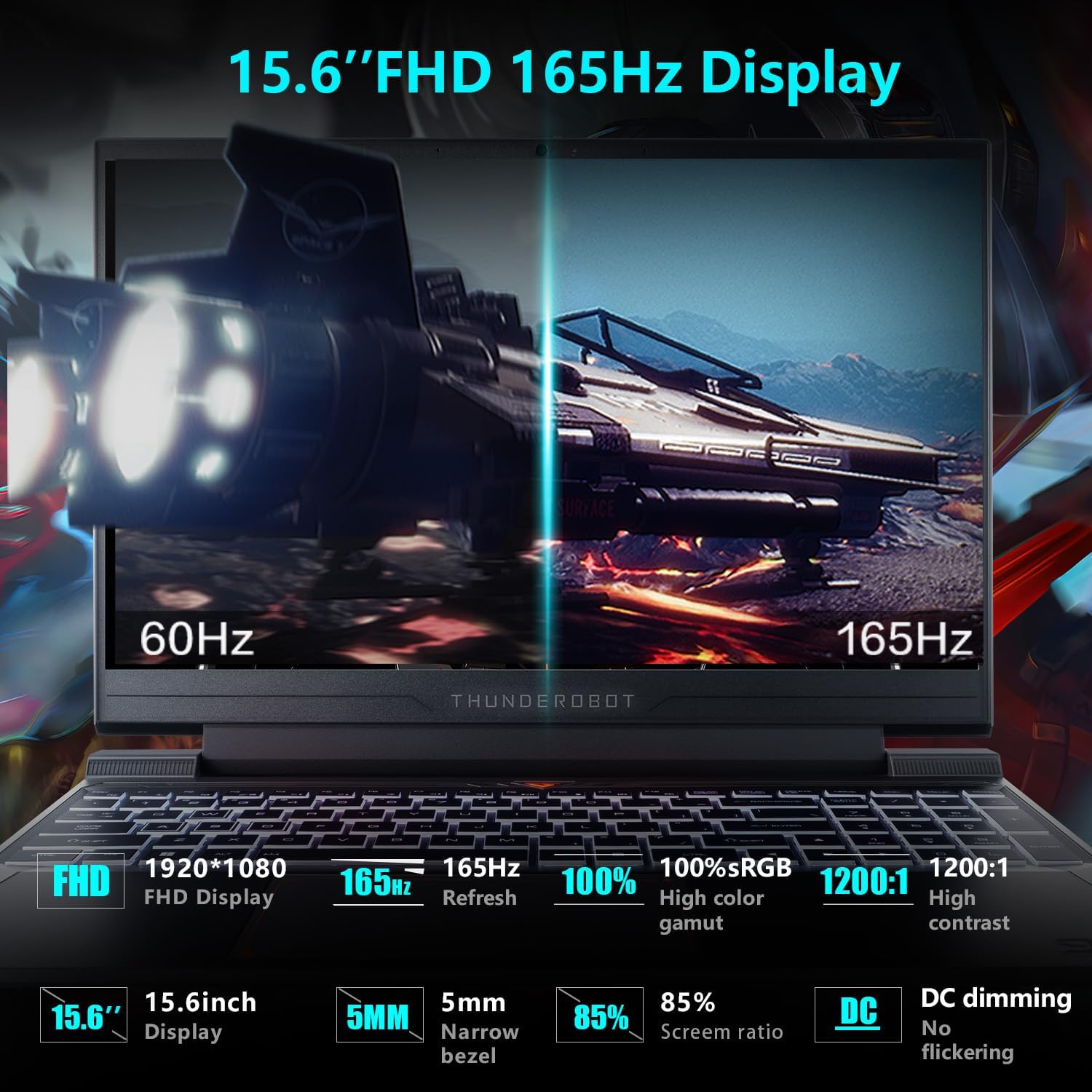
Image: Close-up of the 15.6-inch Full HD 165Hz display, highlighting its smooth motion capabilities.
3.2 Πληκτρολόγιο και Touchpad
The full-size backlit keyboard includes a numeric keypad for enhanced productivity and gaming. The anti-fingerprint surface helps maintain a clean appearance.
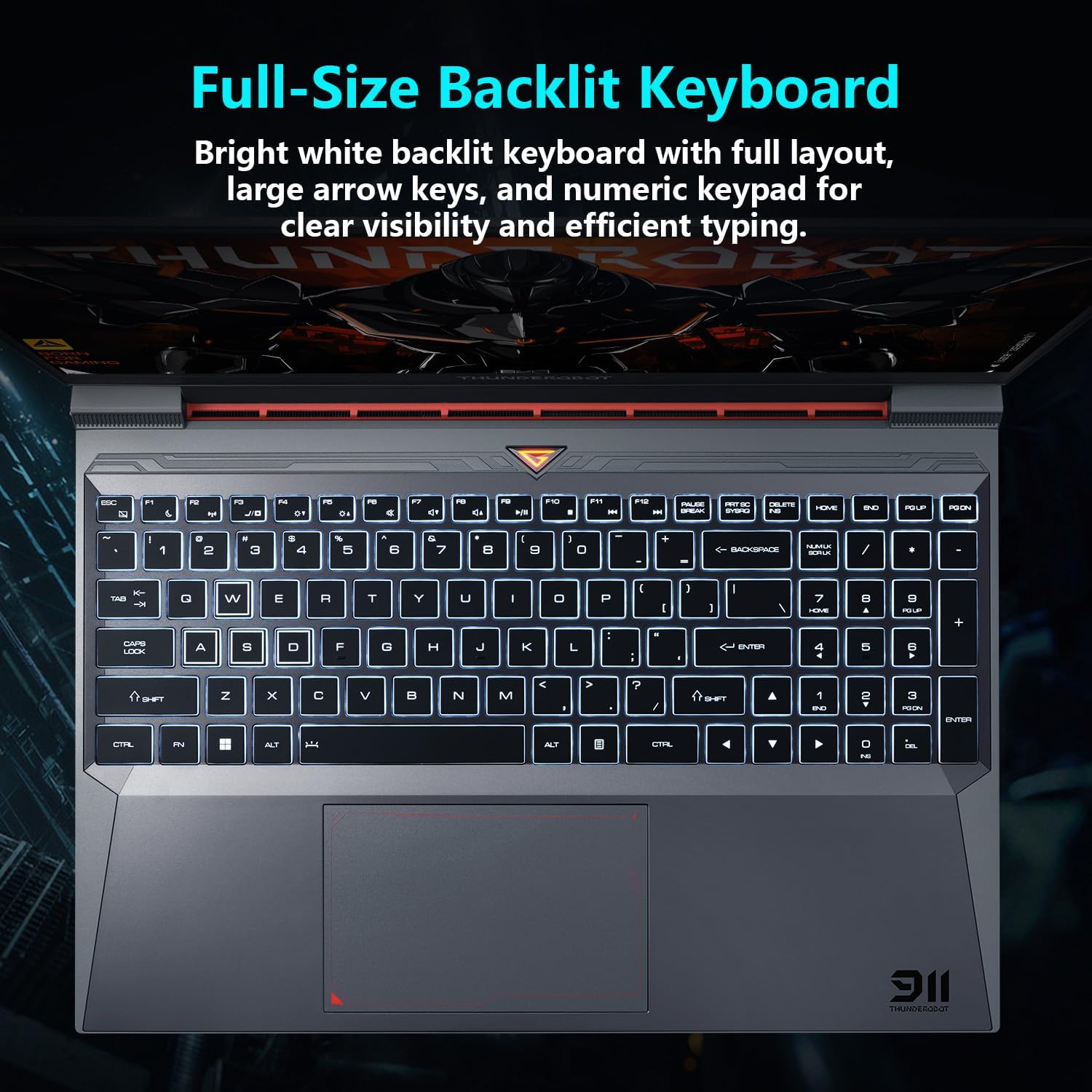
Εικών: View of the full-size backlit keyboard with its bright white backlighting and numeric keypad.
3.3 Σύστημα ήχου
Experience immersive sound with the laptop's professional sound certification and high-specification speaker design.
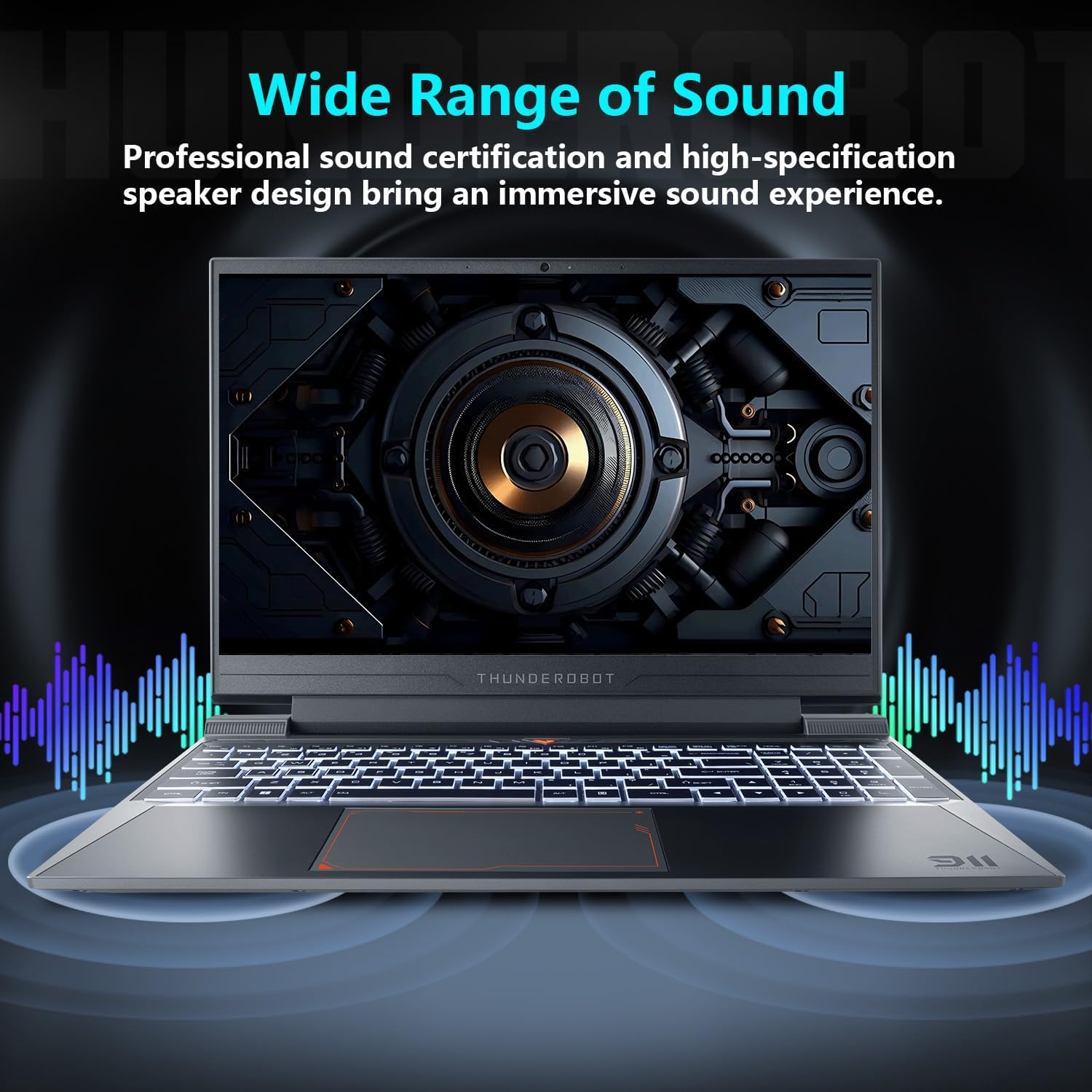
Image: Laptop displaying sound waves, illustrating its wide range of sound capabilities.
3.4 Σύστημα ψύξης
The Advanced Frost Cooling System features multi-heat-pipe design (10mm/8mm composite pipes), a high-pressure turbine fan with 80 ultra-thin LCP blades, and 126 dense copper fins (28,000mm²) to ensure efficient heat dissipation. This design keeps critical components cool during intensive use.
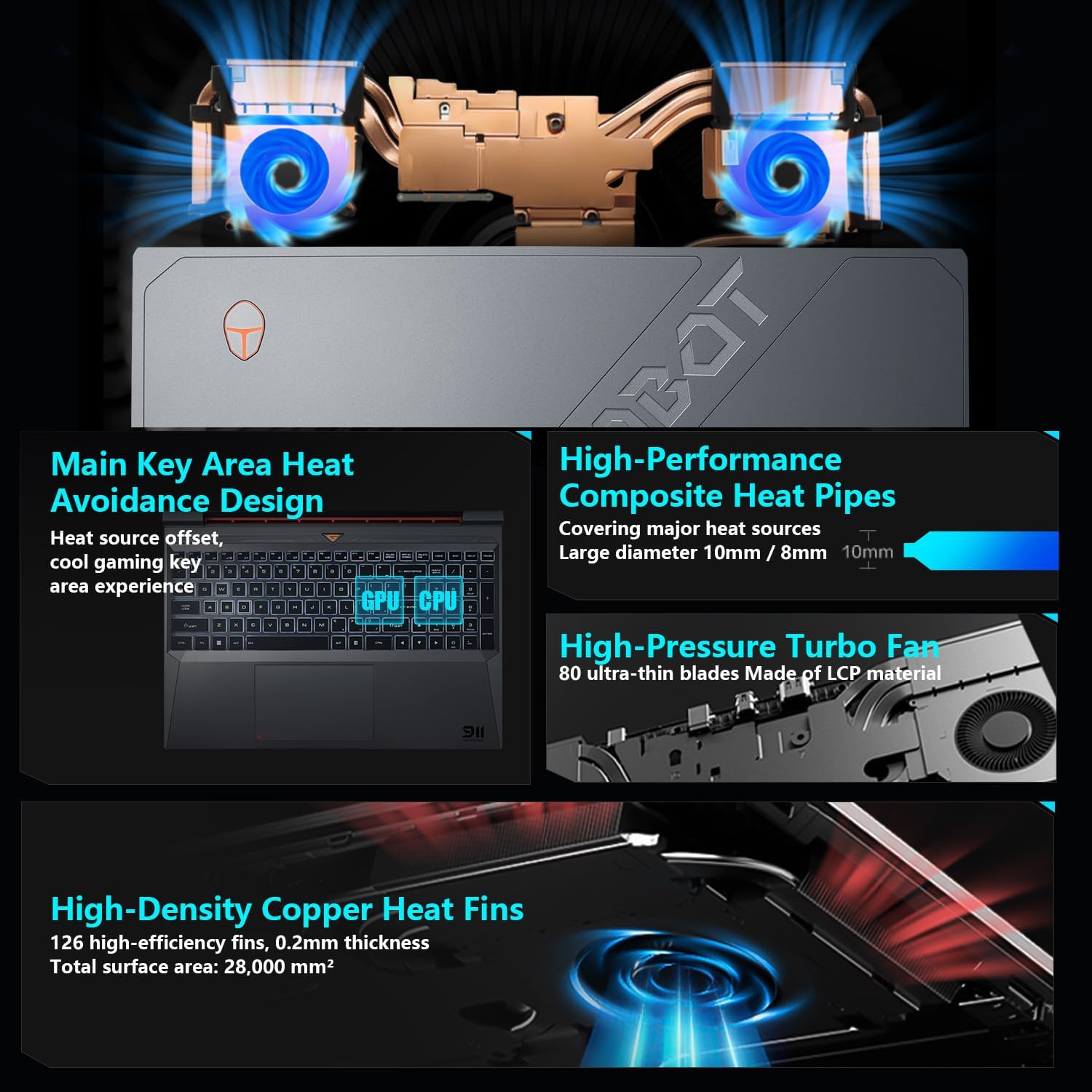
Image: Diagram showing the internal cooling system with heat pipes, fans, and copper fins.
3.5 Control Center Software
The Control Center software allows you to adjust and switch between various performance modes (e.g., Berserk mode, Game mode, Audio and Video Office mode) and customize fan speed and lighting settings. Access it by typing "Control Center" in the Windows search bar or using designated function keys.

Image: Screenshots of the Control Center software interface, showing options for performance modes, fan adjustment, and lighting controls.
4. Συντήρηση
4.1 Καθαρισμός
- Οθόνη: Χρησιμοποιήστε ένα μαλακό πανί που δεν αφήνει χνούδι δampμε νερό ή καθαριστικό οθόνης. Αποφύγετε τις σκληρές χημικές ουσίες.
- Πληκτρολόγιο και σασί: Χρησιμοποιήστε ένα μαλακό πανί για να σκουπίσετε τις επιφάνειες. Μπορείτε να χρησιμοποιήσετε πεπιεσμένο αέρα για να καθαρίσετε τη σκόνη ανάμεσα στα πλήκτρα και τους αεραγωγούς.
- Vents: Regularly check and clean the cooling vents to prevent dust buildup, which can hinder airflow and performance.
4.2 Ενημερώσεις λογισμικού
Keep your operating system and drivers updated to ensure optimal performance and security. Windows Update will handle OS updates, and you can check the Thunderobot support website for the latest driver versions for your specific model.
5. Αντιμετώπιση Προβλημάτων
5.1 Κοινά Θέματα
- Ο φορητός υπολογιστής δεν ενεργοποιείται: Ensure the AC adapter is securely connected to both the laptop and a working power outlet. Check if the power button is functioning correctly.
- Υπερθέρμανση: Ensure cooling vents are not blocked. Use the Control Center to adjust fan speeds. Consider using the laptop on a hard, flat surface to improve airflow.
- Προβλήματα οθόνης: If the screen is blank, try connecting an external monitor to check if the issue is with the laptop's display or the graphics output. Update graphics drivers.
- Αργή απόδοση: Check for background applications consuming resources. Ensure sufficient free storage space. Run a malware scan.
- Δεν εντοπίστηκε περιφερειακό: Ensure the peripheral is correctly plugged into the appropriate port. Try a different port or restart the laptop. Update relevant drivers.
5.2 Επικοινωνία με την Υποστήριξη
If you encounter issues that cannot be resolved using this guide, please refer to the Thunderobot official support channels for assistance.
6. Προδιαγραφές
| Χαρακτηριστικό | Λεπτομέρεια |
|---|---|
| Μέγεθος οθόνης μόνιμης οθόνης | 15.6 ίντσες |
| Ανάλυση οθόνης | 1920 x 1080 pixel |
| Μέγιστη ανάλυση οθόνης | 1920x1080 εικονοστοιχεία |
| Επεξεργαστής | Intel Core i7-13620H (4.9 GHz max turbo) |
| ΕΜΒΟΛΟ | 32 GB DDR4 (3200 MHz) |
| Σκληρός Δίσκος | 1 TB SSD (PCIE x 4) |
| Συνεπεξεργαστής γραφικών | GPU φορητού υπολογιστή NVIDIA GeForce RTX 4050 |
| Ασύρματος τύπος | 802.11ax, Bluetooth |
| Αριθμός θυρών USB 3.0 | 3 |
| Λειτουργικό σύστημα | Windows 11 Home |
| Βάρος αντικειμένου | 12 λίρες |
| Διαστάσεις προϊόντος | 14.12 x 10.14 x 0.94 ίντσες |
| Χρώμα | Μαύρος |
| Ειδικό χαρακτηριστικό | Φωτιζόμενο πληκτρολόγιο, Αριθμητικό πληκτρολόγιο |

Image: Performance benchmarks comparing the RTX 4050 and Intel Core i7-13620H against previous generations.
7. Εγγύηση και υποστήριξη
Κάθε φορητός υπολογιστής Thunderobot περιλαμβάνει ένα 12 μήνες εγγύηση, offering expert support, thorough diagnostics, and genuine parts if a repair is needed. Additionally, a Εγγύηση 90 ημερών is provided on all warranty replacement parts, ensuring hassle-free repairs. Your complete satisfaction is our commitment.
For further support, please visit the official Thunderobot webιστοσελίδα ή επικοινωνήστε με την εξυπηρέτηση πελατών τους.
Βίντεο: Ένα overview of the Thunderobot Storm 15 Laptop, showcasing τα χαρακτηριστικά και ο σχεδιασμός του.


