1. Εισαγωγή
This manual provides essential information for setting up, operating, and maintaining your Lenovo ThinkPad X1 Carbon Gen 13 laptop. Designed for high performance and portability, this device integrates advanced features for a seamless user experience.
The 13th generation ThinkPad X1 Carbon is engineered with Intel's 15th-gen Core Ultra processors, offering enhanced graphics, multi-core performance, AI capabilities, and improved power efficiency. Its ultrathin and ultralight form factor makes it an ideal companion for professionals on the go.
2. Το προϊόν τελείωσεview
The Lenovo ThinkPad X1 Carbon Gen 13 combines robust performance with a lightweight, durable design. Manufactured with recycled carbon fiber and integrating bio-based materials in its packaging, this laptop reflects a commitment to sustainability.
Key features include a vibrant 14-inch WUXGA touchscreen display, a responsive keyboard with tactile bumps, and a larger 120mm glass touchpad. It also boasts a full HD webcam with IR and RGB capabilities, dual-microphone array, and stereo speakers for superior communication.
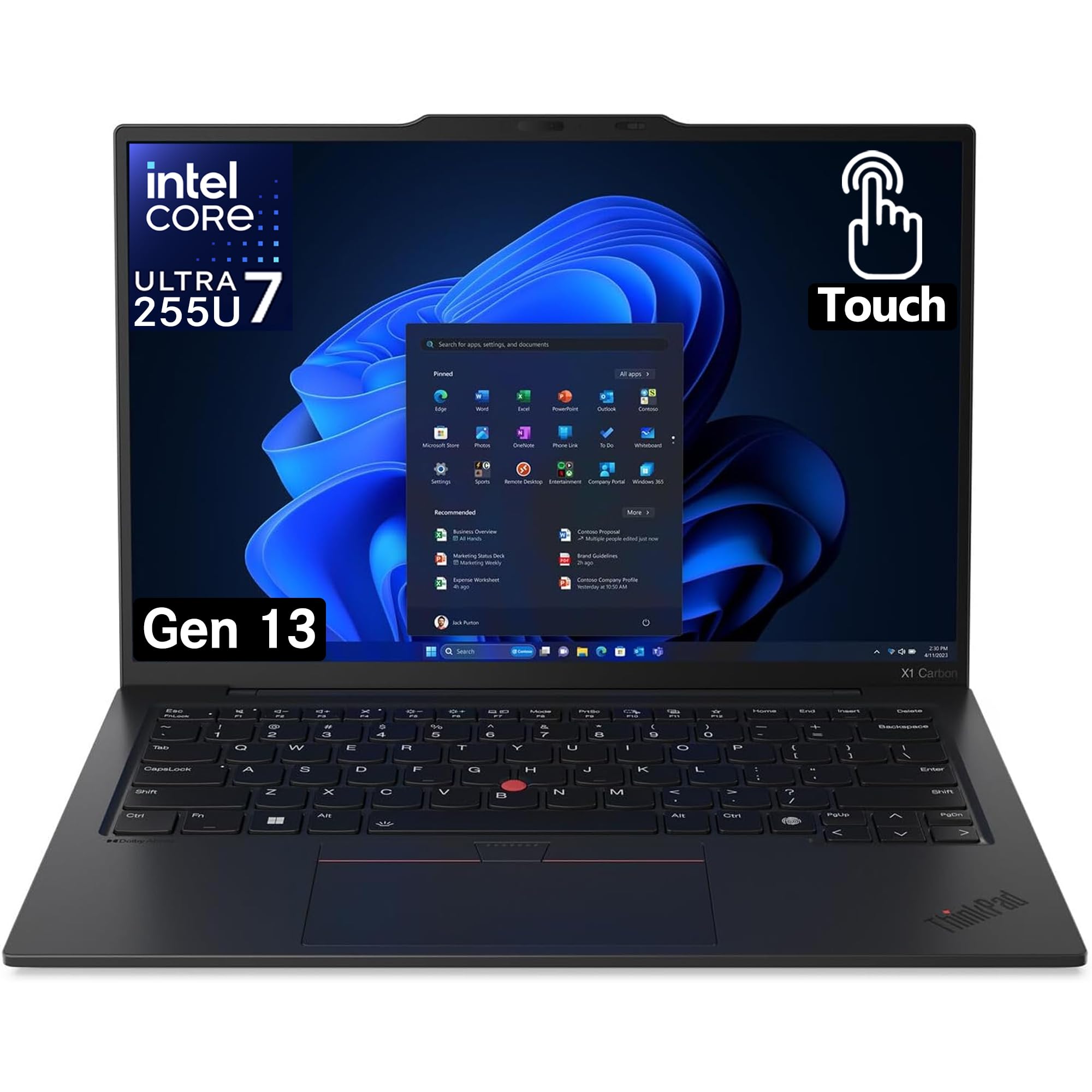
Figure 2.1: Lenovo ThinkPad X1 Carbon Gen 13, closed view.
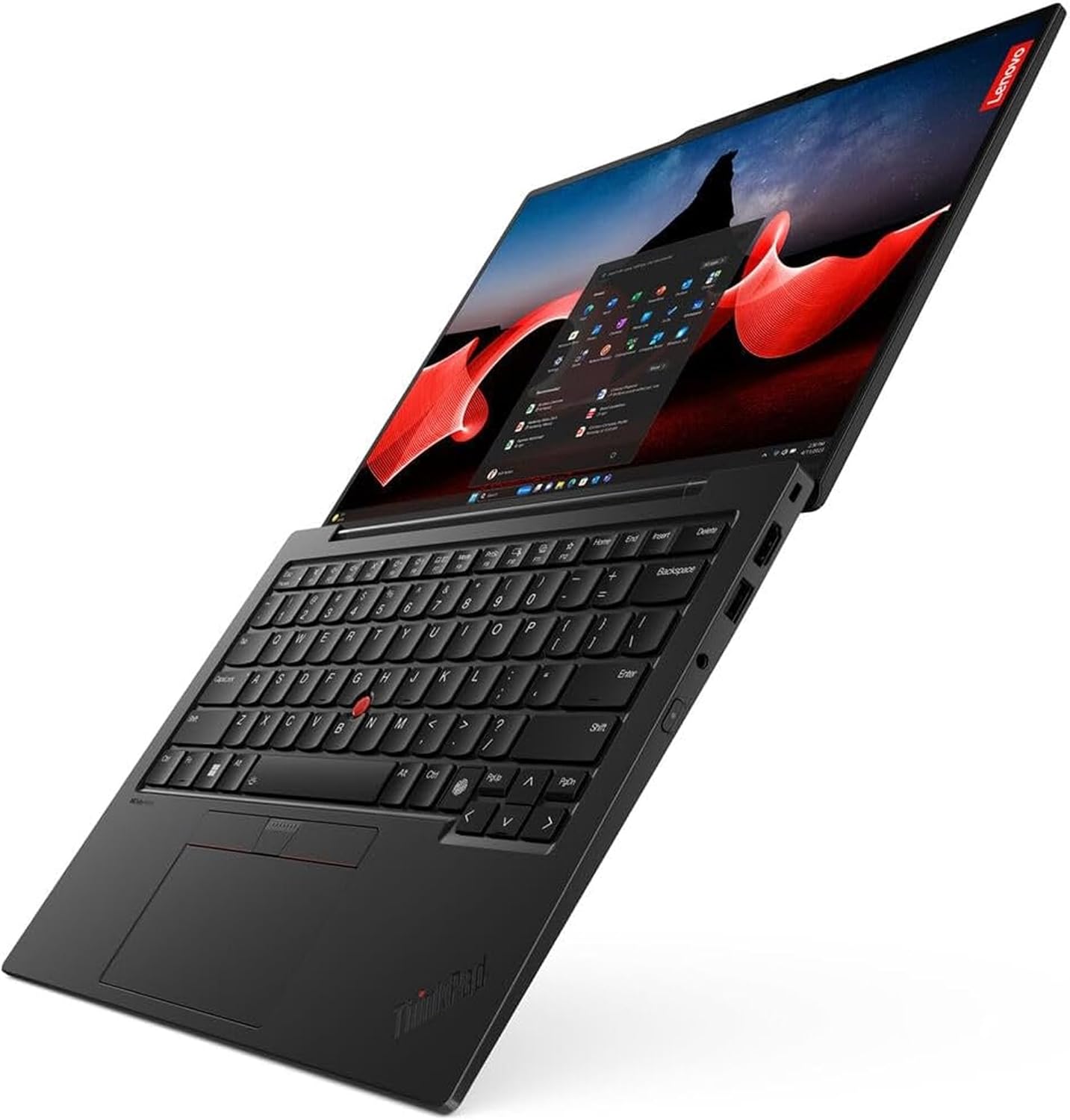
Σχήμα 2.2: Από πάνω προς τα κάτω view of the Lenovo ThinkPad X1 Carbon Gen 13, showcasing το πληκτρολόγιο και την οθόνη.
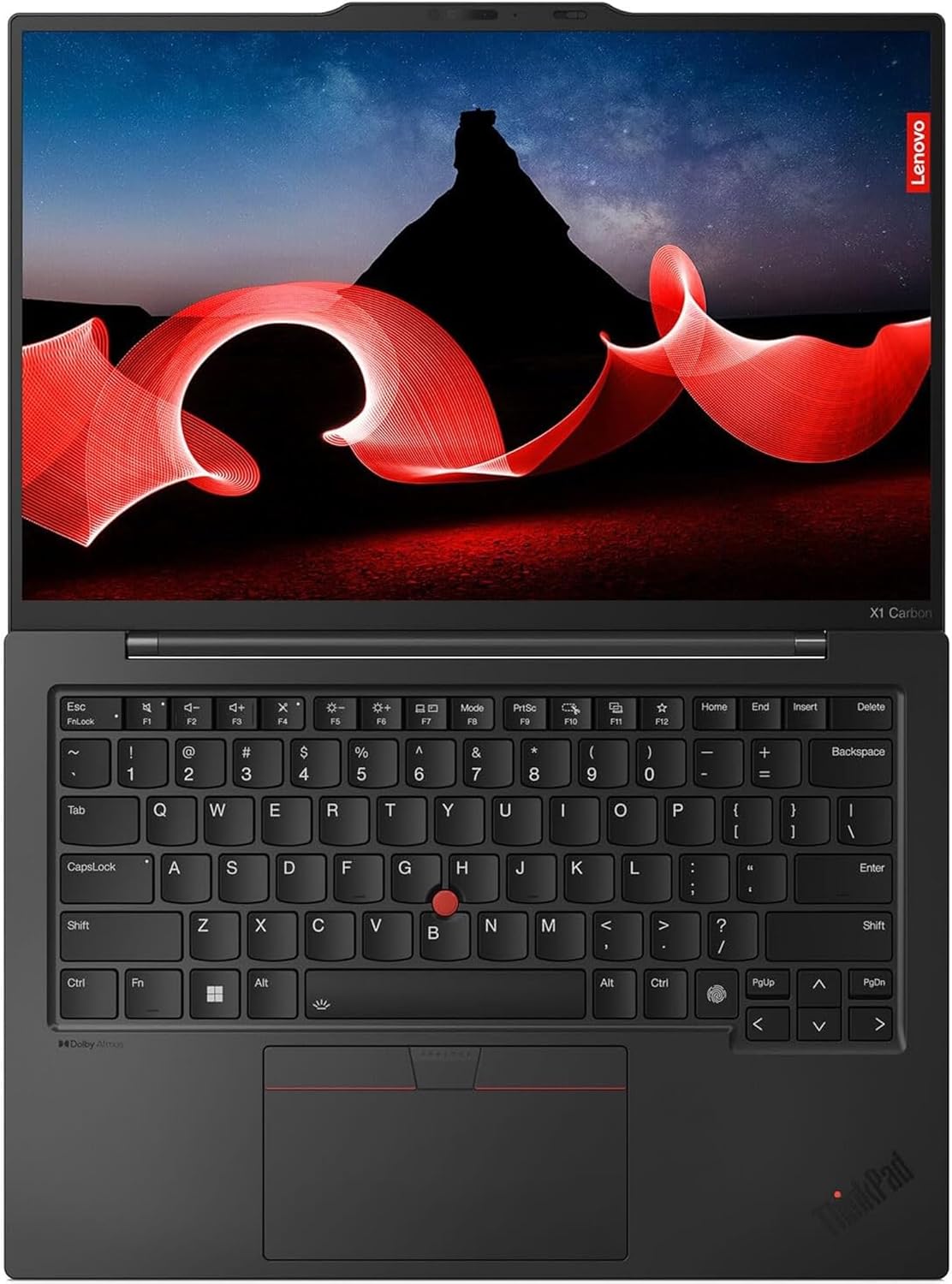
Σχήμα 2.3: Γωνιακό view of the Lenovo ThinkPad X1 Carbon Gen 13, highlighting the screen and keyboard layout.
Εικόνα 2.4: Πλευρά view of the Lenovo ThinkPad X1 Carbon Gen 13, illustrating the various ports.

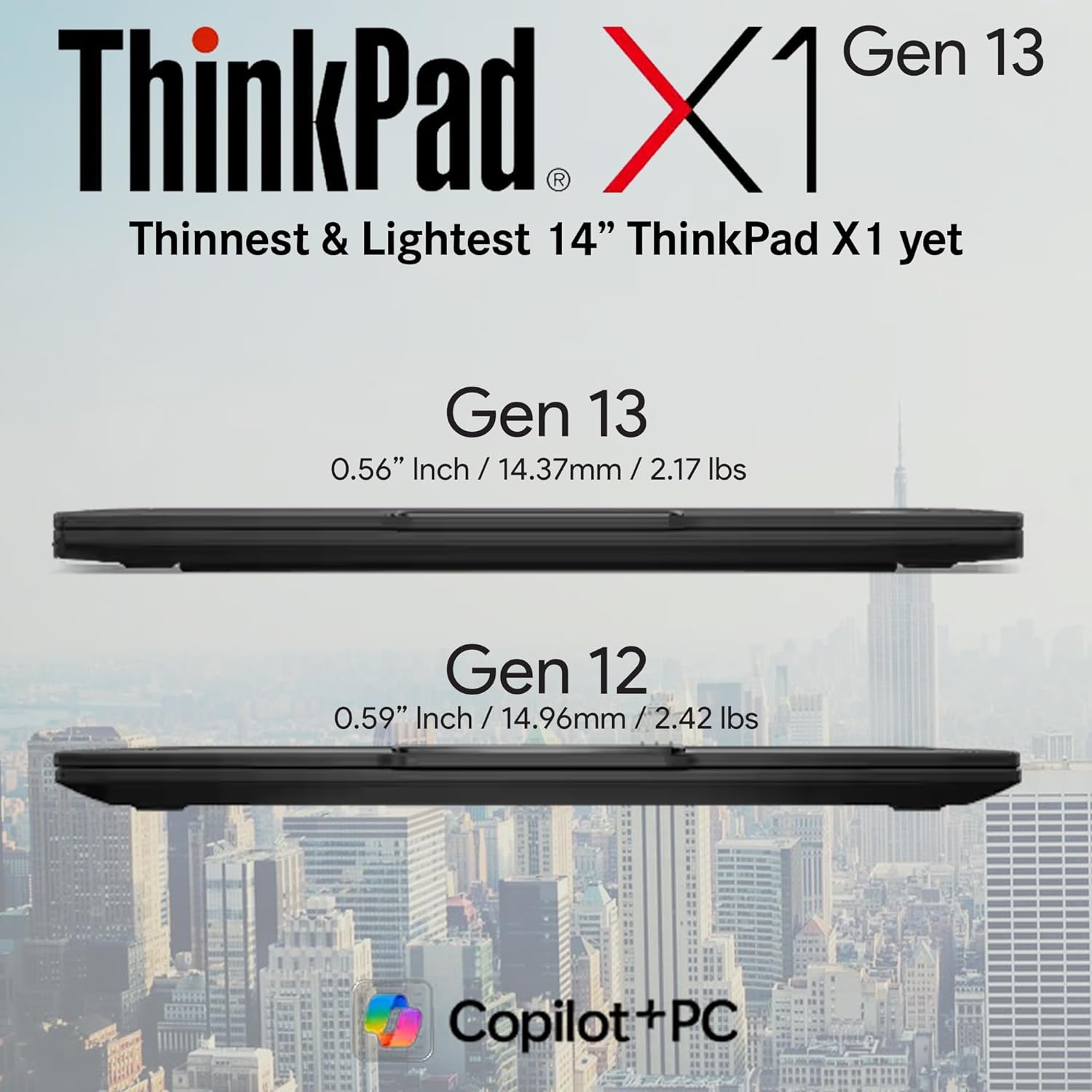
Figure 2.5: Thickness comparison between the Lenovo ThinkPad X1 Carbon Gen 13 and Gen 12 models.
3. Ρύθμιση
3.1 Άνοιγμα συσκευασίας και αρχική επιθεώρηση
Carefully remove your laptop and accessories from the packaging. Verify that all components listed in the 'What's in the Box' section are present and undamaged.
3.2 Σύνδεση του τροφοδοτικού
Connect the USB-C power adapter to a power outlet and then to one of the USB-C/Thunderbolt 4 ports on your laptop. The laptop will begin charging. It is recommended to fully charge the battery before first use.
3.3 First-Time Power On and Windows Setup
Press the power button to turn on your laptop. Follow the on-screen instructions to complete the initial setup of Windows 11 Pro. This includes setting up your user account, network connection, and privacy settings.
3.4 Τι υπάρχει στο κουτί
- ThinkPad X1 Carbon Gen 13 Laptop PC
- Εσωτερική μπαταρία
- Προσαρμογέας ρεύματος USB-C
4. Λειτουργία του φορητού υπολογιστή σας
4.1 Οθόνη και Αλληλεπίδραση
The 14-inch WUXGA (1920x1200) touchscreen display offers 100% sRGB color accuracy, providing crisp visuals for both work and entertainment. Utilize the touchscreen for intuitive navigation and interaction with Windows 11 Pro.
4.2 Πληκτρολόγιο και Touchpad
The keyboard features tactile bumps on certain keys for improved typing comfort and accuracy. It is also backlit for use in low-light conditions. The 120mm glass touchpad provides precise cursor control, complemented by the traditional ThinkPad trackpoint buttons.
4.3 Κάμερα και Ήχος
The FHD+ IR+ RGB camera ensures high-quality video conferencing. It includes a physical privacy shutter for enhanced security. The dual-microphone array and stereo speakers deliver clear audio for calls and multimedia.
Βίντεο 4.1: Πάνωview of the Lenovo ThinkPad X1 Carbon Gen 13, highlighting its compact size and business features. (Source: Seller)
Video 4.2: Detailed look at the Lenovo ThinkPad X1 Carbon Gen 13, covering its design and key functionalities. (Source: Seller)
Video 4.3: Demonstration of the battery life performance of the Lenovo ThinkPad X1 Carbon Gen 13 during typical daily usage. (Source: Seller)
5. Προδιαγραφές
| Χαρακτηριστικό | Λεπτομέρεια |
|---|---|
| Επεξεργαστής | Intel Core Ultra 7 265U (1.7 GHz) |
| ΕΜΒΟΛΟ | 32 GB LPDDR5X-6400MHz |
| Αποθήκευση | 1 TB NVMe Performance SSD |
| Επίδειξη | 14-inch WUXGA (1920x1200) Touchscreen, 100% sRGB |
| Λειτουργικό σύστημα | Windows 11 Pro |
| Γραφικά | Intel Integrated Graphics |
| Κάμερα | FHD+ IR+ RGB Camera |
| λιμάνια | 2x USB-C/Thunderbolt 4, 2x USB-A 3.2, 1x HDMI |
| Ασύρματος | 802.11ax, Bluetooth |
| Βάρος | 2.14 λίρες |
| Διαστάσεις (ΜxΠxΥ) | 12.31 x 0.59 x 8.45 ίντσες |
| Μπαταρία | Απαιτείται 1 μπαταρία πολυμερούς λιθίου |
6. Συντήρηση
6.1 Καθαρισμός του φορητού υπολογιστή σας
Regularly clean the screen with a soft, lint-free cloth specifically designed for electronics. For the keyboard and chassis, use a slightly damp cloth with a mild, non-abrasive cleaner. Avoid spraying liquids directly onto the laptop.
6.2 Φροντίδα μπαταρίας
Για να παρατείνετε τη διάρκεια ζωής της μπαταρίας, αποφύγετε τις ακραίες θερμοκρασίες και μην αφήνετε τον φορητό υπολογιστή πλήρως φορτισμένο ή πλήρως αποφορτισμένο για μεγάλα χρονικά διαστήματα. Για βέλτιστη απόδοση, αφήστε την μπαταρία να αποφορτιστεί μερικώς πριν την επαναφόρτιση.
6.3 Ενημερώσεις λογισμικού
Ensure your operating system and drivers are regularly updated to maintain security, performance, and compatibility. Windows Update can manage most system updates automatically.
7. Αντιμετώπιση Προβλημάτων
7.1 Κοινά Θέματα
- Χωρίς ισχύ: Ensure the power adapter is securely connected and the outlet is functional. Try a different outlet or adapter if available.
- Προβλήματα εμφάνισης: If the screen is blank or flickering, try restarting the laptop. Check external display connections if applicable.
- Αργή απόδοση: Κλείστε τις περιττές εφαρμογές, ελέγξτε για κακόβουλο λογισμικό και βεβαιωθείτε ότι έχετε αρκετό ελεύθερο χώρο αποθήκευσης.
7.2 Επικοινωνία με την υποστήριξη
If you encounter persistent issues that cannot be resolved with basic troubleshooting, please refer to the warranty and support information provided by Lenovo.
8. Εγγύηση και υποστήριξη
Your Lenovo ThinkPad X1 Carbon Gen 13 comes with a One Year Lenovo Warranty. For additional support and extended coverage, you may be eligible to add up to 5 years of Lenovo Premier Support upon registering your computer with Lenovo.
For detailed warranty terms, service options, and technical assistance, please visit the official Lenovo support webιστοσελίδα ή επικοινωνήστε με την εξυπηρέτηση πελατών τους.