1. Εισαγωγή
This manual provides essential instructions for the assembly, operation, and maintenance of your Arcade1Up Ms. Pac-Man Classic SE Arcade Machine. Please read this manual thoroughly before use to ensure proper function and safety.

Image 1: The Arcade1Up Ms. Pac-Man Classic SE Arcade Machine, featuring vibrant blue and pink artwork with Ms. Pac-Man characters.
2. Πληροφορίες Ασφάλειας
Παρακαλούμε τηρήστε τις ακόλουθες προφυλάξεις ασφαλείας:
- Keep the arcade machine away from water or excessive moisture.
- Βεβαιωθείτε ότι το καλώδιο τροφοδοσίας δεν είναι κατεστραμμένο ή φθαρμένο.
- Do not attempt to open or modify the machine. Refer all servicing to qualified personnel.
- Place the machine on a stable, level surface to prevent tipping.
- Επιβλέπετε τα παιδιά κατά τη χρήση.
3. Περιεχόμενα συσκευασίας
Your Arcade1Up Ms. Pac-Man Classic SE Arcade Machine package includes:
- Arcade Machine Cabinet
- Μετασχηματιστής ρεύματος
- Εγχειρίδιο οδηγιών (αυτό το έγγραφο)
Note: An optional riser may be sold separately.
4. Ρύθμιση
4.1 Συναρμολόγηση
The Arcade1Up Ms. Pac-Man Classic SE Arcade Machine requires some assembly. Follow the detailed instructions provided in the separate assembly guide included with your product. Ensure all screws and fasteners are securely tightened before use.

Image 2: Dimensions of the Arcade1Up Ms. Pac-Man Classic SE Arcade Machine, showing its height of 45.4 inches without a riser and indicating an optional riser is sold separately.
4.2 Σύνδεση ρεύματος
- Locate the power input port on the back of the arcade machine.
- Connect the provided power adapter to the machine.
- Συνδέστε το τροφοδοτικό σε μια τυπική πρίζα.
- Ensure the power switch (if present) is in the 'OFF' position before plugging in.
Βίντεο 1: Ένα overview of the Arcade1Up Ms. Pac-Man Classic SE Arcade Machine, demonstrating its features and setup in a home environment. This video is provided by the seller.
5. Οδηγίες λειτουργίας
5.1 Ενεργοποίηση/Απενεργοποίηση
Locate the power switch on the control panel. Flip the switch to 'ON' to power on the machine. Flip to 'OFF' to power off.
5.2 Επιλογή παιχνιδιού
Upon powering on, you will see a game selection menu. Use the joystick to navigate through the available games. Press the 'Start Game' button to select and launch your desired game.
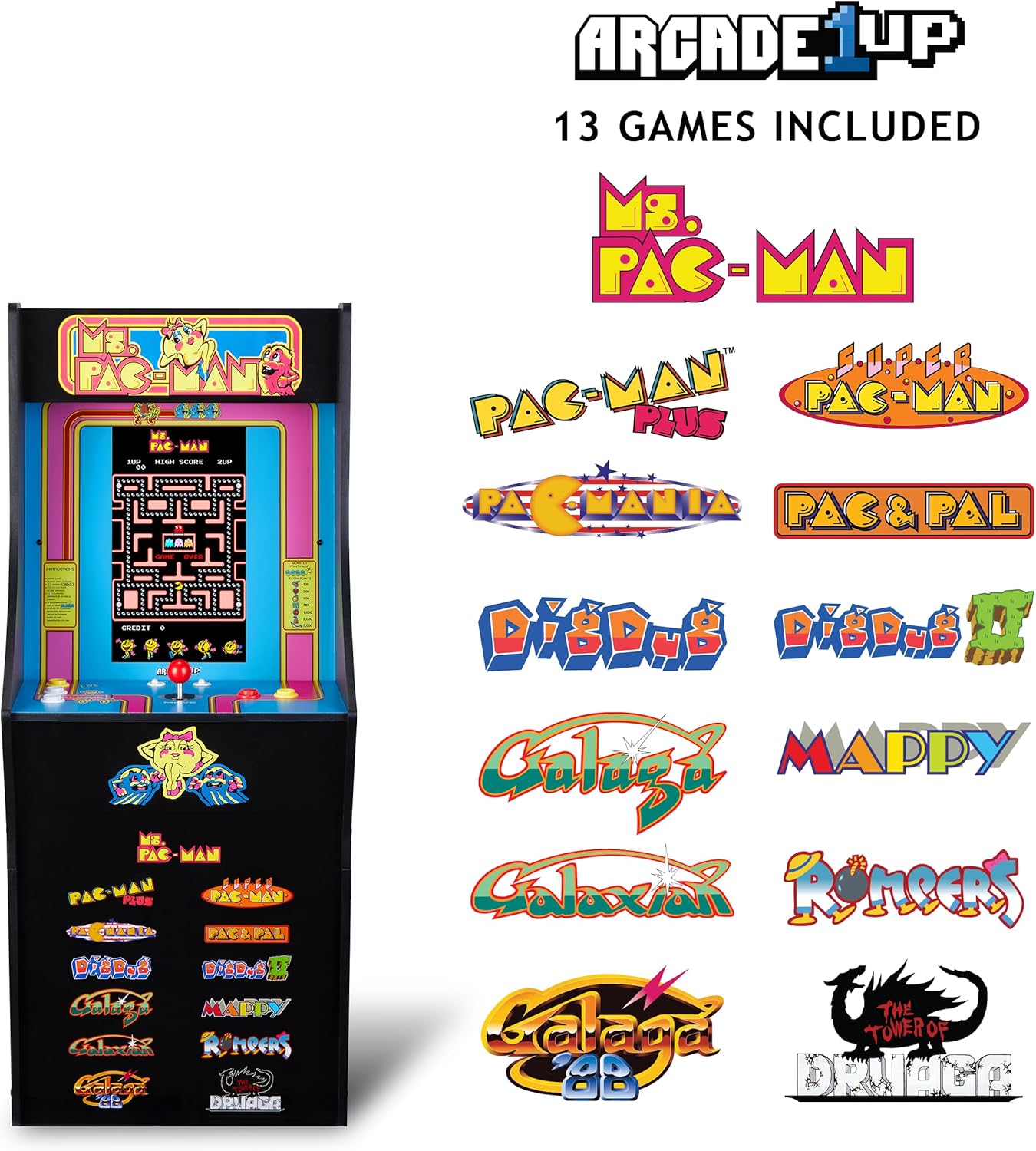
Image 3: The Arcade1Up Ms. Pac-Man Classic SE Arcade Machine displaying the list of 13 included games, such as Ms. Pac-Man, Dig Dug, and Galaga.
5.3 Χειριστήρια
- joystick: Used for character movement in games.
- Start Game Button: Initiates a game or confirms selection.
- Κουμπιά δράσης: Used for specific in-game actions (e.g., firing, jumping).
- Έλεγχος έντασης ήχου: Adjust the game sound level using the dedicated volume buttons.
- To return to the game selection menu or save a high score, hold the 'Start Game' button for 5 seconds.
- To reset a game, hold the 'Start Game' button for 5 seconds.

Εικόνα 4: Μια λεπτομερής view of the control panel, highlighting the joystick, start game button, and other action buttons for gameplay.
5.4 Συμπεριλαμβανόμενα παιχνίδια
Your Arcade1Up Ms. Pac-Man Classic SE Arcade Machine includes 13 classic games:
- Ms. PAC-MAN
- PAC-MAN PLUS
- SUPER PAC-MAN
- PAC & PAL
- PACMANIA
- DIG DUG
- DIG DUG 2
- GALAGA
- GALAXIAN
- GALAGA 88
- MAPPY
- ROMPERS
- THE TOWER OF DRUAGA
5.5 WiFi Leaderboards
Connect your arcade machine to WiFi to access online leaderboards and compete for high scores globally. Refer to the on-screen prompts for WiFi setup and leaderboard access.
Video 2: Gameplay footage of the Arcade1Up Ms. Pac-Man Classic SE Arcade Machine, showcasing the classic arcade experience and the online leaderboard feature. This video is provided by the seller.
6. Συντήρηση
- Καθάρισμα: Use a soft, dry cloth to wipe down the cabinet and screen. Avoid abrasive cleaners or excessive moisture.
- Αποθήκευση: Αποθηκεύστε το μηχάνημα σε δροσερό και ξηρό μέρος, μακριά από το άμεσο ηλιακό φως και τις ακραίες θερμοκρασίες.
- Καλώδιο ρεύματος: Ελέγχετε τακτικά το καλώδιο ρεύματος για τυχόν σημάδια ζημιάς.
7. Αντιμετώπιση Προβλημάτων
| Πρόβλημα | Πιθανή αιτία | Διάλυμα |
|---|---|---|
| Η μηχανή δεν ενεργοποιείται. | Το καλώδιο τροφοδοσίας δεν είναι συνδεδεμένο· η πρίζα δεν λειτουργεί. | Βεβαιωθείτε ότι το καλώδιο τροφοδοσίας είναι καλά συνδεδεμένο. Δοκιμάστε την πρίζα με μια άλλη συσκευή. |
| Κανένας ήχος. | Volume turned down; speaker issue. | Check volume settings on the control panel. If problem persists, contact support. |
| Το παιχνίδι παγώνει ή παρουσιάζει σφάλμα. | Σφάλμα λογισμικού· προσωρινό σφάλμα. | Power off the machine, wait 10 seconds, then power back on. |
8. Προδιαγραφές
| Χαρακτηριστικό | Λεπτομέρεια |
|---|---|
| Αριθμός μοντέλου | MSP-A-405629 |
| Διαστάσεις (Υ x Π x Β) | 45.4" x 17.35" x 45.4" (without riser) |
| Μέγεθος οθόνης | 15.6 Inches IPS Color Monitor |
| Αριθμός Παιχνιδιών | 13 |
| Τύπος ελεγκτή | Χειριστήριο |
| Πηγή ισχύος | Ενσύρματο Ηλεκτρικό |
| Υλικό | Πλαστικό, ακρυλονιτρίλιο βουταδιένιο στυρένιο (ABS) |
| Βάρος αντικειμένου | 47 λίρες |
| Προτεινόμενη ηλικία από τον κατασκευαστή | 10 ετών και άνω |
| Συνδεσιμότητα | WiFi Leaderboards |
9. Εγγύηση και υποστήριξη
For warranty information, technical support, or service inquiries, please refer to the official Arcade1Up webστον ιστότοπο ή επικοινωνήστε με το τμήμα εξυπηρέτησης πελατών. Κρατήστε την απόδειξη αγοράς για τυχόν αξιώσεις εγγύησης.
Διαδικτυακή υποστήριξη: www.arcade1up.com


