Εισαγωγή
This manual provides detailed instructions for the New Bee M53 Bluetooth Headset. Please read this manual carefully before using the product to ensure proper operation and to maximize its performance and lifespan. Keep this manual for future reference.
Περιεχόμενα συσκευασίας
Βεβαιωθείτε ότι όλα τα στοιχεία υπάρχουν στη συσκευασία:
- Bluetooth Earpiece (1 unit)
- 500mAh Charging Case (1 unit)
- Ear Tips (3 sizes: S/M/L)
- Type-C Cable (1 unit, AC adapter not included)
- Εγχειρίδιο χρήστη (1 μονάδα)
Προϊόν Πάνωview
The New Bee M53 Bluetooth Headset features an ergonomic design for comfortable wear and intuitive controls. Below is a general view of the headset and its charging case.
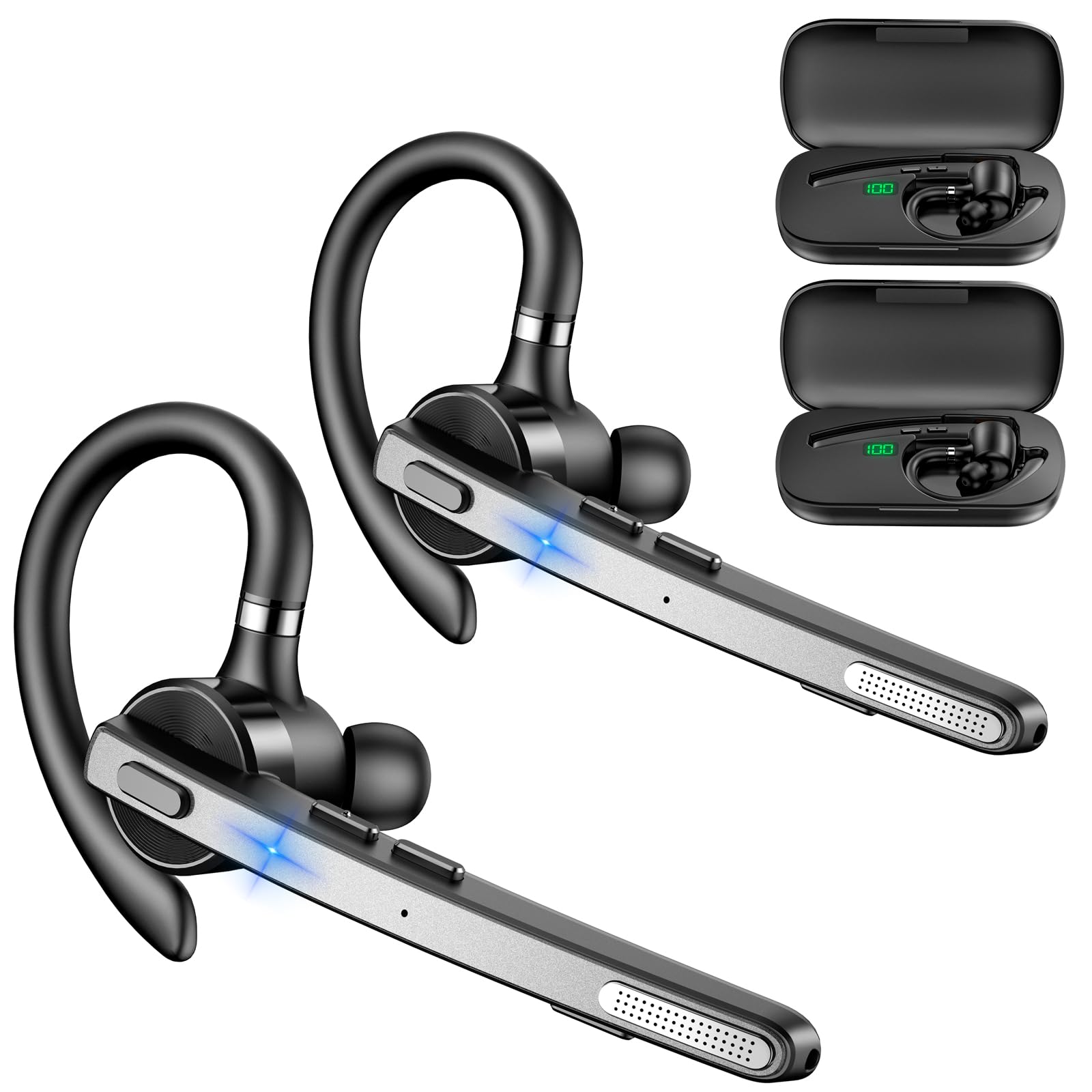
Image: New Bee M53 Bluetooth Headset with its charging case and included ear tips.

Image: Diagram illustrating the various buttons and their functions on the New Bee M53 Bluetooth Headset, including power, volume, call control, mute, and Type-C charging port.
Ρύθμιση
1. Φόρτιση των ακουστικών και της θήκης
Before first use, fully charge the headset and its charging case. The charging case has a digital display to indicate the remaining power.
- Connect the provided Type-C cable to the charging port on the case and to a USB power source (e.g., computer, wall adapter).
- Place the headset into the charging case.
- Η πλήρης φόρτιση διαρκεί περίπου 2 ώρες.
- The 500mAh charging case provides approximately 72 hours of total playtime for the headset.
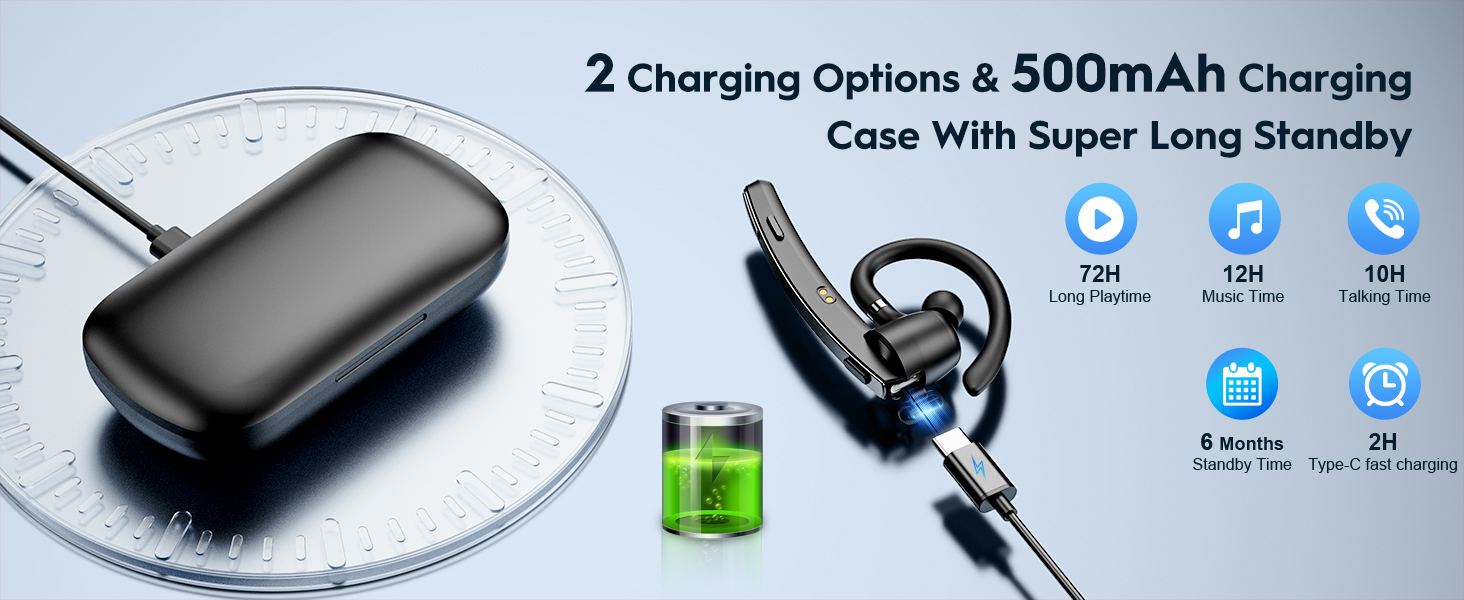
Image: The New Bee M53 charging case displaying battery level, with the headset inside, illustrating its long battery life capabilities.
2. Χρήση των ακουστικών
The headset is designed for comfortable and secure fit. It can be worn on either the left or right ear.
- The flexible ear hook can be rotated 180° to fit either ear.
- The earphone arm can be rotated 270° to adjust the microphone position.
- Choose from the three included ear tip sizes (S, M, L) for the best fit and comfort.
- The headset weighs only 13.6 grams, ensuring comfort during extended wear.

Image: Illustration of the headset's adjustable ear hook for left/right ear use and the three available ear tip sizes (S, M, L).
3. Σύζευξη Bluetooth
The headset uses Bluetooth 5.1 technology for quick and stable connections.
- Βεβαιωθείτε ότι τα ακουστικά είναι φορτισμένα και απενεργοποιημένα.
- Πατήστε παρατεταμένα το κουμπί λειτουργίας για 3-5 δευτερόλεπτα μέχρι η ενδεικτική λυχνία να αναβοσβήσει μπλε και κόκκινο, υποδεικνύοντας τη λειτουργία σύζευξης.
- Στη συσκευή σας (smartphone, φορητό υπολογιστή κ.λπ.), ενεργοποιήστε το Bluetooth και αναζητήστε διαθέσιμες συσκευές.
- Select "M53" from the list of devices.
- Μόλις συνδεθεί, η ενδεικτική λυχνία θα αναβοσβήνει αργά με μπλε χρώμα.
The headset supports connecting to two devices simultaneously within a 15-meter (49 feet) range.

Image: The headset shown connecting to a mobile phone, demonstrating Bluetooth 5.1 quick connection and dual device capability.
Οδηγίες Λειτουργίας
Βασικές Λειτουργίες
- Ενεργοποίηση/Απενεργοποίηση: Press and hold the Power button for 3 seconds to power on, 5 seconds to power off.
- Αναπαραγωγή/Παύση: Πατήστε το κουμπί Αναπαραγωγή/Παύση μία φορά.
- Έλεγχος έντασης ήχου: Χρησιμοποιήστε τα κουμπιά έντασης ήχου +/- για να ρυθμίσετε την ένταση του ήχου.
- Επόμενο/Προηγούμενο Τραγούδι: Press and hold Volume + for next song, Volume - for previous song (3 seconds).
Διαχείριση κλήσεων
- Απάντηση/Κλείσιμο κλήσης: Press the Answer/Hang Up button once.
- Απόρριψη κλήσης: Press and hold the Answer/Hang Up button for 2 seconds.
- Επανάκληση τελευταίου αριθμού: Double-press the Answer/Hang Up button.
- Σίγαση μικροφώνου: Press the Mic Mute button once during a call to mute/unmute the microphone.
The headset features dual-mic noise reduction and CVC8.0 technology for clear calls by reducing ambient noise and echo.

Image: Illustration of the headset's one-button call answering and mute features for hands-free communication.

Image: Visual representation of the dual-mic noise cancelling technology, showing how external background noise is reduced for clear calls.
Συντήρηση
To ensure the longevity and optimal performance of your New Bee M53 Bluetooth Headset, follow these maintenance guidelines:
- Καθάρισμα: Use a soft, dry, lint-free cloth to clean the headset and charging case. Do not use abrasive cleaners, solvents, or aerosol sprays.
- Αποθήκευση: Store the headset in its charging case when not in use to protect it from dust and damage. Avoid extreme temperatures.
- Έκθεση στο νερό: The headset is not waterproof. Avoid exposure to water, moisture, or excessive humidity.
- Φόρτιση: Always use the provided Type-C cable for charging. Do not attempt to disassemble or modify the device.
Αντιμετώπιση προβλημάτων
Εάν αντιμετωπίσετε προβλήματα με τα ακουστικά σας, ανατρέξτε στις ακόλουθες συνήθεις λύσεις:
| Πρόβλημα | Διάλυμα |
|---|---|
| Τα ακουστικά δεν ενεργοποιούνται. | Βεβαιωθείτε ότι τα ακουστικά είναι πλήρως φορτισμένα. Τοποθετήστε τα στη θήκη φόρτισης και συνδέστε τη θήκη σε μια πηγή τροφοδοσίας. |
| Δεν είναι δυνατή η σύζευξη με τη συσκευή. |
|
| Δεν υπάρχει ήχος ή η ένταση είναι χαμηλή. |
|
| Η ποιότητα της κλήσης είναι κακή. |
|
Προδιαγραφές
| Χαρακτηριστικό | Λεπτομέρεια |
|---|---|
| Όνομα μοντέλου | M53 |
| Έκδοση Bluetooth | 5.1 |
| Εύρος Bluetooth | Έως 15 μέτρα (49 πόδια) |
| Battery Life (Talktime/Music) | Περίπου 12 ώρες ανά φόρτιση |
| Συνολικός χρόνος παιχνιδιού με θήκη φόρτισης | Έως 72 ώρες |
| Χωρητικότητα θήκης φόρτισης | 500 mAh |
| Χρόνος Φόρτισης | Περίπου 2 ώρες (Τύπος-C) |
| Βάρος | 13.6 grams (earpiece) |
| Έλεγχος θορύβου | Dual-Mic Noise Reduction, CVC8.0 |
| Αρμονία | iOS, Android, Windows (Cellphones, Laptops, Desktops) |
| Τύπος ελέγχου | Έλεγχος κουμπιού |

Image: The headset demonstrating its wide compatibility with devices such as tablets, cellphones, laptops, PCs, and Kindles.
Εγγύηση και υποστήριξη
New Bee provides a 3-year customer support service for this product. If you encounter any issues or have questions, please contact our customer support team. Refer to the contact information provided with your purchase or visit the official New Bee website για βοήθεια.
Για αξιώσεις εγγύησης, παρακαλούμε φυλάξτε την απόδειξη αγοράς.


