1. Εισαγωγή
Thank you for choosing the ELECCTV W1-B-2PC 2K Dual-Band WiFi Security Camera. This manual provides essential information for the proper installation, operation, and maintenance of your security camera system. The W1-B-2PC camera features advanced 2.4GHz and 5GHz dual-band wireless connectivity, 2K QHD video resolution, color night vision, AI motion detection with spotlight and siren, two-way audio communication, and an IP65 weather-resistant design for reliable outdoor use. Please read this manual thoroughly before use to ensure optimal performance and safety.
2. Πληροφορίες Ασφάλειας
- Ensure the camera is installed in a location where it is protected from direct impact or vandalism.
- Use only the provided charging cable and adapter to charge the camera's battery.
- Do not expose the camera to extreme temperatures outside its operating range (-4°F to 113°F / -20°C to 45°C).
- Κρατήστε την κάμερα και τα αξεσουάρ της μακριά από παιδιά.
- Αποφύγετε να στρέφετε την κάμερα απευθείας σε πηγές ισχυρού φωτός, καθώς αυτό μπορεί να επηρεάσει την ποιότητα της εικόνας.
- Regularly check the mounting to ensure the camera remains securely attached.
3. Περιεχόμενα συσκευασίας
Βεβαιωθείτε ότι όλα τα αντικείμενα υπάρχουν στη συσκευασία σας:
- ELECCTV W1-B-2PC Security Camera (2 units)
- Mounting Bracket (2 units)
- Καλώδιο φόρτισης USB (2 μονάδες)
- Mounting Screw Kit (2 sets)
- Εγχειρίδιο χρήστη
4. Το προϊόν τελείωσεview
Familiarize yourself with the components of your ELECCTV W1-B-2PC camera:
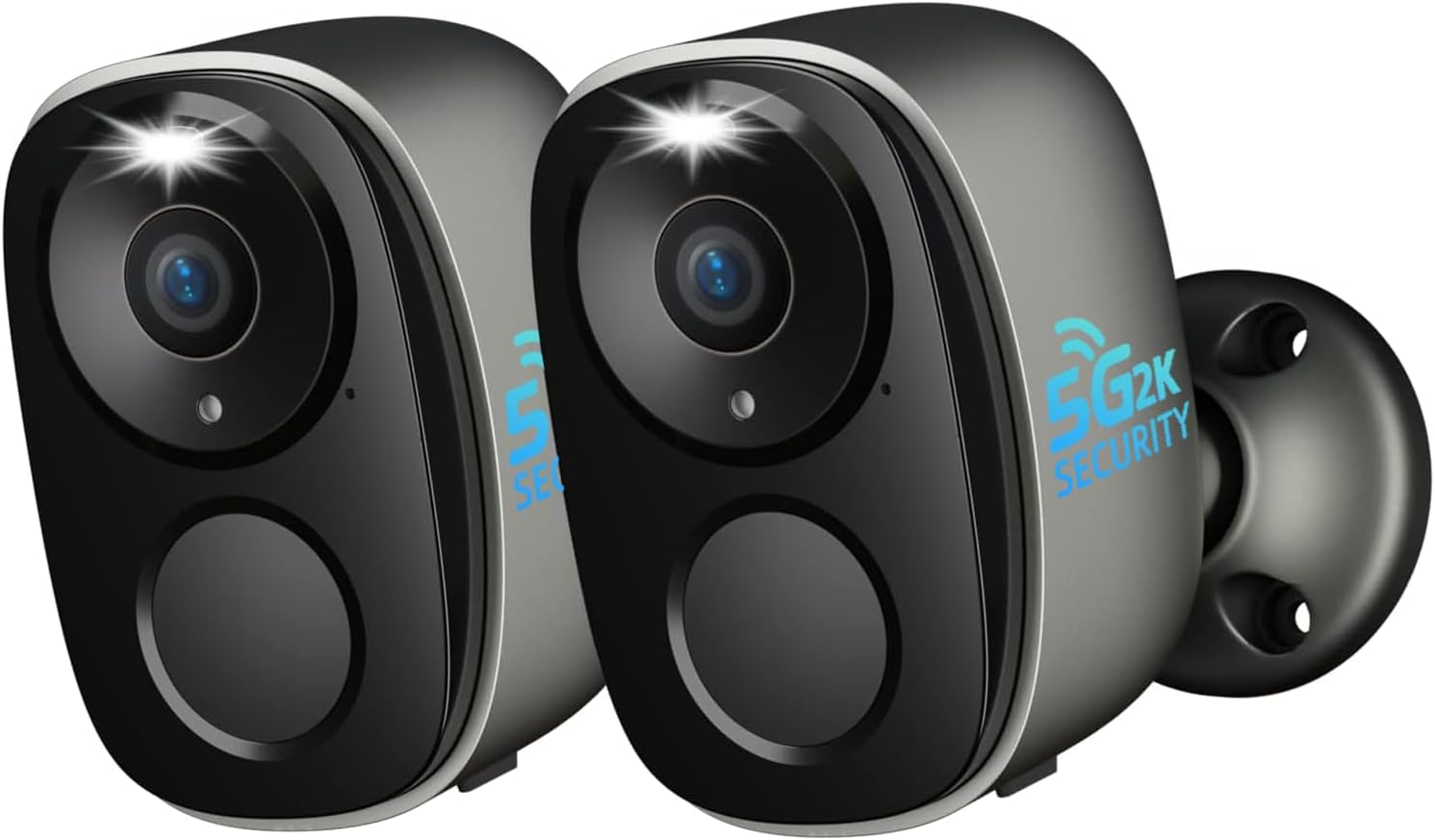
Εικόνα: Μπροστά view of two ELECCTV W1-B-2PC cameras.
- Φακός: Captures 2K QHD video footage.
- Κέντρο προσοχής: Provides illumination for color night vision and acts as a deterrent.
- PIR πρόταση αισθητήρας: Ανιχνεύει θερμικά σήματα για ακριβή ανίχνευση κίνησης.
- Μικρόφωνο: Καταγράφει ήχο για αμφίδρομη συνομιλία και εγγραφή.
- Ομιλητής: Enables two-way audio communication and siren activation.
- Βάση τοποθέτησης: Allows for secure wall or ceiling installation.
- Θύρα φόρτισης USB: Για την επαναφόρτιση της εσωτερικής μπαταρίας.
- Κουμπί επαναφοράς: Χρησιμοποιείται για την επαναφορά της κάμερας στις εργοστασιακές ρυθμίσεις.
- Υποδοχή κάρτας Micro SD: Υποστηρίζει τοπική αποθήκευση έως 256GB (η κάρτα δεν περιλαμβάνεται).
5. Οδηγός εγκατάστασης
5.1. Φόρτιση της κάμερας
Before initial use, fully charge the camera's built-in rechargeable battery. Connect the provided USB charging cable to the camera's charging port and a standard 5V/2A USB power adapter (not included). The charging indicator light will show the charging status. A full charge can last 1-3 months depending on usage and power-saving settings.
5.2. Εγκατάσταση εφαρμογής
Κατεβάστε και εγκαταστήστε το O-KAM Pro app on your smartphone. The app is available for both iOS and Android devices. Αναζήτηση για "O-KAM Pro" in your device's app store or scan the QR code provided in the quick start guide (if applicable).

Image: O-KAM Pro app interface for easy setup and WiFi connection.
5.3. Σύζευξη συσκευής
Follow these steps to connect your camera to your Wi-Fi network:
- Ανοίξτε την εφαρμογή O-KAM Pro και δημιουργήστε έναν λογαριασμό ή συνδεθείτε.
- Πατήστε το εικονίδιο "+" για να προσθέσετε μια νέα συσκευή.
- Επιλέξτε το μοντέλο της κάμεράς σας από τη λίστα.
- Power on the camera. If the indicator light is not flashing, press and hold the reset button for 5 seconds until it flashes.
- Follow the in-app instructions to connect the camera to your 2.4GHz or 5GHz Wi-Fi network. The camera supports dual-band connectivity for a stable connection.
- Σαρώστε τον κωδικό QR που εμφανίζεται στο τηλέφωνό σας με τον φακό της κάμερας.
- Μόλις συνδεθείτε, ονομάστε την κάμερά σας και ολοκληρώστε τη ρύθμιση.

Image: Dual-band WiFi 6 connectivity and key features.
5.4. Τοποθέτηση κάμερας
The ELECCTV W1-B-2PC camera is 100% wire-free and IP65 waterproof, allowing for flexible installation both indoors and outdoors. Choose a location with a strong Wi-Fi signal and a clear view της περιοχής που θέλετε να παρακολουθήσετε.
- Mark the desired drilling spots using the mounting bracket as a template.
- Drill holes and insert wall anchors if mounting on a masonry surface.
- Στερεώστε τη βάση στήριξης στον τοίχο ή στην οροφή χρησιμοποιώντας τις παρεχόμενες βίδες.
- Attach the camera to the mounting bracket and adjust the angle for optimal coverage.

Image: Camera demonstrating IP65 waterproof rating in rain.

Image: Flexible mounting options for the camera.
6. Οδηγίες λειτουργίας
6.1. Ζωντανά View και αναπαραγωγή
Access the O-KAM Pro app to view live 2K QHD video from your camera. You can also review recorded events by date and time. The app supports simultaneous live streaming from up to four cameras for comprehensive coverage.

Εικόνα: Reviewing recorded events in the app.

Image: Quad-view live streaming in the app.
6.2. Αμφίδρομος ήχος
Η κάμερα διαθέτει ενσωματωμένο μικρόφωνο και ηχείο. Στη ζωντανή μετάδοση view interface of the O-KAM Pro app, tap the microphone icon to speak through the camera and the speaker icon to listen to audio from the camera's location.
6.3. Ανίχνευση κίνησης και ειδοποιήσεις
The camera utilizes AI motion detection to identify human movement. When motion is detected, the camera can activate its spotlight, trigger a 120dB siren, and send instant notifications to your smartphone. You can customize detection zones and sensitivity settings within the app to reduce false alerts.

Image: Night guard security with spotlight and siren activation.

Image: AI precision detection for persons and birds.
6.4. Λειτουργίες νυχτερινής όρασης
The camera offers both infrared and full-color night vision. With its 2K QHD resolution and integrated spotlights, you can achieve clear, detailed color images even in low-light conditions. The 130° wide-angle lens provides extensive coverage.

Image: 2K QHD Color Night Vision in action.

Image: Day and night security with color night vision and digital zoom capabilities.
6.5. Επιλογές αποθήκευσης
Η κάμερά σας υποστηρίζει δύο μεθόδους αποθήκευσης:
- Κάρτα Micro SD: Τοποθετήστε μια κάρτα Micro SD (έως 256GB, δεν περιλαμβάνεται) στην ειδική υποδοχή για τοπική αποθήκευση εγγραφών.
- Cloud Storage: The camera offers free 1-day rolling cloud storage for life, with no subscription required for this basic service. Extended cloud storage plans may be available through the app.

Image: SD Card and Cloud storage options.
6.6. Smart Home Integration (Alexa)
The ELECCTV W1-B-2PC camera is compatible with Amazon Alexa. Follow the instructions in the O-KAM Pro app or your Alexa app to link your camera and enable voice commands for live viewing on compatible Alexa-enabled devices.
6.7. Κοινή χρήση πρόσβασης
You can share access to your camera's live feed and recordings with family members through the O-KAM Pro app. This allows multiple users to monitor the property simultaneously.

Image: Sharing camera access with family for enhanced security.
6.8. Bird Identification Feature
The camera includes an advanced bird identification feature that can distinguish different bird species. Note that this feature requires a separate subscription within the O-KAM Pro app.
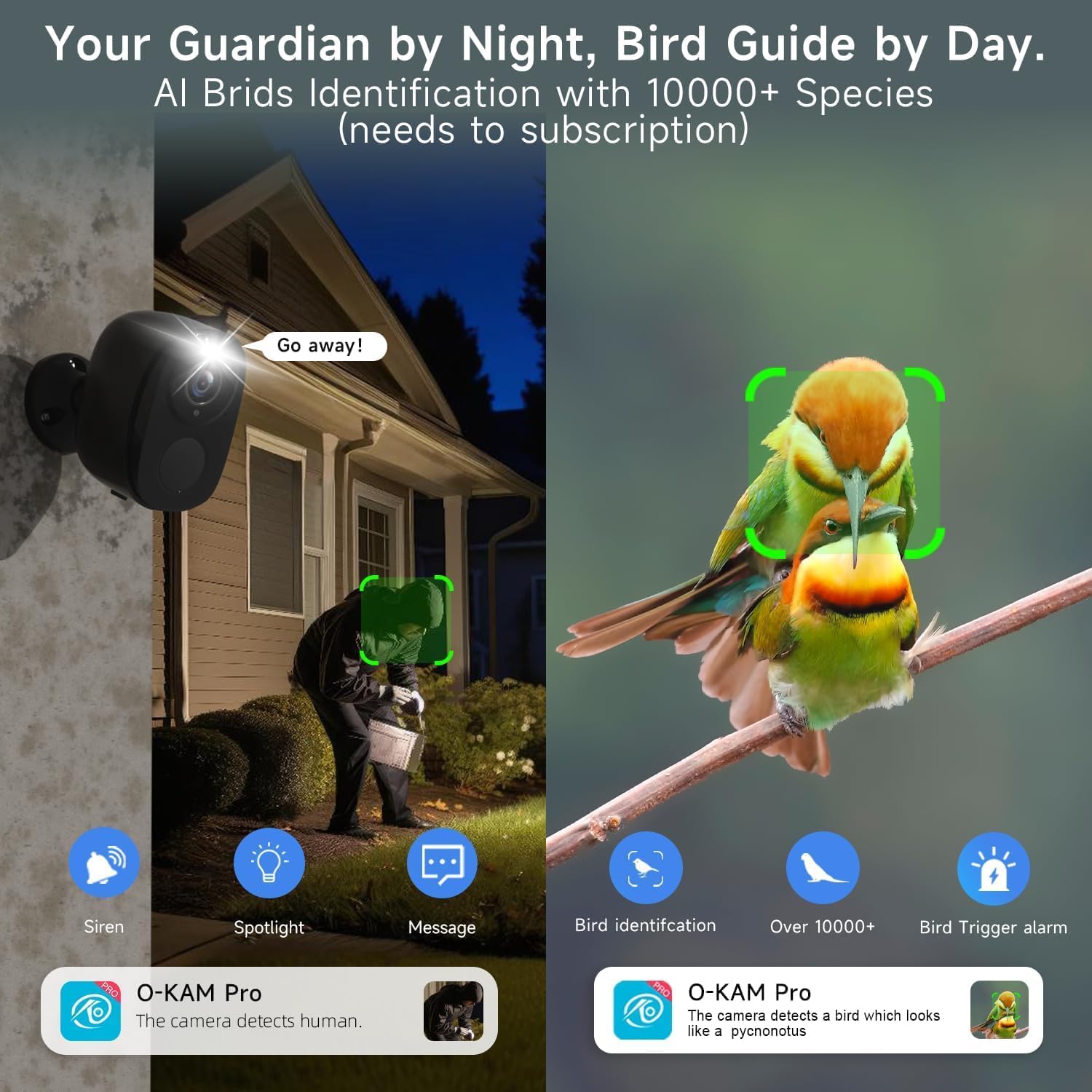
Image: Bird identification and night security features.

Image: New bird identification feature in the app.
7. Συντήρηση
- Φόρτιση μπαταρίας: Recharge the camera battery as needed. The app will notify you when the battery level is low.
- Καθάρισμα: Periodically clean the camera lens and body with a soft, dry cloth to ensure clear image quality and proper sensor function. Do not use harsh chemicals.
- Ενημερώσεις υλικολογισμικού: Keep the camera's firmware updated through the O-KAM Pro app to ensure optimal performance, security, and access to new features.
8. Αντιμετώπιση Προβλημάτων
| Ζήτημα | Πιθανή Λύση |
|---|---|
| Η κάμερα δεν συνδέεται σε Wi-Fi | Ensure your Wi-Fi network is 2.4GHz or 5GHz. Check Wi-Fi signal strength at the camera's location. Reset the camera and try pairing again. Verify correct Wi-Fi password entry. |
| Κακή ποιότητα εικόνας | Καθαρίστε τον φακό της κάμερας. Βεβαιωθείτε ότι δεν υπάρχουν εμπόδια στο πεδίο όρασης της κάμερας. view. Check Wi-Fi signal strength for stable streaming. |
| Η ανίχνευση κίνησης δεν λειτουργεί ή είναι πολύ ευαίσθητη | Adjust motion detection sensitivity and customize detection zones in the O-KAM Pro app. Ensure the PIR sensor is not blocked. |
| Η μπαταρία αδειάζει γρήγορα | Reduce motion detection frequency or sensitivity. Adjust power-saving modes in the app. Ensure the camera is not in an area with constant motion. |
| Ο αμφίδρομος ήχος δεν λειτουργεί | Check microphone and speaker permissions for the O-KAM Pro app on your smartphone. Ensure camera's microphone and speaker are not obstructed. |
9. Προδιαγραφές
| Χαρακτηριστικό | Προσδιορισμός |
|---|---|
| Όνομα μοντέλου | W1 |
| Ανάλυση λήψης βίντεο | 2K QHD (1920p) |
| Τεχνολογία Συνδεσιμότητας | Wi-Fi (2.4GHz & 5GHz Dual-Band) |
| Πηγή ισχύος | Τροφοδοτείται από μπαταρία (Επαναφορτιζόμενη) |
| Εσωτερική/Εξωτερική χρήση | Υπαίθριος |
| Επίπεδο αντοχής στο νερό | IP65 |
| Ειδικά Χαρακτηριστικά | Wireless, AI Motion Detection, Spotlight, Siren, Color Night Vision, 2-Way Talk |
| Συμβατές Συσκευές | Smartphone (via O-KAM Pro App), Amazon Alexa |
| Επιλογές αποθήκευσης | Κάρτα Micro SD (έως 256GB), Αποθήκευση στο cloud |
| Διάφραγμα φακού | f/2.0 |
| Digital Zoom | 5X |
| Πεδίο του View | 130 ° Ευρεία γωνία |
| Διαστάσεις προϊόντος | 8 x 2 x 2.7 ίντσες |
| Βάρος αντικειμένου | 1.39 λίβρες (0.63 κιλά) |
| UPC | 765150757364 |
10. Εγγύηση και υποστήριξη
ELECCTV products are designed for reliability and performance. For specific warranty details, please refer to the warranty card included with your product or visit the official ELECCTV website. If you encounter any issues or require technical assistance, please contact ELECCTV customer support through the O-KAM Pro app or the contact information provided on the ELECCTV webτοποθεσία.


