Εισαγωγή
Thank you for choosing the ProtoArc KM310 Dual Mode Mechanical Keyboard and Mouse Kit. This kit provides a versatile and efficient solution for your computing needs, offering both 2.4G wireless and Bluetooth connectivity. The mechanical keyboard features a UK QWERTY layout with responsive red switches, while the ergonomic mouse offers adjustable DPI and quiet clicks. This manual will guide you through the setup, operation, and maintenance of your new device.
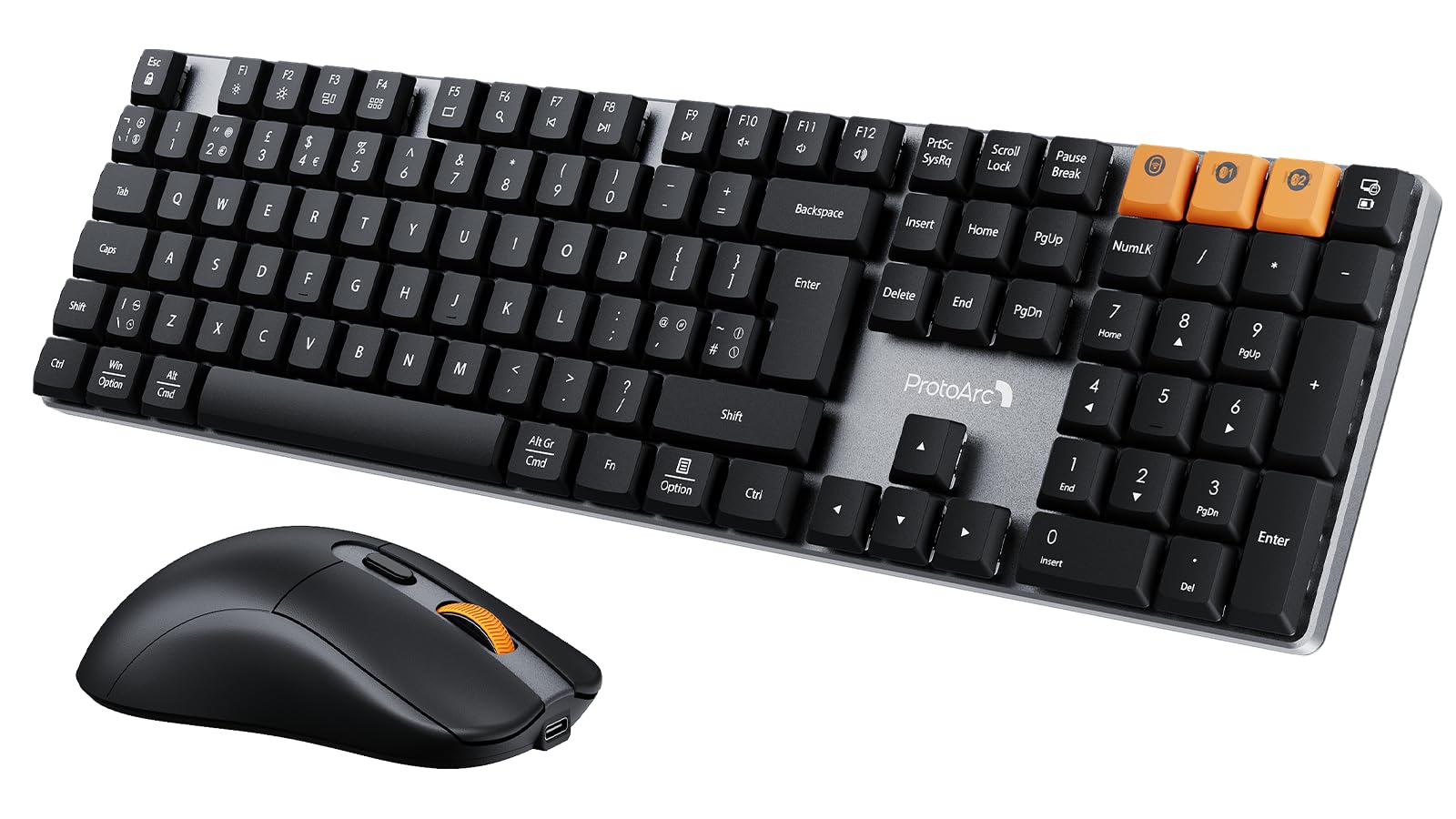
Image: The ProtoArc KM310 keyboard and mouse kit, showcasing its sleek design on a modern desk setup.
Περιεχόμενα συσκευασίας
- ProtoArc KM310 Mechanical Keyboard
- ProtoArc Wireless Mouse
- USB 2.4G Receiver (stored in the mouse battery compartment)
- Καλώδιο φόρτισης USB-C
- Εγχειρίδιο χρήστη
Οδηγίες εγκατάστασης
Ρύθμιση πληκτρολογίου
The keyboard supports both 2.4G wireless and Bluetooth connectivity. You can connect up to three devices simultaneously (one via 2.4G, two via Bluetooth).
Ασύρματη σύνδεση 2.4G:
- Locate the USB 2.4G receiver, typically stored in the mouse's battery compartment.
- Συνδέστε το δέκτη USB σε μια διαθέσιμη θύρα USB στον υπολογιστή σας.
- Turn on the keyboard using the power switch located on the side or back.
- Τύπος Fn + 4 to switch the keyboard to 2.4G mode. The indicator light will flash briefly, then remain solid when connected.
Σύνδεση Bluetooth (BT1 / BT2):
- Ενεργοποιήστε το πληκτρολόγιο χρησιμοποιώντας το διακόπτη λειτουργίας.
- Τύπος Fn + Q (για BT1) ή Fn + W (for BT2) to select a Bluetooth channel. The indicator light will flash slowly.
- Για να εισέλθετε στη λειτουργία σύζευξης, πατήστε και κρατήστε πατημένο Fn + Q or Fn + W for 3-5 seconds until the indicator light flashes rapidly.
- On your device (computer, laptop, tablet), enable Bluetooth and search for "ProtoArc KM310".
- Select "ProtoArc KM310" to pair. The indicator light will stop flashing and remain solid when connected.
- Repeat for a second Bluetooth device using Fn + W.
Ρύθμιση ποντικιού
The mouse also supports both 2.4G wireless and Bluetooth connectivity.
Ασύρματη σύνδεση 2.4G:
- Ensure the USB 2.4G receiver is plugged into your computer.
- Ενεργοποιήστε το ποντίκι χρησιμοποιώντας τον διακόπτη λειτουργίας στην κάτω πλευρά του.
- Press the mode switch button on the underside of the mouse until the indicator light shows 2.4G mode (usually green). The mouse should connect automatically.
Σύνδεση Bluetooth:
- Ενεργοποιήστε το ποντίκι χρησιμοποιώντας το διακόπτη λειτουργίας.
- Press the mode switch button on the underside of the mouse to cycle through Bluetooth modes (BT1 or BT2, usually blue).
- Press and hold the mode switch button for 3-5 seconds until the indicator light flashes rapidly.
- On your device, enable Bluetooth and search for "ProtoArc Mouse".
- Select "ProtoArc Mouse" to pair. The indicator light will stop flashing and remain solid when connected.

Image: The ProtoArc KM310 keyboard and mouse connected to multiple devices (desktop, laptop, tablet) via 2.4G and Bluetooth.
Οδηγίες Λειτουργίας
Λειτουργίες πληκτρολογίου
- Μηχανικά κλειδιά: Το πληκτρολόγιο διαθέτει χαμηλής απόδοσηςfile mechanical red switches for a smooth and responsive typing experience with low sound.
- UK QWERTY Layout: Standard UK QWERTY layout with a full numeric keypad.
- Κλειδιά πολυμέσων: Χρησιμοποιήστε το Fn key in combination with the F-keys (F1-F12) for various multimedia and shortcut functions (e.g., volume control, media playback, brightness adjustment). Refer to the keycap legends for specific functions.
- Ρυθμιζόμενα πόδια κλίσης: The keyboard includes adjustable tilt legs on the underside, allowing you to set it at a 6° or 9° angle for improved ergonomic comfort during long typing sessions.

Εικόνα: Κοντινό πλάνο view of the ProtoArc KM310 mechanical keyboard, highlighting the low-profile red switches and keycap design.

Image: The ProtoArc KM310 keyboard from a side angle, demonstrating the adjustable tilt legs set at a 9-degree angle.
Λειτουργίες ποντικιού
- Ρυθμιζόμενο DPI: The mouse offers three adjustable DPI levels: 1000, 1600, and 2400. Press the DPI button (usually located behind the scroll wheel) to cycle through these settings and adjust cursor sensitivity.
- Αθόρυβο κλικ: Designed for quiet operation, reducing click noise by up to 90%.
- Εργονομικός σχεδιασμός: The mouse features an ergonomic grip for comfortable use, reducing hand fatigue during extended periods.
- Εξαιρετικά ελαφρύ: Weighing approximately 63g, the mouse is designed to be ultra-light, contributing to efficient work and reduced fatigue.

Image: The ProtoArc wireless mouse illustrating its adjustable DPI settings (1000, 1600, 2400) and quiet click feature.

Image: A hand demonstrating the natural and ergonomic grip of the ProtoArc wireless mouse.

Image: A comparison showing the ProtoArc wireless mouse's ultra-lightweight design (63g) compared to a traditional mouse (100g), emphasizing reduced fatigue.
Οδηγίες φόρτισης
Both the keyboard and mouse are equipped with built-in rechargeable batteries and use a USB-C charging port.
- Φόρτιση: Connect the provided USB-C cable to the charging port on the keyboard/mouse and the other end to a USB power source (e.g., computer USB port, wall adapter).
- Ένδειξη φόρτισης: An indicator light will typically show red during charging and turn off or change color when fully charged.
- Χρόνος φόρτισης: A full charge usually takes 2-3 hours.
- Χρόνος αναμονής: The devices offer a standby time of 150-200 days on a full charge.
- Χρήση κατά τη φόρτιση: Both devices can be used while charging.
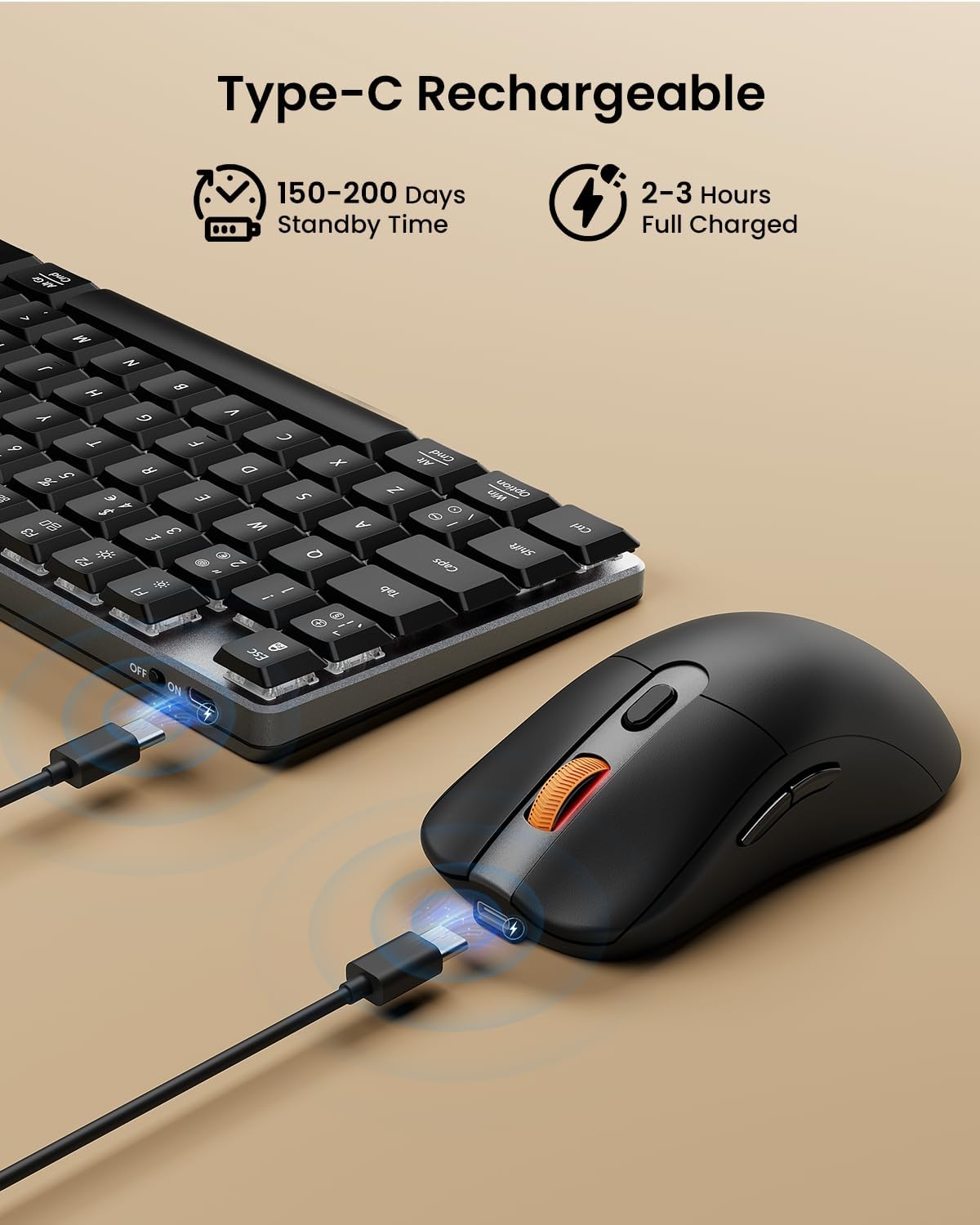
Image: The ProtoArc keyboard and mouse being charged simultaneously via USB-C cables, illustrating the charging ports and cables.
Συντήρηση
- Καθάρισμα: Use a soft, dry cloth to clean the surfaces of the keyboard and mouse. For deeper cleaning, especially between keys, use compressed air. Avoid using harsh chemicals or abrasive materials.
- Αποθήκευση: Όταν δεν τις χρησιμοποιείτε για μεγάλα χρονικά διαστήματα, απενεργοποιήστε τις συσκευές για να εξοικονομήσετε χρόνο ζωής της μπαταρίας. Φυλάξτε τις σε δροσερό και ξηρό μέρος.
- Φροντίδα μπαταρίας: Avoid fully discharging the battery frequently. Charge the devices regularly to maintain optimal battery health.
Αντιμετώπιση προβλημάτων
Το πληκτρολόγιο/το ποντίκι δεν ανταποκρίνεται:
- Ensure the devices are turned on.
- Ελέγξτε τα επίπεδα φόρτισης της μπαταρίας και φορτίστε την εάν είναι απαραίτητο.
- Για σύνδεση 2.4G, βεβαιωθείτε ότι ο δέκτης USB είναι συνδεδεμένος σωστά σε μια λειτουργική θύρα USB. Δοκιμάστε μια διαφορετική θύρα USB.
- For Bluetooth connection, ensure Bluetooth is enabled on your device and the correct channel (BT1/BT2) is selected on the keyboard/mouse. Try re-pairing the device.
- Move the devices closer to the receiver/device to rule out interference.
Καθυστέρηση ή αποσυνδέσεις:
- Βεβαιωθείτε ότι δεν υπάρχουν ισχυρές πηγές παρεμβολών (π.χ. δρομολογητές Wi-Fi, άλλες ασύρματες συσκευές) σε κοντινή απόσταση.
- Try connecting via the other mode (e.g., if using 2.4G, try Bluetooth, or vice-versa).
- Update your computer's Bluetooth drivers if connecting via Bluetooth.
Τα πλήκτρα δεν λειτουργούν σωστά:
- Check for any debris under the keycaps.
- Ensure the keyboard is not in a special mode that might alter key functions.
Προδιαγραφές
| Μάρκα | ProtoArc |
| Αριθμός μοντέλου | KM310 |
| Χρώμα | Μαύρος |
| Τεχνολογία Συνδεσιμότητας | Bluetooth, ασύρματο USB 2.4G |
| Συμβατότητα λειτουργικού συστήματος | Windows, macOS, Linux |
| Ειδικά χαρακτηριστικά (Πληκτρολόγιο) | Rechargeable mechanical keyboard, UK QWERTY layout, Red switches, Numeric keypad, Shortcut and multimedia keys, Adjustable tilt legs |
| Special Features (Mouse) | Adjustable DPI (1000/1600/2400), Silent click, Ergonomic grip, Ultra-lightweight (approx. 63g) |
| Συμβατές Συσκευές | Προσωπικός Υπολογιστής, Φορητός Υπολογιστής, Ταμπλέτα |
| Περιγραφή πληκτρολογίου | Μηχανικός |
| Τεχνολογία ανίχνευσης κίνησης | Οπτικός |
| Πηγή ισχύος | Τροφοδοτείται από μπαταρία (επαναφορτιζόμενη μέσω USB-C) |
| Χρόνος αναμονής μπαταρίας | 150-200 Ημέρες |
| Χρόνος πλήρους φόρτισης | 2-3 Ώρες |
Εγγύηση και υποστήριξη
ProtoArc products are designed for reliability and performance. For any questions, technical support, or warranty claims, please contact ProtoArc customer service. Details can typically be found on the official ProtoArc webιστότοπο ή μέσω της πλατφόρμας αγορών σας.
Παρακαλούμε φυλάξτε την απόδειξη αγοράς για λόγους εγγύησης.