1. Εισαγωγή
Thank you for choosing the Nivian NVS-SMARTBOLT REMOTEBOLT Invisible Electronic Lock. This innovative security device is designed to provide discreet and robust protection for your property. Installed on the interior of your door, it remains hidden from the outside, offering enhanced security against unauthorized access. This lock operates wirelessly using radio frequency remote controls and does not require a smartphone application for operation.
Τα βασικά χαρακτηριστικά περιλαμβάνουν:
- Invisible Installation: Mounts inside the door, with no visible components from the exterior.
- RF Remote Control Access: Operates via secure 433 MHz encrypted radio frequency remote controls.
- Σύστημα διπλού κινητήρα: Ensures powerful, automatic, and silent closing.
- Anti-Vandal Design: Features a robust metal casing and high-resistance steel pins.
- Battery Powered with Emergency Options: Uses AA batteries with backup, and includes a USB-C port for emergency power.
- Integrated Door Sensor: Detects the door's open or closed status.
- Interior Touch Buttons: Allows easy unlocking from the inside.
2. Πληροφορίες Ασφάλειας
Please read all safety instructions carefully before installation and use. Failure to follow these instructions may result in product damage, property damage, or injury.
- This lock is for interior installation only.
- Ensure the door frame and door material are suitable for secure mounting.
- Use only the specified AA batteries. Do not mix old and new batteries, or different types of batteries.
- Keep remote controls in a secure location. Always carry a remote control when leaving the premises to ensure access. Consider leaving a spare remote in a secure location outside the property for emergencies.
- Do not attempt to force the lock open or closed manually.
- Κρατήστε τη συσκευή μακριά από νερό και υπερβολική υγρασία.
- Do not disassemble or modify the lock. This will void the warranty.
3. Περιεχόμενα συσκευασίας
Βεβαιωθείτε ότι όλα τα εξαρτήματα υπάρχουν στη συσκευασία σας:
- 1 x Nivian NVS-SMARTBOLT REMOTEBOLT Invisible Electronic Lock Unit
- 2 x RF Remote Controls (additional remotes can be paired, up to 10 units)
- 1 x Mounting Plate / Strike Plate
- 1 x USB-C Cable (for emergency power)
- Βίδες και άγκυρες στερέωσης
- Εγχειρίδιο χρήστη (αυτό το έγγραφο)
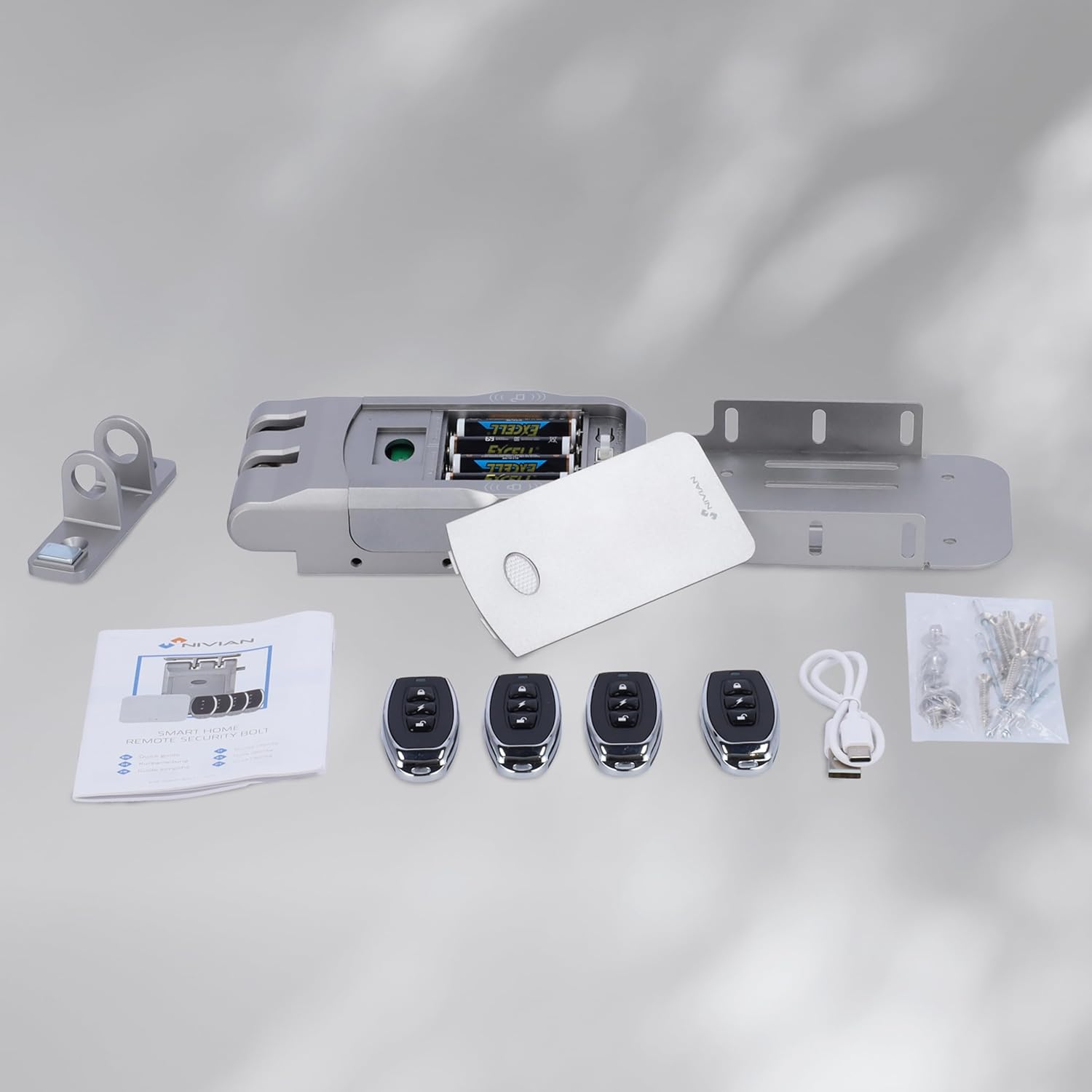
Image 3.1: Contents of the Nivian NVS-SMARTBOLT REMOTEBOLT package, showing the main lock unit, mounting bracket, four remote controls, a USB-C cable, and a bag of screws.
4. Το προϊόν τελείωσεview
Familiarize yourself with the main components of your Nivian invisible lock:

Εικόνα 4.1: Μια έκρηξη view of the Nivian invisible electronic lock, showing the main lock unit, the mounting bracket, and four remote controls. Labels indicate 'Remote controls', 'Invisible from outside', 'Battery working', and 'Robust | Double motor'.
- Main Lock Unit: Houses the dual motor, battery compartment, and control electronics.
- Μπουλόνια ασφάλισης: Extend from the main unit to secure the door.
- Mounting Bracket / Strike Plate: Attaches to the door frame to receive the locking bolts.
- Τηλεχειριστήρια: Used for wireless locking and unlocking.
- Internal Touch Buttons: Located on the main unit for manual unlocking from the inside.
- Θύρα USB-C: For emergency power supply.
- Χώρος μπαταρίας: Located on the main unit for AA batteries.
5. Εγκατάσταση
The Nivian NVS-SMARTBOLT REMOTEBOLT is designed for easy interior installation without complex wiring. Follow these steps for proper setup:
- Επιλέξτε τοποθεσία εγκατάστασης: Select a suitable location on the inside of your door, ensuring there is enough space for the lock unit and that it aligns correctly with the door frame. The lock should be positioned so that its bolts can fully engage with the strike plate when the door is closed.
- Προετοιμάστε την πόρτα: Clean the installation area on both the door and the door frame. Mark the precise positions for drilling pilot holes for the main lock unit and the strike plate.
- Mount the Main Lock Unit: Secure the main lock unit to the door using the provided screws. Ensure it is level and firmly attached.
- Εγκατάσταση μπαταριών: Open the battery compartment on the main unit and insert 2 AA batteries for primary power and 2 additional AA batteries for backup power. Ensure correct polarity.
- Τοποθετήστε την πλάκα κρούσης: Close the door and align the strike plate with the locking bolts of the main unit. Mark and drill pilot holes, then secure the strike plate to the door frame with the provided screws. Ensure the bolts engage smoothly without obstruction.
- Δοκιμαστική λειτουργία: With the door open, test the lock and unlock functions using a remote control. Then, close the door and test again to ensure proper engagement and disengagement of the bolts.

Image 5.1: The Nivian invisible electronic lock mounted on the inside of a wooden door, with a hand holding a remote control. Text indicates 'EASY INSTALLATION' and 'OPEN FROM THE INSIDE WITH TOUCH BUTTONS'.
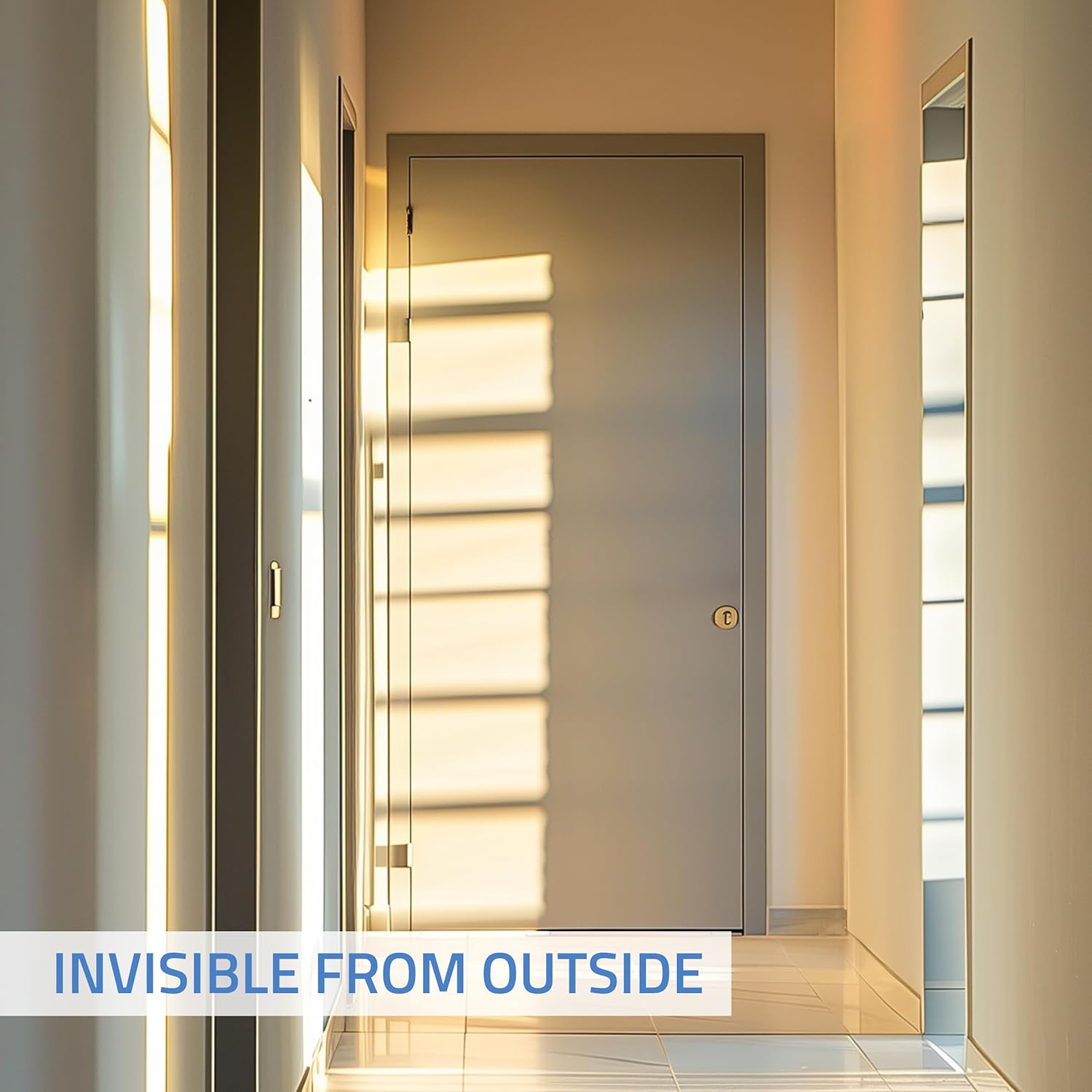
Image 5.2: A hallway with a closed door, illustrating that the Nivian invisible electronic lock is not visible from the exterior. Text overlay reads 'INVISIBLE FROM OUTSIDE'.
6. Λειτουργία
Operating your Nivian invisible lock is straightforward:
6.1. Χρήση του τηλεχειριστηρίου
- Κλείδωμα: Press the lock button on the remote control. The lock will engage its bolts, securing the door.
- Ξεκλείδωμα: Press the unlock button on the remote control. The lock will retract its bolts, allowing the door to open.
- The remote controls use secure RF 433 MHz encrypted communication and have a range of up to 20 meters in open spaces.
6.2. Άνοιγμα από το εσωτερικό
From the inside, you can easily unlock the door using the integrated touch buttons on the main lock unit. Simply press the designated button to retract the bolts. This system is ideal for quick exits and high-frequency access points.
6.3. Door Sensor Functionality
The integrated sensor detects the real-time open or closed status of your door, ensuring the lock operates correctly based on the door's position.
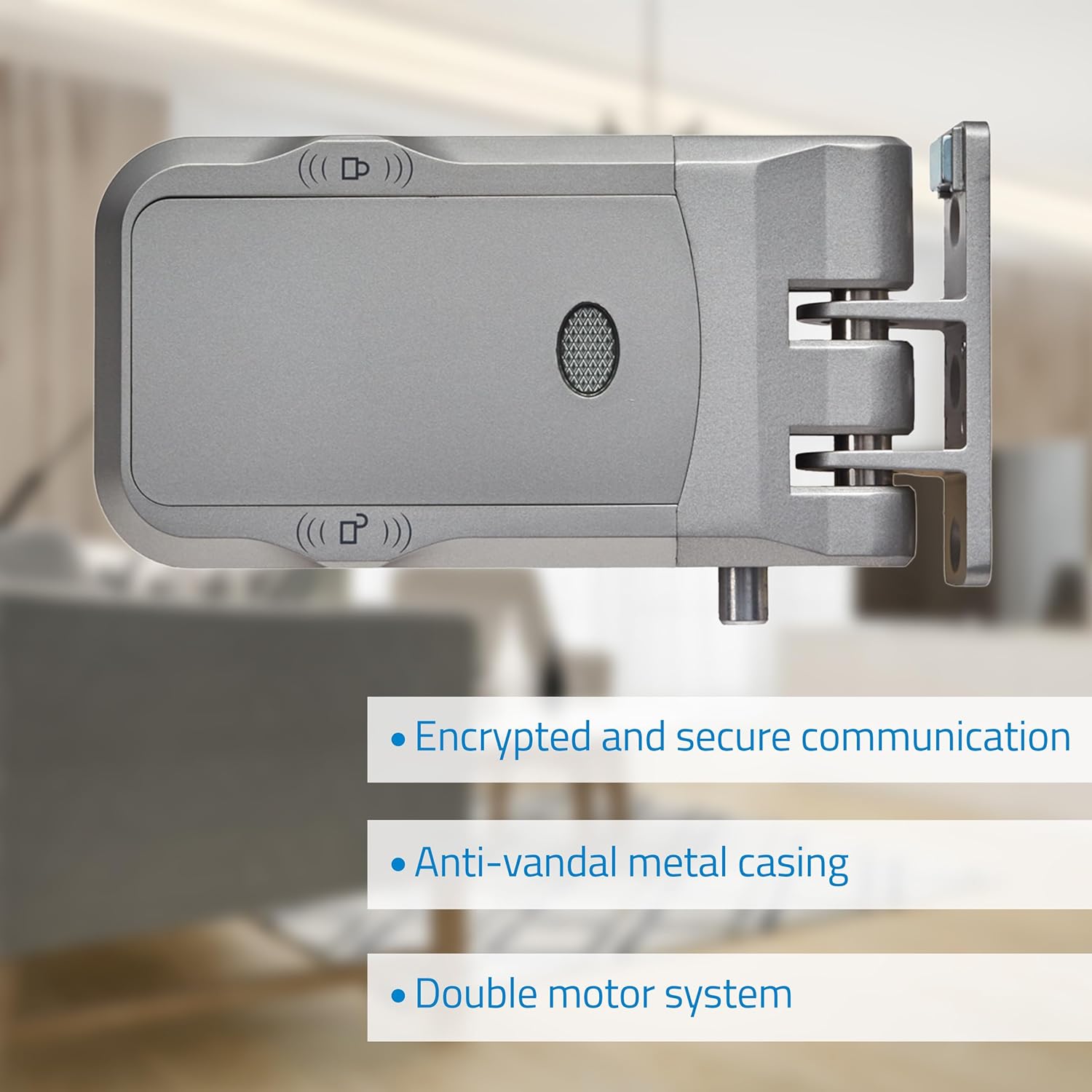
Image 6.1: The Nivian invisible electronic lock unit, highlighting its features: 'Encrypted and secure communication', 'Anti-vandal metal casing', and 'Double motor system'.
7. Συντήρηση
7.1. Αντικατάσταση μπαταρίας
The lock operates on 2 primary AA batteries and 2 backup AA batteries. The device will provide a low battery warning. When this occurs, replace all four batteries promptly to ensure continuous operation.
- Open the battery compartment cover on the main lock unit.
- Αφαιρέστε τις παλιές μπαταρίες και πετάξτε τις με υπευθυνότητα.
- Τοποθετήστε καινούργιες μπαταρίες AA, φροντίζοντας για τη σωστή πολικότητα (+/-).
- Κλείστε καλά το κάλυμμα της θήκης μπαταριών.
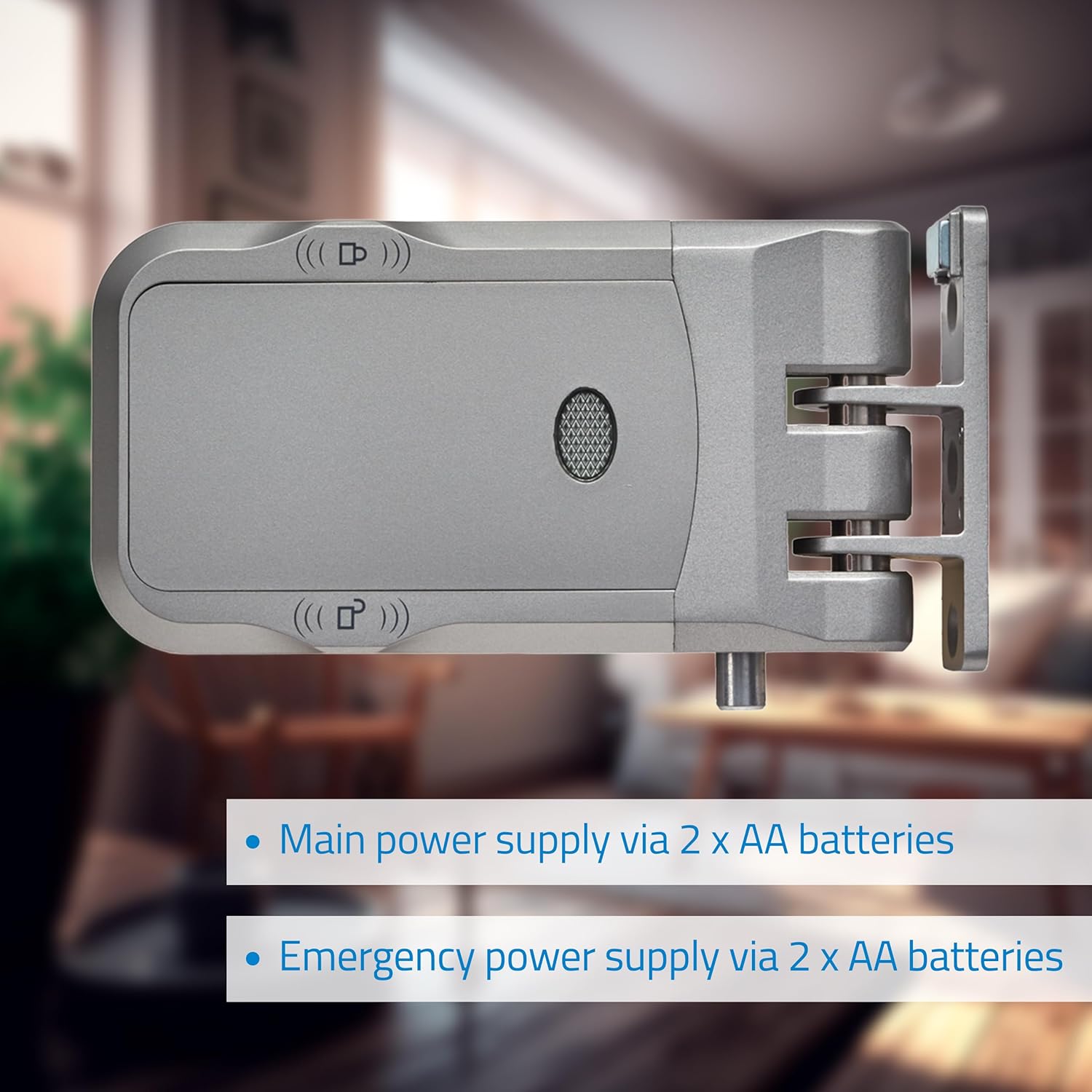
Image 7.1: The Nivian invisible electronic lock with its battery compartment open, showing two AA batteries inserted. Labels indicate 'Main power supply via 2 x AA batteries' and 'Emergency power supply via 2 x AA batteries'.
7.2. Παροχή ρεύματος έκτακτης ανάγκης
In case of complete battery depletion, the lock features a USB-C port for emergency power. Connect a standard USB-C power source (e.g., a power bank or phone charger) to this port to temporarily power the lock and open it.
7.3. Καθάρισμα
Wipe the lock unit and remote controls with a soft, dry cloth. Do not use abrasive cleaners or solvents, as these can damage the finish or internal components.
8. Αντιμετώπιση Προβλημάτων
If you encounter issues with your Nivian invisible lock, refer to the following common problems and solutions:
| Πρόβλημα | Πιθανή αιτία | Διάλυμα |
|---|---|---|
| Η κλειδαριά δεν ανταποκρίνεται στο τηλεχειριστήριο. | Low batteries in the lock unit or remote control. Remote control out of range. Interference. | Replace batteries in the lock unit and/or remote control. Move closer to the lock. Check for potential sources of radio interference. |
| Lock bolts do not fully engage or retract. | Misalignment of lock unit and strike plate. Obstruction. Low batteries. | Check alignment and adjust if necessary. Clear any obstructions. Replace batteries. |
| Η προειδοποίηση χαμηλής μπαταρίας επιμένει μετά την αντικατάσταση της μπαταρίας. | Incorrect battery type or polarity. Faulty batteries. | Ensure correct AA batteries are used and inserted with correct polarity. Try a different set of new batteries. |
| Cannot open lock from inside using touch buttons. | Lock malfunction. | Try using the remote control. If both fail, use the USB-C emergency power. Contact support if the issue persists. |
9. Προδιαγραφές
| Χαρακτηριστικό | Λεπτομέρεια |
|---|---|
| Αριθμός μοντέλου | NVS-SMARTBOLT REMOTEBOLT |
| Μάρκα | ΝΙΒΙΑΝΟΣ |
| Διαστάσεις (Μ x Π x Υ) | 16 x 8 x 4 εκ |
| Βάρος | 1 κιλά |
| Υλικό | Κραματοποιημένος χάλυβας |
| Τροφοδοτικό | 4 x AA Batteries (2 primary, 2 backup) |
| Δύναμη έκτακτης ανάγκης | Θύρα USB-C |
| Συχνότητα τηλεχειρισμού | RF 433 MHz (Encrypted) |
| Εύρος τηλεχειριστηρίου | Έως 20 μέτρα (ανοιχτός χώρος) |
| Ειδικά Χαρακτηριστικά | Invisible Lock, RF Remote Opening, Anti-Vandal, Wireless, Rechargeable (via USB-C), Door Sensor, Touch Buttons |
| Χώρα προέλευσης | Κίνα |
10. Εγγύηση και υποστήριξη
NIVIAN products are designed for reliability and performance. For specific warranty information, please refer to the documentation provided at the time of purchase or contact your retailer.
For technical support, tutorials, and tips, you can visit the official NIVIAN channels:
- Instagέμβολο: @nivianhome_es
- YouTube: @nivian7121

Image 10.1: Nivian branding with text 'THE TRUSTED EUROPEAN BRAND AT YOUR SERVICE' and links to Instagram and YouTube for tutorials and tips.


