1. Εισαγωγή
This manual provides essential information for the setup, operation, and maintenance of your iFFALCON 55-Inch Class U85 Series QD-Mini LED 4K UHD Google Smart TV. Please read this manual thoroughly before using your television to ensure proper and safe operation. Keep this manual for future reference.
The iFFALCON U85 Series TV features advanced display technologies including QD-Mini LED for precise lighting, QLED for vibrant colors, 4K UHD resolution, HDR 1000 nits peak brightness, and a 144Hz native refresh rate. It integrates Google TV for smart entertainment and offers enhanced audio with Dolby Atmos and DTS Virtual X. Gaming is optimized with features like 240Hz DLG and FreeSync Premium Pro.
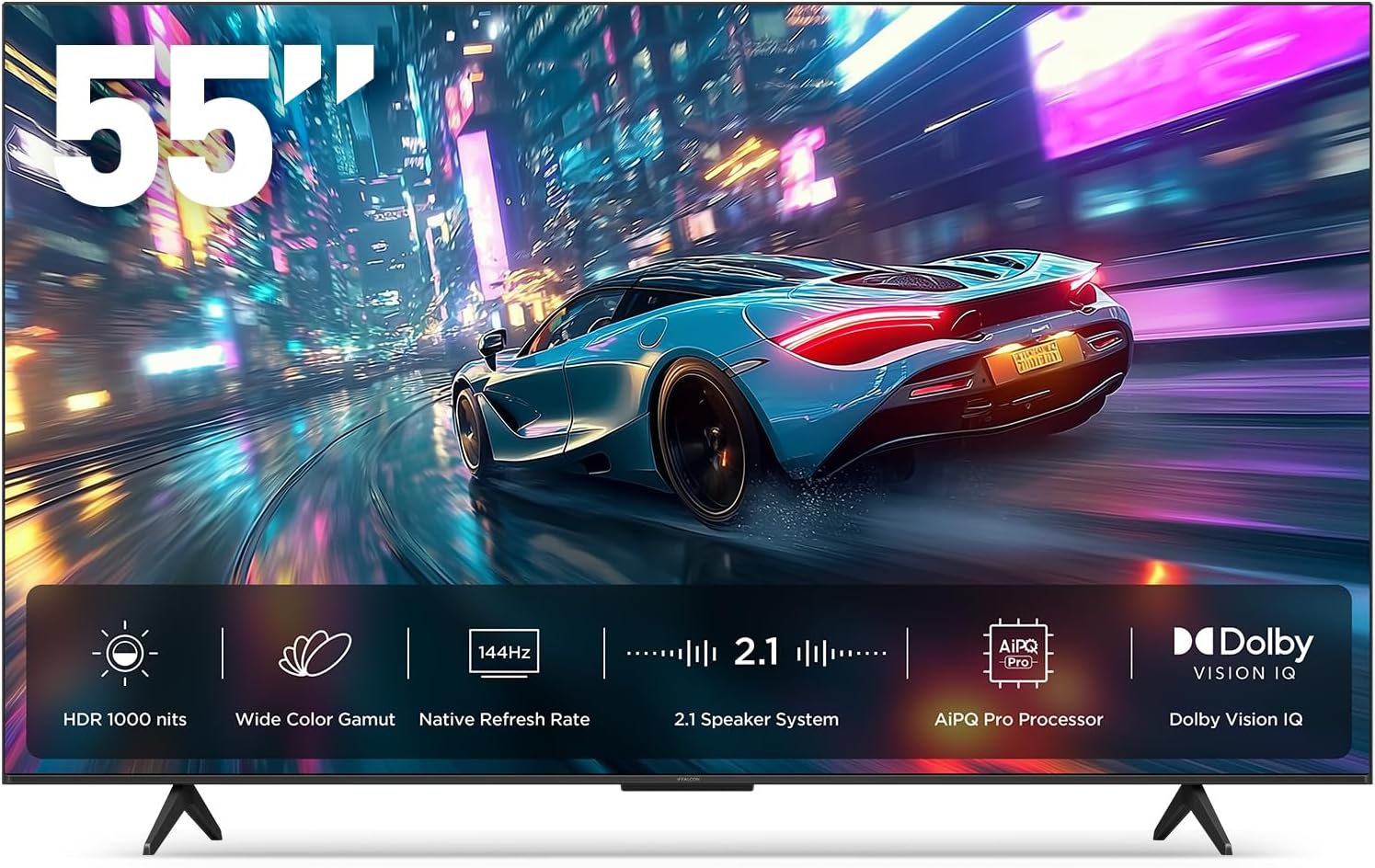
Εικόνα 1.1: Εμπρός view of the iFFALCON 55-Inch U85 Series TV, showcasing its display with a vibrant image of a car on a city street.
2. Τι υπάρχει στο κουτί
Αποσυσκευάστε προσεκτικά την τηλεόρασή σας και βεβαιωθείτε ότι υπάρχουν όλα τα εξαρτήματα. Εάν λείπουν ή έχουν υποστεί ζημιά κάποια εξαρτήματα, επικοινωνήστε με τον αντιπρόσωπό σας.
- Μίνι LED τηλεόραση
- Καλώδιο τροφοδοσίας
- 2 x μπαταρίες AAA για τηλεχειριστήριο
- 6 x Βίδες στήριξης
- Βάσεις τραπεζιού (2 τεμάχια)
- 5 x Κλιπ καλωδίων
- Οδηγός γρήγορης εκκίνησης
- τηλεχειριστήριο τηλεόρασης
3. Ρύθμιση
3.1 Φυσική Ρύθμιση
Before proceeding, ensure the TV is placed on a stable, flat surface or securely mounted to a wall. Refer to the Quick Start Guide for detailed instructions on attaching the table stands or mounting the TV to a wall bracket (wall mount sold separately).
3.2 Σύνδεση περιφερειακών
Connect your external devices such as cable boxes, gaming consoles, or Blu-ray players to the TV's HDMI ports. Ensure the power cable is securely connected to the TV and a power outlet.
3.3 Αρχική ενεργοποίηση και ρύθμιση Google TV
- Συνδέστε το καλώδιο τροφοδοσίας σε πρίζα.
- Πατήστε το κουμπί λειτουργίας στο τηλεχειριστήριο ή στην τηλεόραση.
- Follow the on-screen instructions to complete the initial setup, including network connection, Google account sign-in, and channel scanning.
4. Χειρισμός της τηλεόρασης
4.1 Λειτουργίες τηλεχειριστηρίου
The included remote control allows you to navigate menus, adjust volume, change channels, and access smart features. Familiarize yourself with the button layout for optimal use.
4.2 Smart Features: Google TV, Google Assistant, and Alexa
Your iFFALCON U85 TV is equipped with Google TV, providing access to a wide range of streaming services and apps. Use the built-in Google Assistant or connect to an Alexa-enabled device for hands-free voice control.
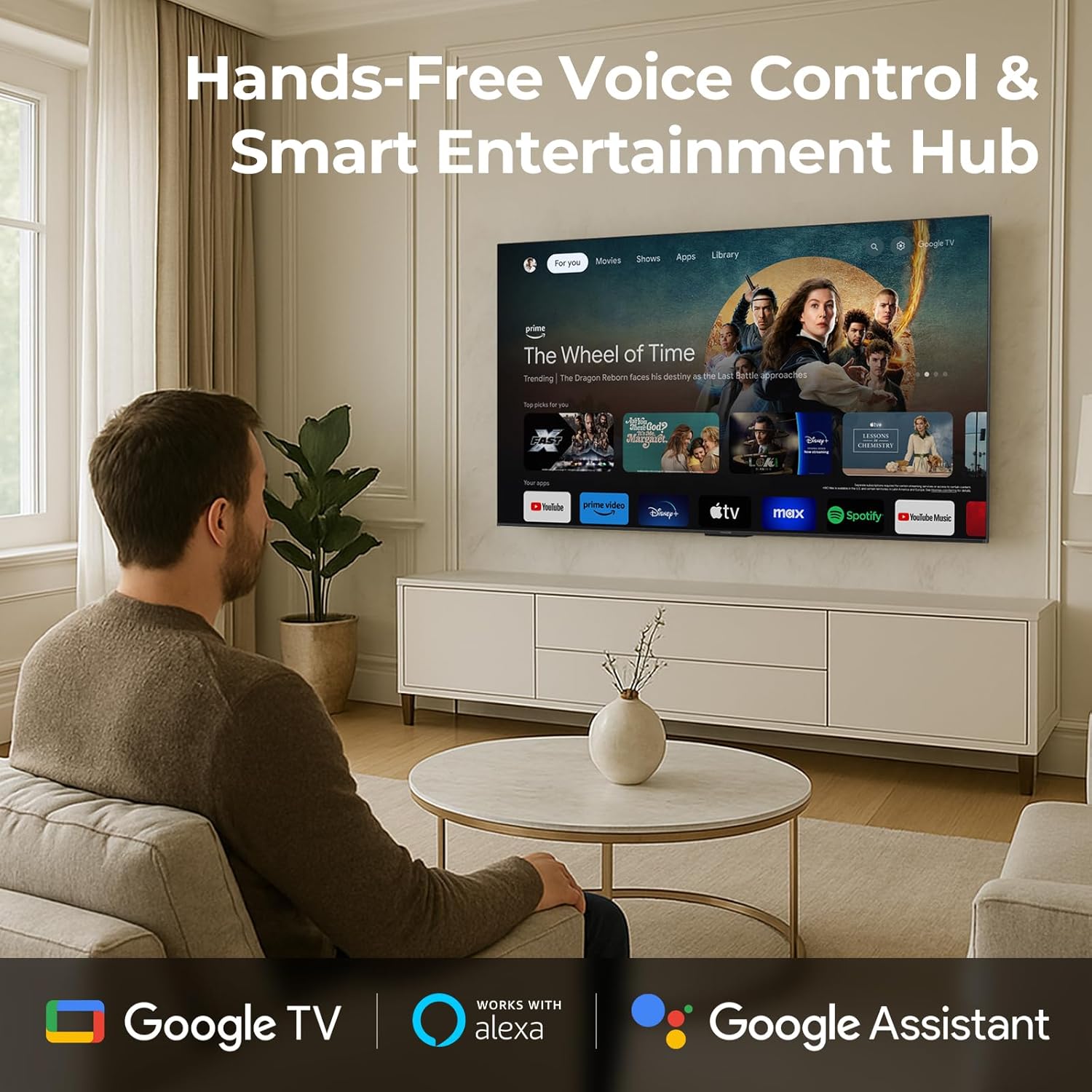
Image 4.1: A man interacting with the iFFALCON TV using voice commands, demonstrating the hands-free control feature.
4.3 Ρυθμίσεις και Ποιότητα Εικόνας
The U85 Series TV offers exceptional picture quality through several advanced technologies:
- QD-Mini LED: Provides precise lighting control with up to 144 local dimming zones and 1000 nits peak brightness for bright highlights and deep blacks.
- QLED Wide Color: Quantum Dot technology delivers a 93% DCI-P3 wide color gamut for true-to-life images.
- AiPQ Pro Processor: Optimizes brightness, contrast, and detail in real-time for enhanced visual performance.
- Dolby Vision IQ: Automatically adjusts HDR brightness based on ambient light conditions.
- Αναλογία αντίθεσης 6000:1: Achieves deep blacks and vibrant colors with enhanced contrast.

Image 4.2: Visual comparison illustrating how Mini-LED technology enhances bright highlights and deep blacks compared to conventional TVs.
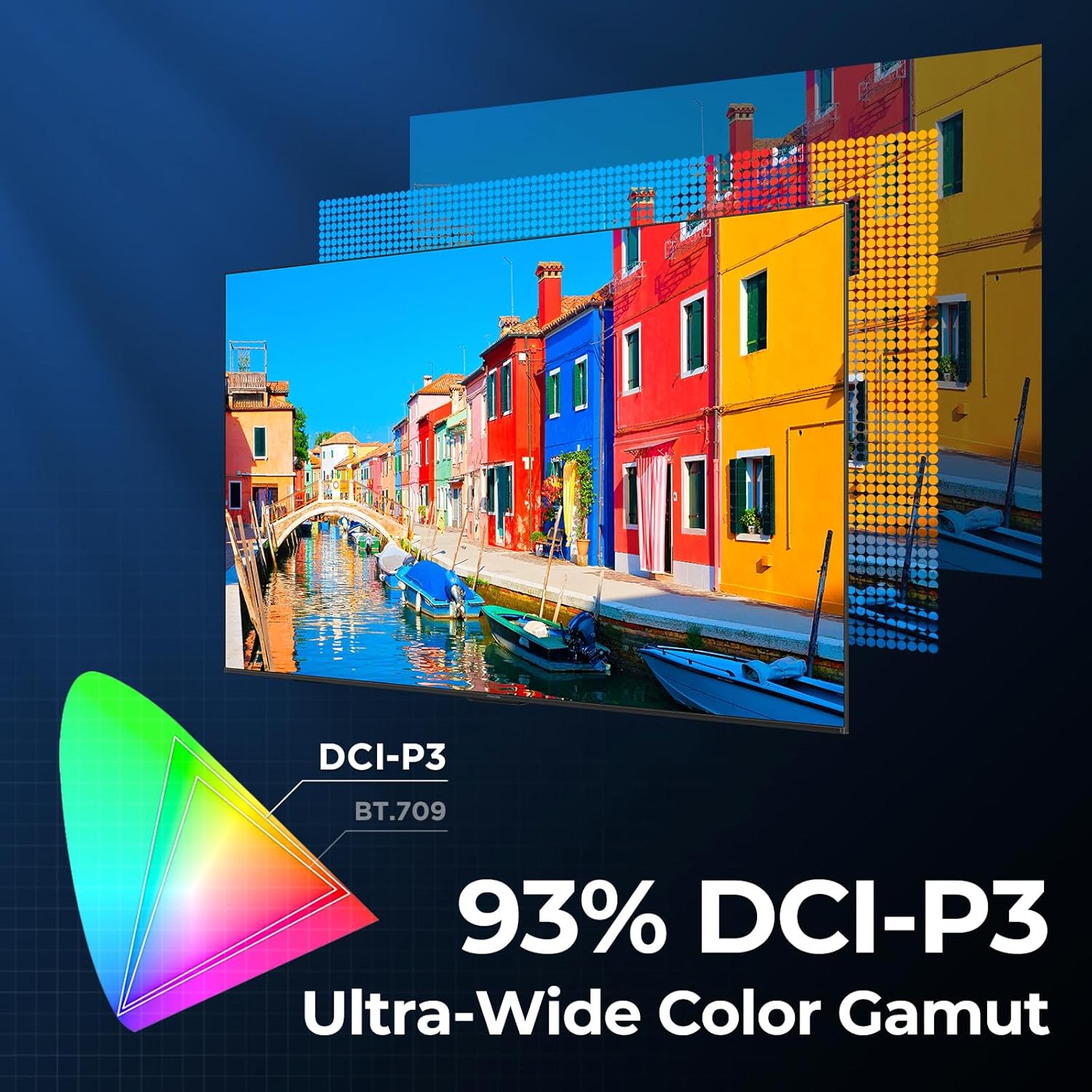
Image 4.3: Diagram showing the 93% DCI-P3 ultra-wide color gamut, indicating the TV's ability to display a broad spectrum of colors.
4.4 Audio Settings and Quality
Experience immersive sound with the TV's integrated audio features:
- 2.1-channel 50W Sound System: Delivers powerful stereo sound with deep bass.
- Dolby Atmos: Παρέχει πολυδιάστατο ήχο που ρέει γύρω και πάνω από εσάς.
- DTS Virtual X: Creates expansive, room-filling sound with virtual height and surround effects.
- Ενισχυμένο IMAX: Optimizes audio and visual performance for a cinematic experience.

Image 4.4: A couple enjoying a movie on the iFFALCON TV, illustrating the immersive audio experience with sound waves emanating from the screen.
4.5 Χαρακτηριστικά Παιχνιδιού
The iFFALCON U85 TV is designed for an optimal gaming experience:
- 4K 144Hz Panel with VRR: Ensures smooth, crystal-clear motion and reduces screen tearing.
- 240Hz DLG Acceleration: Boosts refresh rates for ultra-smooth action.
- FreeSync Premium Pro: Provides tear-free, low-latency HDR gaming.
- Λειτουργία παιχνιδιού και γραμμή παιχνιδιών: Dedicated settings and on-screen overlay for quick adjustments during gameplay.
- ALLM (Αυτόματη λειτουργία χαμηλής καθυστέρησης): Αυτόματη μετάβαση σε λειτουργία χαμηλής καθυστέρησης για γρήγορο gameplay.

Image 4.5: A gaming console connected to the iFFALCON TV, highlighting the 144Hz refresh rate and other gaming features.
4.6 Χαρακτηριστικά άνεσης των ματιών
Για εκτεταμένη viewing comfort, the TV incorporates multiple eye-care technologies:
- Χαμηλό μπλε φως: Μειώνει τις επιβλαβείς εκπομπές μπλε φωτός.
- Flicker Reduction: Minimizes screen flicker for a more comfortable viewεμπειρία.
5. Συντήρηση
To ensure the longevity and optimal performance of your iFFALCON U85 TV, follow these maintenance guidelines:
- Καθαρισμός της οθόνης: Σκουπίστε απαλά την οθόνη με ένα μαλακό, στεγνό πανί που δεν αφήνει χνούδι. Για επίμονα σημάδια, τρίψτε ελαφρά.ampΞεπλύνετε το πανί με νερό ή με ένα ειδικό καθαριστικό οθόνης. Αποφύγετε σκληρές χημικές ουσίες ή λειαντικά υλικά.
- Καθαρισμός του πλαισίου: Χρησιμοποιήστε ένα μαλακό, στεγνό πανί για να καθαρίσετε το πλαίσιο και τη βάση της τηλεόρασης.
- Αερισμός: Βεβαιωθείτε ότι υπάρχει επαρκής αερισμός γύρω από την τηλεόραση. Μην φράζετε τα ανοίγματα εξαερισμού.
- Καλώδιο ρεύματος: Ελέγχετε τακτικά το καλώδιο τροφοδοσίας για τυχόν ζημιές. Εάν υποστεί ζημιά, διακόψτε τη χρήση και επικοινωνήστε με την υποστήριξη πελατών.
- Αποφύγετε το άμεσο ηλιακό φως: Do not expose the TV to direct sunlight or excessive heat.
6. Αντιμετώπιση Προβλημάτων
If you encounter issues with your TV, refer to the following common solutions. If the problem persists, contact customer support.
| Πρόβλημα | Πιθανή αιτία | Διάλυμα |
|---|---|---|
| Καμία δύναμη | Το καλώδιο τροφοδοσίας δεν είναι συνδεδεμένο. Η πρίζα δεν λειτουργεί. | Βεβαιωθείτε ότι το καλώδιο τροφοδοσίας είναι καλά συνδεδεμένο. Δοκιμάστε την πρίζα με μια άλλη συσκευή. |
| Δεν υπάρχει εικόνα, αλλά υπάρχει ήχος | Λανθασμένη πηγή εισόδου. Χαλαρό καλώδιο HDMI | Select correct input source; Reconnect HDMI cable securely |
| Δεν υπάρχει ήχος, αλλά υπάρχει εικόνα | Volume muted or too low; External audio device issue | Unmute or increase volume; Check connections to external audio devices |
| Το τηλεχειριστήριο δεν λειτουργεί | Οι μπαταρίες έχουν εξαντληθεί. Υπάρχει εμπόδιο μεταξύ του τηλεχειριστηρίου και της τηλεόρασης. | Αντικαταστήστε τις μπαταρίες. Αφαιρέστε τυχόν εμπόδια. |
| Προβλήματα σύνδεσης δικτύου | Ασθενές σήμα Wi-Fi. Πρόβλημα με το δρομολογητή. | Move TV closer to router or use Ethernet; Restart router |
7. Προδιαγραφές
| Χαρακτηριστικό | Λεπτομέρεια |
|---|---|
| Μάρκα | iFFALCON |
| Αριθμός μοντέλου | 55U85 |
| Μέγεθος οθόνης | 55 ίντσες |
| Τεχνολογία εμφάνισης | Μίνι LED, QLED |
| Ψήφισμα | 4K UHD |
| Ρυθμός ανανέωσης | 120 Hz (Native), 144Hz Game Mode Pro, 240Hz DLG |
| Μέγιστη φωτεινότητα | 1000 nits |
| Αναλογία αντίθεσης | 6000:1 |
| Τοπικές ζώνες εξασθένισης | 144 |
| Ειδικά Χαρακτηριστικά | Dynamic Contrast Enhancer, Eye Comfort Mode, Game Mode, Intelligent Voice Recognition, Local Dimming, Dolby Vision IQ, Dolby Atmos, DTS Virtual X, IMAX Enhanced, Google TV, Google Assistant, Alexa Compatibility, FreeSync Premium Pro, ALLM |
| Τεχνολογία Συνδεσιμότητας | Bluetooth, WiFi |
| Διαστάσεις προϊόντος (Β x Π x Υ) | 10.8" x 48.3" x 30.2" |
| Βάρος αντικειμένου | 27.3 λίρες |
| Απαιτούνται μπαταρίες | 2 μπαταρίες AAA (για το τηλεχειριστήριο) |
8. Εγγύηση και υποστήριξη
Your iFFALCON 55-Inch Class U85 Series QD-Mini LED 4K UHD Google Smart TV is covered by a manufacturer's warranty. For specific warranty details and duration, please refer to the warranty card included with your product or visit the official iFFALCON support webτοποθεσία.
For technical assistance, troubleshooting beyond this manual, or to inquire about warranty service, please contact iFFALCON customer support. Contact information can typically be found on the manufacturer's webστον ιστότοπο ή στον Οδηγό Γρήγορης Έναρξης.
Διατηρήστε την απόδειξη αγοράς για αξιώσεις εγγύησης.


