Εισαγωγή
This manual provides detailed instructions for the TECKNET Wired RGB Keyboard, model TK-KB037. Please read this manual thoroughly before using the product to ensure proper operation and maintenance.

Figure 1: TECKNET Wired RGB Keyboard (Model TK-KB037)
1. Ρύθμιση
1.1 Περιεχόμενα συσκευασίας
- TECKNET Wired RGB Keyboard (Model TK-KB037)
- Εγχειρίδιο χρήστη (αυτό το έγγραφο)
1.2 Σύνδεση του πληκτρολογίου
The TECKNET Wired RGB Keyboard features a simple plug-and-play design, requiring no additional drivers for most operating systems.
- Locate an available USB-A port on your computer (PC, Laptop, Desktop, Raspberry Pi 3/4).
- Insert the USB connector of the keyboard into the USB-A port.
- The keyboard will be automatically recognized by your operating system and ready for use.

Figure 2: Connecting the USB cable to a computer.
Αρμονία: Compatible with Windows 2000/XP/7/8/10, Vista, Raspberry Pi 3/4, and Mac OS. Note that multimedia keys may have limited functionality on Mac OS.

Figure 3: Operating system compatibility overview.
2. Οδηγίες λειτουργίας
2.1 Quiet and Comfortable Typing
Το πληκτρολόγιο διαθέτει χαμηλής απόδοσηςfile membrane keys designed for soft keystrokes and reduced typing noise, suitable for quiet environments.

Εικόνα 4: Low-profile keycaps for quiet typing.
2.2 Ergonomic Design and Adjustable Tilt
The full-size 104-key layout includes adjustable tilt legs and anti-slip pads, allowing you to customize the typing angle for comfort during extended use.

Figure 5: Adjustable tilt legs for ergonomic comfort.
2.3 Έλεγχος οπίσθιου φωτισμού RGB
The keyboard features 7 different lighting colors, 4 brightness levels (High/Medium/Low/Off), and 2 lighting modes (Static or Breathing).
- To change lighting color: Press FN + * (asterisk key).
- Για να ρυθμίσετε τη φωτεινότητα: Πατήστε FN + + (plus key) to increase, or FN + - (minus key) to decrease.
- To switch between Static and Breathing modes: Press FN + Εικονίδιο λάμπας κλειδί.

Εικόνα 6: Πρamples of 7-color RGB backlighting.

Figure 7: Three levels of adjustable backlight brightness.
2.4 Συντομεύσεις πολυμέσων
Utilize the 12 FN+F key combinations for quick access to various functions:
| Συνδυασμός κλειδιών | Λειτουργία |
|---|---|
| FN + F1 | Αναπαραγωγή μουσικής |
| FN + F2 | Μείωση έντασης |
| FN + F3 | Ένταση έντασης |
| FN + F4 | Βουβός |
| FN + F5 | Διακοπή αναπαραγωγής |
| FN + F6 | Προηγούμενο κομμάτι |
| FN + F7 | Αναπαραγωγή/Παύση |
| FN + F8 | Επόμενο κομμάτι |
| FN + F9 | πρόγραμμα περιήγησης στο Internet |
| FN + F10 | Email Client |
| FN + F11 | Κλείδωμα υπολογιστή |
| FN + F12 | Αριθμομηχανή |

Figure 8: FN key multimedia shortcuts.
3. Συντήρηση
3.1 Spill-Resistant Design
The keyboard is built with a spill-resistant conductive film to protect against accidental water splashes. In case of a spill, promptly wipe the liquid clean from the keyboard surface.
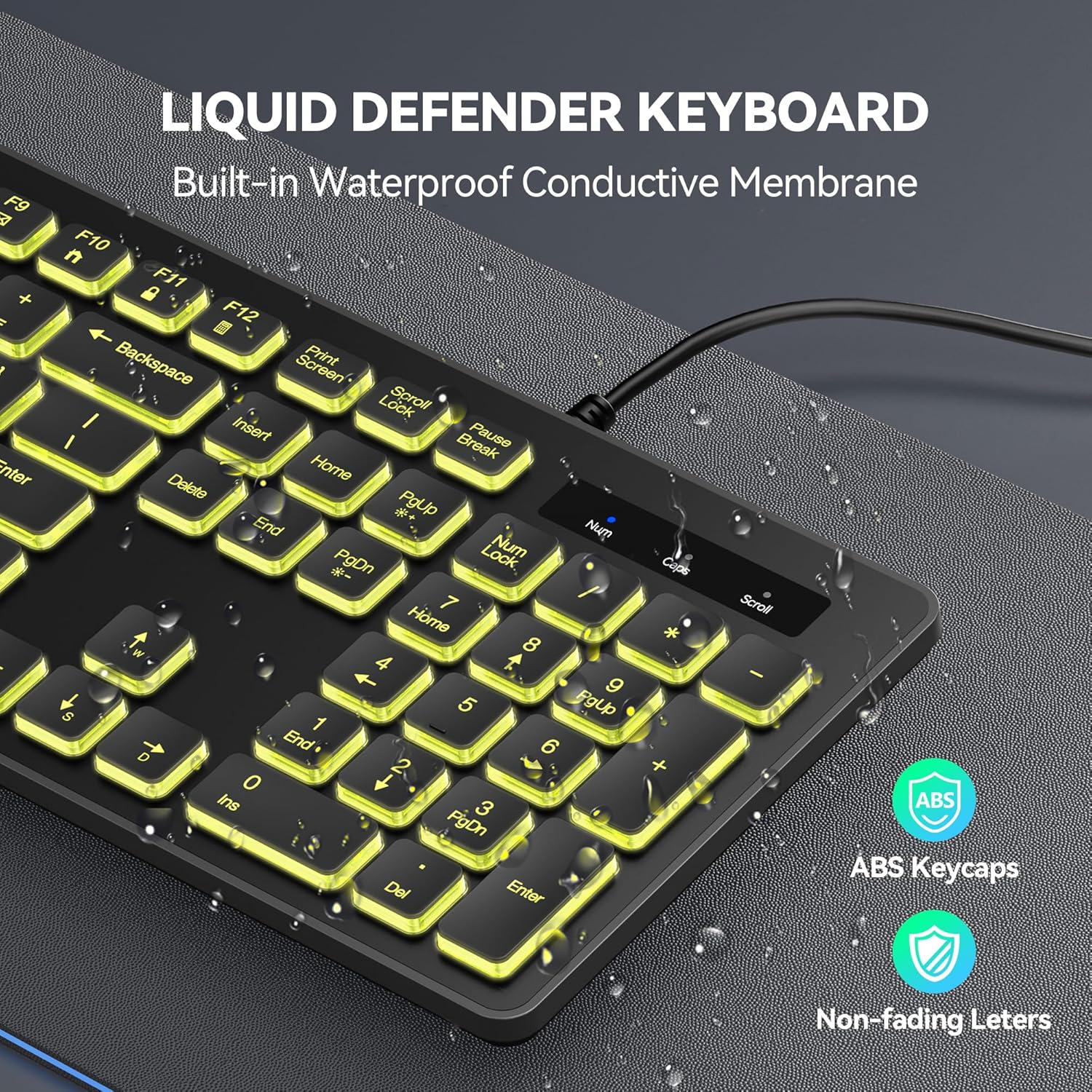
Figure 9: Spill-resistant keyboard design.
3.2 Γενικός καθαρισμός
Για να καθαρίσετε το πληκτρολόγιο, χρησιμοποιήστε ένα μαλακό,amp cloth. Avoid using harsh chemicals or abrasive cleaners, as these may damage the surface or key legends.
4. Αντιμετώπιση Προβλημάτων
4.1 Το πληκτρολόγιο δεν αποκρίνεται
- Ensure the USB cable is securely connected to a working USB-A port on your computer.
- Try connecting the keyboard to a different USB-A port.
- Κάντε επανεκκίνηση του υπολογιστή σας.
- Δοκιμάστε το πληκτρολόγιο σε έναν άλλο υπολογιστή για να διαπιστώσετε εάν το πρόβλημα οφείλεται στο πληκτρολόγιο ή στον υπολογιστή.
4.2 Ο οπίσθιος φωτισμός δεν λειτουργεί ή είναι λανθασμένος
- Βεβαιωθείτε ότι το πληκτρολόγιο είναι σωστά συνδεδεμένο.
- Χρήση FN + + or FN + - για να ρυθμίσετε τη φωτεινότητα.
- Χρήση FN + * να κυκλώνω μέσα στα χρώματα.
- Χρήση FN + Εικονίδιο λάμπας to change lighting modes.
4.3 Multimedia Keys Not Functioning on Mac OS
As noted in the compatibility section, some multimedia keys may have limited functionality when used with Mac OS. This is due to differences in operating system key mapping and is not a product defect.
5. Προδιαγραφές
| Χαρακτηριστικό | Λεπτομέρεια |
|---|---|
| Αριθμός μοντέλου | TK-KB037 |
| Μάρκα | TECKNET |
| Τεχνολογία Συνδεσιμότητας | USB-A (Ενσύρματο) |
| Περιγραφή πληκτρολογίου | Μεμβράνη |
| Διάταξη πλήκτρων | Full-size, 104 keys |
| Οπίσθιος φωτισμός | 7-Color RGB, 4 Brightness Levels, 2 Modes (Static/Breathing) |
| Ειδικά Χαρακτηριστικά | Backlit, Spill-Resistant, Adjustable Tilt Legs, Multimedia Shortcuts |
| Συμβατές Συσκευές | PC (Windows 2000/XP/7/8/10, Vista), Raspberry Pi 3/4, Mac OS |
| Διαστάσεις προϊόντος | 17.3"Μ x 5.2"Π x 1.1"Υ (43.9 x 13.2 x 2.8 εκ.) |
| Βάρος αντικειμένου | 0.634 ουγγιές (περίπου 18 γραμμάρια) |
6. Εγγύηση
Each TECKNET product provides a lifetime warranty (registered only). If you are not satisfied with your product or service, please contact TECKNET customer support.
7. Υποστήριξη
For technical support, warranty claims, or further assistance, please visit the official TECKNET website or contact their customer service directly. Refer to the product packaging or the TECKNET webιστότοπο για τα πιο πρόσφατα στοιχεία επικοινωνίας.
Μπορείτε επίσης να επισκεφθείτε το Κατάστημα TECKNET στο Amazon για περισσότερες πληροφορίες προϊόντος και πόρους υποστήριξης.
Προϊόν Πάνωview Βίντεο
Βίντεο 1: Ένα overview of the TECKNET wired backlit keyboard, demonstrating its features such as plug-and-play setup, adjustable legs, quiet typing, RGB lighting modes, and spill resistance.


