Εισαγωγή
Thank you for choosing the Emerson EVP-2002 Home Theater LCD Projector. This manual provides essential information for setting up, operating, and maintaining your projector to ensure optimal performance and longevity. Please read this manual thoroughly before using the product and retain it for future reference.
Τι υπάρχει στο κουτί
Κατά την αποσυσκευασία, βεβαιωθείτε ότι υπάρχουν όλα τα ακόλουθα στοιχεία:
- Emerson EVP-2002 Projector
- UL Approved Power Adaptor
- Τηλεχειριστήριο
- Κάλυμμα φακού προβολέα
- Εγχειρίδιο χρήστη (αυτό το έγγραφο)
Προϊόν Πάνωview
The Emerson EVP-2002 is designed to deliver an immersive home theater experience with its advanced LCD technology and versatile connectivity options.

Εικόνα: Μπροστά view of the Emerson EVP-2002 projector, showcasing the lens and ventilation. This compact projector is designed for home entertainment.
Βασικά Χαρακτηριστικά:
- Immersive Entertainment: Transforms your space into a theater for sports, movies, and TV shows.
- Συνδεσιμότητα Bluetooth: Allows easy pairing with external audio devices.
- Effortless Media Streaming: Compatible with streaming devices like Amazon Fire Stick, Roku, or Google Chromecast (not included).
- Ζωντανά οπτικά στοιχεία: Advanced LCD projector delivers high-quality resolution with clarity and color vibrancy.
- Versatile Multi-Media Functionality: Supports HDMI and USB flash drives for various video, audio, and photo formats.
- Λαμπτήρας LED μεγάλης διάρκειας: Durable LED bulb with up to 30,000 hours of lifespan.
- Powerful Built-In Speakers: Delivers clear, full-bodied sound.

Εικόνα: Πλευρά view of the Emerson EVP-2002 projector, showing its compact cylindrical design and adjustable stand.
Διαστάσεις και βάρος προϊόντος:
- Διαστάσεις: 6.75 x 4.12 x 4.98 ίντσες
- Βάρος: 1.43 λίρες

Image: Diagram illustrating the dimensions (6.75 in. length, 4.12 in. width, 4.98 in. height) and weight (1.43 lbs) of the Emerson EVP-2002 projector.
Οδηγός εγκατάστασης
1. Τοποθέτηση
Position the projector on a stable, flat surface. Ensure there is adequate ventilation around the unit. The distance from the screen or wall will determine the image size. Adjust the projector's angle using its stand for optimal projection.
2. Σύνδεση ρεύματος
- Connect the UL Approved Power Adaptor to the DC IN port on the projector.
- Plug the power adaptor into a standard electrical outlet.
- The power indicator light should illuminate.
3. Σύνδεση πηγών εισόδου
The EVP-2002 offers multiple input options:
- HDMI: Connect an HDMI cable from your source device (e.g., laptop, game console, streaming stick) to the HDMI port on the projector.
- USB: Insert a USB flash drive into the USB port to play media files απευθείας.
- Ήχος 3.5 mm: Connect external speakers or headphones using a 3.5mm audio cable to the AUX OUT port.

Εικόνα: Πίσω view of the Emerson EVP-2002 projector, showing the various input ports including HDMI, USB, and DC power input.
Οδηγίες Λειτουργίας
1. Ενεργοποίηση/Απενεργοποίηση
- To power on, press the Power button on the projector or the remote control.
- To power off, press the Power button again. The projector will enter standby mode.
2. Ρύθμιση εστίασης
Rotate the focus ring located near the lens until the projected image appears clear and sharp.
3. Επιλογή πηγής
Use the "Source" button on the remote control or the projector's control panel to cycle through available input sources (HDMI, USB, etc.).
4. Συνδεσιμότητα Bluetooth
- Ensure Bluetooth is enabled on your external audio device (e.g., speaker, headphones).
- On the projector, navigate to the Bluetooth settings (refer to on-screen menu if available, or press the dedicated Bluetooth button if present).
- Επιλέξτε τη συσκευή σας από τη λίστα με τις διαθέσιμες συσκευές για σύζευξη.
- Μόλις γίνει η σύζευξη, ο ήχος θα δρομολογηθεί μέσω της συνδεδεμένης συσκευής Bluetooth.
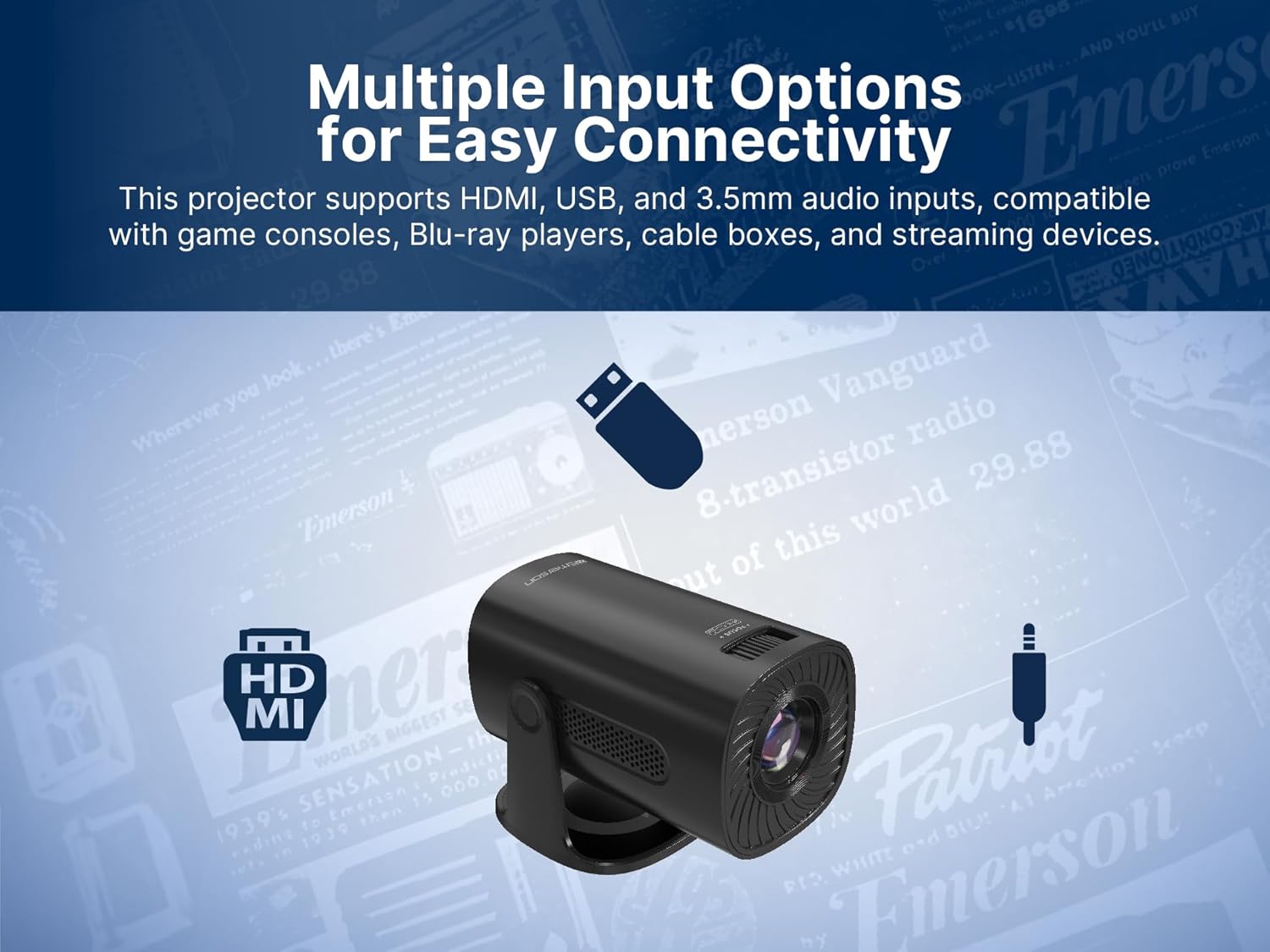
Image: The Emerson EVP-2002 projector displaying a Bluetooth icon, indicating its wireless audio connectivity feature.
5. Αναπαραγωγή πολυμέσων (USB)
- Τοποθετήστε μια μονάδα flash USB που περιέχει συμβατά μέσα files στη θύρα USB.
- Επιλέξτε "USB" ως πηγή εισόδου.
- Περιηγηθείτε στους φακέλους και files using the remote control or projector buttons.
- Επιλέξτε α file για να ξεκινήσει η αναπαραγωγή.

Image: The Emerson EVP-2002 projector connected to a USB drive, illustrating its capability to play various media formats directly.
Συντήρηση
Η σωστή συντήρηση διασφαλίζει τη μακροζωία και τη βέλτιστη απόδοση του προβολέα σας.
1. Καθαρισμός του φακού
- Always power off and unplug the projector before cleaning.
- Χρησιμοποιήστε ένα μαλακό πανί που δεν αφήνει χνούδι, ειδικά σχεδιασμένο για οπτικούς φακούς.
- Gently wipe the lens in a circular motion. Avoid harsh chemicals or abrasive materials.
- Replace the lens cover when the projector is not in use to protect it from dust.
2. Καθαρισμός του σώματος του προβολέα
- Σκουπίστε το εξωτερικό με ένα μαλακό, στεγνό πανί.
- Do not use liquid cleaners or sprays directly on the projector.
3. Αερισμός
- Ensure the ventilation vents are not blocked to prevent overheating.
- Periodically check and gently clean any dust accumulation on the vents using a soft brush or compressed air.
Αντιμετώπιση προβλημάτων
Εάν αντιμετωπίσετε προβλήματα με τον προβολέα σας, ανατρέξτε στα ακόλουθα συνηθισμένα προβλήματα και λύσεις:
| Πρόβλημα | Πιθανή αιτία | Διάλυμα |
|---|---|---|
| Δεν προβάλλεται εικόνα |
|
|
| Η εικόνα είναι θολή |
|
|
| Κανένας ήχος |
|
|
| Ο προβολέας υπερθερμαίνεται |
|
|
Προδιαγραφές
| Χαρακτηριστικό | Λεπτομέρεια |
|---|---|
| Αριθμός μοντέλου | EVP-2002 |
| Μάρκα | Έμερσον |
| Διαστάσεις προϊόντος | 6.75 x 4.12 x 4.98 ίντσες |
| Βάρος αντικειμένου | 1.43 λίρες |
| Ανάλυση οθόνης | 1280 x 720 |
| Τεχνολογία Συνδεσιμότητας | Bluetooth |
| Ειδικό χαρακτηριστικό | Ενσωματωμένο ηχείο |
| Προτεινόμενες χρήσεις | Επιχειρήσεις, Εκπαίδευση, Παιχνίδια, Οικιακός Κινηματογράφος |
| Κατασκευαστής | Naxa Electronics, Inc. |
Βίντεο προϊόντων
Emerson EVP-2002 Product Video - 360 Spin
Βίντεο: Ένα βίντεο 360 μοιρών view of the Emerson EVP-2002 projector, showcasing its design and various angles. This video provides a comprehensive visual overview of the product's exterior.
Εγγύηση και υποστήριξη
Πληροφορίες εγγύησης
For detailed warranty information, please refer to the warranty card included with your product or visit the official Emerson webτοποθεσία. Κρατήστε την απόδειξη αγοράς σας ως απόδειξη αγοράς για τυχόν αξιώσεις εγγύησης.
Υποστήριξη Πελατών
If you require further assistance, technical support, or have questions not covered in this manual, please contact Emerson customer support. Contact details can typically be found on the product packaging, the official Emerson webστον ιστότοπο ή στην κάρτα εγγύησης.


