Εισαγωγή
The MCHOSE V9 PRO Wireless Gaming Headset delivers an immersive audio experience with 7.1 surround sound, low-latency wireless connectivity, and an AI noise-canceling microphone. This manual provides detailed instructions for setup, operation, and maintenance to ensure optimal performance.
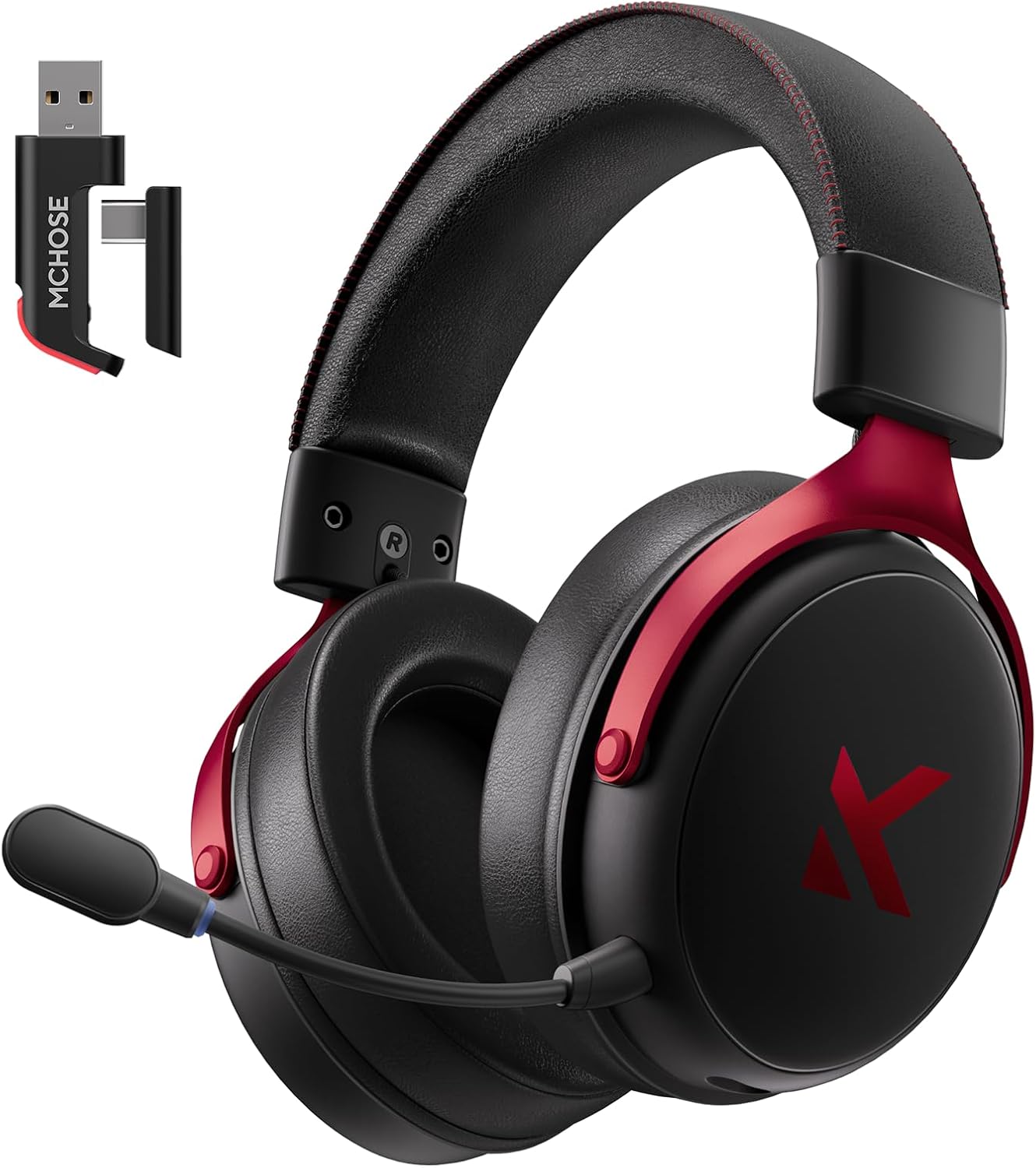
Image: MCHOSE V9 PRO Wireless Gaming Headset with its 2.4GHz USB receiver.
Περιεχόμενα συσκευασίας
Βεβαιωθείτε ότι όλα τα είδη που αναφέρονται παρακάτω περιλαμβάνονται στη συσκευασία σας:
- MCHOSE V9 PRO Wireless Gaming Headset
- 2.5GHz Receiver (USB-A & Type-C compatible)
- Καλώδιο φόρτισης USB-C
- Αποσπώμενο μικρόφωνο
- Foam Windscreen (pre-installed on microphone)
- Εγχειρίδιο χρήστη

Image: Diagram illustrating the headset, receiver, cables, microphone, and user manual.
Προϊόν Πάνωview
Έλεγχοι και δείκτες

Image: Handy guide showing the location and function of buttons and indicator lights on the headset.
- Κουμπί λειτουργίας: Long press for approximately 3 seconds to power on/off.
- Διακόπτης λειτουργίας σύνδεσης: Double-click the power button to switch between 2.4GHz wireless, Bluetooth, and wired modes.
- Διακόπτης λειτουργίας παιχνιδιού/μουσικής: Triple-click the power button to switch between Game Mode 1, Game Mode 2, and Music Mode.
- Αναπαραγωγή/Παύση: Ένα κλικ στο κουμπί λειτουργίας.
- Απάντηση/Τερματισμός κλήσης: Ένα κλικ στο κουμπί λειτουργίας.
- Απόρριψη κλήσης: Long press the power button for approximately 1.5 seconds.
- Κουμπί μικροφώνου: Ένα μόνο κλικ για να ενεργοποιήσετε/απενεργοποιήσετε το μικρόφωνο.
- Τροχός όγκου: Slide upwards to increase volume, slide downwards to decrease volume.
Ενδεικτικές λυχνίες
- Bluetooth (BT) Waiting for Connection: Τα κόκκινα και μπλε φώτα αναβοσβήνουν εναλλάξ.
- 2.4G Waiting for Connection: Red and green lights flash alternately.
- Φόρτιση: Το κόκκινο φως παραμένει αναμμένο.
- Πλήρως φορτισμένο: Το μπλε φως παραμένει αναμμένο.
- 2.4G Mode Active: Πράσινο φως.
- Bluetooth Mode Active: Μπλε φως.
- Microphone Active: Blue light on microphone tip.
Ρύθμιση και σύνδεση
2.4GHz Wireless Connection (PC, PS5, PS4, Switch)
- Remove the 2.4GHz USB receiver from its storage slot on the headset.
- Plug the 2.4GHz receiver into an available USB-A port on your computer or gaming console. For devices with only USB-C ports, detach the USB-A adapter from the receiver and plug in the USB-C end.
- Press and hold the power button on the headset for approximately 3 seconds to power it on.
- Double-click the power button to ensure the headset is in 2.4GHz wireless mode (indicated by a green light). The headset should automatically connect to the receiver.
Bluetooth Wireless Connection (Mobile Phone, Tablet, PC, Switch)
- Press and hold the power button on the headset for approximately 3 seconds to power it on.
- Double-click the power button to switch the headset to Bluetooth mode (indicated by a blue light flashing alternately with red).
- On your device (phone, tablet, PC, Switch), navigate to Bluetooth settings and search for "MCHOSE V9 PRO".
- Select the headset to pair. Once connected, the blue light will remain steady.
Wired Connection (PC, PS5, PS4, Switch, Mobile Phone, Tablet)
The headset supports a wired connection via the included USB-C cable. This mode is primarily for charging and can also be used for audio if wireless options are not preferred or available.
- Connect the USB-C cable to the headset's charging port.
- Συνδέστε το άλλο άκρο του καλωδίου USB-C στη συσκευή σας.
- The headset will function as a wired device.
Ρύθμιση μικροφώνου
- Plug the detachable microphone into the designated port on the left earcup of the headset. Ensure it is securely inserted.
- Ρυθμίστε τη θέση του μικροφώνου για βέλτιστη λήψη φωνής.
- Single-click the microphone button on the headset to toggle the microphone on or off. A blue light on the microphone tip indicates it is active.
Video: This video demonstrates the initial setup of the MCHOSE V9 PRO Wireless Gaming Headset, including connecting the 2.4GHz receiver, powering on, switching modes, and attaching the microphone.
Software Installation and Customization (MCHOSE HUB)
The MCHOSE HUB software allows for advanced customization of your headset's audio settings. It is compatible with Windows 10 and above.
Βήματα εγκατάστασης
- Visit the official MCHOSE webιστοσελίδα (mchose.store).
- Navigate to the 'Support' section and click on 'Drivers & Firmwares'.
- Locate the 'V9 / V9 Pro Driver' and download the desktop driver.
- Before installing the driver, ensure the 2.4GHz receiver is plugged into your computer.
- Install the downloaded driver and follow the on-screen instructions.
- Once installed, open the MCHOSE HUB application. You can switch the application language to English from the settings.
Video: This video guides you through the process of connecting and installing the MCHOSE desktop driver for your headset.
Audio Equalizer Customization
The MCHOSE HUB features a customizable equalizer to fine-tune your audio output.
- In the MCHOSE HUB, right-click on 'Speakers' and select 'Equalizer'.
- Enable the equalizer.
- Adjust the frequency bands as needed to create your desired sound profile.
- You can save your custom settings as a preset or choose from official presets like Dance, Rap, Metal, Jazz, etc.
- You can also restore the default equalizer settings.

Image: Screenshot of the MCHOSE HUB software interface displaying the audio equalizer settings.
7.1 Ήχος Surround
Enable 7.1 surround sound for enhanced spatial awareness in games and movies.
- In the MCHOSE HUB, right-click on 'Speakers' and select 'Xear Surround Headphone'.
- Enable Xear Surround.
- Choose between 'Music/Gaming mode' or 'Movie mode' based on your content.
- Adjust the 'Room Size' for optimal effect.

Image: Visual representation of 7.1 surround sound technology with the MCHOSE V9 PRO headset.
Voice Effects (Magic Voice)
The software includes various voice effects for fun or specific communication needs.
- In the MCHOSE HUB, right-click on 'Mic' and select 'Xear Magic Voice'.
- Enable 'Magic Voice' and choose from different voice effects.
Μείωση θορύβου AI για μικρόφωνο
Enhance microphone clarity by enabling AI noise reduction.
- In the MCHOSE HUB, right-click on 'Mic' and select 'AI NoiseReduction'.
- Enable 'AI NoiseReduction' to filter out background noise.
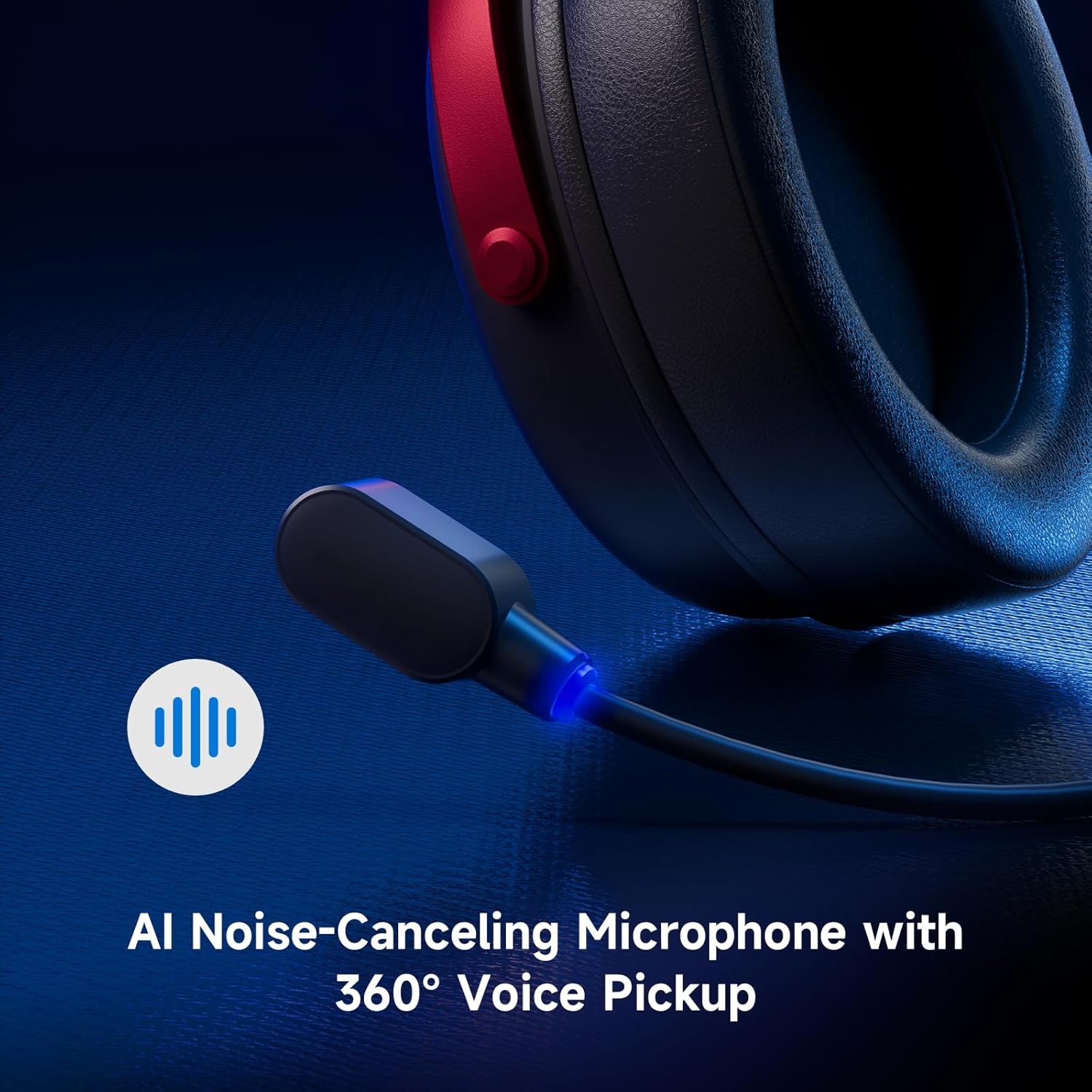
Image: Close-up of the AI Noise-Canceling Microphone on the MCHOSE V9 PRO headset.
Οδηγίες Λειτουργίας
Ενεργοποίηση/Απενεργοποίηση
To power on the headset, press and hold the power button for approximately 3 seconds. To power off, repeat the action.
Εναλλαγή Λειτουργιών
Double-click the power button to cycle through 2.4GHz wireless, Bluetooth, and wired connection modes. The indicator light color will change accordingly (Green for 2.4GHz, Blue for Bluetooth).
Triple-click the power button to switch between Game Mode 1, Game Mode 2, and Music Mode, optimizing audio profiles for different content.
Έλεγχος έντασης ήχου
Use the volume wheel located on the earcup to adjust the audio output level. Slide up to increase volume, slide down to decrease volume.
Σίγαση μικροφώνου
Single-click the microphone button to mute or unmute the microphone. The blue light on the microphone tip indicates its active status.
Συντήρηση
- Καθάρισμα: Χρησιμοποιήστε ένα μαλακό, στεγνό πανί για να καθαρίσετε τα ακουστικά. Αποφύγετε τη χρήση σκληρών χημικών ουσιών ή λειαντικών υλικών.
- Αποθήκευση: Αποθηκεύστε τα ακουστικά σε δροσερό και ξηρό μέρος, μακριά από το άμεσο ηλιακό φως και ακραίες θερμοκρασίες.
- Φροντίδα μπαταρίας: Για βέλτιστη διάρκεια ζωής της μπαταρίας, αποφύγετε την συχνή πλήρη αποφόρτιση των ακουστικών. Φορτίστε τα τακτικά.
- Μικρόφωνο: Handle the detachable microphone carefully. Ensure the foam windscreen is properly seated.
Αντιμετώπιση προβλημάτων
- Δεν υπάρχει ήχος/Χαμηλή ένταση ήχου:
- Check headset volume wheel and device volume settings.
- Ensure the headset is correctly connected (2.4GHz receiver, Bluetooth, or wired).
- Verify the correct audio output device is selected in your computer's sound settings.
- Το μικρόφωνο δεν λειτουργεί:
- Ensure the microphone is securely plugged into the headset.
- Check if the microphone is muted (blue light on tip should be on).
- Βεβαιωθείτε ότι έχει επιλεγεί η σωστή συσκευή εισόδου μικροφώνου στις ρυθμίσεις ήχου της συσκευής σας.
- If using MCHOSE HUB, check AI Noise Reduction settings.
- Connection Issues (2.4GHz/Bluetooth):
- Ensure the headset is in the correct connection mode (green light for 2.4GHz, blue for Bluetooth).
- For 2.4GHz, try plugging the receiver into a different USB port.
- Για Bluetooth, δοκιμάστε να καταργήσετε τη σύζευξη και να επανασυνδέσετε τα ακουστικά με τη συσκευή σας.
- Βεβαιωθείτε ότι τα ακουστικά είναι φορτισμένα.
- Software Not Detecting Headset:
- Ensure the 2.4GHz receiver is plugged into the computer before launching the MCHOSE HUB.
- Restart the MCHOSE HUB application and/or your computer.
Προδιαγραφές
| Όνομα μοντέλου | V9 Pro |
| Μάρκα | MCHOSE |
| Τεχνολογία Συνδεσιμότητας | 2.4GHz Wireless, Bluetooth (BT 5.1), Wired |
| Προγράμματα οδήγησης ήχου | 53mm Neodymium Drivers with Bio-cellulose Diaphragm |
| Ήχος Surround | 7.1 Ήχος Surround |
| Μικρόφωνο | AI Noise-Canceling Microphone with 360° Voice Pickup |
| Ασύρματη καθυστέρηση | 15ms (TOPSPEED 2.4GHz) |
| Διάρκεια ζωής μπαταρίας | Έως 250 ώρες χρόνος αναπαραγωγής |
| Έκδοση Bluetooth | 5.1 |
| Εύρος Bluetooth | Έως 40 μέτρα |
| Συμβατές Συσκευές | PC, Laptop, Switch, PS5, PS4, Mobile Phone, Tablet |
| Βάρος | 0.60 λίβρες (περίπου 275 γρ.) |
| Υλικό | Metal, Plastic, Polyurethane (PU) |
| Τοποθέτηση αυτιού | Πάνω από το αυτί |
Εγγύηση και υποστήριξη
MCHOSE products are designed for quality and reliability. For warranty information, technical support, or to contact customer service, please visit the official MCHOSE webτοποθεσία στο mchose.store. You can find detailed warranty policies and support contact information in the 'Support' section of the webτοποθεσία.


