1. Εισαγωγή
This manual provides essential information for the safe and efficient use of your MESWAO 15.6 Inch Pro Android 14 Tablet. Please read this manual thoroughly before operating the device and retain it for future reference.
2. Πληροφορίες Ασφάλειας
- Μην εκθέτετε το tablet σε ακραίες θερμοκρασίες, άμεσο ηλιακό φως ή υψηλή υγρασία.
- Αποφύγετε την πτώση ή την έκθεση του δισκίου σε ισχυρά χτυπήματα.
- Use only the provided power adapter and Type-C cable for charging.
- Κρατήστε το δισκίο μακριά από νερό και άλλα υγρά.
- Μην επιχειρήσετε να αποσυναρμολογήσετε ή να επισκευάσετε το tablet μόνοι σας. Επικοινωνήστε με την υποστήριξη πελατών για βοήθεια.
- Ensure proper ventilation when using the tablet for extended periods.
3. Περιεχόμενα συσκευασίας
Βεβαιωθείτε ότι όλα τα στοιχεία υπάρχουν στη συσκευασία:
- 1 x MESWAO 15.6 inch Android Tablet
- 1 x Μετασχηματιστής ρεύματος
- 1 x Καλώδιο τύπου C
- 1 x Εγχειρίδιο χρήστη
- 1 x Προσαρμογέας Type-C σε USB
- 1 x Stuck pin
4. Η συσκευή τελείωσεview
Familiarize yourself with the physical components of your MESWAO tablet.
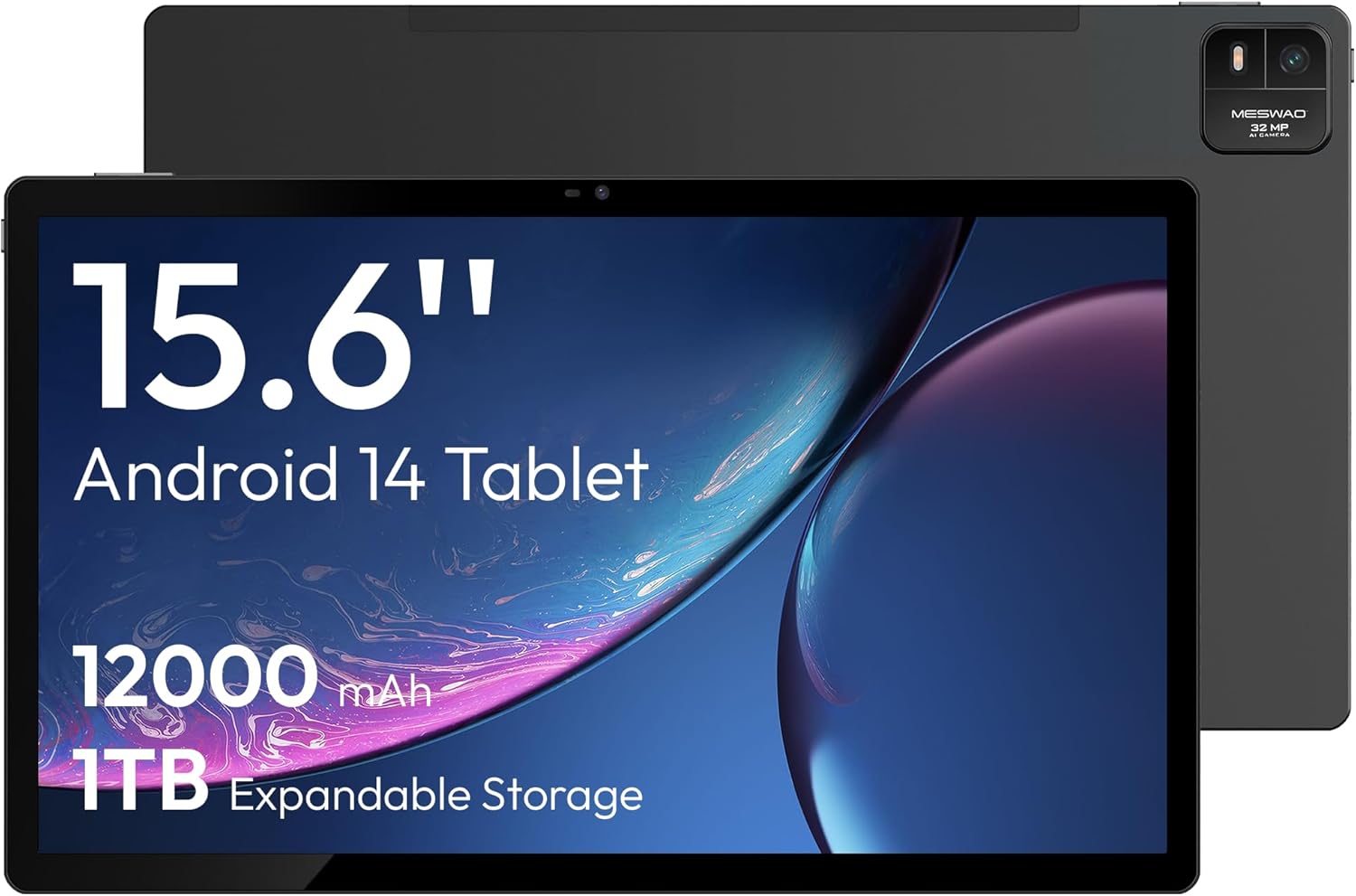
Εικόνα 4.1: Εμπρός view of the MESWAO 15.6-inch Android 14 Tablet, highlighting the large display and key specifications such as 12000mAh battery and 1TB expandable storage.
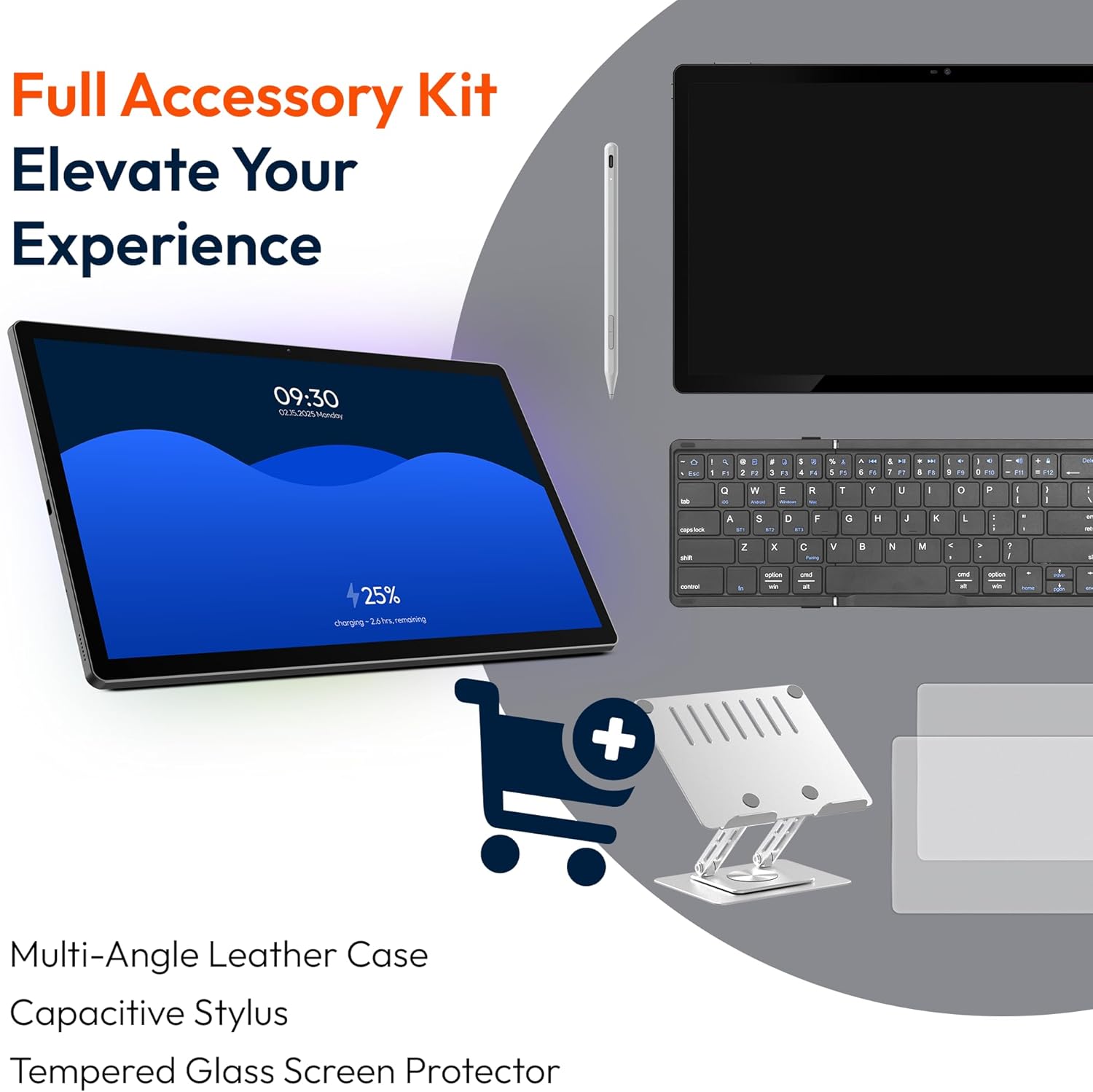
Εικόνα 4.2: Πλαϊνά και πίσω view of the tablet, indicating the location of the quad speakers, Type-C port, TF card slot, power button, volume controls, and front/rear cameras.
Βασικά συστατικά:
- Οθόνη FHD IPS 15.6 ιντσών: Large screen for immersive viewing.
- Μπροστινή κάμερα: Για βιντεοκλήσεις και selfies.
- Πίσω κάμερα (32MP): Για λήψη φωτογραφιών και βίντεο.
- Κουμπί λειτουργίας: Για να ενεργοποιήσετε/απενεργοποιήσετε το tablet ή να το θέσετε σε αναστολή λειτουργίας.
- Κουμπιά έντασης ήχου: Για να ρυθμίσετε τα επίπεδα ήχου.
- Θύρα τύπου C: Για φόρτιση και μεταφορά δεδομένων.
- Υποδοχή κάρτας TF: For expandable storage (MicroSD card).
- Τετραπλά ηχεία: Για έξοδο ήχου.
5. Ρύθμιση
5.1 Αρχική φόρτιση
Before first use, fully charge the tablet. Connect the provided Type-C cable to the tablet's Type-C port and the power adapter to a wall outlet. The tablet supports 30W fast charging.

Εικόνα 5.1: The tablet connected to its charger, showing the charging indicator on the screen.
5.2 Ενεργοποίηση/Απενεργοποίηση
- Για ενεργοποίηση: Πατήστε παρατεταμένα το κουμπί λειτουργίας μέχρι να ανάψει η οθόνη.
- Για απενεργοποίηση: Πατήστε παρατεταμένα το κουμπί λειτουργίας και, στη συνέχεια, επιλέξτε «Απενεργοποίηση» από τις επιλογές στην οθόνη.
- Για ύπνο/αφύπνιση: Πατήστε στιγμιαία το κουμπί λειτουργίας.
5.3 Αρχική διαμόρφωση
Upon first power-on, follow the on-screen prompts to set up your Android 14 operating system. This includes selecting your language, connecting to Wi-Fi, and signing in with your Google account.
5.4 Σύνδεση Wi-Fi
- Μεταβείτε στο Ρυθμίσεις > Δίκτυο & Διαδίκτυο > Wi-Fi.
- Εναλλαγή Wi-Fi On.
- Επιλέξτε το δίκτυο που επιθυμείτε από τη λίστα.
- Εισαγάγετε τον κωδικό πρόσβασης εάν σας ζητηθεί και πατήστε Συνδέω. The tablet supports dual-band Wi-Fi (2.4GHz and 5GHz).
5.5 Τοποθέτηση κάρτας MicroSD
To expand storage up to 1TB, insert a MicroSD card:
- Εντοπίστε την υποδοχή κάρτας TF στο πλάι του tablet.
- Use the provided stuck pin to gently press into the small hole next to the slot to eject the tray.
- Τοποθετήστε την κάρτα MicroSD στην υποδοχή με τις χρυσές επαφές στραμμένες προς τα κάτω.
- Επανατοποθετήστε προσεκτικά τη θήκη στο tablet.

Εικόνα 5.2: Illustration of the tablet's internal storage and the option for expandable storage via MicroSD card.
6. Λειτουργία του Tablet
6.1 Βασική πλοήγηση
The Android 14 operating system uses touch gestures for navigation:
- Παρακέντηση: Επιλέξτε ένα στοιχείο ή ανοίξτε μια εφαρμογή.
- Σουφρώνω: Κάντε κύλιση σε οθόνες ή λίστες.
- Πρέζα: Μεγέθυνση ή σμίκρυνση εικόνων και web σελίδες.
- Παρατεταμένο πάτημα: Αποκτήστε πρόσβαση σε μενού περιβάλλοντος ή μετακινήστε εικονίδια.
6.2 Χαρακτηριστικά εμφάνισης
The 15.6-inch FHD IPS display offers a resolution of 1920 x 1080 pixels, providing clear and vibrant visuals for various applications.

Εικόνα 6.1: Comparison of the MESWAO 15.6-inch display size to an A4 sheet of paper and a smaller tablet, emphasizing its expansive viewπεριοχή.
6.3 Απόδοση
Powered by the Helio G99 octa-core processor and 8GB RAM, the tablet delivers efficient performance for multitasking, gaming, and media consumption.

Εικόνα 6.2: An illustration of the Helio G99 Octa-Core chipset, detailing its technical specifications and performance benefits.
6.4 Χρήση Κάμερας
The tablet features a 32MP rear camera and a 5MP front camera. Open the Camera app to capture photos and videos.
Ήχος 6.5
The quad speakers provide clear audio. You can connect Bluetooth headphones or use the Type-C port for audio output with a suitable adapter.
6.6 Χαρακτηριστικά Android 14
The tablet runs on Android 14, offering features such as:
- Smooth Multitasking: Efficiently switch between applications.
- Γονικός έλεγχος: Manage content and usage for children.
- Enhanced Privacy & UI: Improved security and user interface experience.

Εικόνα 6.3: The Android 14 operating system interface, showcasing various applications and system features.
7. Συντήρηση
7.1 Καθαρισμός της συσκευής
Χρησιμοποιήστε ένα μαλακό πανί που δεν αφήνει χνούδι για να καθαρίσετε την οθόνη και το σώμα του tablet. Αποφύγετε τη χρήση σκληρών χημικών ουσιών ή λειαντικών υλικών.
7.2 Ενημερώσεις λογισμικού
Ελέγχετε τακτικά για ενημερώσεις συστήματος για να διασφαλίσετε τη βέλτιστη απόδοση και ασφάλεια. Μεταβείτε στη διεύθυνση Ρυθμίσεις > Σύστημα > Ενημέρωση συστήματος.
7.3 Φροντίδα μπαταρίας
Για να παρατείνετε τη διάρκεια ζωής της μπαταρίας:
- Αποφύγετε την συχνή πλήρη αποφόρτιση της μπαταρίας.
- Do not expose the tablet to high temperatures.
- Αποσυνδέστε τον φορτιστή μόλις η μπαταρία γεμίσει.
8. Αντιμετώπιση Προβλημάτων
8.1 Το tablet δεν ενεργοποιείται
- Βεβαιωθείτε ότι η μπαταρία είναι φορτισμένη. Συνδέστε τον φορτιστή και περιμένετε λίγα λεπτά πριν επιχειρήσετε να την ενεργοποιήσετε.
- Πατήστε παρατεταμένα το κουμπί λειτουργίας για τουλάχιστον 10-15 δευτερόλεπτα για να επιβάλετε επανεκκίνηση.
8.2 Προβλήματα σύνδεσης Wi-Fi
- Επανεκκινήστε τον δρομολογητή Wi-Fi.
- Ξεχάστε το δίκτυο στις ρυθμίσεις του tablet και επανασυνδεθείτε.
- Βεβαιωθείτε ότι το tablet βρίσκεται εντός της εμβέλειας του σήματος Wi-Fi.
8.3 Αργή απόδοση
- Κλείστε τις περιττές εφαρμογές παρασκηνίου.
- Εκκαθάριση δεδομένων προσωρινής μνήμης για εφαρμογές.
- Εξασφαλίστε επαρκή ελεύθερο χώρο αποθήκευσης.
8.4 Η οθόνη δεν ανταποκρίνεται
- Επανεκκινήστε το tablet.
- Βεβαιωθείτε ότι η οθόνη είναι καθαρή και απαλλαγμένη από υπολείμματα.
9. Προδιαγραφές
| Χαρακτηριστικό | Προσδιορισμός |
|---|---|
| Όνομα μοντέλου | MES-B3 |
| Λειτουργικό σύστημα | Android 14 |
| Μέγεθος οθόνης | 15.6 ίντσες |
| Ανάλυση οθόνης | 1920 x 1080 pixel (FHD) |
| Επεξεργαστής | MediaTek Helio G99 Οκταπύρηνος |
| Συνεπεξεργαστής γραφικών | Mali-G75 |
| ΕΜΒΟΛΟ | 8 GB |
| Εσωτερική αποθήκευση (ROM) | 256 GB |
| Επεκτάσιμος χώρος αποθήκευσης | Έως 1TB μέσω κάρτας MicroSD |
| Πίσω κάμερα | 32MP |
| Μπροστινή κάμερα | 5MP |
| Χωρητικότητα μπαταρίας | 12000 mAh |
| Φόρτιση | Γρήγορη φόρτιση 30 W |
| Ασύρματη Συνδεσιμότητα | Dual-Band Wi-Fi (802.11a/b/ac/ad/ax), Bluetooth |
| Βάρος αντικειμένου | 4.55 λίρες |
| Διαστάσεις προϊόντος | 14.49 x 8.66 x 0.39 ίντσες |
10. Εγγύηση και υποστήριξη
10.1 Πληροφορίες εγγύησης
Your MESWAO tablet comes with a 12 μήνες εγγύηση καλύπτοντας κατασκευαστικά ελαττώματα. Παρακαλούμε φυλάξτε την απόδειξη αγοράς για τυχόν αξιώσεις εγγύησης.
10.2 Υποστήριξη πελατών
For technical assistance, troubleshooting, or warranty inquiries, please contact MESWAO customer support. Our support team is available to assist you.
- 24ωρη υποστήριξη πελατών: Η βοήθεια είναι διαθέσιμη όλο το 24ωρο.
- Local After-sales Centers: Service centers are available in regions including the US, Germany, Japan, and more.
- Quick Response Flow: Issues reported receive a team response within 24 hours, aiming for prompt problem resolution or replacement.


