1. Εισαγωγή
Thank you for choosing the Edifier X1 Lite True Wireless Earbuds. This manual provides detailed instructions for setting up, operating, and maintaining your new earbuds to ensure optimal performance and longevity. Please read this manual thoroughly before use.

Image: Edifier X1 Lite True Wireless Earbuds in their open charging case.
2. Τι υπάρχει στο κουτί
The Edifier X1 Lite package includes the following components:
- Ασύρματα ακουστικά Edifier X1 Lite True Wireless (Αριστερά και Δεξιά)
- Θήκη φόρτισης
- Καλώδιο φόρτισης USB
- Εγχειρίδιο χρήστη (αυτό το έγγραφο)
3. Ρύθμιση
3.1 Αρχική φόρτιση
Πριν από την πρώτη χρήση, φορτίστε πλήρως τα ακουστικά και τη θήκη φόρτισης.
- Τοποθετήστε και τα δύο ακουστικά στη θήκη φόρτισης.
- Συνδέστε το καλώδιο φόρτισης USB στη θύρα φόρτισης της θήκης και σε μια πηγή τροφοδοσίας (π.χ., προσαρμογέας τοίχου USB, θύρα USB υπολογιστή).
- The indicator light on the charging case will show charging status. Refer to the LED indicator section for details.
- A full charge typically takes approximately 1.5 hours for the case and earbuds.
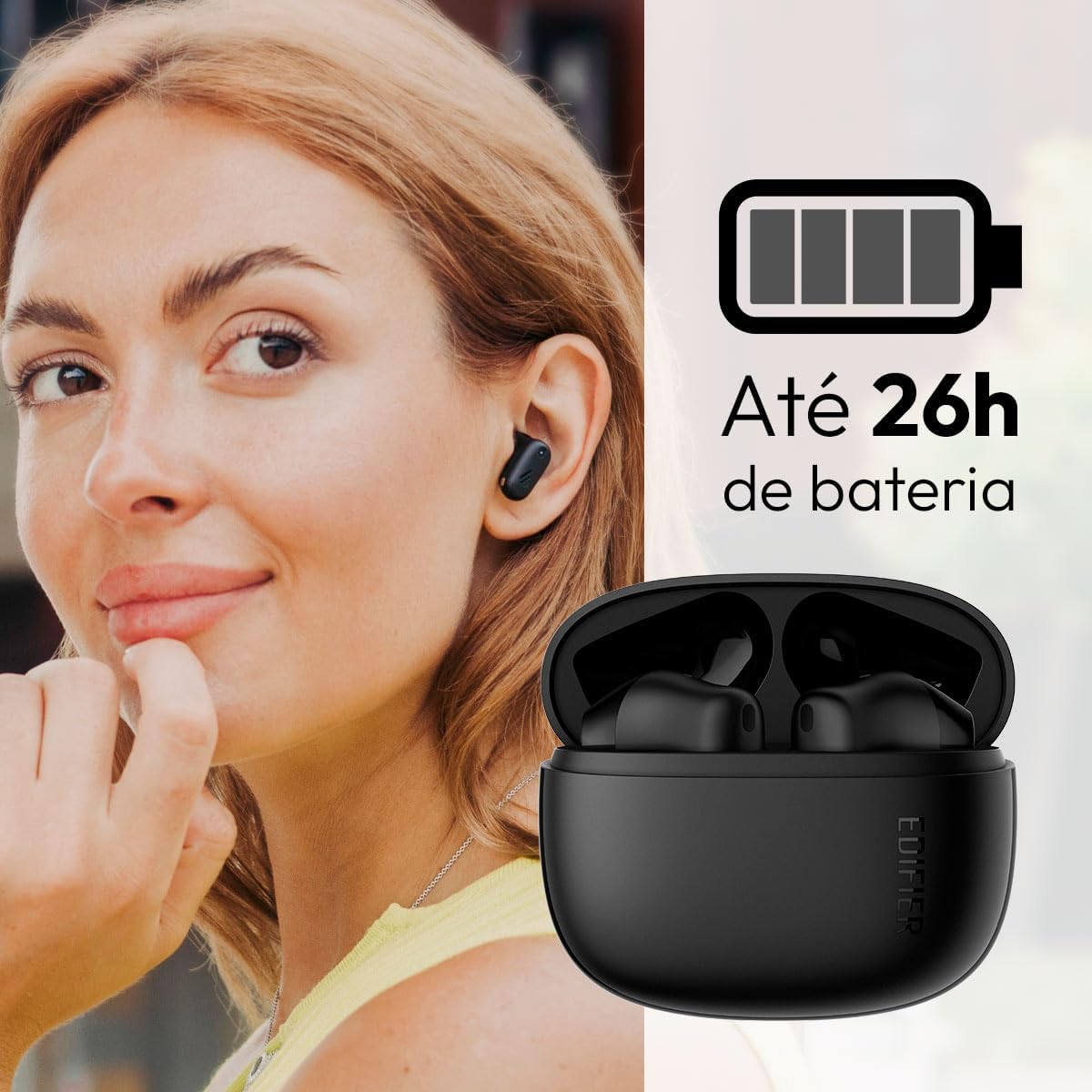
Image: Woman wearing an earbud, with the charging case and a battery icon indicating charging.
Fast Charging Feature:
A 15-minute quick charge can provide approximately 1.5 hours of playtime for the earbuds.

Image: Visual representation of battery life and fast charging capabilities.
3.2 Σύζευξη Bluetooth
Follow these steps to pair your Edifier X1 Lite earbuds with your device:
- Σύζευξη για πρώτη φορά: Open the charging case. The earbuds will automatically power on and enter pairing mode. The indicator light on the earbuds will flash rapidly.
- Στη συσκευή σας (smartphone, tablet, φορητό υπολογιστή), ενεργοποιήστε το Bluetooth.
- Αναζήτηση για «EDIFIER X1 Lite» στη λίστα με τις διαθέσιμες συσκευές Bluetooth.
- Select "EDIFIER X1 Lite" to connect. Once connected, the indicator lights on the earbuds will turn off, and you will hear a confirmation tone.
- Re-pairing/Connecting to a New Device: If the earbuds are already connected to another device, disconnect them first. Alternatively, with the earbuds in the case and the lid open, press and hold the button on the charging case for 3 seconds to enter pairing mode.

Image: Man using earbuds, highlighting Bluetooth 5.4 connectivity.
3.3 Edifier ConneX App Installation
For enhanced features and customization, download the EDIFIER ConneX app:
- Scan the QR code provided in the image below or visit the official Edifier app download page.
- Εγκαταστήστε την εφαρμογή στο smartphone ή το tablet σας.
- Open the app and follow the on-screen instructions to connect your X1 Lite earbuds.
- The app allows for sound effect customization, game mode activation, and touch control settings.

Image: EDIFIER ConneX app interface with QR code. Download the Edifier ConneX App
4. Οδηγίες λειτουργίας
4.1 Φορώντας τα ακουστικά
Proper fit ensures optimal sound quality and comfort:
- Προσδιορίστε τα αριστερά (L) και τα δεξιά (R) ακουστικά.
- Εισάγετε απαλά κάθε ακουστικό στο αντίστοιχο ακουστικό πόρο.
- Περιστρέψτε ελαφρά το ακουστικό μέχρι να το αισθάνεστε ασφαλές και άνετο.

Image: Man demonstrating proper earbud placement.
4.2 Ενεργοποίηση/Απενεργοποίηση
- Ενεργοποίηση: Τα ακουστικά ενεργοποιούνται αυτόματα όταν αφαιρούνται από τη θήκη φόρτισης.
- Απενεργοποιώ: Τα ακουστικά απενεργοποιούνται αυτόματα και ξεκινούν τη φόρτιση όταν τοποθετηθούν ξανά στη θήκη φόρτισης και το καπάκι είναι κλειστό.
4.3 Αγγίξτε Στοιχεία ελέγχου
The Edifier X1 Lite earbuds feature touch-sensitive controls on each earbud. These controls can be customized via the EDIFIER ConneX app.
| Δράση | Αριστερό ακουστικό (L) | Δεξί ακουστικό (R) |
|---|---|---|
| Απάντηση/Τερματισμός κλήσης | Διπλό πάτημα | Διπλό πάτημα |
| Απόρριψη κλήσης | Τριπλό πάτημα | Τριπλό πάτημα |
| Αναπαραγωγή/Παύση μουσικής | Διπλό πάτημα | Διπλό πάτημα |
| Επόμενο κομμάτι | N/A (Customize via App) | Τριπλό πάτημα |
| Προηγούμενο κομμάτι | Τριπλό πάτημα | N/A (Customize via App) |
| Λειτουργία παιχνιδιού On/Off | Τετραπλό άγγιγμα | Τετραπλό άγγιγμα |
Note: These are default settings. Functions can be reconfigured using the EDIFIER ConneX app.

Εικόνα: Οπτικός οδηγός για τα χειριστήρια αφής των ακουστικών.
5. Συντήρηση
5.1 Καθαρισμός
- Καθαρίζετε τακτικά τα ακουστικά και τη θήκη φόρτισης με ένα μαλακό, στεγνό πανί που δεν αφήνει χνούδι.
- Μην χρησιμοποιείτε λειαντικά καθαριστικά, αλκοόλ ή χημικούς διαλύτες.
- Βεβαιωθείτε ότι οι επαφές φόρτισης τόσο στα ακουστικά όσο και στη θήκη είναι καθαρές και χωρίς υπολείμματα, για να διατηρήσετε τη σωστή φόρτιση.
5.2 Αντοχή στο νερό (IP54)
The Edifier X1 Lite earbuds are IP54 rated, meaning they are protected against dust ingress and splashing water from any direction. This makes them suitable for workouts and light rain.
- Μην βυθίζετε τα ακουστικά σε νερό.
- Η θήκη φόρτισης δεν είναι ανθεκτική στο νερό. Διατηρήστε την στεγνή.
- If earbuds get wet, wipe them dry completely before placing them back in the charging case to prevent damage.

Image: Demonstrating IP54 sweat resistance during exercise.
5.3 Φροντίδα μπαταρίας
- Αποφύγετε την έκθεση των ακουστικών και της θήκης σε ακραίες θερμοκρασίες (ζέστη ή κρύο).
- Αποθηκεύστε τη συσκευή σε δροσερό, ξηρό μέρος όταν δεν τη χρησιμοποιείτε.
- Φορτίζετε τη συσκευή τακτικά, ακόμα κι αν δεν χρησιμοποιείται συχνά, για να διατηρήσετε την καλή λειτουργία της μπαταρίας.
6. Αντιμετώπιση Προβλημάτων
If you encounter issues with your Edifier X1 Lite earbuds, refer to the following common problems and solutions:
6.1 Δεν υπάρχει ήχος ή διακοπτόμενη σύνδεση
- Ελέγξτε την μπαταρία: Βεβαιωθείτε ότι και τα δύο ακουστικά και η θήκη φόρτισης είναι επαρκώς φορτισμένα.
- Επισκευή: Disconnect the earbuds from your device's Bluetooth settings and then re-pair them.
- Απόσταση: Ensure the earbuds are within the Bluetooth range (typically 10 meters) of your device.
- Παρέμβαση: Move away from strong Wi-Fi signals or other Bluetooth devices that might cause interference.
- Επαναφορά: Place both earbuds in the charging case, close the lid, wait a few seconds, then open the lid and try pairing again.
6.2 Τα ακουστικά δεν φορτίζουν
- Ελέγξτε το καλώδιο: Ensure the USB charging cable is securely connected to both the case and the power source.
- Πηγή ενέργειας: Δοκιμάστε μια διαφορετική θύρα USB ή προσαρμογέα τοίχου.
- Καθαρίστε τις επαφές: Clean the charging contacts on the earbuds and inside the charging case with a dry cotton swab.
- Σωστή τοποθέτηση: Βεβαιωθείτε ότι τα ακουστικά έχουν τοποθετηθεί σωστά στη θήκη φόρτισης.
6.3 Κακή ποιότητα κλήσης
- Microphone Obstruction: Ensure the microphone on the earbuds is not covered.
- Περιβάλλο: Move to a quieter environment if possible. The AI algorithm helps, but extreme noise can still affect clarity.
- Σταθερότητα σύνδεσης: Διασφαλίστε μια σταθερή σύνδεση Bluetooth.

Image: Man using earbuds for a clear call, highlighting AI voice pick-up technology.
6.4 Προβλήματα σύνδεσης εφαρμογών
- Bluetooth ενεργό: Ensure Bluetooth is enabled on your device and the earbuds are connected.
- Άδειες εφαρμογής: Check if the EDIFIER ConneX app has necessary Bluetooth and location permissions.
- Επανεκκίνηση εφαρμογής/συσκευής: Κλείστε και ανοίξτε ξανά την εφαρμογή ή επανεκκινήστε το smartphone σας.
- Ενημέρωση εφαρμογής: Βεβαιωθείτε ότι η εφαρμογή είναι ενημερωμένη στην πιο πρόσφατη έκδοση.
7. Προδιαγραφές
| Χαρακτηριστικό | Λεπτομέρεια |
|---|---|
| Όνομα μοντέλου | X1 lite |
| Τεχνολογία Συνδεσιμότητας | Ασύρματο (Bluetooth) |
| Έκδοση Bluetooth | 5.4 |
| Τύπος προγράμματος οδήγησης ήχου | Dynamic Driver (Φ13mm) |
| Εύρος Συχνοτήτων | 20Hz-20kHz |
| Διάρκεια ζωής μπαταρίας | Έως 7 ώρες (ακουστικά), έως 26 ώρες (με θήκη φόρτισης) |
| Γρήγορη Φόρτιση | 15 λεπτά φόρτισης για 1.5 ώρες παιχνιδιού |
| Χαμηλή καθυστέρηση | 60 ms |
| Αντοχή στο νερό | IP54 (Μόνο ακουστικά-ψείρες) |
| Μικρόφωνο | Single Mic AI algorithm voice pick-up |
| Μέθοδος Ελέγχου | Touch Control, App (EDIFIER ConneX) |
| Υλικό | Πλαστική ύλη |
| Βάρος Earbud | Περίπου 4 γρ. ανά ακουστικό |
| Χρώμα | Μαύρος |
8. Εγγύηση και υποστήριξη
Edifier products are designed with quality and reliability in mind. For warranty information and customer support, please refer to the official Edifier webιστότοπο ή επικοινωνήστε απευθείας με την εξυπηρέτηση πελατών τους.
- Επίσημος ανώτερος υπάλληλος Webτοποθεσία: Επίσκεψη www.edifier.com για εγγραφή προϊόντος, συχνές ερωτήσεις και πόρους υποστήριξης.
- Εξυπηρέτηση πελατών: Contact Edifier customer support for technical assistance or warranty claims. Contact details can typically be found on the official webτοποθεσία ή στη συσκευασία του προϊόντος.
Παρακαλούμε φυλάξτε την απόδειξη αγοράς για λόγους εγγύησης.


