1. Εισαγωγή
This manual provides comprehensive instructions for the BenQ GW2790Q 27-inch 2K QHD 100Hz IPS Eye-Care Monitor. It covers setup, operation, key features, maintenance, and troubleshooting to ensure optimal performance and user experience. Please read this manual thoroughly before using your monitor.

Figure 1.1: BenQ GW2790Q Monitor Overview. This image showcases the monitor's sleek design and highlights its key features such as 100Hz refresh rate, 99% sRGB color gamut, VESA MediaSync compatibility, and 2K Quad HD resolution, displayed with dynamic content.
2. Περιεχόμενα συσκευασίας
Verify that all items listed below are present in your package. If any item is missing or damaged, please contact your retailer or BenQ customer support.
- BenQ GW2790Q Monitor
- Βάση οθόνης (Βάση και λαιμός)
- Καλώδιο ρεύματος
- Καλώδιο HDMI
- Οδηγός γρήγορης εκκίνησης
- Κάρτα Εγγύησης
3. Ρύθμιση
3.1 Συναρμολόγηση της βάσης οθόνης
- Αφαιρέστε προσεκτικά την οθόνη από τη συσκευασία της, φυλάσσοντάς την προστατευμένη σε μια μαλακή επιφάνεια.
- Συνδέστε τον λαιμό της βάσης στην οθόνη ευθυγραμμίζοντας τις γλωττίδες και πιέζοντας μέχρι να κουμπώσει στη θέση του.
- Secure the stand base to the neck using the captive screw at the bottom of the base.
3.2 Καλώδια σύνδεσης
Συνδέστε τα απαραίτητα καλώδια στις αντίστοιχες θύρες στην οθόνη και στον υπολογιστή σας.
- Καλώδιο ρεύματος: Συνδέστε το ένα άκρο στην είσοδο τροφοδοσίας της οθόνης και το άλλο σε μια πρίζα.
- Καλώδιο βίντεο: Connect either an HDMI cable or a DisplayPort cable from your computer's video output to the corresponding input on the monitor.

Figure 3.1: Monitor Rear Ports. This image illustrates the various connectivity options available on the back of the BenQ GW2790Q monitor, including the power input, two HDMI ports, one DisplayPort, and an audio output jack, along with the VESA mounting area.
4. Οδηγίες λειτουργίας
4.1 Ενεργοποίηση/Απενεργοποίηση
Press the power button located on the bottom right of the monitor bezel to turn the monitor on or off. The power indicator light will illuminate when the monitor is active.
4.2 Μενού εμφάνισης στην οθόνη (OSD)
The OSD menu allows you to adjust various monitor settings such as brightness, contrast, color modes, and input sources. Use the navigation buttons located near the power button to access and navigate the OSD menu.
4.3 Input Hotkey
The GW2790Q features a dedicated Input Hotkey for quick switching between connected devices. Press this button to cycle through HDMI 1, HDMI 2, and DisplayPort inputs without navigating the full OSD menu.
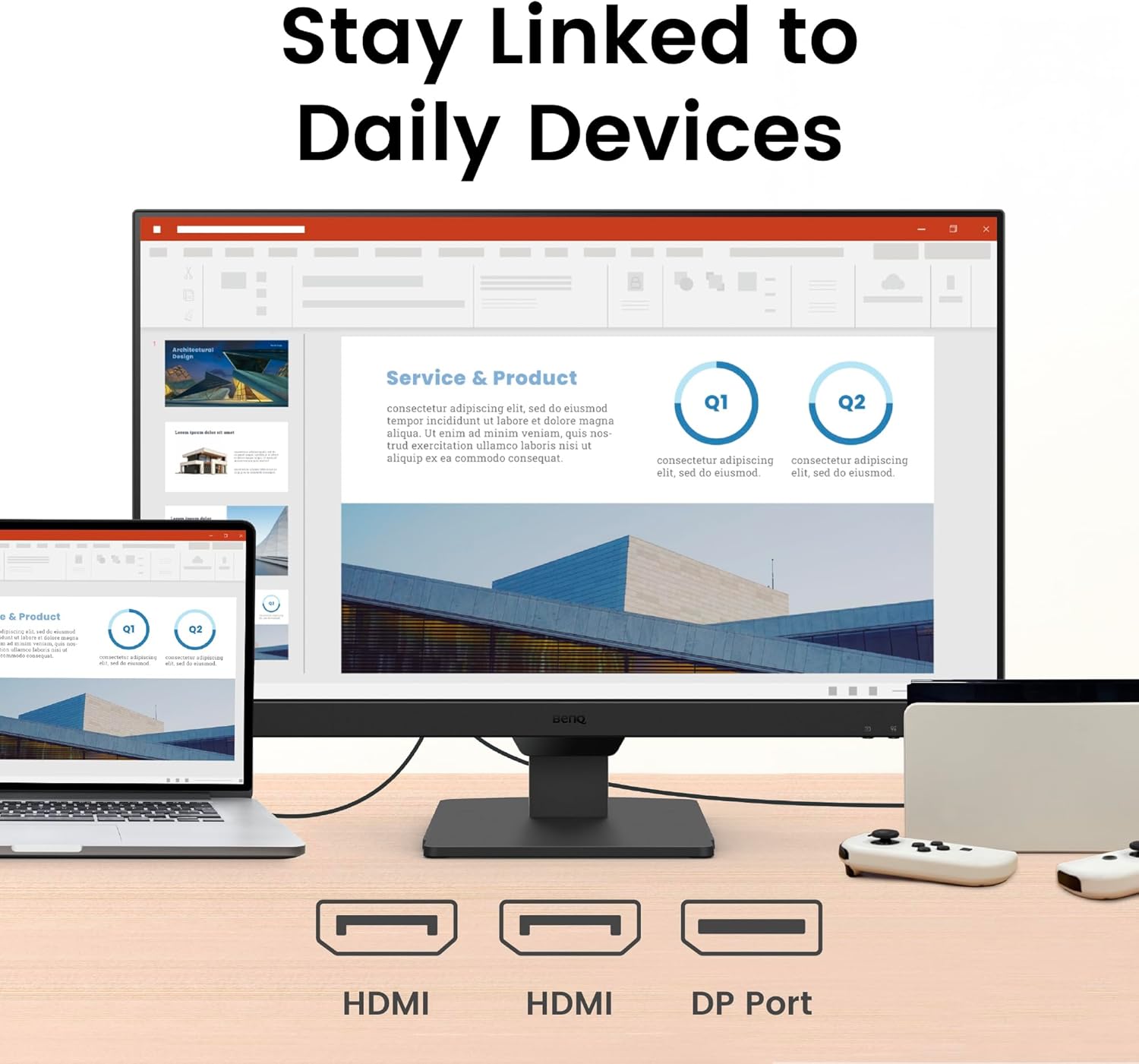
Figure 4.1: Monitor in Use. This image shows the BenQ GW2790Q monitor displaying a professional presentation, demonstrating its suitability for work and productivity tasks.

Figure 4.2: Seamless Work and Play. This image demonstrates the BenQ GW2790Q monitor's ability to smoothly transition between different uses, showing a split screen with productivity content on one side and entertainment on the other, highlighting its flexible lifestyle integration.
5. Βασικά Χαρακτηριστικά
5.1 Τεχνολογία Οθόνης
- 27-inch 2K QHD IPS Panel: Experience sharp details and vibrant colors with a 2560x1440 resolution and wide viewγωνίες.
- Ρυθμός ανανέωσης 100 Hz: Enjoy smoother visuals and more responsive interaction, reducing motion blur for a comfortable viewεμπειρία.

Figure 5.1: Smooth Viewing at 100Hz. This image visually represents the benefit of a 100Hz refresh rate, showing a runner with a smooth motion trail, indicating reduced motion blur and a fluid visual experience on the BenQ GW2790Q monitor.
5.2 Eye-Care Technologies
The BenQ GW2790Q incorporates advanced Eye-Care features designed to reduce eye strain during extended use.
- Brightness Intelligence Tech (B.I. Gen2): Automatically adjusts screen brightness based on ambient light conditions and on-screen content, ensuring optimal viewάνεση
- Χαμηλό Μπλε Φως Plus: Filters out harmful blue-violet light while maintaining accurate color reproduction, protecting your eyes without compromising image quality.
- Coding Mode & ePaper Mode: Specialized color modes that enhance readability for text-heavy tasks, reducing eye fatigue during long reading or coding sessions.
- Λογισμικό Eye-CareU: Compatible software for personalized eye-care settings and reminders.
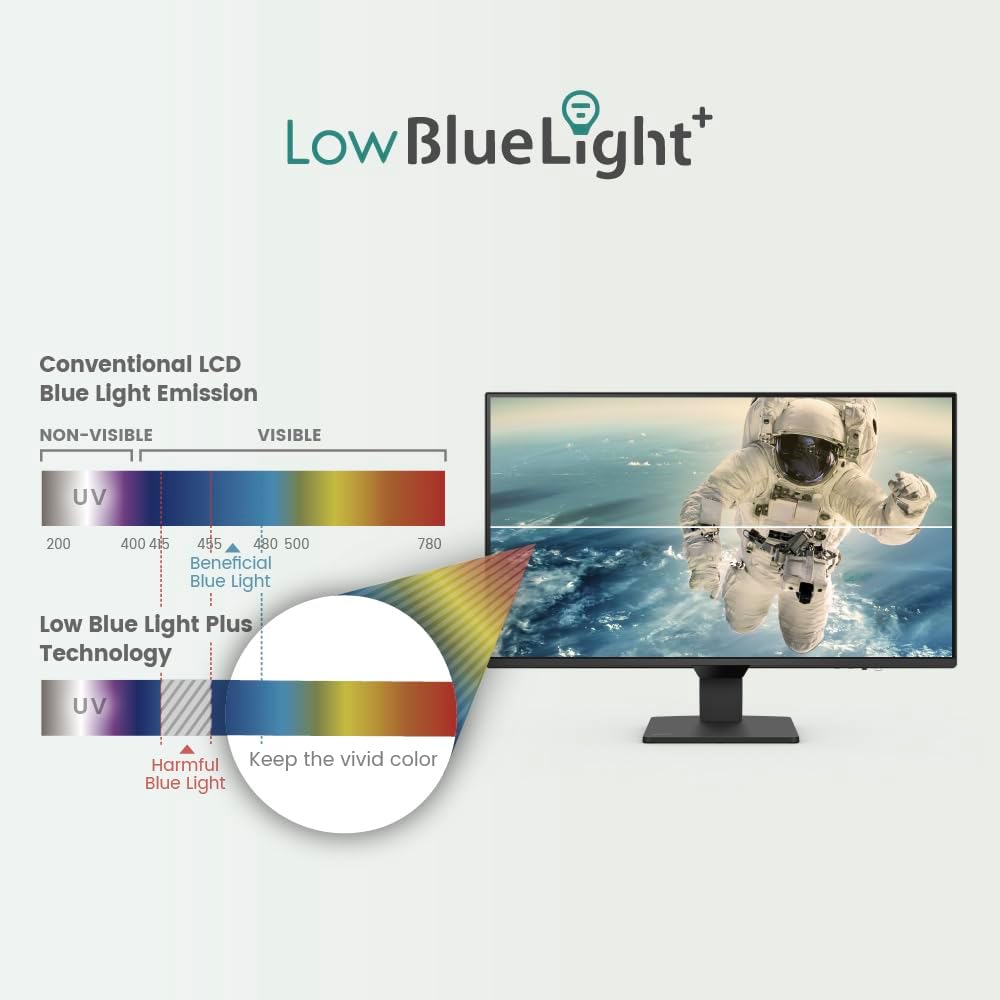
Figure 5.2: Smart Brightness Optimization. This image illustrates the monitor's Brightness Intelligence feature, showing a split screen where one side is optimized for a darker environment and the other for a brighter one, demonstrating automatic adjustment for visual comfort.
Figure 5.3: Low Blue Light Plus Technology. This diagram visually explains how BenQ's Low Blue Light Plus technology works, differentiating between harmful blue-violet radiation and beneficial blue light, and demonstrating its ability to filter the former while maintaining vivid color quality.

Figure 5.4: Enhanced Eye-Care Experience. This image highlights the monitor's focus on eye comfort, featuring an eye graphic superimposed over the screen, suggesting advanced features for visual health and detailed data display.
5.3 Συνδεσιμότητα
The monitor offers versatile connectivity options to integrate with various devices.
- Θύρες HDMI: Two HDMI inputs for connecting multiple devices such as computers, gaming consoles, or media players.
- DisplayPort: One DisplayPort input for high-resolution and high-refresh-rate connections.
- Εξοδος ήχου: A 3.5mm audio jack for connecting external speakers or headphones.

Figure 5.5: Multi-Device Connectivity. This image demonstrates the BenQ GW2790Q monitor's ability to connect to various devices, showing it linked to a laptop and a game controller via its HDMI and DisplayPort inputs, facilitating seamless switching between work and entertainment.
6. Συντήρηση
6.1 Καθαρισμός της οθόνης
To maintain optimal display quality, clean your monitor regularly.
- Να απενεργοποιείτε πάντα την οθόνη και να αποσυνδέετε το καλώδιο τροφοδοσίας πριν από τον καθαρισμό.
- Χρησιμοποιήστε ένα μαλακό πανί που δεν αφήνει χνούδι ελαφρά δampμε νερό ή με ένα ειδικό καθαριστικό οθόνης.
- Αποφύγετε τη χρήση λειαντικών καθαριστικών, οινοπνεύματος ή διαλυμάτων με βάση την αμμωνία, καθώς αυτά μπορεί να προκαλέσουν ζημιά στην επιφάνεια της οθόνης.
- Gently wipe the screen and bezel. Do not apply excessive pressure.
7. Αντιμετώπιση Προβλημάτων
Εάν αντιμετωπίσετε προβλήματα με την οθόνη σας, ανατρέξτε στα ακόλουθα συνηθισμένα προβλήματα και λύσεις.
| Πρόβλημα | Πιθανή αιτία | Διάλυμα |
|---|---|---|
| Δεν υπάρχει εικόνα στην οθόνη | Το καλώδιο τροφοδοσίας είναι αποσυνδεδεμένο. Το καλώδιο βίντεο είναι αποσυνδεδεμένο. Έχει επιλεγεί λανθασμένη πηγή εισόδου. | Ensure power and video cables are securely connected. Use the Input Hotkey or OSD to select the correct input source. |
| Η εικόνα είναι θολή ή παραμορφωμένη | Λανθασμένη ρύθμιση ανάλυσης. Πρόβλημα με το καλώδιο βίντεο. | Set the display resolution to 2560x1440. Check or replace the video cable. |
| Η οθόνη δεν ενεργοποιείται | Το καλώδιο τροφοδοσίας δεν είναι συνδεδεμένο. Πρόβλημα με την πρίζα. | Verify the power cable is firmly connected to both the monitor and a working power outlet. |
| No sound from speakers/audio out | Audio cable not connected; Volume too low; Incorrect audio output selected on computer. | Ensure external speakers/headphones are connected. Adjust monitor and computer volume. Select the monitor as the audio output device on your computer. |
8. Προδιαγραφές
Below are the technical specifications for the BenQ GW2790Q monitor.
| Χαρακτηριστικό | Λεπτομέρεια |
|---|---|
| Όνομα μοντέλου | GW2790Q |
| Μέγεθος οθόνης | 27 ίντσες |
| Τύπος πίνακα | IPS |
| Ψήφισμα | 2560x1440 (QHD) |
| Ρυθμός ανανέωσης | 100Hz |
| Αναλογία διαστάσεων | 16:9 |
| Λάμψη | (Typical value not provided, refer to product page) |
| Αναλογία αντίθεσης | (Typical value not provided, refer to product page) |
| Χρωματική γκάμα | 99% sRGB |
| Viewγωνιά | (Typical IPS values apply, not explicitly stated) |
| Συνδεσιμότητα | 2x HDMI, 1x DisplayPort, 1x Audio Out (3.5mm) |
| Βάση VESA | Ναί |
| Διαστάσεις (ΠxΥxΒ) | 24.1 x 12 x 2.4 ίντσες (χωρίς βάση) |
| Βάρος | 10.34 pounds (without stand) |
| Κατανάλωση ρεύματος | (Not explicitly stated, refer to product page) |
9. Εγγύηση και υποστήριξη
BenQ provides a limited warranty for this product. For detailed warranty terms and conditions, please refer to the warranty card included in your package or visit the official BenQ webτοποθεσία.
For technical support, driver downloads, or service inquiries, please visit the BenQ support webστον ιστότοπο ή επικοινωνήστε με το τμήμα εξυπηρέτησης πελατών. Να έχετε πρόχειρη την απόδειξη αγοράς και τον σειριακό αριθμό του προϊόντος όταν ζητάτε υποστήριξη.
Υποστήριξη BenQ Webτοποθεσία: www.benq.com/en-us/support.html


