1. Εισαγωγή
Welcome to the user manual for your Jooeniok L81 Smart Watch. This guide provides detailed instructions on how to set up, operate, and maintain your device, ensuring you get the most out of its features. The Jooeniok L81 is designed to enhance your daily life with its communication, fitness tracking, and health monitoring capabilities.
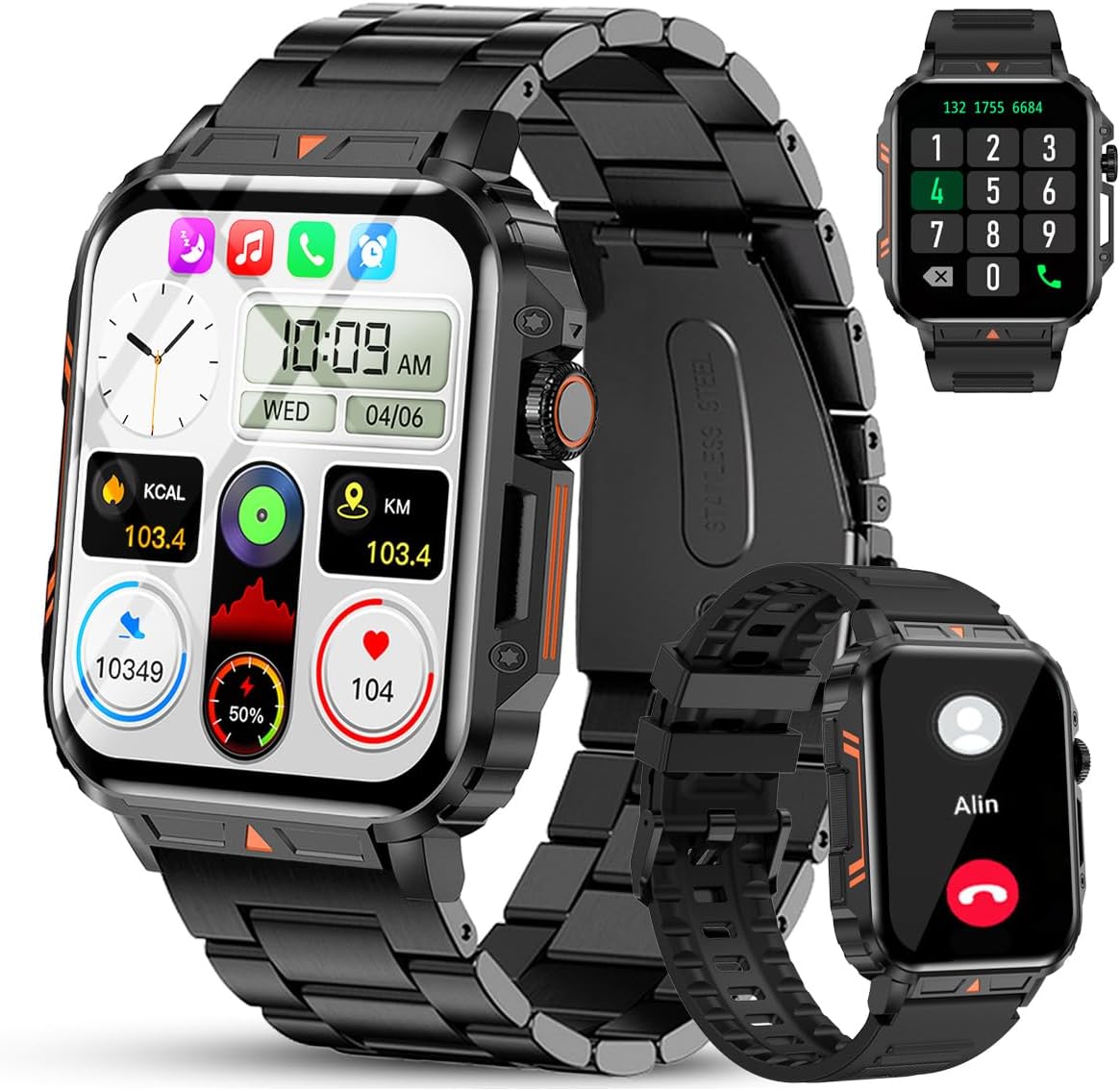
Image 1.1: The Jooeniok L81 Smart Watch, showcasing its main display and interchangeable straps.
2. Βασικά Χαρακτηριστικά
- Bluetooth Calling & Message Alerts: Make and receive calls, read messages, and receive notifications from various apps directly on your watch.
- 1.95'' HD Touch Screen & DIY Dial: Enjoy a clear display and personalize your watch face.
- 112+ αθλητικές λειτουργίες: Track a wide range of activities including running, cycling, badminton, and hiking.
- IP68 Αδιάβροχο: Suitable for daily use, hand washing, and outdoor activities in rain. (Note: Not recommended for diving, showering, or sauna.)
- Παρακολούθηση Υγείας: Monitor heart rate, blood oxygen (SpO2), blood pressure, and sleep patterns.
- Μπαταρία μεγάλης διάρκειας: Εξοπλισμένο με μπαταρία 340mAh για εκτεταμένη χρήση.
- Πολυλειτουργικό: Includes features like timer, alarm, stopwatch, weather, calendar, water reminder, sedentary reminder, and remote photo control.
3. Οδηγός εγκατάστασης
3.1. Φόρτιση του έξυπνου ρολογιού
Before initial use, fully charge your Jooeniok L81 Smart Watch. Connect the magnetic charging cable to the charging contacts on the back of the watch and plug the USB end into a standard USB power adapter (not included) or a computer's USB port. The watch display will indicate charging status.

Image 3.1: Illustration of the watch dimensions and the location of the charging contacts.
3.2. Εγκατάσταση και σύζευξη εφαρμογής
- Κατεβάστε την εφαρμογή: Scan the QR code provided in the watch's quick start guide or search for the official companion app (e.g., "FitCloudPro" or similar, check packaging for exact name) in the Apple App Store (for iOS) or Google Play Store (for Android).
- Ενεργοποίηση Bluetooth: Βεβαιωθείτε ότι το Bluetooth είναι ενεργοποιημένο στο smartphone σας.
- Ανοίξτε την εφαρμογή: Εκκινήστε την εγκατεστημένη εφαρμογή και ακολουθήστε τις οδηγίες στην οθόνη για να δημιουργήσετε έναν λογαριασμό ή να συνδεθείτε.
- Προσθήκη συσκευής: Within the app, navigate to the "Device" or "Add Device" section. The app will search for available Bluetooth devices. Select "L81" or the corresponding device name when it appears.
- Επιβεβαίωση ζεύξης: Ενδέχεται να εμφανιστεί ένα αίτημα σύζευξης στο ρολόι και στο τηλέφωνό σας. Επιβεβαιώστε τη σύζευξη και στις δύο συσκευές.
- Εκχώρηση αδειών: Allow necessary permissions (e.g., notifications, location, contacts) for the app to function correctly.
The watch is compatible with Android 5.1 and above, and iOS 10.0 and above.
3.3. Initial Settings and Language
After successful pairing, the watch should automatically synchronize time and language settings with your phone. If the watch displays an incorrect language, navigate to the watch's settings menu (usually by swiping down from the main screen or pressing the side button to access the app list, then finding the 'Settings' icon). Look for 'Language' or 'System' settings to change it to English or your preferred language.
4. Οδηγίες λειτουργίας
4.1. Βασική πλοήγηση
- Οθόνη αφής: Σύρετε το δάχτυλό σας αριστερά/δεξιά, πάνω/κάτω για να περιηγηθείτε στα μενού και τις λειτουργίες. Πατήστε για επιλογή.
- Πλαϊνό κουμπί: Press to return to the main screen or access the app list. Long press for power options.
- Crown Button (if present): Rotate to scroll through lists or adjust settings, press to select.
4.2. Κλήσεις και ειδοποιήσεις Bluetooth
Once paired, your watch can handle calls and display notifications. Ensure Bluetooth is connected and the companion app has the necessary permissions.
- Πραγματοποίηση κλήσεων: Access the dial pad or contact list on your watch to initiate calls.
- Λήψη κλήσεων: Όταν λαμβάνετε μια κλήση, μπορείτε να την απαντήσετε ή να την απορρίψετε απευθείας από το ρολόι.
- Ειδοποιήσεις: Swipe down from the main screen or access the notification center to view incoming messages from SMS, WhatsApp, Facebook, and other apps.
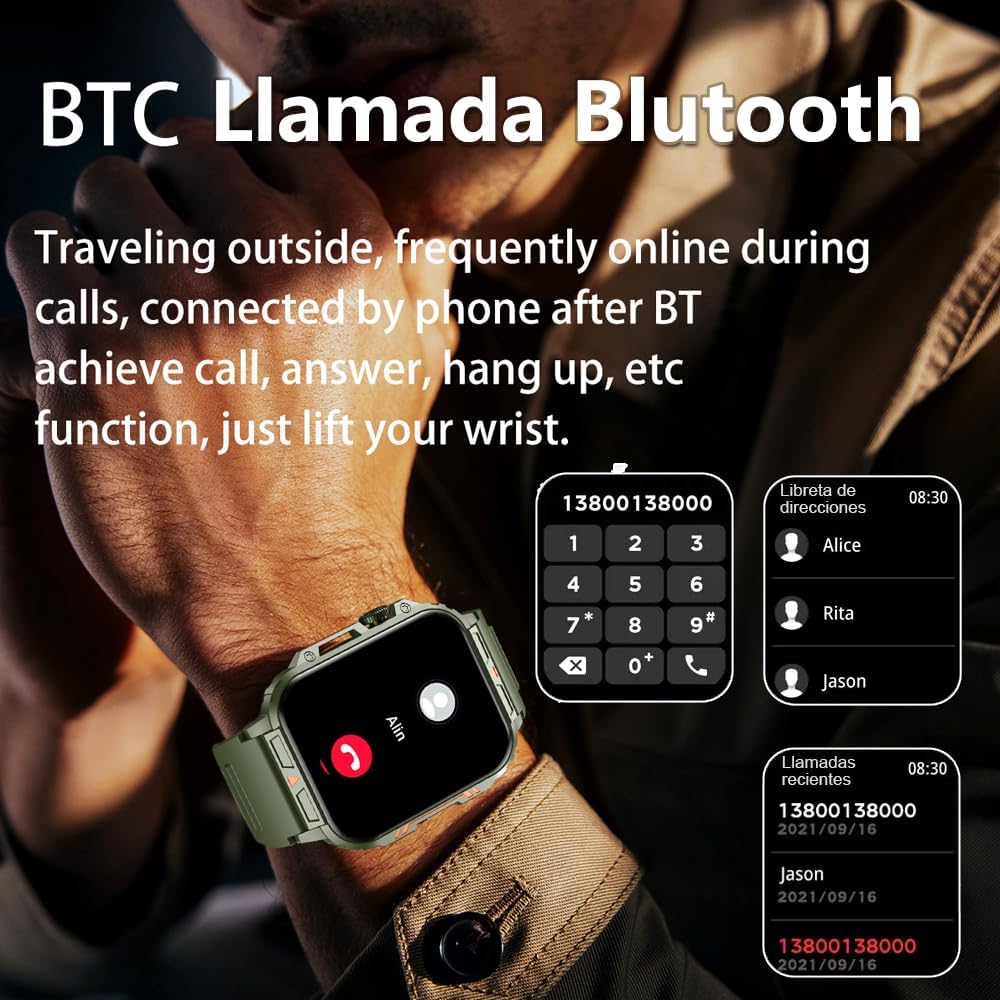
Image 4.1: The watch screen showing an incoming call and the dial pad for making calls.

Image 4.2: The watch displaying notifications from various social media and messaging applications.
4.3. Λειτουργίες άθλησης
The watch supports over 112 sports modes. To access them, navigate to the 'Sports' or 'Workout' section on your watch. Select your desired activity to start tracking. The watch will record steps, distance, and calories.

Image 4.3: Icons representing various sports modes available on the watch.
4.4. Παρακολούθηση της υγείας
The Jooeniok L81 provides continuous monitoring of several health metrics. Access these features through the watch's menu or the companion app.
- Καρδιακός ρυθμός: The watch uses an optical sensor to monitor your heart rate. View δεδομένα σε πραγματικό χρόνο στο ρολόι ή λεπτομερείς τάσεις στην εφαρμογή.
- Blood Oxygen (SpO2) & Blood Pressure: Initiate a measurement from the watch. Results are displayed on the screen and recorded in the app for historical analysis.
- Παρακολούθηση ύπνου: Wear the watch to bed for automatic sleep tracking. It analyzes deep sleep, light sleep, and awake times, providing a comprehensive sleep quality report in the app.
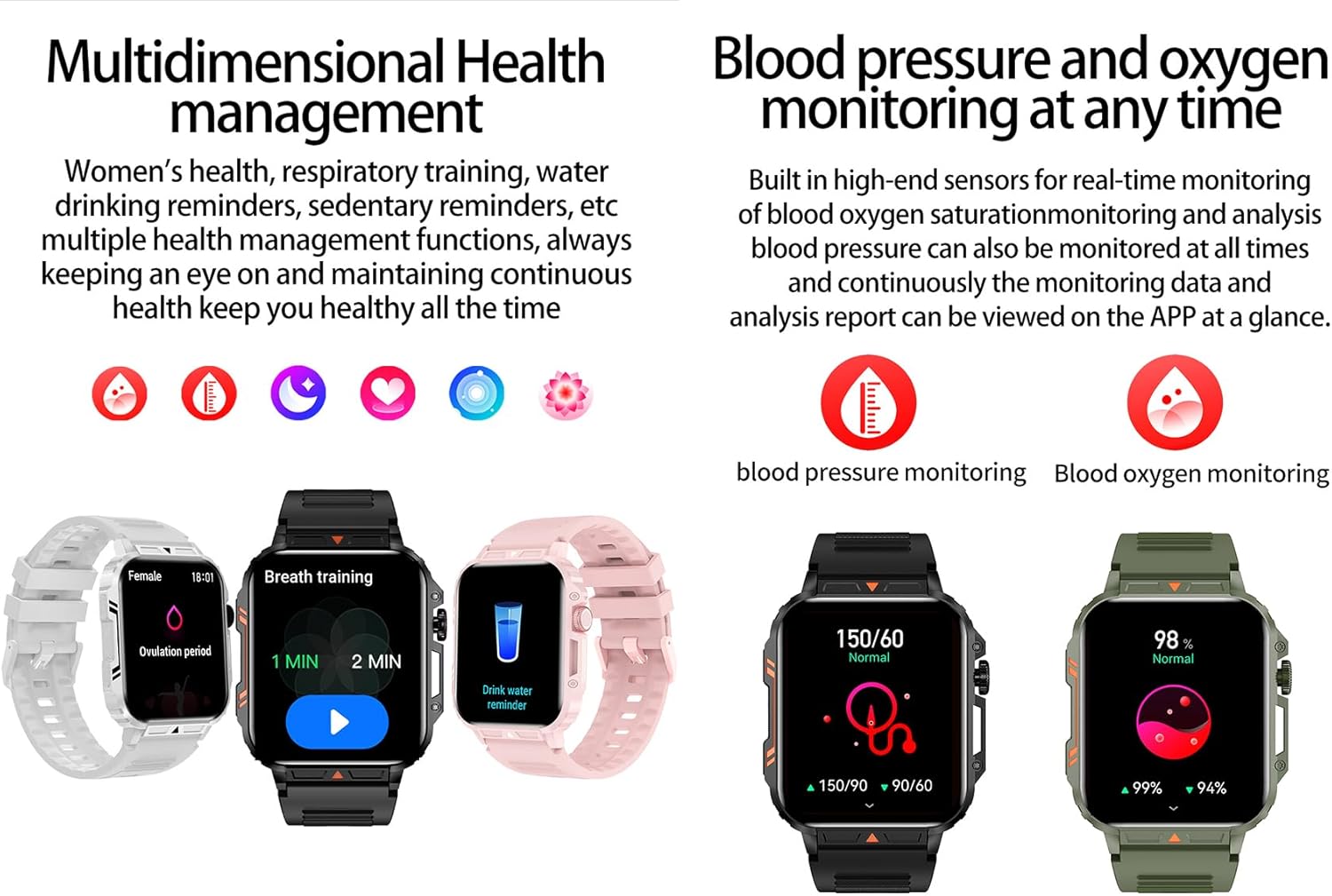
Image 4.4: Watch screens showing blood pressure and blood oxygen monitoring results.

Image 4.5: Watch screens showing real-time heart rate and a summary of sleep data.
4.5. AI Intelligent Voice Function
After connecting the watch to your phone via Bluetooth, activate the voice function on the watch. This allows you to use voice commands to open applications, check weather, make calls, or navigate, offering a hands-free experience.
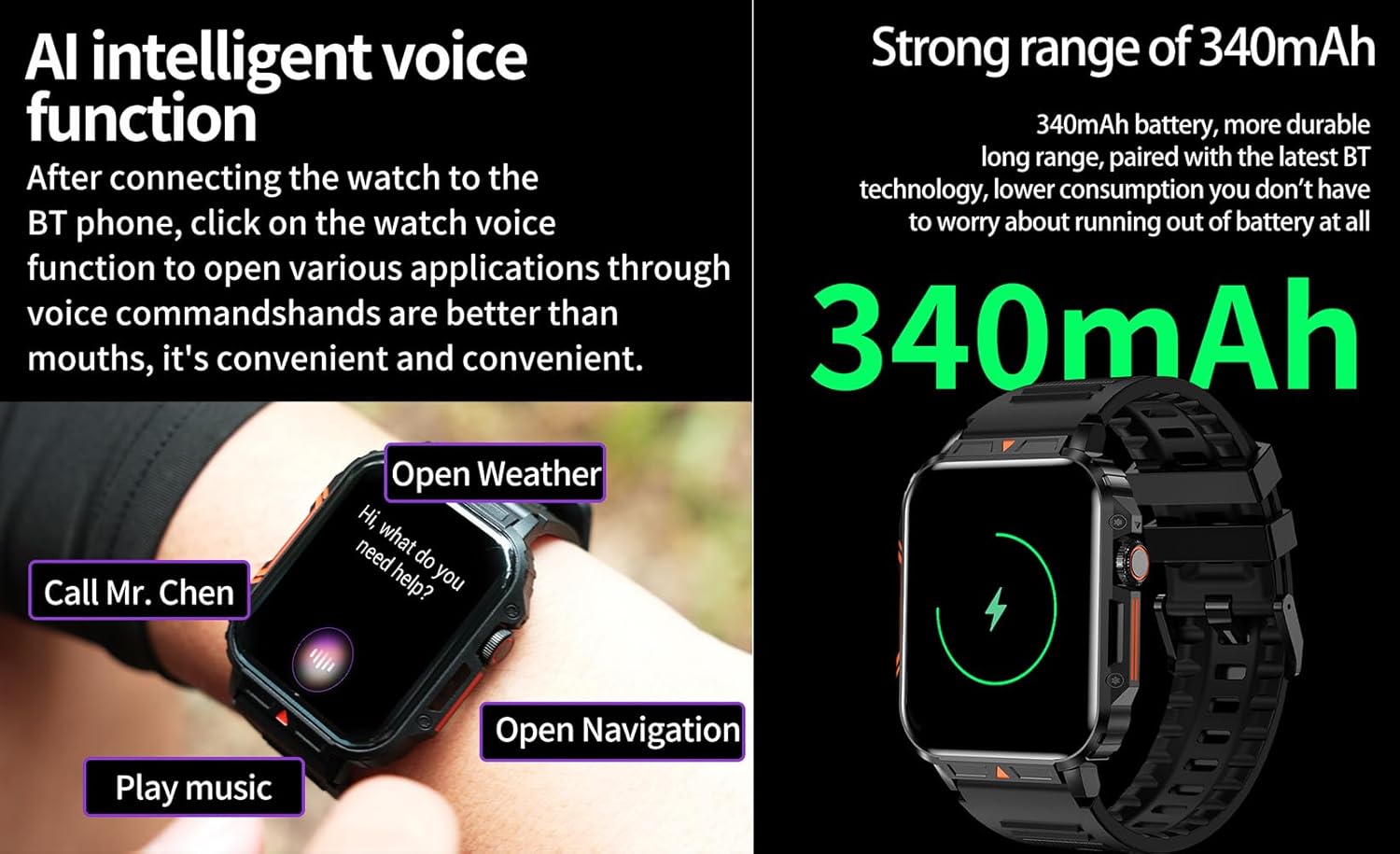
Image 4.6: The watch screen illustrating the AI voice assistant interface with exampοι εντολές.
4.6. DIY καντράν
Personalize your watch face by using the DIY dial feature within the companion app. You can often upload custom images or choose from a variety of pre-designed watch faces.
5. Συντήρηση
5.1. Ανθεκτικότητα στο νερό
The Jooeniok L81 Smart Watch is IP68 waterproof and dustproof. This means it is resistant to dust and can withstand immersion in water up to 1.5 meters for up to 30 minutes. It is suitable for daily use, hand washing, and light rain.
Σπουδαίος: Το ρολόι είναι δεν recommended for diving, hot showers, or saunas, as steam and high water pressure can compromise the seals and cause damage.

Image 5.1: The watch shown with water splashes, indicating its water resistance.
5.2. Καθάρισμα
Regularly clean your watch and strap to prevent skin irritation and maintain functionality. Use a soft, damp cloth to wipe the screen and body. For the strap, follow the manufacturer's recommendations for the specific material (e.g., silicone, metal).
- Αποφύγετε τη χρήση σκληρών χημικών ή λειαντικών υλικών.
- Βεβαιωθείτε ότι το ρολόι είναι εντελώς στεγνό πριν από τη φόρτιση ή την παρατεταμένη χρήση.
5.3. Φροντίδα μπαταρίας
Για να παρατείνετε τη διάρκεια ζωής της μπαταρίας:
- Αποφύγετε τις ακραίες θερμοκρασίες.
- Μην αφήνετε την μπαταρία να αδειάζει εντελώς συχνά.
- Φορτίστε το ρολόι χρησιμοποιώντας το παρεχόμενο καλώδιο.
Image 5.2: The watch screen highlighting its 340mAh battery capacity.
6. Αντιμετώπιση Προβλημάτων
| Πρόβλημα | Πιθανή Λύση |
|---|---|
| Το ρολόι δεν ενεργοποιείται. | Βεβαιωθείτε ότι το ρολόι είναι πλήρως φορτισμένο. Συνδέστε το στον φορτιστή για τουλάχιστον 30 λεπτά. |
| Δεν είναι δυνατή η σύζευξη με smartphone. |
|
| Incorrect language displayed. | Navigate to the watch's settings menu, find 'Language' or 'System' settings, and select your preferred language. If paired, the app might also have a language setting. |
| Touch screen unresponsive or intermittent. |
|
| Δεν ελήφθησαν ειδοποιήσεις. |
|
| Health monitoring data seems inaccurate. |
|
7. Προδιαγραφές
| Χαρακτηριστικό | Λεπτομέρεια |
|---|---|
| Όνομα μοντέλου | L81 |
| Μάρκα | Τζούενιοκ |
| Μέγεθος οθόνης | 1.95 ίντσες |
| Τεχνολογία Συνδεσιμότητας | Bluetooth |
| Πρότυπο ασύρματης επικοινωνίας | Bluetooth |
| Λειτουργικό σύστημα | Android (συμβατό με Android 5.1+ και iOS 10.0+) |
| Χωρητικότητα αποθήκευσης μνήμης | 128 MB |
| Μπαταρία | 1 μπαταρία λιθίου-πολυμερούς (340mAh, περιλαμβάνεται) |
| Αντοχή στο νερό | IP68 |
| Ειδικά Χαρακτηριστικά | Activity Tracker, Notifications, Phone Call, Time Display, Heart Rate Monitor, Blood Oxygen Monitor, Sleep Monitor, 112+ Sports Modes, AI Voice Function |
| Διαστάσεις (περίπου) | Watch face: 44mm (width) x 52mm (height); Thickness: 12mm; Strap length: 260mm |
8. Εγγύηση & Υποστήριξη
The Jooeniok L81 Smart Watch is backed by a Εγγύηση 365 ημερών από την ημερομηνία αγοράς. Η παρούσα εγγύηση καλύπτει κατασκευαστικά ελαττώματα και δυσλειτουργίες υπό κανονική χρήση.
For technical support, warranty claims, or any questions regarding your product, please contact Jooeniok customer service through the retailer's platform or the contact information provided on the product packaging or official webτοποθεσία.
Παρακαλούμε φυλάξτε την απόδειξη αγοράς για την επικύρωση της εγγύησης.