Εισαγωγή
The Edifier D32 is a versatile tabletop wireless speaker designed to deliver high-quality audio with multiple connectivity options. This manual provides essential information for setting up, operating, and maintaining your speaker.
Περιεχόμενα συσκευασίας
Upon unboxing your Edifier D32 speaker, please verify that all the following items are included:
- Edifier D32 Wireless Speaker
- Οδηγός γρήγορης εκκίνησης
- USB-C to USB-C Audio Cable
- 3.5mm to 3.5mm Audio Jack Cable
- Καλώδιο τροφοδοσίας

Image: Edifier D32 speaker, quick start guide, USB-C cable, and 3.5mm audio cable neatly packed in the box.
Ρύθμιση
1. Ενεργοποίηση και φόρτιση
- Connect the provided power cable to the speaker's power input port located on the rear panel.
- Συνδέστε το άλλο άκρο του καλωδίου τροφοδοσίας σε μια πρίζα τοίχου.
- Press and hold the power button on the speaker's front panel to turn it on. The indicator light will illuminate.
- For initial use, it is recommended to fully charge the speaker. A full charge provides approximately 11 hours of playtime.
2. Σύνδεση Bluetooth
- Turn on the Edifier D32 speaker.
- Press the Bluetooth button on the speaker's front panel. The Bluetooth indicator light will flash, indicating pairing mode.
- On your audio source device (smartphone, tablet, laptop), enable Bluetooth and search for "EDIFIER D32".
- Select "EDIFIER D32" to pair. Once connected, the Bluetooth indicator light will remain solid.
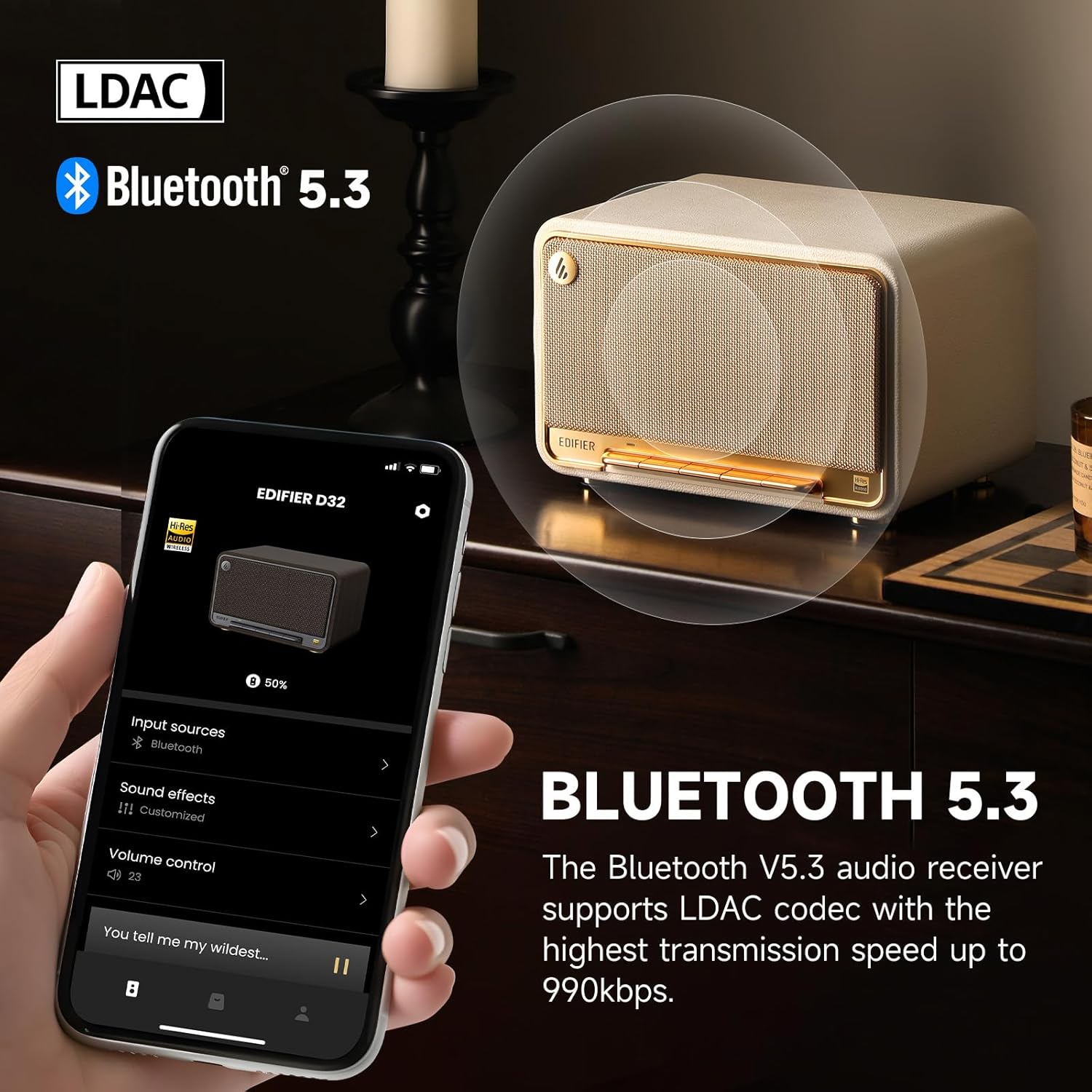
Image: The Edifier D32 speaker demonstrating Bluetooth 5.3 connectivity and LDAC codec support, controllable via the Edifier ConneX app on a smartphone.
3. Wi-Fi and AirPlay 2 Setup
For Wi-Fi connectivity and Apple AirPlay 2 functionality, download the Edifier ConneX mobile application from your device's app store. Follow the in-app instructions to connect your speaker to your Wi-Fi network and enable AirPlay 2.
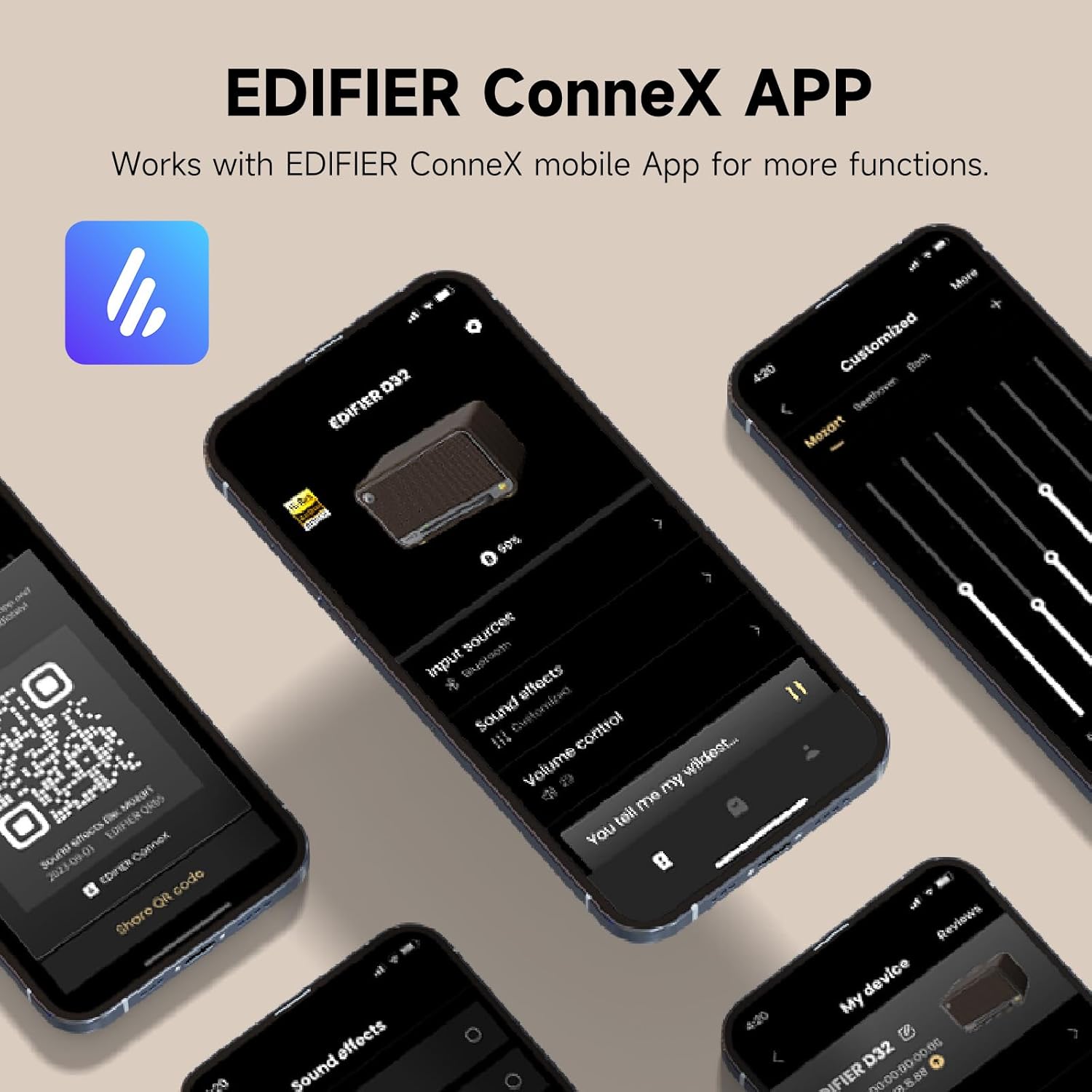
Image: The Edifier ConneX mobile application interface, illustrating control over input sources, sound effects, and volume for the D32 speaker.
4. Wired Connections (USB-C and AUX)
The Edifier D32 supports wired audio input via USB-C and AUX ports located on the rear panel. Use the provided cables to connect compatible devices.
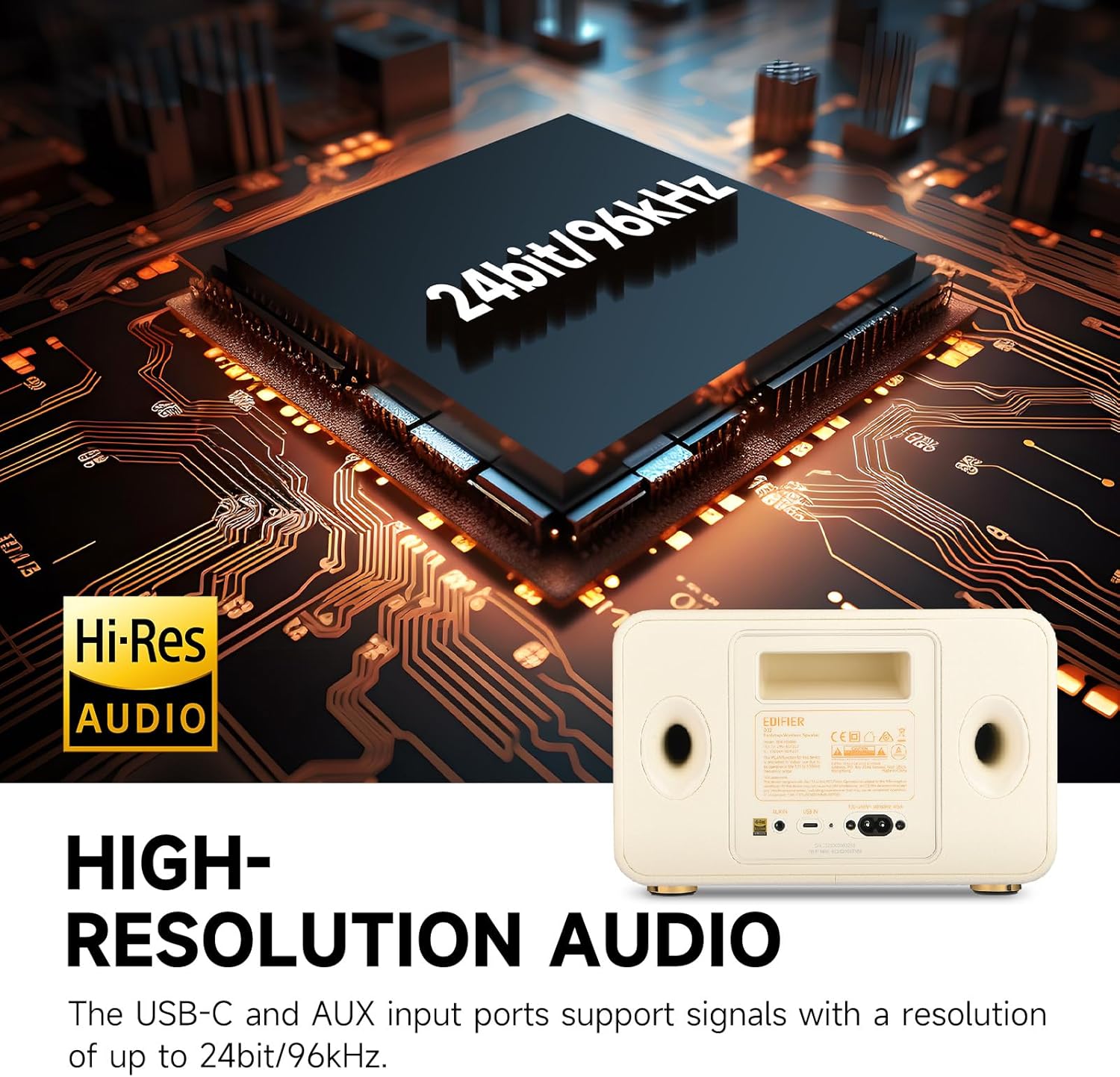
Image: Rear panel of the Edifier D32 speaker, showing the USB-C and AUX input ports, which support high-resolution audio up to 24-bit/96kHz.
Λειτουργία του ηχείου
Χειριστήρια μπροστινού πίνακα
The accordion keyboard on the front panel provides convenient control over playback:
- Power On/Off, Source Switch: Press to power on/off or switch between input sources.
- Bluetooth Connection Control: Press to enter Bluetooth pairing mode or disconnect.
- Play/Pause, Mute/Unmute, WAC Setup: Controls media playback and Wi-Fi Acoustic Calibration setup.
- Volume Down, Previous Track: Μειώνει την ένταση του ήχου ή μεταβαίνει στο προηγούμενο κομμάτι.
- Volume Up, Next Track: Αυξάνει την ένταση του ήχου ή μεταβαίνει στο επόμενο κομμάτι.

Εικόνα: Λεπτομερής view of the Edifier D32's front panel, illustrating the functions of each button on the accordion keyboard for easy control.
Edifier ConneX App Control
The Edifier ConneX app offers extended control and customization options, including EQ settings, input source selection, and multi-room audio management.
Χαρακτηριστικά
- Ανώτερη ποιότητα ήχου: 60 watts RMS total output power from dual silk dome tweeters and long-throw mid-low drivers, providing distortion-free stereo sound.
- Ήχος υψηλής ανάλυσης: Supports up to 24-bit/96kHz audio through its end-to-end digital audio process and analog audio front end.
- Bluetooth 5.3 with LDAC: Equipped with Bluetooth 5.3 for stable wireless connection and LDAC codec support for high-bitrate audio transmission (up to 990kbps).
- Μεγάλη διάρκεια ζωής μπαταρίας: Built-in 7.4V/5200mAh battery offers up to 11 hours of continuous playback.
- Ήχος πολλών δωματίων: Supports Wi-Fi (Apple AirPlay 2) for multi-room audio setups.
- Retro Wooden Design: Features a handmade wooden case with a stylish vintage aesthetic, complemented by a braided fabric grille and metal accents.
- Ευέλικτη συνδεσιμότητα: Includes USB-C and AUX inputs for wired connections.
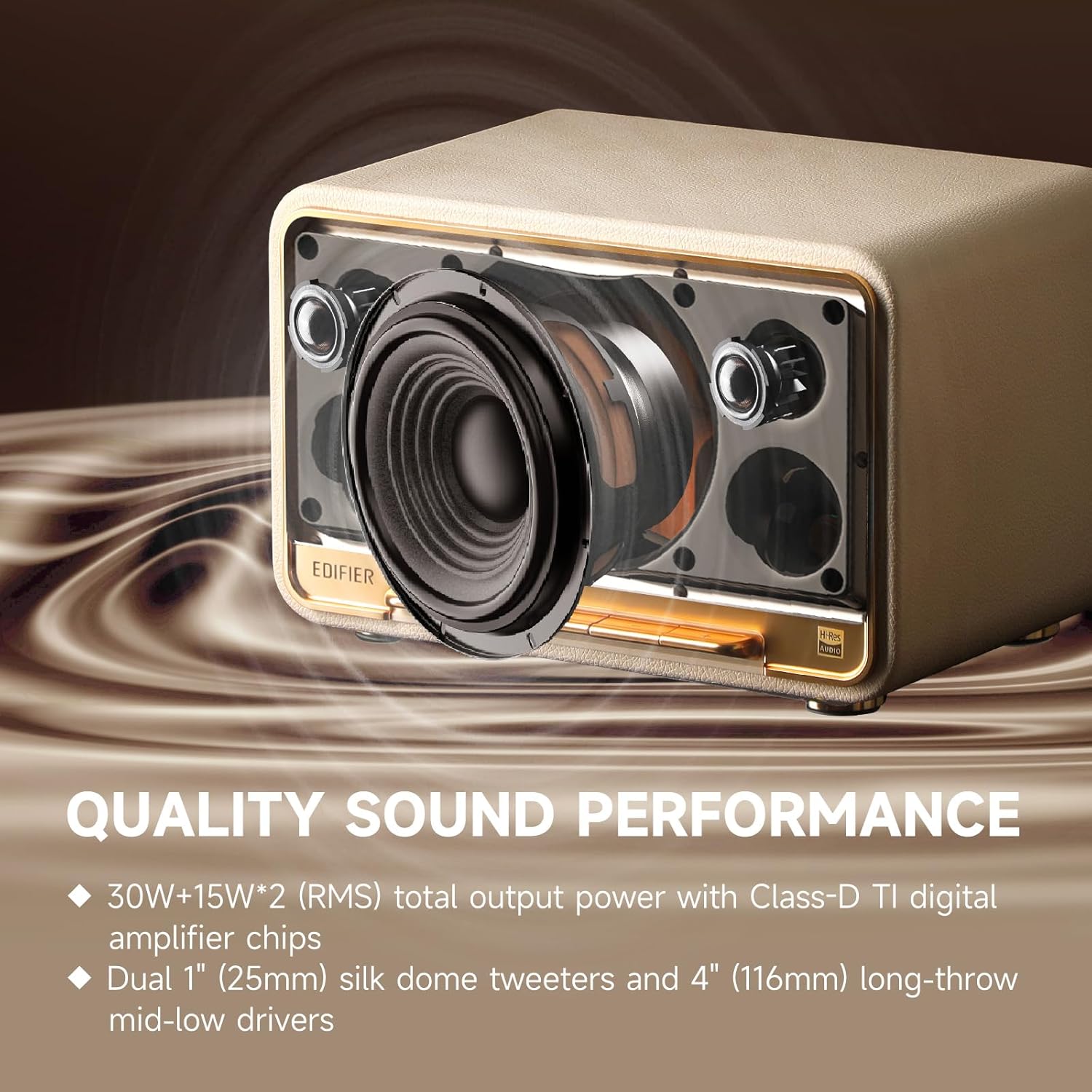
Εικόνα: Εσωτερική view of the Edifier D32, highlighting its acoustic components for superior sound performance.
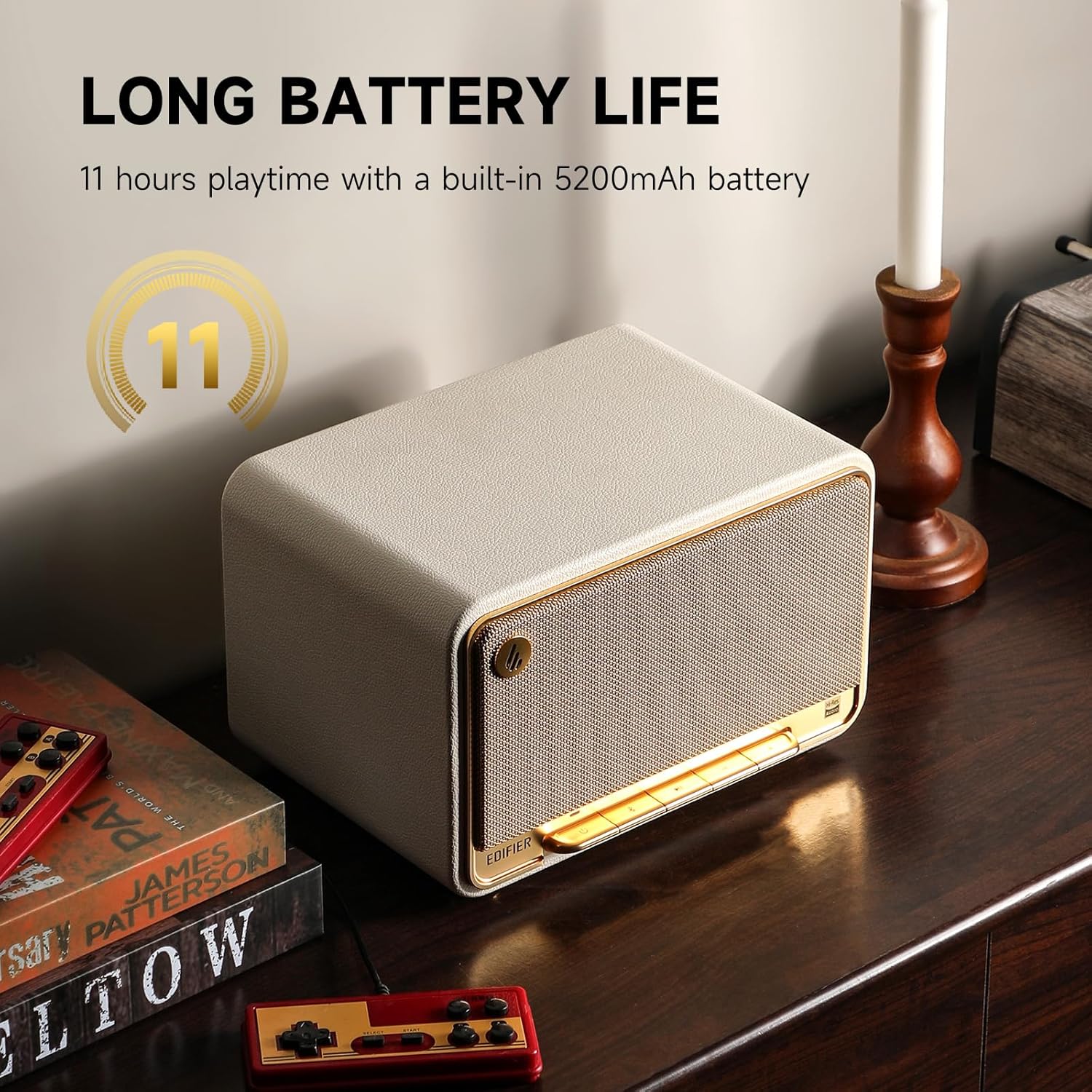
Image: The Edifier D32 speaker showcasing its 11-hour battery life, making it suitable for extended use.
Προδιαγραφές
| Χαρακτηριστικό | Λεπτομέρεια |
|---|---|
| Μάρκα | Επεξεργαστής |
| Όνομα μοντέλου | Δ32 |
| Τύπος ηχείου | Bookshelf / Tabletop Wireless Speaker |
| Τεχνολογία Συνδεσιμότητας | Bluetooth 5.3, Wi-Fi (Apple AirPlay 2), USB-C, AUX |
| Λειτουργία εξόδου ήχου | Στέρεο |
| Μέγιστη ισχύς εξόδου ηχείου | 60 Watt RMS |
| Απόκριση συχνότητας | 50 Hz |
| Διάμετρος τουίτερ | 1 ιντσών |
| Τύπος προγράμματος οδήγησης ήχου | Dynamic Driver (Dual silk dome tweeters, long-throw mid-low drivers) |
| Πηγή ισχύος | Battery Powered (7.4V/5200mAh) |
| Διάρκεια ζωής μπαταρίας | Έως 11 ώρες |
| Μέθοδος Ελέγχου | Touch (Accordion Keyboard), Edifier ConneX App |
| Υλικό | Ξύλο |
| Χρώμα | White (This specific variant) |
| Διαστάσεις προϊόντος | 12.9" Β x 9.7" Π x 10.4" Υ |
| Βάρος αντικειμένου | 3.3 λίβρες (1.5 κιλά) |
| Επίπεδο αντοχής στο νερό | Water Repellent (Not Waterproof) |
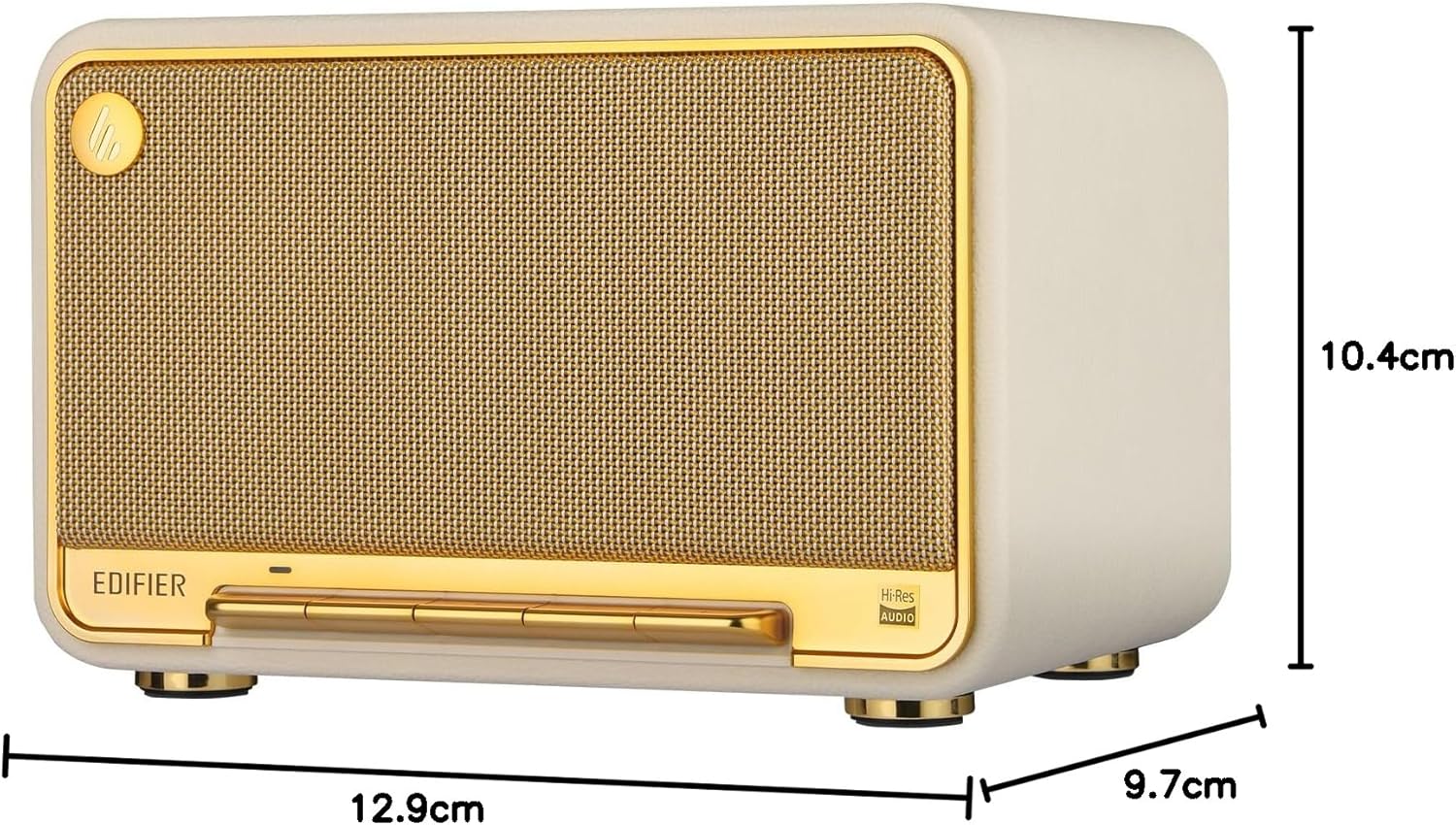
Image: Dimensions of the Edifier D32 speaker for placement reference.
Συντήρηση
- Καθάρισμα: Χρησιμοποιήστε ένα μαλακό, στεγνό πανί για να καθαρίσετε τις επιφάνειες του ηχείου. Αποφύγετε τα λειαντικά καθαριστικά ή τους διαλύτες.
- Αποθήκευση: Αποθηκεύστε το ηχείο σε δροσερό και ξηρό μέρος, μακριά από το άμεσο ηλιακό φως και ακραίες θερμοκρασίες.
- Έκθεση στο νερό: The speaker is water repellent, not waterproof. Avoid exposing it to excessive moisture or submerging it in water.
Αντιμετώπιση προβλημάτων
- Χωρίς ισχύ:
- Βεβαιωθείτε ότι το καλώδιο τροφοδοσίας είναι συνδεδεμένο σταθερά τόσο στο ηχείο όσο και σε μια πρίζα που λειτουργεί. Ελέγξτε αν η μπαταρία είναι φορτισμένη.
- Χωρίς ήχο:
- Verify the speaker is powered on and the volume is not muted or set too low. Check the audio source connection (Bluetooth, Wi-Fi, USB-C, AUX) and ensure the correct input source is selected on the speaker.
- Ζητήματα σύζευξης Bluetooth:
- Ensure the speaker is in Bluetooth pairing mode (flashing indicator light). Move the speaker closer to your device and away from potential interference. Try unpairing and re-pairing the device.
- Wi-Fi/AirPlay 2 Connectivity Problems:
- Confirm your Wi-Fi network is active and the speaker is within range. Restart your router and the speaker. Reconfigure Wi-Fi settings using the Edifier ConneX app.
- Παραμορφωμένος ήχος:
- Reduce the volume on both the speaker and the audio source. Check audio cables for damage if using a wired connection. Adjust EQ settings in the Edifier ConneX app if necessary.
Εγγύηση και υποστήριξη
The Edifier D32 Tabletop Wireless Speaker comes with a Limited Warranty. For detailed warranty information, please refer to the warranty card included in your package or visit the official Edifier website. For technical support, troubleshooting assistance, or service inquiries, please contact Edifier customer support through their official channels.
Κατασκευαστής: Επεξεργαστής


