1. Το προϊόν τελείωσεview
The DJI Mic 2 is a wireless microphone system designed for high-quality audio recording. This system includes one transmitter (TX) and one receiver (RX), along with a compact DJI Lavalier Mic. It features intelligent noise cancelling, 32-bit float internal recording, and a 250-meter (820 ft.) transmission range, making it suitable for various recording scenarios including interviews, vlogs, and live streaming. The system is compatible with a wide range of devices including iPhones, Android phones, PCs, and cameras.
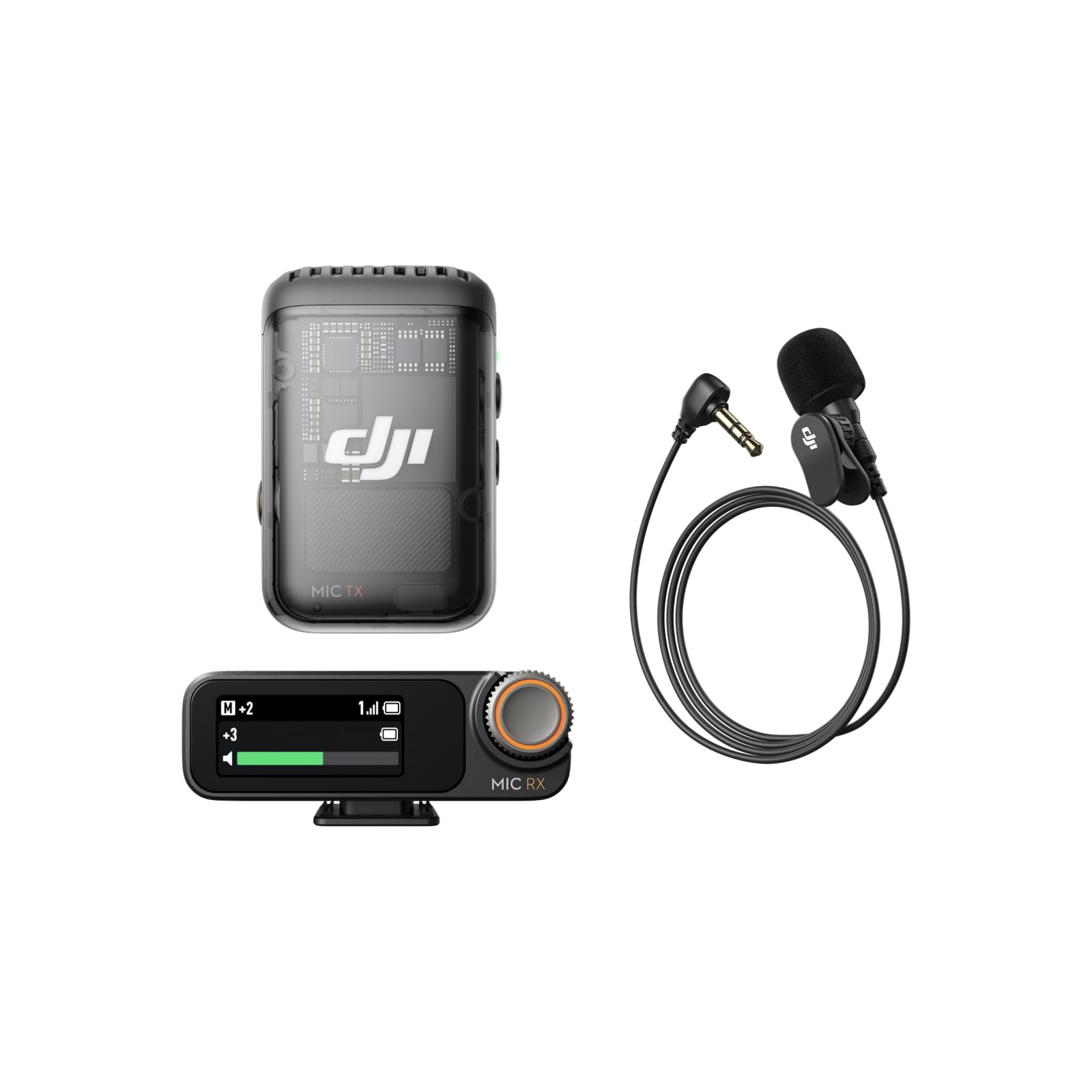
Image: The DJI Mic 2 wireless microphone system, showcasing ο συμπαγής σχεδιασμός του.
2. Τι υπάρχει στο κουτί
The DJI Mic 2 (1 TX + 1 RX) + Lavalier Mic combo includes the following components:
- Δέκτης DJI Mic 2
- DJI Mic 2 Transmitter (Shadow Black)
- DJI Lavalier Mic
- DJI Mic 2 Carrying Pouch
- DJI Mic Splitter Charging Cable
- DJI Mic 2 Windscreen
- DJI Mic 2 Clip Magnet
- DJI Mic 2 Camera Audio Cable (3.5mm TRS)
- DJI Mic 2 Mobile Phone Adapter (Lightning)
- DJI Mic 2 Mobile Phone Adapter (Type-C)

Εικόνα: Λεπτομερής view of all components included in the DJI Mic 2 package.
3. Ρύθμιση
- Φόρτιση: Ensure both the transmitter and receiver are fully charged using the provided charging cable. The charging case (if included in your specific kit) also charges the units.
- Ενεργοποίηση: Press and hold the power button on both the transmitter and receiver to turn them on.
- Σύζευξη: The transmitter and receiver should automatically pair upon powering on. If not, refer to the device's screen for pairing instructions or initiate pairing manually.
- Σύνδεση στη συσκευή:
- Για Smartphones: Attach the appropriate USB-C or Lightning adapter to the receiver and plug it into your phone's charging port.
- Για κάμερες: Use the 3.5mm TRS camera audio cable to connect the receiver's output port to your camera's microphone input jack.
- Για υπολογιστές: Connect the receiver to your PC via a USB-C cable.
- Τοποθέτηση μικροφώνου: Attach the transmitter to your clothing using the clip or magnetic attachment. For optimal sound, place it approximately 15-20 cm (6-8 inches) from the sound source. If using the lavalier mic, plug it into the transmitter's 3.5mm input jack and secure the lavalier mic to clothing.

Image: Proper placement of the DJI Mic 2 transmitter on clothing for clear audio capture.

Image: The DJI Mic 2 receiver connected to a smartphone and a camera using the included adapters, demonstrating wide compatibility.
4. Οδηγίες λειτουργίας
4.1. Βασική Λειτουργία
- Εγγραφή: Press the record button on the transmitter to start/stop internal recording. The 32-bit float internal recording provides up to 14 hours of backup audio.
- Παρακολούθηση: Connect headphones to the receiver's 3.5mm monitoring port for real-time audio monitoring.
- Προσαρμογή κέρδους: Use the precision parameter dial on the receiver to adjust the gain (audio input level) for optimal sound.
- Οθόνη αφής: The 1.1-inch OLED touchscreen on the receiver displays information such as volume, battery level, and charging status. Swipe up or down to access settings.

Image: Close-up of the DJI Mic 2 receiver's 1.1-inch OLED touchscreen and precision parameter dial for easy control.
4.2. Προηγμένες δυνατότητες
- Έξυπνη ακύρωση θορύβου: Activate this feature for clearer vocals, especially in environments with background noise.
- Διαδρομή ασφαλείας: The system can record a second audio track at -6dB alongside the main track, providing a backup against unexpected audio level spikes.
- DJI OsmoAudio™ Direct Connection: The transmitter supports direct connection to various DJI products (e.g., Osmo Nano, Osmo 360, Osmo Action 5 Pro, Osmo Pocket 3) without needing the receiver, delivering premium audio.

Image: Visual representation of intelligent noise cancelling, showing audio waveforms before and after processing.

Image: Diagram illustrating the safety track feature, showing a normal audio track and a -6dB safety track.
5. Συντήρηση
- Καθάρισμα: Use a soft, dry cloth to clean the transmitter, receiver, and charging case. Avoid using liquids or abrasive cleaners.
- Αποθήκευση: Store the DJI Mic 2 system in its carrying pouch or charging case when not in use to protect it from dust and damage.
- Φροντίδα μπαταρίας: For long-term storage, ensure the batteries are charged to approximately 50-60% to prolong their lifespan. Recharge periodically if stored for extended periods.
- Παρμπρίζ: Regularly clean or replace the windscreen to maintain optimal audio quality and prevent debris from entering the microphone.
6. Αντιμετώπιση Προβλημάτων
- Χωρίς ήχο:
- Check if both transmitter and receiver are powered on and paired.
- Verify the receiver is correctly connected to your recording device (phone, camera, PC).
- Ensure the recording device's audio input is set to the external microphone.
- Adjust the gain on the receiver.
- Κακή ποιότητα ήχου/θόρυβος:
- Ensure the transmitter is placed correctly and not rubbing against clothing.
- Activate the intelligent noise cancelling feature.
- Use the windscreen in windy environments.
- Ελέγξτε για παρεμβολές από άλλες ασύρματες συσκευές.
- Ζητήματα συνδεσιμότητας:
- Ensure the transmitter and receiver are within the 250m (820 ft.) operating range.
- Restart both the transmitter and receiver.
- Re-pair the devices if necessary.
- Η μπαταρία δεν φορτίζεται:
- Verify the charging cable is securely connected to a power source and the device.
- Δοκιμάστε ένα διαφορετικό καλώδιο φόρτισης ή τροφοδοτικό.
- Clean the charging contacts on the devices and case.
7. Προδιαγραφές
| Χαρακτηριστικό | Προσδιορισμός |
|---|---|
| Λόγος σήματος προς θόρυβο | 60 dB |
| Πλατφόρμα υλικού | Κάμερα, Υπολογιστής, Smartphone |
| Αριθμός καναλιών | 2 |
| Τεχνολογία Συνδεσιμότητας | USB |
| Τύπος σύνδεσης | Υποδοχή 3.5 χιλ., USB |
| Ειδικό χαρακτηριστικό | Συνδετήρας |
| Συμβατές Συσκευές | Smartphone |
| Χρώμα | Μαύρος |
| Πολικό μοτίβο | Πανκατευθυντικό |
| Συντελεστής φόρμας μικροφώνου | Λαβαλιέ |
| Πηγή ισχύος | Ενσύρματο Ηλεκτρικό |
8. Product Comparison (DJI Mic 1 vs. DJI Mic 2)
This video provides a comparison between the DJI Mic 1 and DJI Mic 2, highlighting key differences in features and design to help users understand the advancements in the newer model.
Video: A comparison of the DJI Mic 1 and DJI Mic 2, detailing their differences in features and included accessories.

Image: A table comparing the features of DJI Mic 2 and DJI Mic 1, including noise cancelling, internal recording, operating time, and connectivity.
9. Εγγύηση και υποστήριξη
Για πληροφορίες εγγύησης και τεχνική υποστήριξη, ανατρέξτε στην επίσημη ιστοσελίδα της DJI. webιστότοπο ή επικοινωνήστε με την εξυπηρέτηση πελατών της DJI. Κρατήστε την απόδειξη αγοράς για τυχόν αξιώσεις εγγύησης.