1. Εισαγωγή
This manual provides essential instructions for the safe and effective use of your Sony Cyber-Shot RX100 VII Digital Camera (DSC-RX100M7). Please read this manual thoroughly before operating the camera and retain it for future reference. This camera combines a 20.1MP 1-inch stacked CMOS sensor with a versatile ZEISS 24–200 mm zoom lens, offering high-quality imaging in a compact form factor.
2. Ρύθμιση
2.1. Unboxing and Checking Contents
Πριν προχωρήσετε, βεβαιωθείτε ότι όλα τα στοιχεία υπάρχουν στη συσκευασία:
- Sony Cyber-Shot DSC-RX100 VII Digital Camera (DSC-RX100M7)
- Επαναφορτιζόμενη μπαταρία NP-BX1
- Μετασχηματιστής AC
- Καλώδιο Micro USB
- Λουράκι καρπού
- Εγχειρίδιο οδηγιών (αυτό το έγγραφο)
Note: Additional accessories like memory cards, cases, and extra batteries may be included depending on your specific bundle.
2.2. Φόρτιση της μπαταρίας
The supplied NP-BX1 battery pack is not fully charged. Charge it before first use.
- Τοποθετήστε την μπαταρία στην κάμερα.
- Connect the camera to the AC Adaptor using the Micro USB cable.
- Plug the AC Adaptor into a wall outlet. The CHARGE lamp θα ανάψει.
- When charging is complete, the CHARGE lamp θα απενεργοποιηθεί.
Μια πλήρης φόρτιση διαρκεί συνήθως περίπου 150 λεπτά.
2.3. Τοποθέτηση της μπαταρίας και της κάρτας μνήμης
Ανοίξτε το κάλυμμα μπαταρίας/κάρτας μνήμης στο κάτω μέρος της κάμερας.
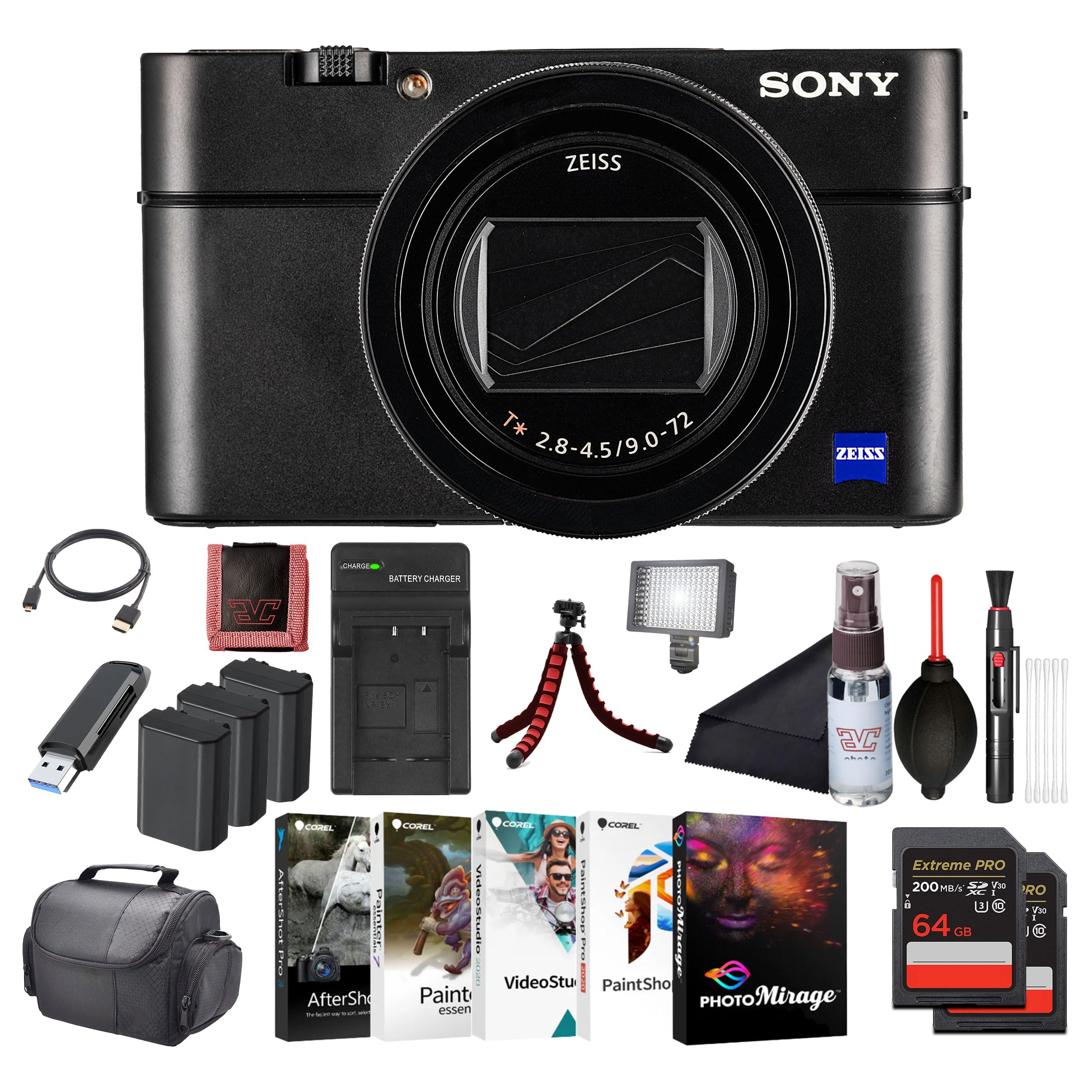
Εικόνα: Μπροστά view of the Sony Cyber-Shot RX100 VII camera, showcasing the ZEISS lens and compact body.
- Insert the battery pack with the arrow pointing into the camera until it clicks into place.
- Insert a compatible memory card (SDXC recommended) with the notched corner facing as shown in the diagram (refer to camera body for specific orientation) until it clicks.
- Κλείστε καλά το κάλυμμα.
2.4. Αρχικές ρυθμίσεις
When you turn on the camera for the first time, the initial setup screen will appear.
- Ημερομηνία & Ώρα: Ρυθμίστε την τρέχουσα ημερομηνία και ώρα.
- Area Setting: Select your geographical area.
- Γλώσσα: Επιλέξτε την προτιμώμενη γλώσσα εμφάνισης.
Follow the on-screen prompts to complete these settings.
3. Χειρισμός της κάμερας
3.1. Μέρη και χειριστήρια κάμερας
Εξοικειωθείτε με τα κύρια εξαρτήματα και τα χειριστήρια της κάμεράς σας.

Εικόνα: Πίσω view of the Sony Cyber-Shot RX100 VII, showing the LCD screen, control wheel, and various buttons like MENU, Fn, DISP, and MOVIE.
- Κουμπί λειτουργίας: Located on the top panel, used to turn the camera on/off.
- Κουμπί κλείστρου: Half-press to focus, full-press to take a picture.
- Κλήση λειτουργίας: Select shooting modes (P, A, S, M, Auto, Movie, HFR, etc.).
- Τροχός ελέγχου: Πλοηγηθείτε στα μενού και προσαρμόστε τις ρυθμίσεις.
- Οθόνη LCD: Display images, videos, and menu options. Can be tilted for various shooting angles.
- Viewευρίσκων: Pop-up electronic viewfinder for eye-level shooting.

Εικόνα: Κορυφή view of the Sony Cyber-Shot RX100 VII with its ZEISS Vario-Sonnar T* lens fully extended, showing the mode dial, power button, and shutter button.
3.2. Βασική Σκοποβολή
- Ενεργοποιήστε την κάμερα: Πατήστε το ON/OFF κουμπί.
- Select a shooting mode: Περιστρέψτε το Κλήση τρόπου to your desired mode (e.g., Έξυπνο αυτόματο for simple point-and-shoot).
- Καδράρετε τη λήψη σας: Use the LCD monitor or pop-up viewευρίσκων.
- Εστία: Πιέστε μισό το Κουμπί κλείστρου to focus. The focus frame will turn green when focus is achieved.
- Σύλληψη: Fully press the Κουμπί κλείστρου για να τραβήξω τη φωτογραφία.

Εικόνα: Μπροστά view of the Sony Cyber-Shot RX100 VII with its LCD screen tilted upwards, demonstrating its flexible viewγωνίες λήψης για διάφορες θέσεις λήψης.
3.3. Προηγμένες λειτουργίες λήψης
- Αυτόματο πρόγραμμα (P): Η κάμερα ρυθμίζει το διάφραγμα και την ταχύτητα κλείστρου, εσείς ελέγχετε τις υπόλοιπες ρυθμίσεις.
- Προτεραιότητα διαφράγματος (A): Εσύ ρυθμίζεις το διάφραγμα, η κάμερα ρυθμίζει την ταχύτητα κλείστρου. Ιδανικό για τον έλεγχο του βάθους πεδίου.
- Προτεραιότητα κλείστρου (S): Εσύ ορίζεις την ταχύτητα κλείστρου, η κάμερα ορίζει το διάφραγμα. Ιδανικό για τον έλεγχο του θολώματος κίνησης.
- Χειροκίνητη Έκθεση (M): Ελέγχετε τόσο το διάφραγμα όσο και την ταχύτητα κλείστρου.
- Λειτουργία ταινίας: Dedicated mode for video recording. Press the ΤΑΙΝΙΑ κουμπί για έναρξη/διακοπή εγγραφής.
- High Frame Rate (HFR): For capturing super slow-motion video.
3.4. Focusing and Autofocus Features
The RX100 VII features advanced autofocus capabilities:
- Real-Time Eye AF: Automatically detects and tracks human and animal eyes for precise focus.
- Παρακολούθηση σε πραγματικό χρόνο: Uses AI-based subject recognition to track moving subjects accurately.
- Περιοχή εστίασης: Selectable focus areas (Wide, Zone, Center, Flexible Spot, Expanded Flexible Spot, Tracking).
Αποκτήστε πρόσβαση σε αυτές τις ρυθμίσεις μέσω του ΜΕΝΟΥ κουμπί.
3.5. Εγγραφή βίντεο
The camera supports high-quality video recording:
- Βίντεο 4K HDR: Record oversampled 4K video with full pixel readout.
- S-Log3/HLG: For advanced color grading and high dynamic range footage.
- Είσοδος εξωτερικού μικροφώνου: Use an external microphone for improved audio quality (via multi-interface shoe).

Εικόνα: Πλευρά view of the Sony Cyber-Shot RX100 VII, showing the pop-up electronic viewfinder in its extended position, and the NFC logo.
4. Συντήρηση
4.1. Καθαρισμός της κάμερας
- Σώμα κάμερας: Σκουπίστε απαλά με ένα μαλακό, στεγνό πανί. Για επίμονη βρωμιά, χρησιμοποιήστε ένα πανί ελαφράampξεπλύνετε με νερό και στη συνέχεια στεγνώστε.
- Φακός: Χρησιμοποιήστε μια βούρτσα φακών για να αφαιρέσετε τη σκόνη και στη συνέχεια ένα πανί καθαρισμού φακών με μια μικρή ποσότητα υγρού καθαρισμού φακών. Αποφύγετε να αγγίζετε απευθείας την επιφάνεια του φακού.
- Οθόνη LCD: Use a soft cloth specifically designed for LCD screens.
Caution: Do not use organic solvents such as alcohol, benzene, or thinner, as these may damage the camera's finish or lens coatings.
4.2. Φροντίδα μπαταρίας
- Αποθηκεύστε τις μπαταρίες σε δροσερό, ξηρό μέρος όταν δεν τις χρησιμοποιείτε.
- Μην εκθέτετε τις μπαταρίες σε υπερβολική θερμότητα ή άμεσο ηλιακό φως.
- If the battery will not be used for an extended period, charge it once every six months to maintain its performance.
4.3. Φροντίδα κάρτας μνήμης
- Να διαμορφώνετε πάντα τις νέες κάρτες μνήμης στην κάμερα πριν από την πρώτη χρήση.
- Do not remove the memory card while the camera is writing data (e.g., during shooting or playback).
- Back up important data regularly to prevent loss.
5. Αντιμετώπιση Προβλημάτων
Εάν αντιμετωπίσετε προβλήματα με την κάμερά σας, ανατρέξτε στα ακόλουθα συνηθισμένα προβλήματα και λύσεις:
| Πρόβλημα | Πιθανή αιτία / Λύση |
|---|---|
| Η κάμερα δεν ενεργοποιείται. | Η μπαταρία έχει εξαντληθεί. Φορτίστε την μπαταρία. Η μπαταρία δεν έχει τοποθετηθεί σωστά. Επανατοποθετήστε την μπαταρία σωστά. |
| Δεν είναι δυνατή η λήψη φωτογραφιών. | Η κάρτα μνήμης είναι πλήρης. Διαγράψτε τις περιττές εικόνες ή τοποθετήστε μια νέα κάρτα. Δεν έχει τοποθετηθεί κάρτα μνήμης. Τοποθετήστε μια κάρτα μνήμης. Lens cap is on. Remove the lens cap. |
| Οι εικόνες είναι θολές. | Camera shake. Use a faster shutter speed or image stabilization. Subject is out of focus. Ensure the camera has focused correctly. Ο φακός είναι βρώμικος. Καθαρίστε τον φακό. |
| Η μπαταρία αδειάζει γρήγορα. | Frequent use of LCD/viewfinder. Reduce screen brightness or use power-saving modes. Battery life naturally degrades over time. Consider replacing the battery. |
For more detailed troubleshooting, please refer to the comprehensive help guide available on the Sony support webτοποθεσία.
6. Προδιαγραφές
Key technical specifications for the Sony Cyber-Shot RX100 VII (DSC-RX100M7):
- Όνομα μοντέλου: DSC-RX100M7
- Μάρκα: Sony
- Ανώτατο όριο WebΑνάλυση εικόνας κάμερας: 20.1 MP
- Τεχνολογία αισθητήρα φωτογραφίας: CMOS (1-inch stacked)
- Φακός: ZEISS Vario-Sonnar T* 24–200 mm F2.8-4.5
- Μέγιστη εστιακή απόσταση: 200 χιλιοστά
- Μέγιστο άνοιγμα: 2.8 χιλιοστά
- Σταθεροποίηση εικόνας: Digital, Hybrid (Optical SteadyShot)
- Υποστηρίζεται File Σχήμα και διάταξις βιβλίου: JPEG, RAW
- Αναλογία διαστάσεων: 4:3

Εικόνα: Side profile of the Sony Cyber-Shot RX100 VII with its ZEISS lens fully extended, highlighting the compact design even with the zoom engaged.
7. Εγγύηση και υποστήριξη
This Sony product is covered by a limited warranty. For specific warranty terms and conditions, please refer to the warranty card included in your product packaging or visit the official Sony support webτοποθεσία.
For technical support, product registration, or service inquiries, please visit the Sony support webή επικοινωνήστε με το τοπικό κέντρο εξυπηρέτησης πελατών της Sony. Κρατήστε την απόδειξη αγοράς για τυχόν αξιώσεις εγγύησης.
Διαδικτυακή υποστήριξη: www.sony.com/electronics/support