Εισαγωγή
Thank you for choosing the R-MUSIC KARADUO Complete Karaoke Pack. This manual provides detailed instructions for the safe and efficient use of your new karaoke system, which includes a portable RGB speaker and two wireless microphones. Please read this manual thoroughly before operation and retain it for future reference.
Περιεχόμενα συσκευασίας
Βεβαιωθείτε ότι όλα τα αντικείμενα είναι παρόντα και σε καλή κατάσταση κατά την αποσυσκευασία:
- 1 x R-MUSIC KARADUO Portable RGB Speaker
- 2 x Ασύρματα μικρόφωνα
- 1 x Καλώδιο φόρτισης USB-C
- 1 x Εγχειρίδιο χρήστη (αυτό το έγγραφο)

Image: The R-MUSIC KARADUO portable RGB speaker and two wireless microphones, as included in the package.
Προϊόν Πάνωview
Speaker Components and Controls

Εικόνα: Κορυφή view of the R-MUSIC KARADUO speaker, showing the control buttons.
- LED Animation Button: Press to cycle through 5 different LED light animations.
- Κουμπί Έντασης + / Επόμενου Τραγουδιού: Short press to increase volume. Long press to skip to the next song.
- ON / OFF / Pause / Play Button: Long press to power the speaker on or off. Short press to play or pause music.
- Volume - / Previous Song Button: Short press to decrease volume. Long press to go to the previous song.
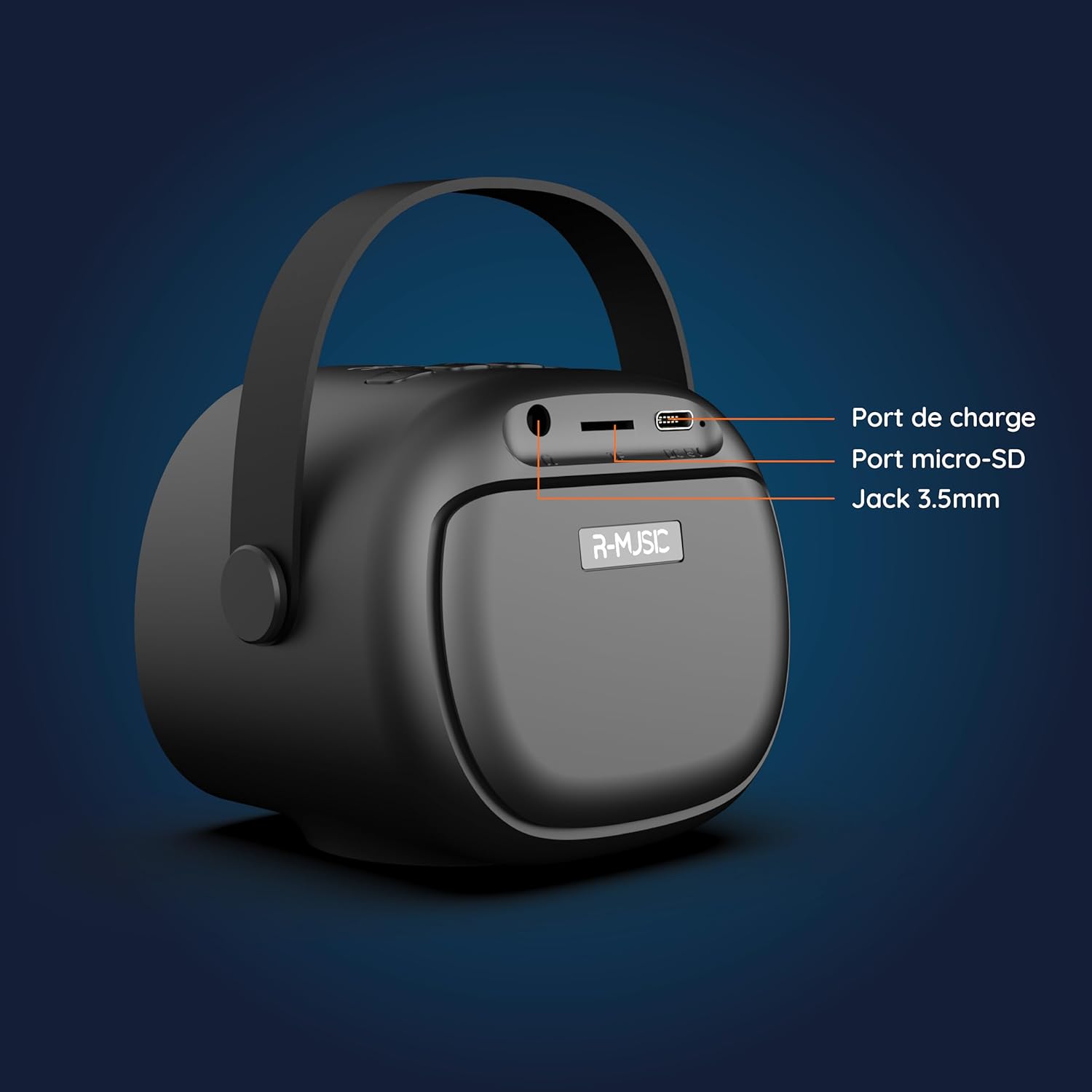
Εικόνα: Πίσω view of the R-MUSIC KARADUO speaker, highlighting the charging port, Micro-SD card slot, and 3.5mm Jack port.
- Θύρα φόρτισης (USB-C): Συνδέστε το παρεχόμενο καλώδιο USB-C για φόρτιση.
- Υποδοχή κάρτας Micro-SD: Τοποθετήστε μια κάρτα Micro-SD για άμεση αναπαραγωγή μουσικής.
- Θύρα AUX 3.5 χιλιοστών: Συνδέστε εξωτερικές συσκευές ήχου χρησιμοποιώντας ένα καλώδιο ήχου 3.5 mm (δεν περιλαμβάνεται).
Στοιχεία ελέγχου μικροφώνου

Image: Close-up of the R-MUSIC wireless microphones, illustrating the power, volume, and mode buttons.
- Κουμπί λειτουργίας: Long press to power the microphone on or off.
- Κουμπί έντασης +: Αυξήστε την ένταση του μικροφώνου.
- Ένταση ήχου - Κουμπί: Μειώστε την ένταση του μικροφώνου.
- Κουμπί λειτουργίας (M): Short press to cycle through 5 voice deformation effects and 3 karaoke modes.
Ρύθμιση
1. Φόρτιση του ηχείου και των μικροφώνων
Before first use, fully charge the speaker and both microphones.
- Ομιλητής: Connect the provided USB-C charging cable to the speaker's charging port and a compatible USB power adapter (not included). The charging indicator will show the charging status.
- Μικρόφωνα: Each microphone has its own charging port (usually Micro-USB, check the microphone itself). Connect them to a USB power source using appropriate cables (not included, or check if included with microphones).
A full charge provides approximately 14 hours of speaker playback without LED lights, or 7 hours with LED lights activated.
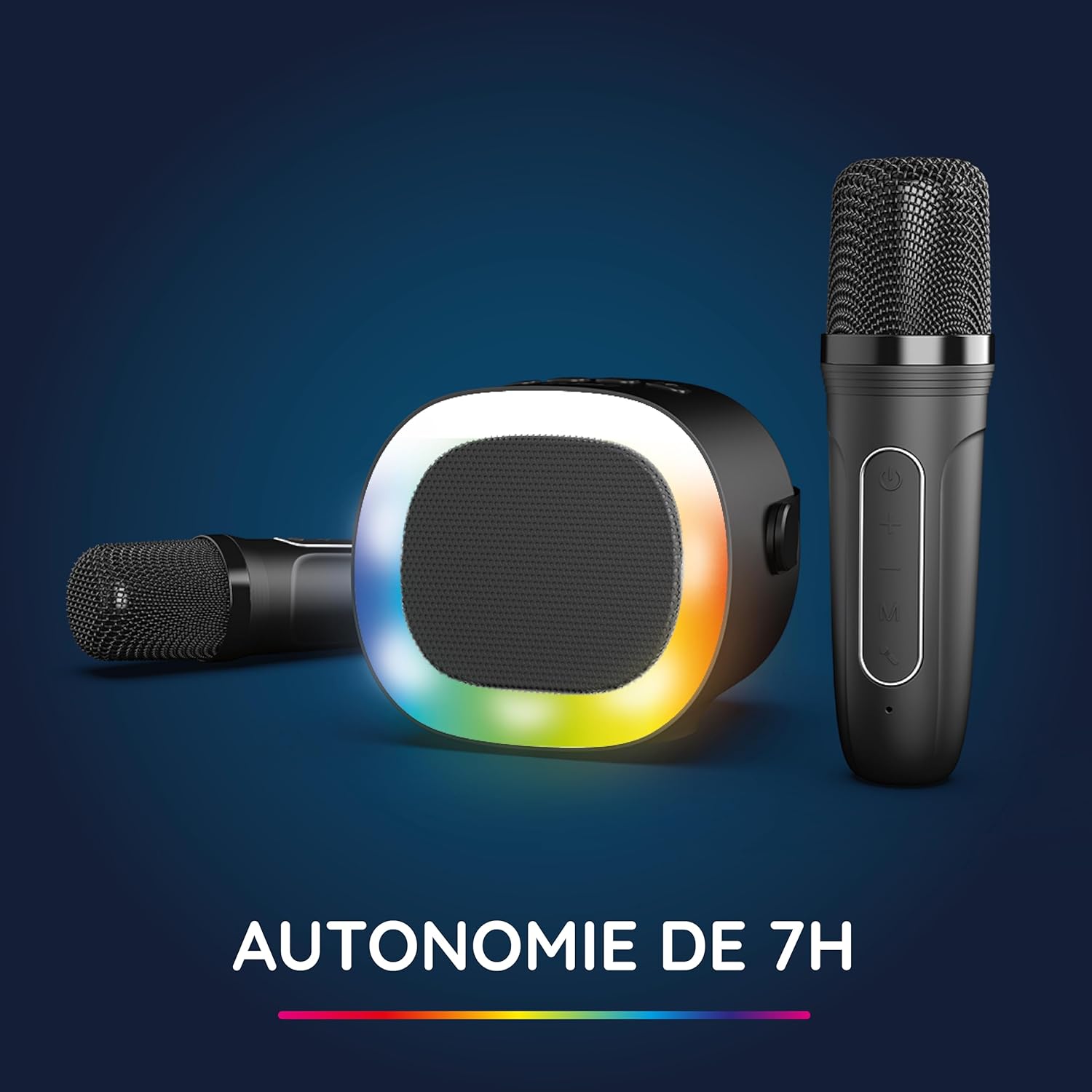
Image: The R-MUSIC speaker and microphones, illustrating the battery life with LED lights active.
2. Ενεργοποίηση και σύζευξη μικροφώνων
- Ενεργοποίηση ηχείου: Long press the ON/OFF button on the speaker until it powers on.
- Ενεργοποίηση μικροφώνων: Long press the Power button on each microphone until they power on.
- The microphones should automatically pair with the speaker. If not, ensure they are within close proximity and try powering them off and on again.
Οδηγίες Λειτουργίας
1. Σύνδεση με πηγές ήχου
The KARADUO speaker offers multiple connectivity options:
- Bluetooth 5.0:
- Βεβαιωθείτε ότι το ηχείο είναι ενεργοποιημένο.
- Activate Bluetooth on your smartphone, tablet, PC, or other compatible device.
- Αναζήτηση για "KARADUO" in your device's Bluetooth settings and select it to pair. A confirmation sound will indicate a successful connection.
- The Bluetooth 5.0 technology ensures optimal sound quality and a stable connection up to 10 meters.
- Είσοδος AUX:
- Connect a 3.5mm audio cable (not included) from your audio device's headphone jack to the speaker's 3.5mm AUX port.
- Το ηχείο θα μεταβεί αυτόματα σε λειτουργία AUX.
- Micro-SD Card Playback:
- Insert a Micro-SD card containing MP3 audio files into the Micro-SD card slot on the back of the speaker.
- Το ηχείο θα εντοπίσει αυτόματα την κάρτα και θα ξεκινήσει την αναπαραγωγή μουσικής.
2. Speaker Operation
- Αναπαραγωγή/Παύση: Short press the ON/OFF/Pause/Play button.
- Προσαρμογή έντασης ήχου: Short press the Volume + or Volume - buttons.
- Επόμενο/Προηγούμενο κομμάτι: Long press the Volume + (next) or Volume - (previous) buttons.
- Λειτουργίες φωτός LED: Press the LED Animation button to cycle through 5 different LED light animations.

Image: The R-MUSIC speaker showcasing its dynamic LED light animations.
3. Microphone Operation
- Ένταση μικροφώνου: Use the Volume + and Volume - buttons on the microphone to adjust your vocal volume.
- Voice Deformation Effects: Short press the 'M' (Mode) button on the microphone to cycle through 5 different voice deformation effects.
- Λειτουργίες καραόκε: Continue pressing the 'M' button to cycle through 3 distinct karaoke modes.
Συντήρηση
To ensure the longevity and optimal performance of your R-MUSIC KARADUO system, follow these maintenance guidelines:
- Καθάρισμα: Use a soft, dry cloth to clean the speaker and microphones. Do not use abrasive cleaners, solvents, or harsh chemicals.
- Αποθήκευση: Αποθηκεύστε τη συσκευή σε δροσερό και ξηρό μέρος, μακριά από το άμεσο ηλιακό φως και ακραίες θερμοκρασίες όταν δεν τη χρησιμοποιείτε.
- Έκθεση στο νερό: This product is not waterproof. Avoid exposure to water or excessive moisture.
- Φόρτιση: Only use the provided charging cable and a compatible USB power adapter. Do not overcharge the device.
Αντιμετώπιση προβλημάτων
If you encounter issues with your KARADUO system, please refer to the following common problems and solutions:
| Πρόβλημα | Πιθανή αιτία | Διάλυμα |
|---|---|---|
| Καμία δύναμη | Χαμηλή μπαταρία ή η συσκευή είναι απενεργοποιημένη. | Charge the speaker/microphones. Long press the power button to turn on. |
| Δεν υπάρχει ήχος από το ηχείο | Η ένταση ήχου είναι πολύ χαμηλή, η λειτουργία εισαγωγής είναι λανθασμένη ή η συσκευή δεν είναι συνδεδεμένη. | Increase speaker volume. Ensure correct input (Bluetooth, AUX, Micro-SD). Reconnect Bluetooth or check AUX cable. |
| Τα μικρόφωνα δεν λειτουργούν | Μικρόφωνα απενεργοποιημένα, χαμηλή μπαταρία ή μη συζευγμένα. | Ensure microphones are charged and powered on. They should automatically pair with the speaker. If not, power cycle them. |
| Αποσύνδεση Bluetooth | Device out of range, interference, or low battery. | Move the connected device closer to the speaker (within 10m). Ensure no major obstacles. Recharge the speaker. |
If the problem persists after trying these solutions, please contact R-MUSIC customer support.
Προδιαγραφές
| Χαρακτηριστικό | Λεπτομέρεια |
|---|---|
| Μάρκα | R-MUSIC |
| Αριθμός μοντέλου | RM484437 |
| Χρώμα | Μαύρος |
| Τεχνολογία Συνδεσιμότητας | Bluetooth 5.0 |
| Θύρες σύνδεσης | 3.5mm Jack, USB Type-C (charging), Micro-SD Card Slot |
| Ειδικά Χαρακτηριστικά | 2 Wireless Microphones, Universal Connectivity, 5 Voice Deformation Effects, LED Lights |
| Συμβατές Συσκευές | PC, Smartphone, Tablet, TV (via AUX) |
| Πηγή ισχύος | Τροφοδοτείται από μπαταρία |
| Speaker Battery Life | Up to 14 hours (without LED), 7 hours (with LED) |
| Εύρος Bluetooth | Έως 10 μέτρα |

Image: Technical dimensions of the R-MUSIC KARADUO speaker, showing its height, width, and depth.
Εγγύηση και υποστήριξη
Information regarding specific warranty terms and conditions for the R-MUSIC KARADUO Complete Karaoke Pack is not available in this document. Please refer to the product packaging or the retailer's website για λεπτομέρειες εγγύησης.
For technical support or further assistance, please contact R-MUSIC customer service through their official webτοποθεσία ή τα στοιχεία επικοινωνίας που παρέχονται με την αγορά σας.