1. Εισαγωγή
The BOTSLAB W302 Outdoor Dual-Lens Security Camera is designed to provide comprehensive surveillance for your home or business. Featuring advanced dual-lens technology, it offers a 170° super-wide viewing angle and crystal-clear 4MP resolution. This manual provides detailed instructions for setting up, operating, and maintaining your security camera to ensure optimal performance.
2. Περιεχόμενα συσκευασίας
Βεβαιωθείτε ότι όλα τα είδη που αναφέρονται παρακάτω περιλαμβάνονται στη συσκευασία σας. Εάν λείπουν ή έχουν υποστεί ζημιά κάποια είδη, επικοινωνήστε με την υποστήριξη πελατών.
- Μονάδα κάμερας x 1
- Βάση x 1
- Αυτοκόλλητο τοποθέτησης x 1
- Warning sticker x 1
- Οδηγός γρήγορης εκκίνησης x 1
- Μετασχηματιστής ρεύματος x 1
- Βιδωτή συσκευασία x 1

Figure 2.1: All components included in the BOTSLAB W302 camera package.
3. Χαρακτηριστικά προϊόντος
- Dual-Lens Vision: Captures a wide 170° super-wide viewing angle with 4MP (2MP+2MP) resolution for seamless panoramic images without blind spots.
- Έγχρωμη νυχτερινή όραση: Provides continuous color views 24/7, even in low light, thanks to automatic light adaptation (ColorGuard) and up to 100ft night vision range.
- Smart Security & Precise Alerts: Detects people and vehicles with motion detection, sending precise alerts. Features a customizable siren and light alarm for enhanced security.
- Παρακολούθηση με την υποστήριξη της Τεχνητής Νοημοσύνης: Intelligently focuses on humans, offering close-up views and dual live views (wide panorama and close-up) simultaneously via the Botslab app.
- Απρόσκοπτη συνδεσιμότητα: Supports faster and more stable dual-band Wi-Fi (2.4GHz/5GHz).
- Αμφίδρομος ήχος: Stay connected and communicate with visitors or deter intruders.
- Σχεδιασμός ανθεκτικός στις καιρικές συνθήκες: IP66 rated, ensuring reliable performance in temperatures from -20°C to 60°C.
- Έξυπνη ενσωμάτωση στο σπίτι: Seamlessly integrates with Amazon Alexa and Google Assistant for voice control.

Figure 3.1: Dual-Lens Vision with 170° Super-Wide Angle.

Figure 3.2: Non-Stop Color Night Vision.

Figure 3.3: Smart Security with Person, Vehicle, and Motion Detection.
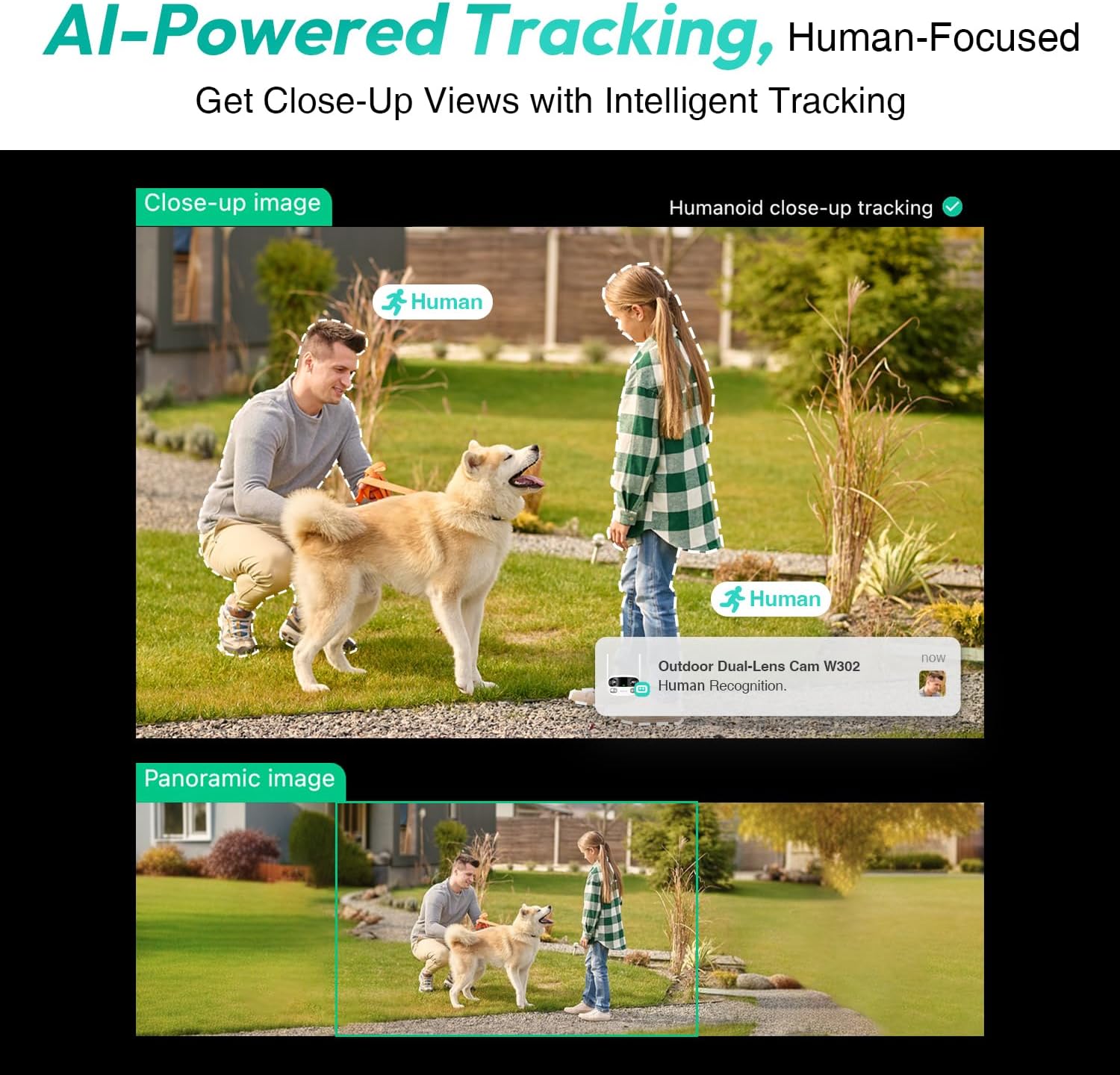
Figure 3.4: AI-Powered Human Tracking with Dual Live Views.
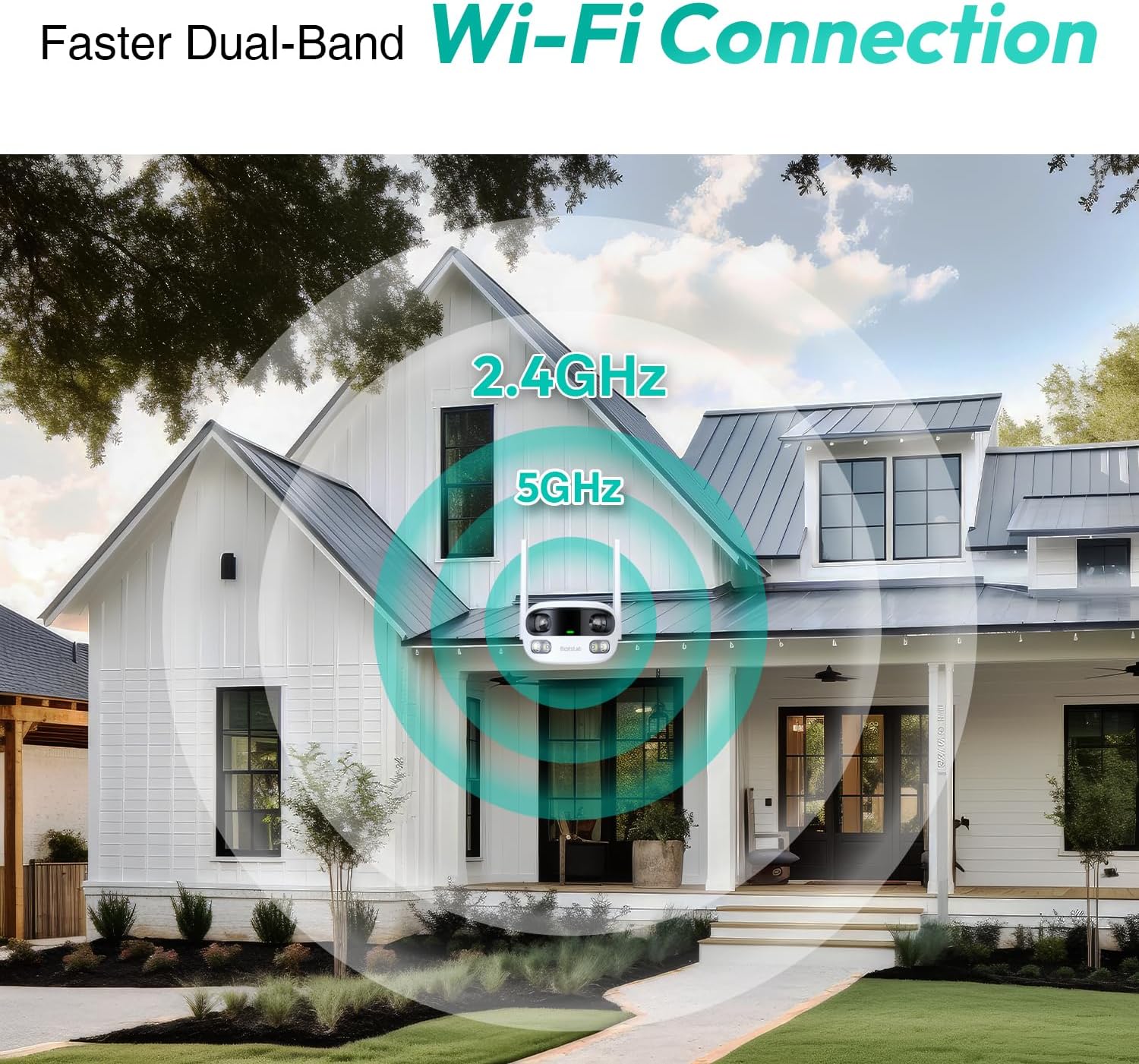
Figure 3.5: Faster Dual-Band Wi-Fi Connection.

Σχήμα 3.6: Αμφίδρομη επικοινωνία ήχου.

Σχήμα 3.7: Σχεδιασμός ανθεκτικός στις καιρικές συνθήκες IP66.

Figure 3.8: Alexa & Google Assistant Integration.
4. Ρύθμιση και εγκατάσταση
Follow these steps to properly install your BOTSLAB W302 camera.
- Επιλέξτε τοποθεσία: Επιλέξτε μια εξωτερική τοποθεσία με καθαρό view of the area you wish to monitor. Ensure it's within Wi-Fi range and near a power outlet.
- Τοποθετήστε το στήριγμα: Use the provided positioning sticker to mark drill holes on the wall or ceiling. Drill the holes, insert expansion tubes, and securely fasten the bracket with screws.
- Συνδέστε την κάμερα: Rotate the camera body and screw it onto the bracket. Adjust the camera's position and tighten the bracket.
- Σύνδεση τροφοδοσίας: Plug the power adapter into the camera and then into a power outlet. The indicator light will turn green and start flashing when ready for pairing.

Figure 4.1: Versatile Installation Options (Wall and Ceiling).
Βίντεο 4.1: Ένα overview of the Botslab Security Camera Outdoor, including its features and installation process. This video is provided by Botslab Security.
5. Διαμόρφωση εφαρμογής
The Botslab app is essential for controlling and monitoring your camera. Download and install the app on your smartphone (available on App Store and Google Play).
- Εγγραφή/Σύνδεση: Open the Botslab app and register a new account or log in with an existing one.
- Προσθήκη συσκευής: Tap 'Add Device' or the '+' icon in the app.
- Σάρωση κωδικού QR: Σαρώστε τον κωδικό QR που βρίσκεται στο κάτω μέρος της κάμεράς σας.
- Σύνδεση σε Wi-Fi: Follow the in-app instructions to connect the camera to your 2.4GHz or 5GHz Wi-Fi network. Ensure your phone is near the camera during this process.
- Δέσμευση συσκευής: The app will bind the device to your account. Once connected, the indicator light on the camera will turn solid blue.
Βίντεο 5.1: Μια λεπτομερής ανασκόπησηview of the Botslab W302 Outdoor Dual Lens Security Camera, including app setup and features. This video is provided by Galaxy Tech Review.
6. Οδηγίες λειτουργίας
Once configured, you can access and control your camera through the Botslab app.
- Ζω View: Access the live feed from both lenses. You can switch between close-up and panoramic views, or use the left/right mode for individual lens feeds.
- Pan/Zoom: In panoramic mode, slide the bottom image to pan left or right. Pinch to zoom on the close-up image.
- Αμφίδρομος ήχος: Tap the phone icon to speak through the camera's speaker. Tap the mute icon to silence audio from the camera's microphone.
- Siren & Light Alarm: Activate the siren and floodlights manually from the app to deter intruders.
- Motion/Vehicle/Person Detection: Enable these features in the app settings to receive precise alerts.
- Ζώνες απορρήτου: Ορίστε συγκεκριμένες περιοχές εντός της κάμερας view that will not be monitored for privacy.
- Νυχτερινή όραση: The camera automatically adapts to low light. You can choose between full-color night vision (using floodlights) or infrared night vision.

Figure 6.1: Dual Live Views on the Botslab App.

Figure 6.2: Siren & Light Alarm for Instant Deterrence.

Figure 6.3: Configuring Privacy Zones.

Figure 6.4: Smart Security with Precise Alerts.
7. Επιλογές αποθήκευσης
The BOTSLAB W302 offers flexible storage solutions for your recorded footage.
- Botslab Cloud Storage: Includes a one-year trial with 7-day storage for motion-detected clips at 5-minute intervals.
- Τοπική αποθήκευση: Supports up to 256GB MicroSD cards (not included). The MicroSD card slot is located under a protective cover at the bottom of the camera.

Figure 7.1: Cloud and Local Storage Options.
8. Προδιαγραφές
| Χαρακτηριστικό | Προσδιορισμός |
|---|---|
| Ανάλυση λήψης βίντεο | 4 MP |
| Viewγωνιά | 170 Μοίρες |
| Τεχνολογία Συνδεσιμότητας | Wi-Fi 2.4 GHz/5 GHz |
| Διεθνής αξιολόγηση προστασίας | IP66 |
| Θερμοκρασία λειτουργίας | -20°C έως 60°C |
| Συμβατότητα Smart Home | Amazon Alexa, Βοηθός Google |
| Τοπική αποθήκευση | Up to 256GB MicroSD (Not Included) |
| Πηγή ισχύος | Wired (AC power cord included) |
| Χρώμα | White Pro |
| Βάρος αντικειμένου | 1.63 λίρες |
9. Συντήρηση
- Καθάρισμα: Σκουπίζετε τακτικά τον φακό και το σώμα της κάμερας με ένα μαλακό πανί.amp πανί για την αφαίρεση σκόνης και βρωμιάς. Μην χρησιμοποιείτε σκληρά χημικά.
- Ενημερώσεις υλικολογισμικού: Check the Botslab app periodically for firmware updates to ensure optimal performance and security.
- Τροφοδοτικό: Ensure the camera is connected to a stable power source. Avoid using unofficial power adapters.
- Διαχείριση κάρτας SD: If using local storage, regularly back up important footage and format the MicroSD card to maintain performance.
10. Αντιμετώπιση Προβλημάτων
- Κάμερα εκτός σύνδεσης: Check Wi-Fi connection and power supply. Try restarting the camera and your router.
- Κακή ποιότητα βίντεο: Ensure the lens is clean. Check your Wi-Fi signal strength. Adjust camera placement if necessary.
- Ζητήματα ανίχνευσης κίνησης: Verify detection zones are correctly set in the app. Adjust sensitivity settings.
- Προβλήματα αμφίδρομου ήχου: Ελέγξτε τις ρυθμίσεις μικροφώνου και ηχείου στην εφαρμογή. Βεβαιωθείτε ότι τα επίπεδα έντασης είναι επαρκή.
- Η κάρτα SD δεν εγγράφει: Ensure the MicroSD card is inserted correctly and is not full. Format the card if issues persist.
11. Εγγύηση και υποστήριξη
BOTSLAB is committed to providing high-quality products and excellent customer service.
- Εγγύηση ποιότητας: Enjoy a 365-day quality guarantee.
- Τεχνική βοήθεια: Διατίθεται τεχνική υποστήριξη εφ' όρου ζωής.
- Επιστροφές: 30-day free returns.
- Fast Support: Expect support within 48 hours.
Για περαιτέρω βοήθεια, επισκεφθείτε global.botslab.com ή επαφή service@botslab.com.


