1. Πάνωview
The Poly Voyager Free 60 UC True Wireless Earbuds are designed for clear audio communication and immersive listening experiences. Featuring noise-canceling microphones, Adaptive Active Noise Canceling (ANC), and a portable charge case, these earbuds are compatible with various devices and communication platforms.
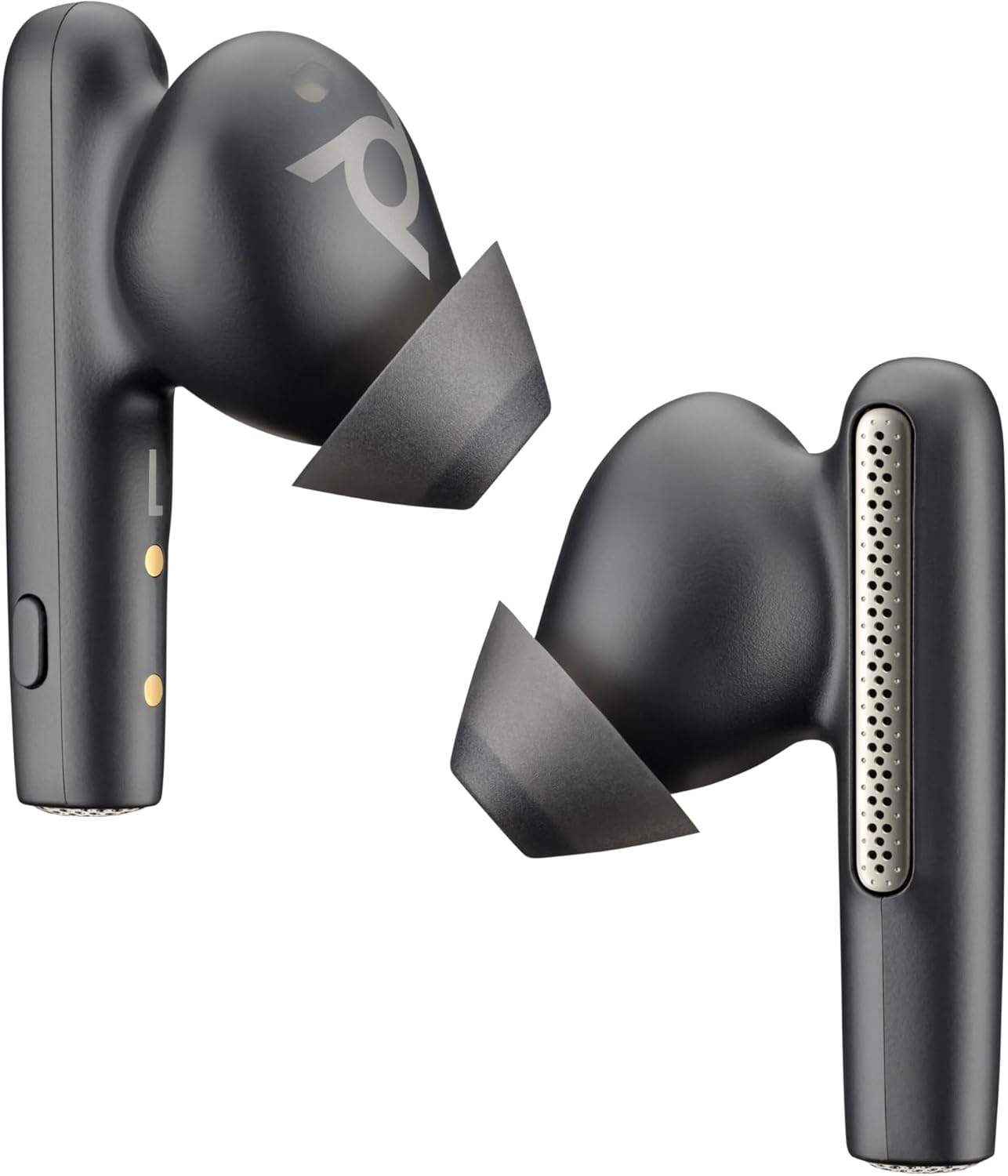
Image: Poly Voyager Free 60 UC True Wireless Earbuds, showcasinτον κομψό σχεδιασμό τους.
2. Τι υπάρχει στο κουτί
- Υπόθεση Χρέωσης
- USB-C BT700 Bluetooth Adapter
- Προσαρμογέας USB-C σε USB-A
- Καλώδιο φόρτισης
- Left and Right Earbud
- Μύτες αυτιών (S/M/L)
- Θήκη ταξιδιού

Image: All components included in the Poly Voyager Free 60 UC package.
3. Ρύθμιση
3.1 Αρχική φόρτιση
Before first use, fully charge the earbuds and the charging case. The case supports Qi wireless charging.
3.2 Επιλογή ακροφυσίου αυτιού
Select the ear tips that provide the best fit and seal for optimal audio quality and noise canceling performance. Sizes Small (S), Medium (M), and Large (L) are included.

Image: Poly Voyager Free 60 UC earbuds with various ear tip sizes.
3.3 Συνδεσιμότητα
The earbuds connect via Bluetooth 5.3. They support multipoint technology, allowing connection to two Bluetooth devices simultaneously (e.g., PC/Mac and smartphone). The included USB-C BT700 Bluetooth Adapter enhances audio performance when connecting to a PC/Mac.
3.4 Poly Lens App
Download the Poly Lens app for full customization, firmware updates, and device management. The app allows you to adjust settings like ANC strength, transparency mode, and control assignments.
Video: Poly Voyager Free 60 UC Quick Start Video. This video demonstrates initial setup and basic functions of the earbuds.
4. Οδηγίες λειτουργίας
4.1 Χειριστήρια
Control music and calls using gesture controls and physical buttons on each earbud. Swipe gestures on the earbud stem allow for volume adjustment. Physical buttons provide functions like play/pause, track skip, and call management.
4.2 Adaptive Active Noise Canceling (ANC)
Adaptive ANC blocks out unwanted background noise. Use transparency mode to hear your surroundings without removing the earbuds. You can use one or both earbuds for calls, with ANC adapting to your environment.
Video: Poly Voyager Free 60 Series ANC Demo. This video illustrates the active noise canceling capabilities of the earbuds.
4.3 Διαχείριση κλήσεων
The earbuds feature 6 noise-canceling microphones (3 per earbud) and WindSmart technology for clear calls, even in windy conditions. Smart sensors allow you to automatically answer a call by inserting an earbud.
Video: Poly Voyager Free 60 Series WindSmart Demo. This video demonstrates the wind noise reduction technology during calls.
4.4 Διαχείριση μπαταρίας
The earbuds offer up to 16.5 hours of talk time with the charging case. A quick 15-minute charge provides over 1 hour of talk time. The case supports Qi wireless charging.
4.5 Χωρικός Ήχος
Immerse yourself in music, movies, and gaming with high-quality audio. Spatial audio features can be adjusted via the Poly Lens app.
4.6 Easy Chat
This feature, enabled via the Poly Lens app, automatically lowers music volume and activates transparency mode when it detects you speaking, allowing for quick conversations without removing earbuds.
4.7 Ανίχνευση φθοράς
Smart sensors detect when earbuds are inserted or removed, automatically pausing or playing media.
5. Συντήρηση
Keep your earbuds and charging case clean and dry. The earbuds have an IP54 rating for splash and dust resistance.
5.1 ενημερώσεις υλικολογισμικού
Regularly check for and install firmware updates via the Poly Lens app to ensure optimal performance and access to new features.
5.2 Safe Volume
The Poly Lens app includes a Safe Volume feature to help protect your hearing by limiting the maximum headphone audio level.
6. Αντιμετώπιση Προβλημάτων
6.1 Wearing Detection Issues
If wearing detection functions intermittently, try placing the affected earbud back into the charging case and then re-inserting it into your ear. This often resolves the issue.
6.2 Sound Quality (Tinny Sound)
If the audio occasionally sounds
Σχετικά Έγγραφα - 2-221957-333
 |
Poly Voyager Free 60+ True Wireless Earbuds: User Guide & Features Comprehensive user guide for Poly Voyager Free 60+ True Wireless Earbuds, covering setup, controls, connectivity, call management, ANC, and troubleshooting. Learn to maximize your audio experience with touch controls, the USB Bluetooth adapter, and Poly Lens app. |
 |
Οδηγός χρήσης για τα ασύρματα ακουστικά Poly Voyager Free 60 UC True Οδηγός χρήστη για τα ασύρματα ακουστικά Poly Voyager Free 60 UC True Wireless Earbuds με βασική θήκη φόρτισης, που παρέχει πληροφορίες εγκατάστασης, λειτουργίας και αντιμετώπισης προβλημάτων. |
 |
Οδηγός χρήσης για τα ασύρματα ακουστικά Poly Voyager Free 60 True Comprehensive user guide for the Poly Voyager Free 60 True Wireless Earbuds, covering setup, controls, software, fit, charging, power management, connectivity, call handling, advanced features, troubleshooting, and safety instructions. |
 |
Οδηγός χρήστη για τα ασύρματα ακουστικά Poly Voyager 60+ True Πλήρης οδηγός χρήσης για τα ακουστικά Poly Voyager Free 60+ True Wireless, με λεπτομέρειες για την εγκατάσταση, τα χειριστήρια, τις λειτουργίες, τη φόρτιση, τις ενημερώσεις λογισμικού και την αντιμετώπιση προβλημάτων. |
 |
Οδηγός χρήστη για τα ασύρματα ακουστικά Poly Voyager 60+ True Οδηγός χρήστη για τα ακουστικά Poly Voyager Free 60+ UC True Wireless, που καλύπτει την εγκατάσταση, τις λειτουργίες, τα χειριστήρια, τη συνδεσιμότητα, τη φόρτιση και την αντιμετώπιση προβλημάτων. |
 |
Poly Voyager Free 60+ UC Quick Start Guide Concise guide to setting up and using your Poly Voyager Free 60+ UC wireless earbuds, including pairing, controls, charging, and app features. |