Εισαγωγή
Thank you for choosing the Nedis SmartLife Wireless Camera System SLNVR201CWT. This system is designed to provide comprehensive home security with advanced features. This manual will guide you through the installation, operation, and maintenance of your new camera system, ensuring optimal performance and security.
The system includes a Network Video Recorder (NVR) and two Full HD (1080p) wireless cameras. Key features include motion and sound detection with adjustable sensitivity, instant smartphone notifications, a wide 180-degree viewing angle, night vision capabilities up to 5 meters, and two-way audio communication. Recordings are stored on a Micro SD card (not included) for convenient playback.
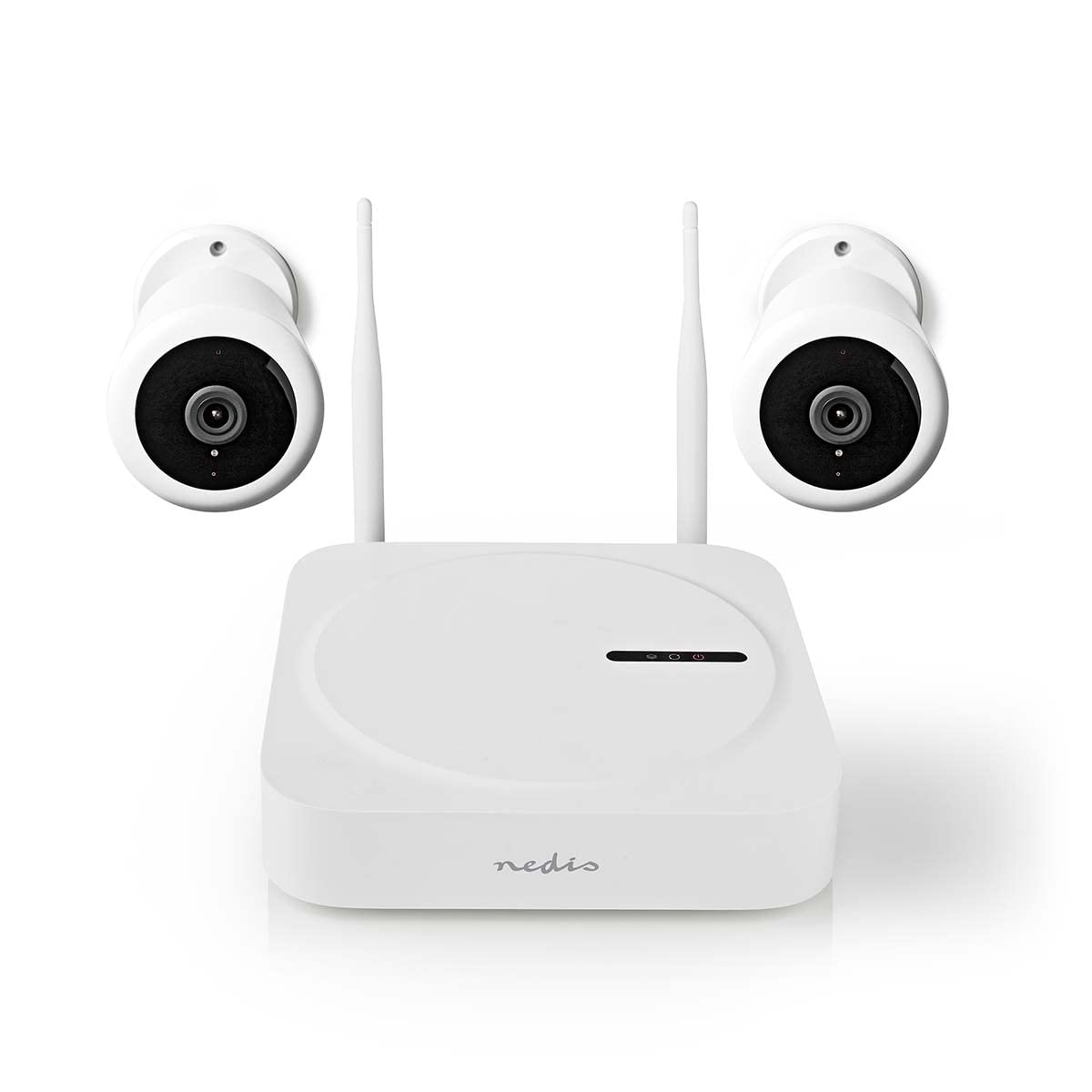
Image: The Nedis SmartLife Wireless Camera System, showing the central NVR unit and two wireless cameras.
Πληροφορίες Ασφάλειας
- Διαβάστε προσεκτικά όλες τις οδηγίες πριν από τη χρήση.
- Φυλάξτε αυτό το εγχειρίδιο για μελλοντική αναφορά.
- Use only the power adapters supplied with the product. Using unauthorized power sources may damage the device and void the warranty.
- Μην εκθέτετε τη συσκευή σε ακραίες θερμοκρασίες, υγρασία ή άμεσο ηλιακό φως.
- Ensure proper ventilation around the NVR unit to prevent overheating.
- Avoid placing the cameras in locations where they could be easily tampέχει υποστεί ζημιά ή έχει υποστεί ζημιά.
- Αυτό το προϊόν δεν είναι παιχνίδι. Να φυλάσσεται μακριά από παιδιά.
- For indoor and outdoor use. Ensure outdoor cameras are installed in a sheltered location to protect from direct heavy rain.
Περιεχόμενα συσκευασίας
Αποσυσκευάστε προσεκτικά το κουτί και βεβαιωθείτε ότι όλα τα αντικείμενα υπάρχουν και είναι σε καλή κατάσταση. Εάν λείπουν ή έχουν υποστεί ζημιά κάποια αντικείμενα, επικοινωνήστε με τον πωλητή σας.
- 1 x Nedis SmartLife Wireless NVR Unit
- 2 x Nedis SmartLife Wireless Cameras
- 3 x Power Adapters (for NVR and cameras)
- 1 x ποντίκι USB
- Βίδες στερέωσης και ούπα τοίχου
- Πρότυπα τρυπανιών
- Εγχειρίδιο χρήστη (αυτό το έγγραφο)
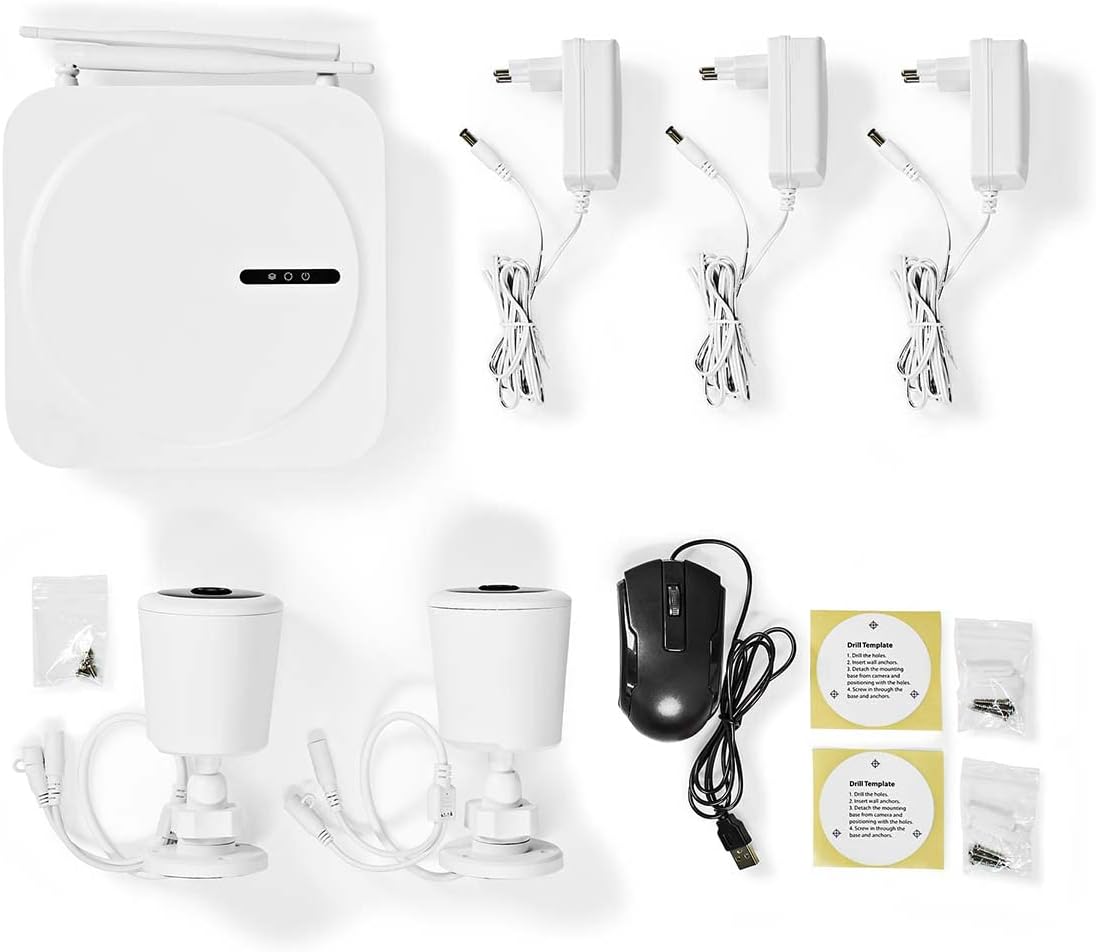
Image: All components included in the Nedis SmartLife Wireless Camera System package.
Ρύθμιση
1. NVR Unit Connection
- Place the NVR unit in a central location, ensuring good Wi-Fi signal strength for the cameras.
- Connect the NVR to a power outlet using one of the provided power adapters.
- Συνδέστε το ποντίκι USB στη θύρα USB του NVR.
- If desired, connect the NVR to your router via an Ethernet cable for a stable network connection.

Εικόνα: Μπροστά view of the Nedis SmartLife NVR unit with indicator lights.
2. Εγκατάσταση κάμερας
- Choose suitable locations for your cameras, considering the 180-degree viewing angle and night vision range (up to 5 meters).
- Use the drill templates to mark the screw positions on the wall or ceiling.
- Drill holes, insert wall plugs, and secure the camera mounts with screws.
- Attach the cameras to their mounts and adjust the angle as needed.
- Connect each camera to a power outlet using the remaining power adapters.

Image: Close-up of a Nedis SmartLife camera, highlighting the lens and sensor.
3. Εγκατάσταση και σύζευξη εφαρμογής
- Download the 'Nedis SmartLife' app from your smartphone's app store (available for Android and iOS).
- Εγγραφείτε για έναν νέο λογαριασμό ή συνδεθείτε αν έχετε ήδη έναν.
- Follow the in-app instructions to add your NVR system. The app will guide you through the pairing process for the cameras.
- Insert a Micro SD card (up to 128GB, not included) into the NVR for local storage of recordings.
Λειτουργία του συστήματος
Ζω View και αναπαραγωγή
- Open the Nedis SmartLife app on your smartphone.
- Select your camera system to view ζωντανές ροές από όλες τις συνδεδεμένες κάμερες.
- Use the app interface to switch between cameras, access recorded footage, and adjust settings.
- Να view ηχογραφημένο footage, navigate to the playback section in the app and select the desired date and time.
Ανίχνευση κίνησης και ήχου
- The system is equipped with motion and sound detection. When triggered, it sends instant notifications to your smartphone.
- Adjust the sensitivity of both motion and sound detection within the Nedis SmartLife app settings for each camera to minimize false alarms.
- You can set specific detection zones for motion detection to focus on critical areas.
Αμφίδρομος Ήχος
- The cameras feature built-in microphones and speakers, enabling two-way communication.
- Από το live view in the app, tap the microphone icon to speak through the camera's speaker. Tap again to end.
- This feature allows you to communicate with visitors or deter intruders remotely.
Νυχτερινή όραση
- The cameras automatically switch to night vision mode in low-light conditions.
- Night vision provides clear black-and-white video footage up to 5 meters, ensuring 24-hour surveillance.
Συντήρηση
Καθάρισμα
- Βεβαιωθείτε ότι η συσκευή είναι απενεργοποιημένη και αποσυνδεδεμένη από την πρίζα πριν από τον καθαρισμό.
- Use a soft, dry cloth to clean the NVR unit and camera bodies.
- For camera lenses, use a specialized lens cleaning cloth to avoid scratches.
- Do not use liquid or aerosol cleaners, as they may damage the components.
Ενημερώσεις υλικολογισμικού
- Periodically check the Nedis SmartLife app for available firmware updates.
- Keeping your system's firmware up-to-date ensures optimal performance, security, and access to new features.
- Follow the in-app instructions carefully when performing updates.
Αποθήκευση
- If storing the system for an extended period, ensure it is clean and dry.
- Φυλάσσεται σε δροσερό, ξηρό μέρος μακριά από το άμεσο ηλιακό φως και ακραίες θερμοκρασίες.
Αντιμετώπιση προβλημάτων
| Πρόβλημα | Πιθανή αιτία | Διάλυμα |
|---|---|---|
| No image/video from camera | Camera not powered on; Wi-Fi signal too weak; Camera not paired. | Check power connection; Move camera closer to NVR/router; Re-pair camera via app. |
| Δεν ελήφθησαν ειδοποιήσεις | Notifications disabled in app/phone settings; Detection sensitivity too low. | Enable notifications in Nedis SmartLife app and phone settings; Increase motion/sound sensitivity. |
| Κακή ποιότητα νυχτερινής όρασης | Obstruction in front of camera; Camera too far from subject. | Clear any obstructions; Ensure subject is within 5-meter night vision range. |
| Ο αμφίδρομος ήχος δεν λειτουργεί | Microphone/speaker permissions not granted; Volume too low. | Check app permissions for microphone; Adjust volume settings in app. |
| System offline in app | NVR not connected to internet; NVR powered off. | Check NVR's internet connection (Ethernet/Wi-Fi); Ensure NVR is powered on. |
Προδιαγραφές
| Χαρακτηριστικό | Προσδιορισμός |
|---|---|
| Αριθμός μοντέλου | SLNVR201CWT |
| Μάρκα | Nedis |
| Ανάλυση λήψης βίντεο | 1080p (Πλήρης HD) |
| Χρώμα | Λευκό |
| Αριθμός καναλιών | 4 |
| Ασύρματη τεχνολογία | Wi-Fi |
| Viewγωνιά | 180 μοίρες |
| Ρυθμός καρέ | 30 καρέ ανά δευτερόλεπτο |
| Τομtage | 220 Volt |
| Wattage | 48 Watt |
| Συμβατότητα λειτουργικού συστήματος | Android, iOS |
| Συμπεριλαμβάνονται μπαταρίες | Οχι |
| Προτεινόμενες χρήσεις | Night Vision, Home Security |
| Ειδικά Χαρακτηριστικά | High Definition, Motion Sensor, Two-Way Audio |
| Περιβάλλον Χρήσης | Εσωτερική, Εξωτερική |
| Συμβατές Συσκευές | Smartphone |
| Πηγή ισχύος | Ενσύρματο Ηλεκτρικό |
| Πρωτόκολλο επικοινωνίας | Wi-Fi |
Εγγύηση και υποστήριξη
Nedis products are manufactured to high quality standards and are covered by a warranty period from the date of purchase. For detailed warranty terms and conditions, please refer to the warranty card included with your product or visit the official Nedis webτοποθεσία.
For technical support, troubleshooting assistance, or to report any issues with your product, please contact Nedis customer service. Contact information can typically be found on the Nedis webστον ιστότοπο ή στη συσκευασία του προϊόντος σας.
Please have your model number (SLNVR201CWT) and proof of purchase ready when contacting support.