1. Το προϊόν τελείωσεview
The Dzees 360° PTZ Security Camera is a versatile wireless outdoor WiFi camera designed to provide comprehensive surveillance for your home. Featuring 2K resolution, pan-tilt-zoom capabilities, color night vision, two-way audio, and AI motion detection, it offers robust security features. This manual provides detailed instructions for setting up, operating, and maintaining your camera.

Figure 1.1: Dzees 360° PTZ Security Camera (Front View)
1.1 Βασικά χαρακτηριστικά
- Βίντεο 2K HD: Captures clear 2048 x 1536 resolution footage.
- Έλεγχος PTZ 360°: 355° pan and 95° tilt for wide area monitoring.
- Έγχρωμη νυχτερινή όραση: Provides full-color video even in low-light conditions up to 100ft.
- Αμφίδρομος ήχος: Ενσωματωμένο μικρόφωνο και ηχείο για επικοινωνία σε πραγματικό χρόνο.
- Ανίχνευση κίνησης με τεχνητή νοημοσύνη: Reduces false alerts and identifies people, pets, and vehicles (paid feature for AI recognition and customizable motion area).
- Wire-Free & Battery Powered: 9000mAh rechargeable battery, compatible with USB-C solar panels.
- IP66 Ανθεκτικό στις καιρικές συνθήκες: Σχεδιασμένο για εξωτερική χρήση σε διάφορες καιρικές συνθήκες.
- Πολλαπλές επιλογές αποθήκευσης: Supports Micro SD card (up to 128GB, not included) and cloud storage.
1.2 Περιεχόμενα συσκευασίας
Βεβαιωθείτε ότι όλα τα στοιχεία υπάρχουν στη συσκευασία:
- Dzees 360° PTZ Security Camera
- Στήριγμα τοποθέτησης
- Καλώδιο φόρτισης τύπου C
- Σετ βιδών
- Ξεκλείδωμα PIN
- Εγχειρίδιο χρήστη

Figure 1.2: Included Accessories and Camera Dimensions
2. Οδηγός εγκατάστασης
2.1 Αρχική φόρτιση
Before first use, fully charge the camera using the provided Type-C charging cable. A full charge typically takes approximately 8 hours. The camera's 9000mAh battery provides 3-8 months of use depending on activity.
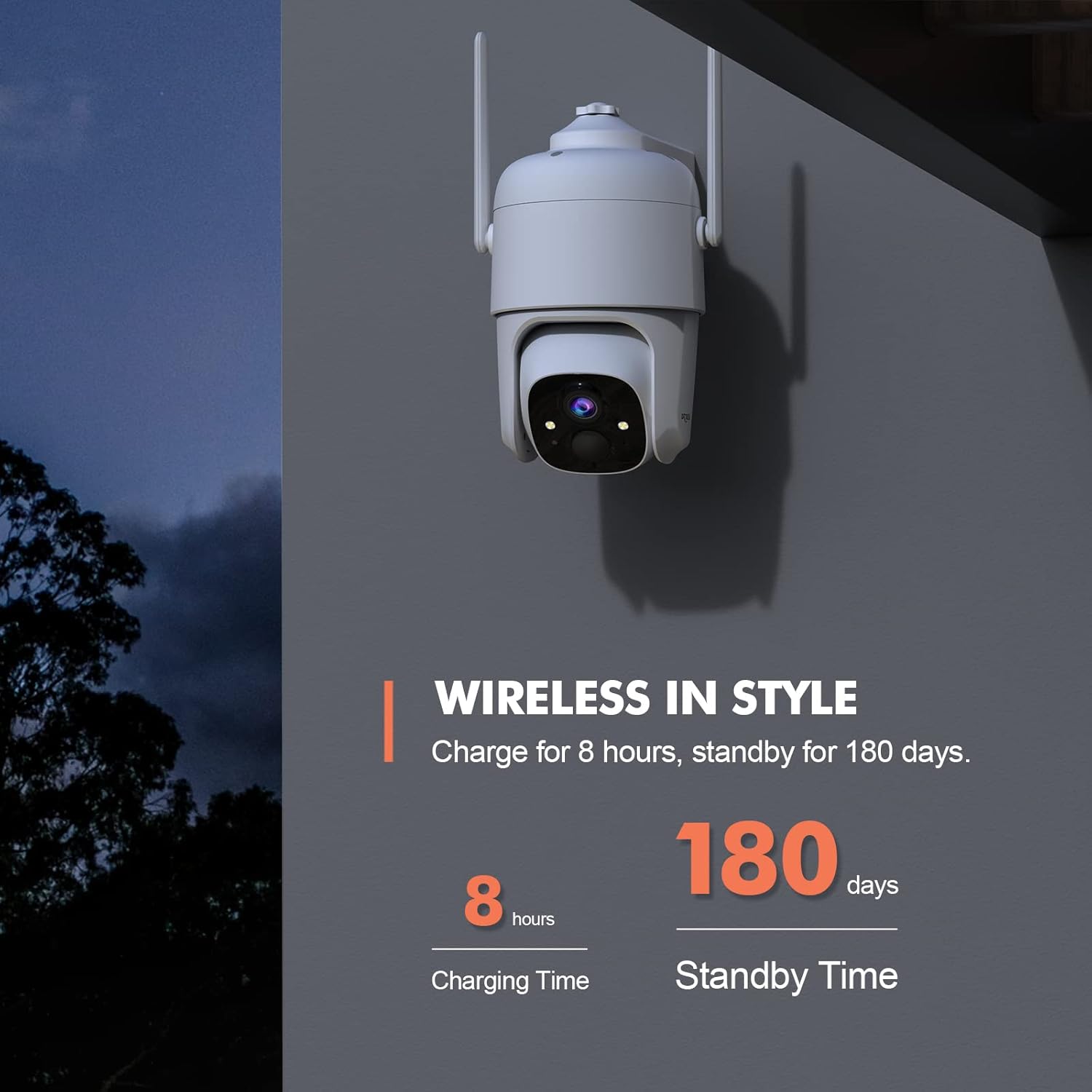
Figure 2.1: Charging and Standby Time Information
For continuous power, the camera is compatible with USB-C port solar panels (sold separately). Αναζήτηση για B0CT2LHQRD to purchase a compatible solar panel.

Figure 2.2: Solar Panel Charging Option
2.2 Εγκατάσταση εφαρμογής και ρύθμιση λογαριασμού
Download the "Dzees" or "Vicohome" app from your device's app store (iOS/Android). Follow the in-app instructions to create an account and add your camera. Ensure your mobile device is connected to a 2.4GHz Wi-Fi network during setup, as the camera does not support 5GHz Wi-Fi.

Figure 2.3: Camera Features and App Compatibility
2.3 Τοποθέτηση της κάμερας
Select a suitable location for mounting the camera, ensuring it has a clear view of the area you wish to monitor and is within range of your 2.4GHz Wi-Fi network. Use the provided mounting bracket and screws to securely attach the camera to a wall or other stable surface. The camera is designed for both indoor and outdoor use.
3. Οδηγίες λειτουργίας
3.1 Έλεγχος μετατόπισης, κλίσης και ψηφιακού ζουμ
Utilize the Dzees or Vicohome app to remotely control the camera's pan (355°) and tilt (95°) movements, allowing you to monitor a wide area. The camera also supports 4x digital zoom to view details. You can set up to 5 preset points within the app for quick access to specific viewγωνίες.

Figure 3.1: Pan, Tilt, and Digital Zoom Capabilities

Figure 3.2: Setting Preset ViewΘέσεις
3.2 Νυχτερινή όραση και ποιότητα εικόνας
The camera provides 2K HD (2048 x 1536) resolution for clear images. It features advanced color night vision, capturing full-color footage up to 100ft even in complete darkness, unlike traditional black and white night vision.

Figure 3.3: Color Night Vision Performance
3.3 Αμφίδρομος ήχος
The integrated microphone and speaker enable two-way communication. You can listen to audio from the camera's location and speak through the camera using the app, allowing you to interact with visitors or deter intruders.

Σχήμα 3.4: Λειτουργικότητα αμφίδρομου ήχου
3.4 Ανίχνευση κίνησης και ειδοποιήσεις
The camera features AI motion detection to identify people, pets, and vehicles, reducing false alarms. You can customize motion detection areas and adjust sensitivity settings within the app (AI recognition and customizable motion area are paid features). When motion is detected, the camera can trigger a siren, flashlight warning, and send real-time push notifications to your phone.

Figure 3.5: Multi-Alarm System for Property Protection

Figure 3.6: Instant Security Alerts via App

Figure 3.7: AI Motion Recording Capabilities
3.5 Αποθήκευση βίντεο
Recordings can be stored locally on a Micro SD card (up to 128GB, not included) or via cloud storage. Cloud storage offers a 3-day loop and 0.5GB space for free, with subscription options for extended storage and features.
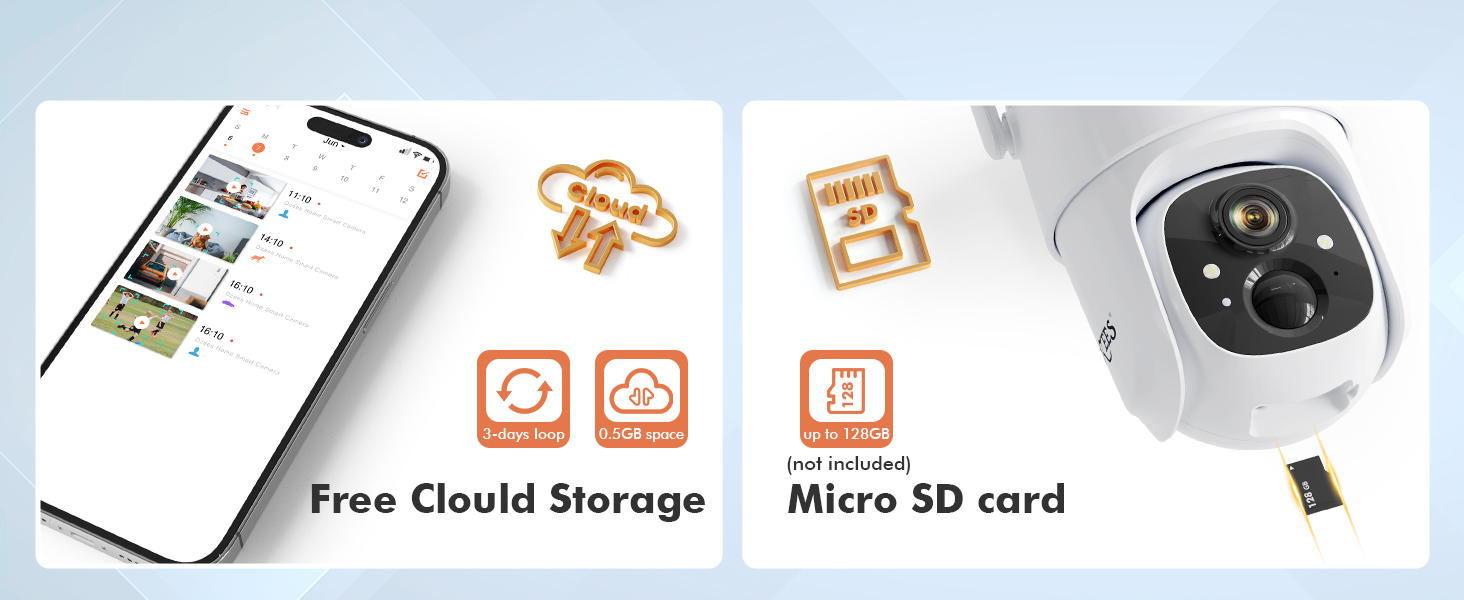
Σχήμα 3.8: Επιλογές αποθήκευσης
3.6 Οικογενειακή κοινή χρήση
The Dzees app allows you to share camera access with up to 5 accounts, enabling multiple family members to live view, control, and receive alerts from the camera. You can manage limitless Dzees cameras within a single app.

Figure 3.9: All-in-one Dzees App Controls
4. Συντήρηση
4.1 Διαχείριση μπαταρίας
The camera's 9000mAh rechargeable battery provides extended usage. Monitor the battery level through the Dzees app and recharge as needed. For optimal performance and longevity, consider connecting a compatible USB-C solar panel for continuous charging, especially for outdoor installations.
4.2 Αντοχή στις καιρικές συνθήκες
The Dzees camera is rated IP66 weatherproof, meaning it is protected against dust and powerful water jets. This makes it suitable for outdoor use in various weather conditions. Periodically inspect the camera and its mounting for any signs of wear or damage, and clean the lens gently with a soft cloth to ensure clear image quality.

Σχήμα 4.1: Σχεδιασμός ανθεκτικός στις καιρικές συνθήκες IP66
5. Αντιμετώπιση Προβλημάτων
This section addresses common issues you might encounter with your Dzees security camera.
| Πρόβλημα | Πιθανή αιτία | Διάλυμα |
|---|---|---|
| Η κάμερα δεν συνδέεται σε Wi-Fi | Λανθασμένος κωδικός πρόσβασης Wi-Fi. Η κάμερα είναι πολύ μακριά από τον δρομολογητή. Χρησιμοποιείται δίκτυο Wi-Fi 5GHz. | Ensure correct 2.4GHz Wi-Fi password. Move camera closer to router. Confirm router is broadcasting 2.4GHz. |
| Συχνές ειδοποιήσεις ψευδούς κίνησης | High sensitivity setting; Unwanted motion areas included. | Adjust motion detection sensitivity in the app. Define custom activity zones to exclude irrelevant areas (paid feature). |
| Μικρή διάρκεια μπαταρίας | Συχνή ανίχνευση κίνησης. Ζωντανή λειτουργία. view χρήση; κρύος καιρός. | Reduce motion detection sensitivity. Limit live view time. Consider solar panel charging. Battery performance may decrease in extreme cold. |
| Δεν υπάρχει εγγραφή βίντεο | SD card full/corrupted; Cloud storage subscription expired; Motion detection not enabled. | Check SD card status, format or replace if necessary. Verify cloud storage subscription. Ensure motion detection is active. |
| Προβλήματα αμφίδρομου ήχου | Μικρόφωνο/ηχείο μπλοκαρισμένο. Η ένταση ήχου της εφαρμογής είναι πολύ χαμηλή. Λανθάνων χρόνος δικτύου. | Ensure no obstructions. Adjust volume in app. Check network connection stability. |
6. Προδιαγραφές
Detailed technical specifications for the Dzees 360° PTZ Security Camera (Model D3).
| Χαρακτηριστικό | Προσδιορισμός |
|---|---|
| Αριθμός μοντέλου | D3 |
| Ανάλυση βίντεο | 2K (2048 x 1536), 3MP Effective Still Resolution |
| Παν γωνία | 355 Μοίρες |
| Γωνία κλίσης | 95 Μοίρες |
| Digital Zoom | 4x |
| Εύρος νυχτερινής όρασης | Up to 100ft (Color Night Vision) |
| Συνδεσιμότητα | Wi-Fi 2.4 GHz (IEEE 802.11b/g/n) |
| Πηγή ισχύος | 9000mAh Rechargeable Battery / Solar Powered (USB-C) |
| Αντοχή στις καιρικές συνθήκες | IP66 |
| Επιλογές αποθήκευσης | Κάρτα Micro SD (έως 128GB), Αποθήκευση στο cloud |
| Ήχος | Αμφίδρομος Ήχος |
| Ανίχνευση κίνησης | AI Motion Detection (Person, Pet, Vehicle) |
| Θερμοκρασία λειτουργίας | Not specified in provided data, typical for outdoor cameras. |
| Διαστάσεις (Μ x Π x Υ) | 1 x 1 x 1 ίντσες (κατά προσέγγιση, με βάση τα δεδομένα προϊόντος) |
| Βάρος | 1.76 ounces (approximate, based on product data) |
7. Εγγύηση και υποστήριξη
Dzees provides customer support for their products. For technical assistance, warranty claims, or general inquiries, please refer to the contact information provided in your product packaging or visit the official Dzees website. Dzees offers online email support and call service (9AM-5PM EST).

Figure 7.1: Dzees Customer Support Information


