1. Εισαγωγή
Ευχαριστώ για την αγοράasing the Comix S360A Cross Cut Paper Shredder. This manual provides essential information for the safe and efficient operation, maintenance, and troubleshooting of your shredder. Please read these instructions carefully before use and retain them for future reference.
The Comix S360A is designed for secure disposal of sensitive documents, credit cards, and CDs. It features a cross-cut mechanism for enhanced security and includes a jam-proof system with reverse and forward functions to clear paper jams. An energy-saving mode ensures optimal efficiency during operation.
2. Σημαντικές οδηγίες ασφαλείας
ΠΡΟΕΙΔΟΠΟΙΗΣΗ: Η μη τήρηση αυτών των οδηγιών ασφαλείας μπορεί να προκαλέσει πυρκαγιά, ηλεκτροπληξία ή τραυματισμό.
- Κρατήστε τα παιδιά και τα κατοικίδια ζώα μακριά από τον καταστροφέα.
- Keep loose clothing, jewelry, hair, and ties away from the paper entry slot.
- Do not insert fingers or other body parts into the paper entry slot.
- Μην ψεκάζετε εύφλεκτα προϊόντα ή λιπαντικά στον καταστροφέα εγγράφων.
- Do not shred metal objects, wet paper, or adhesive labels.
- Πάντα να αποσυνδέετε τον καταστροφέα εγγράφων από την πρίζα όταν δεν τον χρησιμοποιείτε ή πριν τον καθαρισμό.
- Μην χρησιμοποιείτε τον καταστροφέα εγγράφων εάν το καλώδιο τροφοδοσίας είναι κατεστραμμένο. Επικοινωνήστε με την υποστήριξη πελατών για βοήθεια.
- Βεβαιωθείτε ότι ο καταστροφέας εγγράφων είναι τοποθετημένος σε σταθερή, επίπεδη επιφάνεια.
- Μην υπερφορτώνετε τον καταστροφέα πέρα από την καθορισμένη χωρητικότητα φύλλων.
3. Περιεχόμενα συσκευασίας
Παρακαλούμε ελέγξτε τη συσκευασία για τα ακόλουθα στοιχεία:
- Comix S360A Shredder Head
- Waste Bin (13 Liter capacity)
- Εγχειρίδιο οδηγιών (αυτό το έγγραφο)
4. Ρύθμιση
- Αποσυσκευάστε τον καταστροφέα εγγράφων: Αφαιρέστε προσεκτικά όλα τα εξαρτήματα από τη συσκευασία.
- Place the Waste Bin: Position the waste bin on a flat, stable surface.
- Mount the Shredder Head: Carefully place the shredder head onto the top of the waste bin, ensuring it is securely seated. The shredder will not operate if the head is not correctly positioned.
- Σύνδεση τροφοδοσίας: Συνδέστε το καλώδιο ρεύματος σε μια τυπική πρίζα.
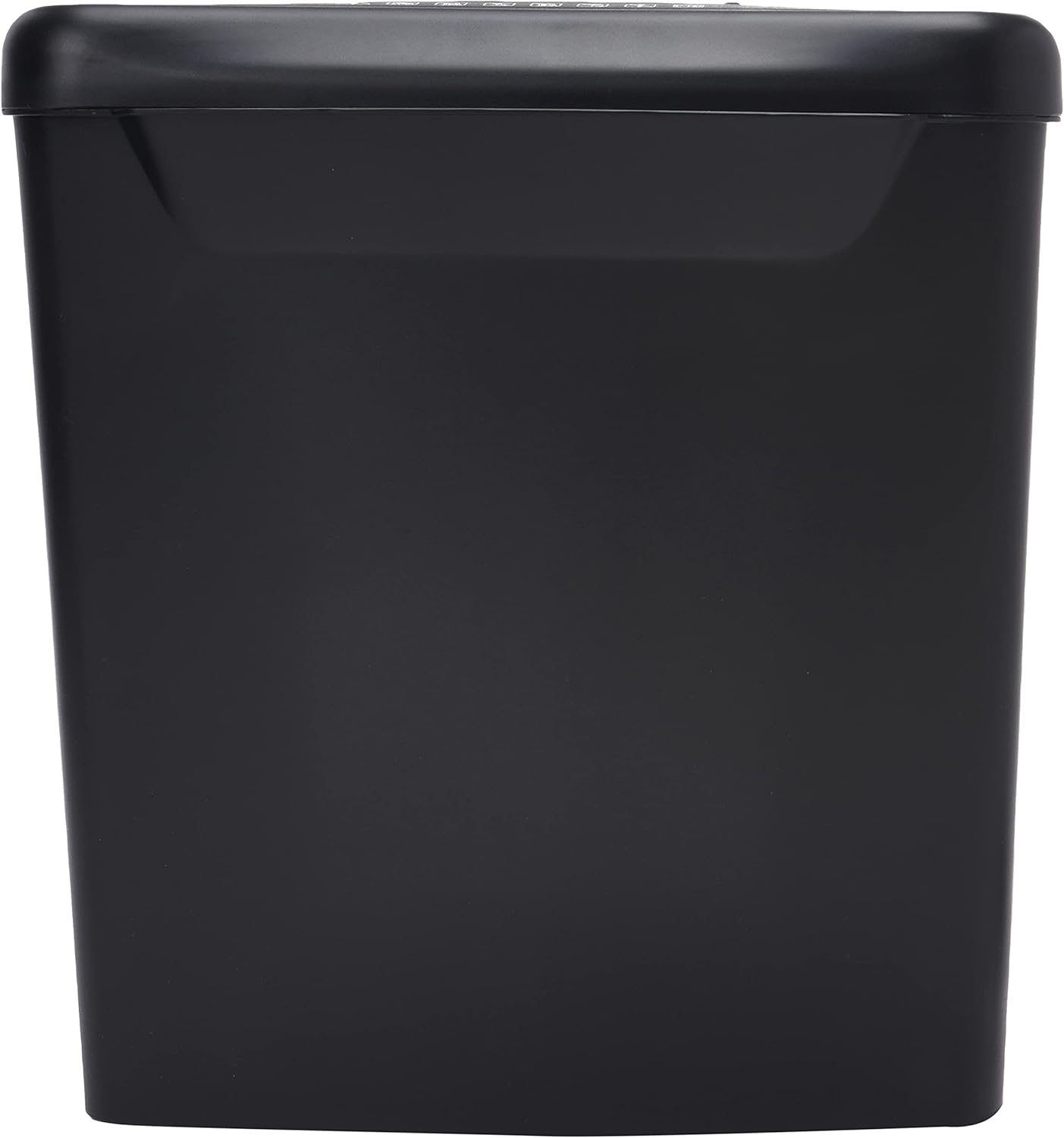
Εικόνα: Πλευρά view of the Comix S360A shredder bin, showing its black exterior and compact design. The shredder head is not visible in this image.
5. Οδηγίες λειτουργίας
5.1 Διακόπτης ελέγχου
The shredder features a slide switch with three positions:
- ΑΥΤΟ: The shredder will automatically start when paper is inserted and stop when shredding is complete. This is the normal operating mode.
- OFF: The shredder is powered off. Always set the switch to OFF when emptying the bin or when the shredder is not in use.
- ΠΙΣΩ (Αντίστροφα): This position reverses the shredder blades to help clear paper jams.

Εικόνα: Κορυφή view of the shredder head, highlighting the paper entry slot, the three-position control switch (Rev, OFF, Auto), and various safety warning icons.
5.2 Καταστροφή εγγράφων
- Ensure the shredder head is securely placed on the waste bin.
- Συνδέστε το καλώδιο ρεύματος σε μια πρίζα.
- Ρυθμίστε τον διακόπτη ελέγχου στη θέση ΑΥΤΟ.
- Insert up to 8 sheets of 70gsm A4 paper into the paper entry slot. The shredder will start automatically.
- For credit cards or CDs, use the dedicated slot if available (refer to product specifications for capability).
- The shredder will stop automatically once the shredding process is complete.
5.3 Κύκλος εργασίας
The Comix S360A has a continuous run time of 2 λεπτά, followed by a rest time of 40 λεπτά. Exceeding the run time may cause the shredder to overheat and automatically shut off. Allow the shredder to cool down for the specified rest time before resuming operation.
6. Συντήρηση
6.1 Άδειασμα του Κάδου Απορριμμάτων
- Ρυθμίστε τον διακόπτη ελέγχου στη θέση ΜΑΚΡΙΑ ΑΠΟ.
- Αποσυνδέστε τον καταστροφέα εγγράφων από την πρίζα.
- Σηκώστε την κεφαλή του καταστροφέα από τον κάδο απορριμμάτων.
- Απορρίψτε το κομμένο χαρτί.
- Τοποθετήστε ξανά την κεφαλή του καταστροφέα με ασφάλεια στον κάδο απορριμμάτων.
- Συνδέστε ξανά τον καταστροφέα εγγράφων στην πρίζα.
6.2 Oiling the Shredder Blades
Regular oiling of the shredder blades is recommended to maintain optimal performance and extend the life of your shredder. Use shredder oil specifically designed for paper shredders.
- Εφαρμόστε μια λεπτή γραμμή λαδιού καταστροφέα εγγράφων στην υποδοχή εισόδου χαρτιού.
- Ρυθμίστε τον διακόπτη ελέγχου στη θέση ΑΥΤΟ.
- Insert a sheet of paper to distribute the oil evenly across the blades.
- Repeat this process periodically, especially after emptying a full waste bin or if the shredder's performance decreases.
6.3 Καθαρισμός
Σκουπίστε το εξωτερικό του καταστροφέα εγγράφων με ένα μαλακό, στεγνό πανί. Μην χρησιμοποιείτε λειαντικά καθαριστικά ή διαλύτες. Βεβαιωθείτε ότι ο καταστροφέας εγγράφων είναι αποσυνδεδεμένος από την πρίζα πριν τον καθαρισμό.
7. Αντιμετώπιση Προβλημάτων
| Πρόβλημα | Πιθανή αιτία | Διάλυμα |
|---|---|---|
| Ο καταστροφέας εγγράφων δεν ξεκινά. |
|
|
| Εμπλοκή χαρτιού. |
|
|
| Ο καταστροφέας σταματά κατά τη λειτουργία. |
|
|
8. Προδιαγραφές
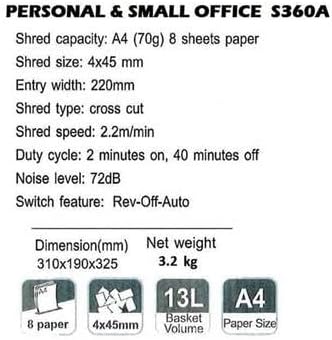
Image: Technical specifications sheet for the Comix S360A, detailing performance metrics and physical attributes.
- Μοντέλο: S360A
- Τύπος τεμαχισμού: Cross Cut
- Μέγεθος τεμαχισμού: 4 x 45 χλστ
- Shred Capacity (A4, 70g): 8 φύλλα
- Πλάτος εισόδου: 220 χλστ
- Ταχύτητα τεμαχισμού: 2.2 m/min
- Χωρητικότητα κάδου απορριμμάτων: 13 λίτρα
- Κύκλος εργασίας: 2 λεπτά Ενεργό / 40 λεπτά Απενεργοποίηση
- Επίπεδο θορύβου: 72 dB
- Switch Feature: Rev-Off-Auto
- Διαστάσεις προϊόντος: 310 x 190 x 325 mm (Μ x Π x Υ)
- Καθαρό βάρος: 3.2 κιλά
- Ειδικά χαρακτηριστικά: Energy Saving Mode, Jam Pro, Quiet Operation
9. Εγγύηση και υποστήριξη
For warranty information or technical support, please refer to the warranty card included with your product or contact Comix customer service through their official website or the retailer where the product was purchased. Please have your model number (S360A) and purchase date available when contacting support.


