1. Εισαγωγή
This manual provides essential information for the proper setup, operation, and maintenance of your HP Wireless Mouse S1500. Please read these instructions carefully before using the product to ensure optimal performance and longevity.

Image 1.1: The HP Wireless Mouse S1500, showcasing its ergonomic and lightweight design.
2. Ρύθμιση
2.1 Περιεχόμενα συσκευασίας
Βεβαιωθείτε ότι η συσκευασία σας περιέχει τα ακόλουθα είδη:
- HP Wireless Mouse S1500
- Δέκτης USB 2.4GHz
- AA Battery (pre-installed or included separately)
2.2 Τοποθέτηση μπαταρίας
- Εντοπίστε το κάλυμμα της θήκης της μπαταρίας στην κάτω πλευρά του ποντικιού.
- Σύρετε ή σηκώστε το κάλυμμα για να ανοίξετε το διαμέρισμα.
- Τοποθετήστε μία μπαταρία AA, διασφαλίζοντας ότι οι θετικοί (+) και αρνητικοί (-) πόλοι ευθυγραμμίζονται σωστά με τους δείκτες στο εσωτερικό της θήκης.
- Επανατοποθετήστε το κάλυμμα της θήκης μπαταριών.
2.3 Σύνδεση του δέκτη USB

Image 2.1: The HP Wireless Mouse S1500 and its accompanying 2.4GHz USB receiver.
- Remove the USB 2.4GHz receiver from its storage slot, usually located within the battery compartment or on the underside of the mouse.
- Συνδέστε το δέκτη USB σε μια διαθέσιμη θύρα USB στον υπολογιστή σας.
- Ο υπολογιστής σας θα πρέπει να εντοπίσει και να εγκαταστήσει αυτόματα τα απαραίτητα προγράμματα οδήγησης. Αυτή η διαδικασία μπορεί να διαρκέσει λίγα λεπτά.

Image 2.2: The mouse utilizes 2.4GHz wireless technology for a stable connection up to approximately 10 meters.
3. Οδηγίες λειτουργίας
3.1 Βασικές Λειτουργίες
The HP Wireless Mouse S1500 features three standard buttons and a scroll wheel:
- Αριστερό κουμπί: Κύρια συνάρτηση κλικ, που χρησιμοποιείται για την επιλογή στοιχείων, το άνοιγμα files, και αλληλεπίδραση με λογισμικό.
- Δεξί κουμπί: Δευτερεύουσα λειτουργία κλικ, που χρησιμοποιείται συνήθως για το άνοιγμα μενού περιβάλλοντος.
- Τροχός κύλισης: Χρησιμοποιείται για κύλιση σε έγγραφα και web pages. It can also function as a middle button when pressed.

Image 3.1: The HP Wireless Mouse S1500 in use, demonstrating its comfortable fit for daily tasks.
3.2 Ergonomics and Portability
The S1500 mouse is designed for comfort and ease of use. Its ergonomic shape fits naturally in the hand, and its lightweight construction makes it suitable for extended use and portability.
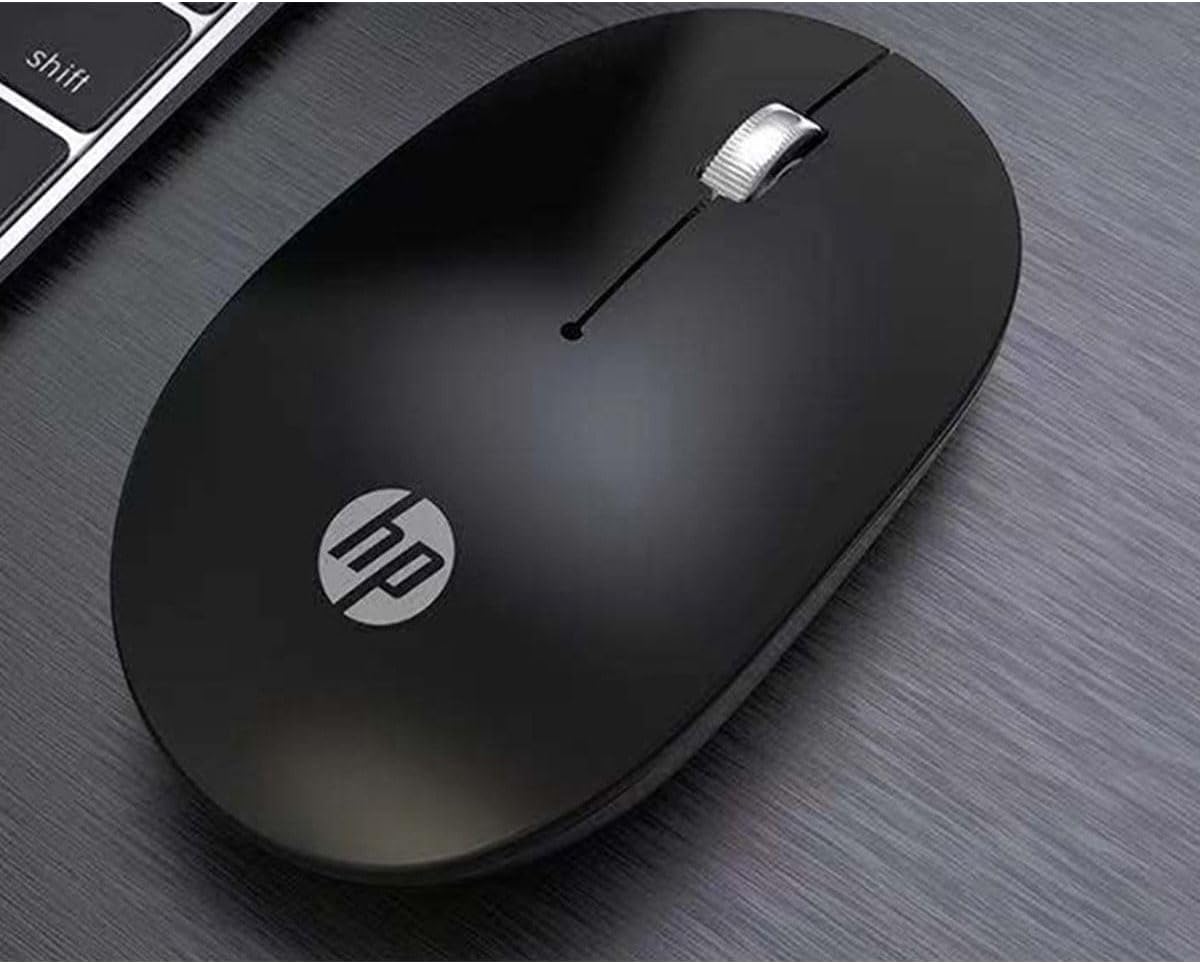
Image 3.2: The HP Wireless Mouse S1500 positioned for use on a typical workspace.
3.3 Διαχείριση ενέργειας
The mouse features a smart sleep function combined with energy-saving optimization to extend battery life. If the mouse is inactive for a period, it will enter a low-power sleep mode. To wake it up, simply move the mouse or click any button.

Image 3.3: The HP Wireless Mouse S1500's power management features contribute to long battery life.
4. Συντήρηση
4.1 Καθαρισμός
To clean your mouse, use a soft, dry, lint-free cloth. For stubborn dirt, slightly dampen the cloth with water. Avoid using harsh chemicals, solvents, or abrasive cleaners, as these can damage the mouse's surface.
4.2 Αντικατάσταση μπαταρίας
When the mouse's performance degrades or it stops responding, it may be time to replace the battery. Follow the steps in Section 2.2 to replace the AA battery.
5. Αντιμετώπιση Προβλημάτων
5.1 Το ποντίκι δεν αποκρίνεται
- Ελέγξτε την μπαταρία: Ensure the AA battery is correctly installed and has sufficient charge. Replace if necessary.
- Ελέγξτε τον δέκτη USB: Βεβαιωθείτε ότι ο δέκτης USB είναι συνδεδεμένος σωστά σε μια λειτουργική θύρα USB στον υπολογιστή σας. Δοκιμάστε μια διαφορετική θύρα USB.
- Απόσταση: Ensure the mouse is within the effective operating range (approximately 10 meters) of the USB receiver.
- Παρέμβαση: Μετακινήστε το ποντίκι και τον δέκτη μακριά από άλλες ασύρματες συσκευές ή μεγάλα μεταλλικά αντικείμενα που ενδέχεται να προκαλέσουν παρεμβολές.
- Επαναδημιουργία σύνδεσης: Some mice have a connect button on the underside. If available, press it and then press the connect button on the receiver (if applicable) to re-establish the connection.
5.2 Ακανόνιστη κίνηση δρομέα
- Καθαρισμός αισθητήρα: Ensure the optical sensor on the underside of the mouse is clean and free from dust or debris.
- Επιφάνεια: Use the mouse on a clean, non-reflective, and uniform surface. Avoid highly reflective or transparent surfaces like glass. A mouse pad is recommended.
6. Προδιαγραφές
| Χαρακτηριστικό | Λεπτομέρεια |
|---|---|
| Όνομα μοντέλου | S1500 |
| Μάρκα | HP |
| Τεχνολογία Συνδεσιμότητας | Ασύρματο 2.4 GHz (Δέκτης USB) |
| Ανίχνευση κίνησης | Οπτικός |
| Ποσότητα κουμπιών | 3 (Left, Right, Scroll Wheel/Middle) |
| Προσανατολισμός χεριών | Δικαίωμα |
| Ειδικά Χαρακτηριστικά | Ergonomic Design, Lightweight, Portable, Soundless, Wireless |
| Πηγή ισχύος | 1 x AA μπαταρία |
| Συμβατές Συσκευές | Προσωπικός υπολογιστής |
| Διαστάσεις συσκευασίας | 12 x 8.2 x 4.6 εκ |
| Βάρος | 250 γρ. (συμπεριλαμβανομένης της συσκευασίας) |
7. Εγγύηση και υποστήριξη
7.1 Πληροφορίες εγγύησης
This HP product is covered by a limited warranty. For specific warranty terms and conditions, please refer to the warranty card included with your product or visit the official HP support webτοποθεσία. Κρατήστε την απόδειξη αγοράς για τυχόν αξιώσεις εγγύησης.
7.2 Τεχνική Υποστήριξη
Για τεχνική βοήθεια, λήψεις προγραμμάτων οδήγησης ή περισσότερες πληροφορίες, επισκεφθείτε την επίσημη ιστοσελίδα υποστήριξης της HP. website or contact HP customer service. Contact details can typically be found on the HP webτοποθεσία ή στη συσκευασία του προϊόντος.
Επίσημος Υπάλληλος HP Webτοποθεσία: www.hp.com