Εισαγωγή
This manual provides detailed instructions for the installation, operation, and maintenance of your Nivian NV-D3D-U1 Wireless 433 MHz Door and Window Opening Detector. This device is designed to enhance the security of your home or business by detecting unauthorized entry through doors and windows. It is compatible with Nivian alarm systems.
Προϊόν Πάνωview
Βασικά Χαρακτηριστικά
- Wireless 433 MHz connection for reliable communication.
- Battery powered for flexible placement without wiring.
- Αντι-τamper function to detect unauthorized removal.
- Easy installation without the need for complex cabling.
- Designed for long-life battery operation.
- Wireless connection range up to 80 meters (in open areas).
- Κατάλληλο μόνο για εσωτερική χρήση.
εξαρτήματα
The Nivian NV-D3D-U1 detector consists of two main parts: the main sensor unit and a magnetic contact unit. These units work together to detect the opening of a door or window.

Image: The Nivian NV-D3D-U1 wireless door and window sensor, composed of a larger main unit and a smaller magnetic contact, displayed on a pedestal. The main unit typically houses the electronics and battery, while the magnetic contact triggers the sensor when separated.

Image: A visual representation highlighting the core functionalities of the sensor: wireless communication, battery operation, and an anti-tamper mechanism for enhanced security.
Ρύθμιση και εγκατάσταση
Πριν την Εγκατάσταση
- Ensure your Nivian alarm system is properly set up and ready for device pairing.
- Choose a clean, dry surface on your door or window frame for mounting.
- Ο αισθητήρας έχει σχεδιαστεί μόνο για εσωτερική χρήση.
Τοποθέτηση του αισθητήρα
The Nivian NV-D3D-U1 sensor is designed for easy, cable-free installation. It includes three installation supports to accommodate different heights and mounting scenarios.
- Identify the main sensor unit and the magnetic contact unit.
- Position the main sensor unit on the fixed frame of the door or window.
- Position the magnetic contact unit on the moving part of the door or window, aligning it with the main sensor unit. The two units should be no more than 1 cm apart when the door/window is closed.
- Use the provided adhesive pads or screws for secure mounting. Ensure the units are firmly attached.
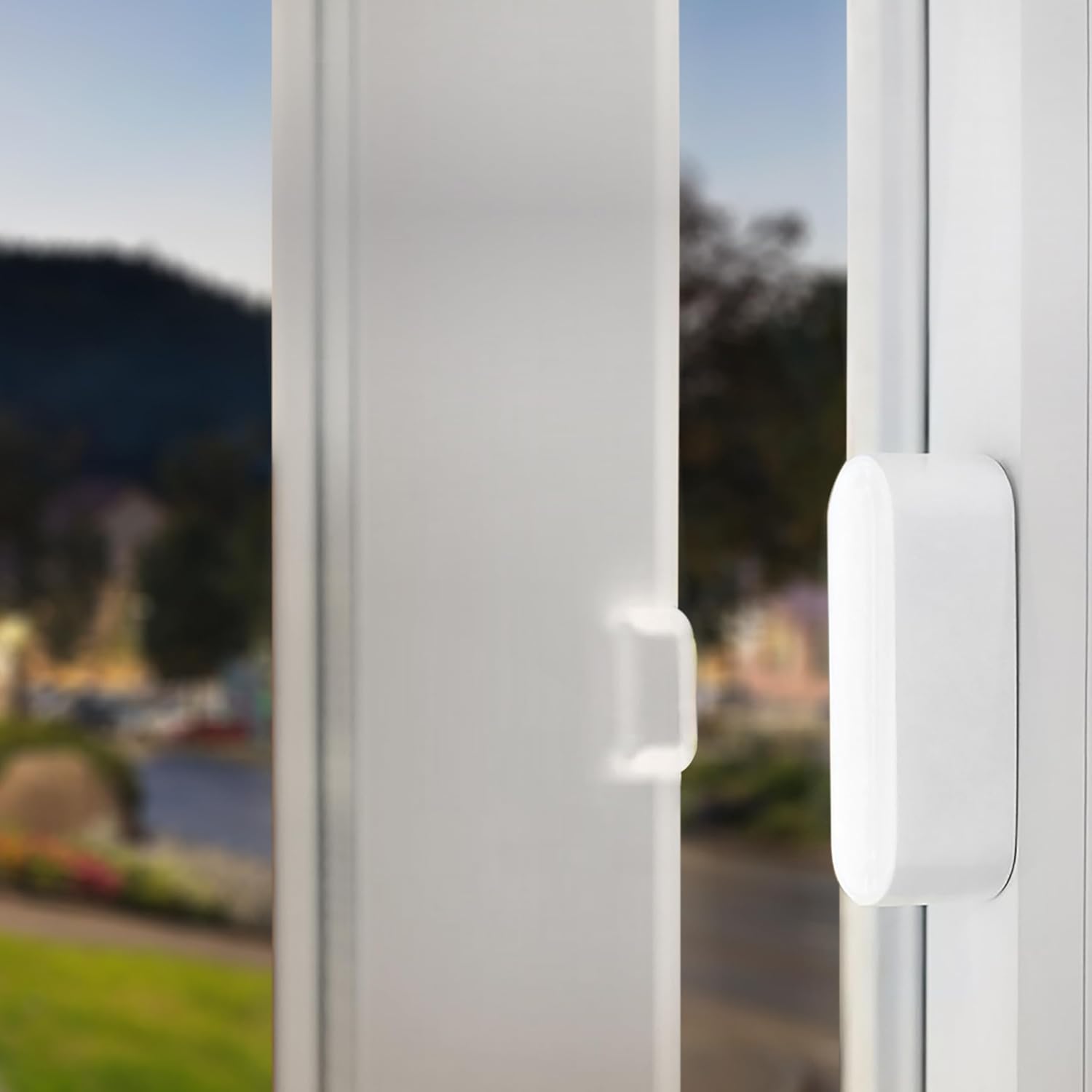
Image: A user is shown attaching the Nivian door/window sensor to a window frame, illustrating the straightforward installation process.

Εικόνα: Μια λεπτομερής view of the Nivian sensor mounted on a window, highlighting the precise alignment required between the main sensor and the magnetic contact for proper function.
Pairing with Nivian Alarm System
The detector communicates with your Nivian alarm system via 433 MHz wireless frequency. Refer to your Nivian alarm system's manual for specific instructions on how to add new wireless sensors. Generally, this involves putting the alarm hub into pairing mode and then triggering the door/window sensor (e.g., by separating the two parts) to register it with the system.

Image: The Nivian door/window sensor is depicted alongside a Nivian alarm hub, illustrating their wireless connection. Note that the alarm hub is a separate component and is not included with the sensor.
For advanced control and notifications, download the TUYA Smart application, available for iOS and Android devices. This application allows you to manage your Nivian smart products and receive immediate alerts.

Image: A floor plan diagram showcasing how the Nivian door/window sensor (NVS-D3D) integrates with other Nivian security accessories like keypads, motion detectors, and sirens to form a comprehensive home security system.
Οδηγίες Λειτουργίας
Λειτουργικότητα
Once installed and paired, the Nivian NV-D3D-U1 detector monitors the state of your door or window. When the magnetic contact unit separates from the main sensor unit (i.e., the door or window opens), the sensor transmits a signal to your Nivian alarm system.
Alarm System Response
The alarm system will respond according to its programmed settings. This may include sounding an alarm, sending notifications to your smartphone via the TUYA Smart app, or activating other connected security devices.
Αντι-Τamper χαρακτηριστικό
The sensor is equipped with an anti-tamper mechanism. If the main unit is forcibly removed from its mounting surface, it will trigger an alert to your alarm system, providing an additional layer of security.
Συντήρηση
Αντικατάσταση μπαταρίας
The Nivian NV-D3D-U1 is battery-powered. While designed for long battery life, periodic replacement will be necessary. The specific battery type is Lithium-ion. When the battery level is low, your alarm system or the TUYA Smart app may provide a notification. To replace the battery, carefully open the main sensor unit, remove the old battery, and insert a new one, ensuring correct polarity. Batteries are not included with the product.
Καθάρισμα
Clean the sensor units periodically with a soft, dry cloth. Avoid using abrasive cleaners or solvents, as these can damage the device.
Περιβαλλοντικές Συνθήκες
Ensure the sensor remains in an indoor environment, away from extreme temperatures, high humidity, and direct water exposure.
Αντιμετώπιση προβλημάτων
Sensor Not Responding
- Ελέγξτε την μπαταρία: Βεβαιωθείτε ότι η μπαταρία είναι σωστά τοποθετημένη και έχει επαρκή φόρτιση. Αντικαταστήστε την εάν είναι απαραίτητο.
- Ελέγξτε την ευθυγράμμιση: Verify that the main sensor unit and the magnetic contact unit are properly aligned and within 1 cm of each other when the door/window is closed.
- Re-pair Sensor: If the sensor loses connection, try re-pairing it with your Nivian alarm system according to the alarm system's manual.
- Εμπόδια: Ensure there are no metallic objects or other obstructions interfering with the wireless signal between the sensor and the alarm hub.
Ψευδοσυναγερμοί
- Ασφαλής τοποθέτηση: Ensure both sensor units are securely mounted and do not shift with vibrations or movement.
- Προσαρμογή κενού: Confirm the gap between the two units is appropriate when the door/window is closed.
Ζητήματα σύνδεσης εφαρμογών
- Alarm Hub Connection: Ensure your Nivian alarm hub is connected to the internet and functioning correctly.
- TUYA Smart App: Verify that the TUYA Smart app is updated to the latest version and your smartphone has a stable internet connection.
Τεχνικές Προδιαγραφές
| Χαρακτηριστικό | Λεπτομέρεια |
|---|---|
| Αριθμός μοντέλου | NV-D3D-U1 |
| Μάρκα | Νίβιαν |
| Διαστάσεις (Μ x Π x Υ) | 6.7 x 2.5 x 8.5 εκ |
| Βάρος | 40 γρ |
| Ασύρματη συχνότητα | 433 MHz |
| Τεχνολογία αισθητήρα | Αισθητήρας επαφής |
| Πηγή ισχύος | Battery powered (Lithium-ion type, not included) |
| Μέθοδος Ελέγχου | Application (TUYA Smart) |
| Τύπος εγκατάστασης | Βάση τοίχου |
| Συμβατές Συσκευές | Nivian Alarm Systems |
| Λειτουργικό Περιβάλλον | Χρήση μόνο σε εσωτερικούς χώρους |
| Συστατικά που περιλαμβάνονται | Door/Window Detector (Main unit and magnetic contact) |
| Χώρα προέλευσης | Κίνα |
Πληροφορίες εγγύησης
Specific warranty terms for the Nivian NV-D3D-U1 detector may vary by region and retailer. Please retain your proof of purchase and contact your point of sale or the official Nivian customer support for detailed warranty information.
Υποστήριξη Πελατών
For further assistance, technical support, or inquiries regarding your Nivian NV-D3D-U1 Door and Window Opening Detector, please visit the official Nivian website or contact their customer service department. You can also find helpful resources and FAQs within the TUYA Smart application.


