Εισαγωγή
This instruction manual provides comprehensive guidance for the 8Bitdo Media Remote (White Short Edition), designed for seamless media control on your Xbox One, Xbox Series X, and Xbox Series S consoles. This remote offers dedicated media playback buttons, Xbox system navigation, and motion-activated backlighting for enhanced usability.
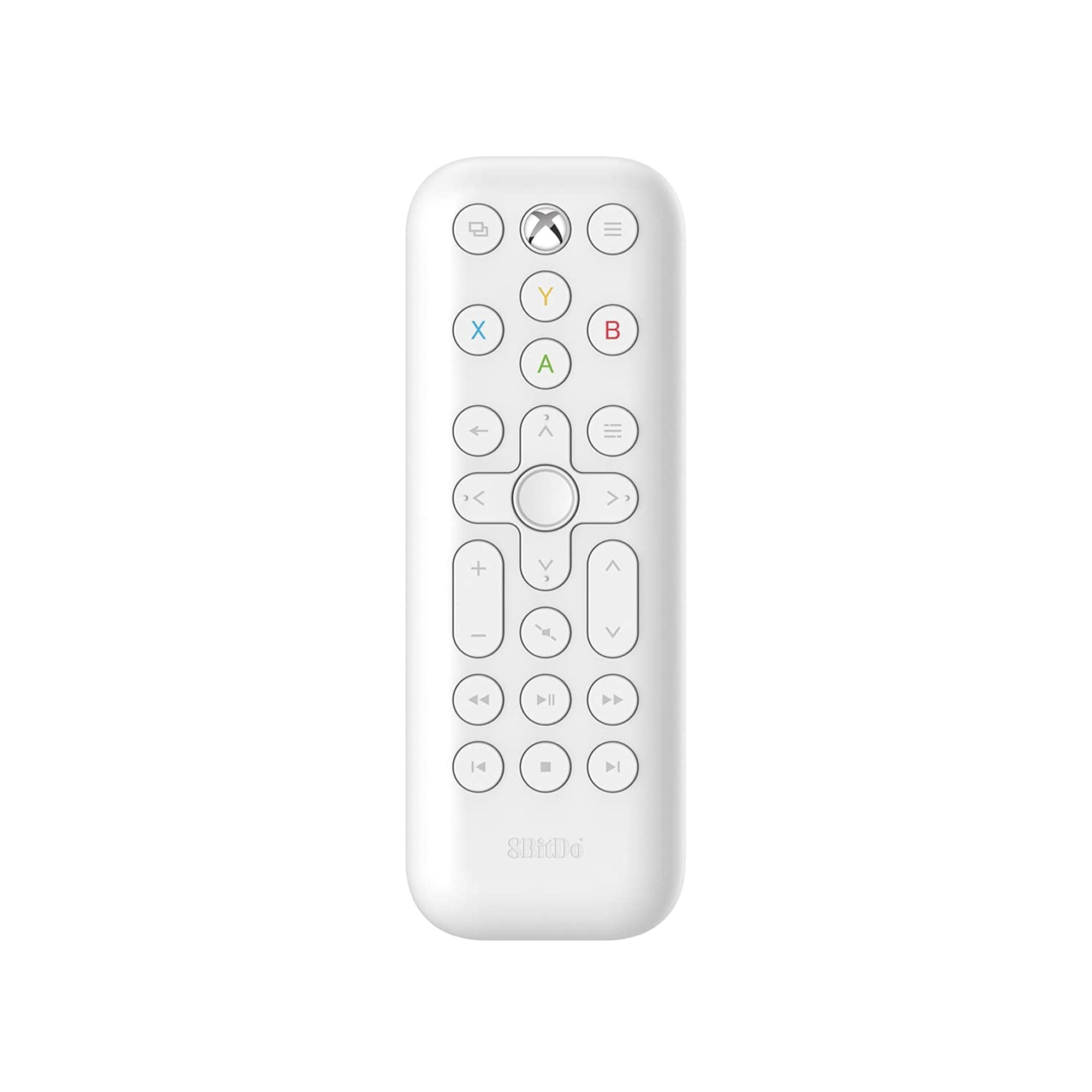
Image: The 8Bitdo Media Remote in White, Short Edition, showcasinτον συμπαγή σχεδιασμό και τη διάταξη κουμπιών του.
Ρύθμιση
1. Τοποθέτηση μπαταρίας
The 8Bitdo Media Remote requires two AAA batteries for operation. These are typically included with your purchase.
- Εντοπίστε το κάλυμμα της θήκης μπαταριών στο πίσω μέρος του τηλεχειριστηρίου.
- Σύρετε το κάλυμμα προς τα κάτω για να ανοίξετε τη θήκη.
- Τοποθετήστε δύο μπαταρίες AAA, φροντίζοντας για τη σωστή πολικότητα (+ και -).
- Σύρετε το κάλυμμα της θήκης μπαταριών πίσω στη θέση του μέχρι να ασφαλίσει με ένα κλικ.

Image: A hand demonstrating how to open the battery compartment and insert AAA batteries into the remote.
2. Αρχική σύνδεση
The 8Bitdo Media Remote uses infrared (IR) technology. No manual pairing is required. Simply ensure a clear line of sight between the remote's IR emitter (located at the top) and your Xbox console's IR receiver.

Image: A user holding the 8Bitdo Media Remote, pointing it towards an Xbox Series S console, illustrating the line-of-sight requirement for infrared communication.
Οδηγίες Λειτουργίας
1. Powering On/Off and Navigation
- Dedicated Home Button: Press the Xbox Home button (located at the top center) to instantly wake your Xbox console.
- Κατευθυντικό pad (D-Pad): Use the circular D-Pad for navigating menus and selecting items.
- Κουμπιά A/B/X/Y: These colored buttons correspond to standard Xbox controller functions for menu selection and interaction.

Image: The 8Bitdo Media Remote being used to wake an Xbox console, highlighting the dedicated Home button functionality.
2. Στοιχεία ελέγχου αναπαραγωγής πολυμέσων
The remote features a full suite of media playback buttons:
- Αναπαραγωγή/Παύση: Έναρξη ή παύση αναπαραγωγής πολυμέσων.
- Γρήγορη κίνηση εμπρός/πίσω: Skip forward or backward through content.
- Αύξηση/Μείωση έντασης: Adjust the volume of your media.
- Βουβός: Σίγαση ή κατάργηση σίγασης ήχου.
3. Οπίσθιος φωτισμός με ενεργοποίηση κίνησης
The buttons on the remote are motion-activated and will illuminate when the remote is picked up or moved, making it easy to use in low-light conditions.
4. OneGuide Button Customization
The OneGuide button (three horizontal lines icon) can be customized to launch a specific application on your Xbox. To configure this:
- On your Xbox, go to Ρυθμίσεις.
- Πλοηγηθείτε στο Devices & connectionsκαι μετά επιλέξτε Απομακρυσμένο πολυμέσων.
- Choose the desired action or app to launch when the OneGuide button is pressed.
5. TV Volume Control (HDMI-CEC)
Your Xbox can control your TV's volume if your TV supports HDMI-CEC (Consumer Electronics Control). To enable this:
- Press the Xbox button on your controller to open the guide.
- Μεταβείτε στο Ρυθμίσεις > Γενικός > Επιλογές τηλεόρασης και οθόνης.
- Επιλέγω Έλεγχος συσκευής > HDMI-CEC and enable all options.
- Consult your TV manufacturer's manual for specific HDMI-CEC settings.
Συντήρηση
1. Αντικατάσταση μπαταρίας
Replace the AAA batteries when the remote's performance diminishes or the backlight becomes dim. Refer to the 'Battery Installation' steps in the Setup section.
2. Καθάρισμα
Wipe the remote with a soft, dry cloth. Avoid using harsh chemicals or abrasive materials that could damage the finish or buttons.
Αντιμετώπιση προβλημάτων
- Το τηλεχειριστήριο δεν ανταποκρίνεται:
- Βεβαιωθείτε ότι οι καινούργιες μπαταρίες έχουν τοποθετηθεί σωστά.
- Verify a clear line of sight between the remote and your Xbox console. Obstructions can block the infrared signal.
- Confirm your Xbox console is powered on and not in a deep sleep mode that disables IR reception.
- Backlight constantly active:
- The backlight is motion-activated. Any movement will trigger it. This is normal operation.
- If battery life is a concern due to frequent backlighting, consider using rechargeable AAA batteries.
- Το χειριστήριο έντασης ήχου της τηλεόρασης δεν λειτουργεί:
- Ensure your TV supports HDMI-CEC and that it is enabled in your TV's settings.
- Verify HDMI-CEC settings are correctly configured on your Xbox console (Settings > General > TV & display options > Device control > HDMI-CEC).
Προδιαγραφές
| Μοντέλο | 6922621501848 (White Short Edition) |
| Μάρκα | 8Bitdo |
| Συνδεσιμότητα | Υπέρυθρο (IR) |
| Αρμονία | Xbox Series X, Xbox Series S, Xbox One |
| Πηγή ισχύος | 2 x μπαταρίες AAA (περιλαμβάνονται) |
| Dimensions (Short Edition) | 134.25 x 48 x 18.8 mm |
| Βάρος αντικειμένου | 2.88 ουγγιές |

Image: A visual comparison of the 8Bitdo Media Remote in both short and long editions, detailing their respective dimensions.

Image: An illustration showing the 8Bitdo Media Remote's compatibility with Xbox One, Xbox Series X, and Xbox Series S consoles.
Εγγύηση και υποστήριξη
8Bitdo is committed to producing high-quality gaming hardware. For specific warranty information, product support, or to access the latest firmware updates, please visit the official 8Bitdo webστον ιστότοπο ή επικοινωνήστε απευθείας με την εξυπηρέτηση πελατών. Κρατήστε την απόδειξη αγοράς για τυχόν αξιώσεις εγγύησης.
Για πρόσθετους πόρους και πληροφορίες για το προϊόν, μπορείτε να επισκεφθείτε την 8Bitdo Store on Amazon.
Προϊόν Πάνωview Βίντεο
Βίντεο: Ένας αξιωματούχοςview of the 8Bitdo Media Remote for Xbox One and Xbox Series X|S, demonstrating its features and functionality.


