1. Εισαγωγή
Thank you for choosing the Xiuganpo Portable Bluetooth Barcode Scanner. This device is designed for efficient and accurate barcode scanning in various environments. It offers both wireless Bluetooth and wired USB connectivity, making it versatile for use with a wide range of devices, including smartphones, tablets, and computers.
This manual provides detailed instructions on how to set up, operate, and maintain your barcode scanner, ensuring optimal performance and longevity.

Image 1: The Xiuganpo Portable Bluetooth Barcode Scanner highlighting its key features: Bluetooth connectivity, Li-ion battery, and compact, lightweight design.
2. Το προϊόν τελείωσεview
The Xiuganpo Barcode Scanner is a compact and ergonomic device built for daily use. Its dual-mode design allows for flexible operation, adapting to your specific needs.
2.1. Στοιχεία και δείκτες

Image 2: A detailed diagram illustrating the various components of the barcode scanner, including the scanning button, Bluetooth status indicator, reading indicator, charging indicator, USB charging port, and ABS plastic shell.
- Scanning Button: Press to initiate a barcode scan.
- Ένδειξη κατάστασης Bluetooth: Shows the current Bluetooth connection status.
- Reading Indicator: Illuminates when a barcode is successfully read.
- Ένδειξη φόρτισης: Υποδεικνύει την κατάσταση φόρτισης της μπαταρίας.
- Θύρα φόρτισης USB: Used for charging the device and for wired USB connection.
- ABS Plastic Shell: Ανθεκτικό casing για προστασία.

Image 3: The compact size of the scanner, easily held in one hand, emphasizing its portability and ease of use.
3. Ρύθμιση
3.1. Φόρτιση του σαρωτή
Before initial use, fully charge the scanner. Connect the included USB charging cable to the scanner's USB charging port and plug the other end into a USB power adapter or a computer's USB port. The charging indicator light will show the charging status.
- Built-in 1200mAh rechargeable lithium-ion battery provides long-lasting operation.
3.2. Σύνδεση μέσω Bluetooth
The scanner supports wireless connection via Bluetooth to various devices.
- Βεβαιωθείτε ότι ο σαρωτής είναι ενεργοποιημένος.
- Activate Bluetooth on your host device (smartphone, tablet, or computer).
- Αναζήτηση για available Bluetooth devices. The scanner should appear as an identifiable device.
- Select the scanner from the list to pair. The Bluetooth status indicator on the scanner will confirm a successful connection.
- For computer connections, if your computer does not have built-in Bluetooth, you may need to connect a USB 2.0 Bluetooth dongle (not included) to your computer first.
3.3. Connecting via USB (Wired Mode)
For a direct and stable connection, use the included USB cable.
- Connect one end of the USB cable to the scanner's USB charging port.
- Συνδέστε το άλλο άκρο του καλωδίου USB σε μια διαθέσιμη θύρα USB στον υπολογιστή σας.
- The scanner will be recognized as a HID keyboard device, and no additional drivers are typically required.

Image 4: The barcode scanner connected to a laptop via its USB cable, demonstrating the wired connectivity option.
4. Οδηγίες λειτουργίας
4.1. Σάρωση Barcodes
Για να σαρώσετε έναν γραμμωτό κώδικα:
- Ensure the scanner is connected to your host device (via Bluetooth or USB).
- Point the scanner's reading window at the barcode you wish to scan.
- Press and hold the scanning button. A red scanning light will emit from the scanner.
- Position the scanner so the red light covers the entire barcode.
- Upon a successful scan, the reading indicator will flash, and you may hear an audible beep (if enabled). The barcode data will be transmitted to your connected device.
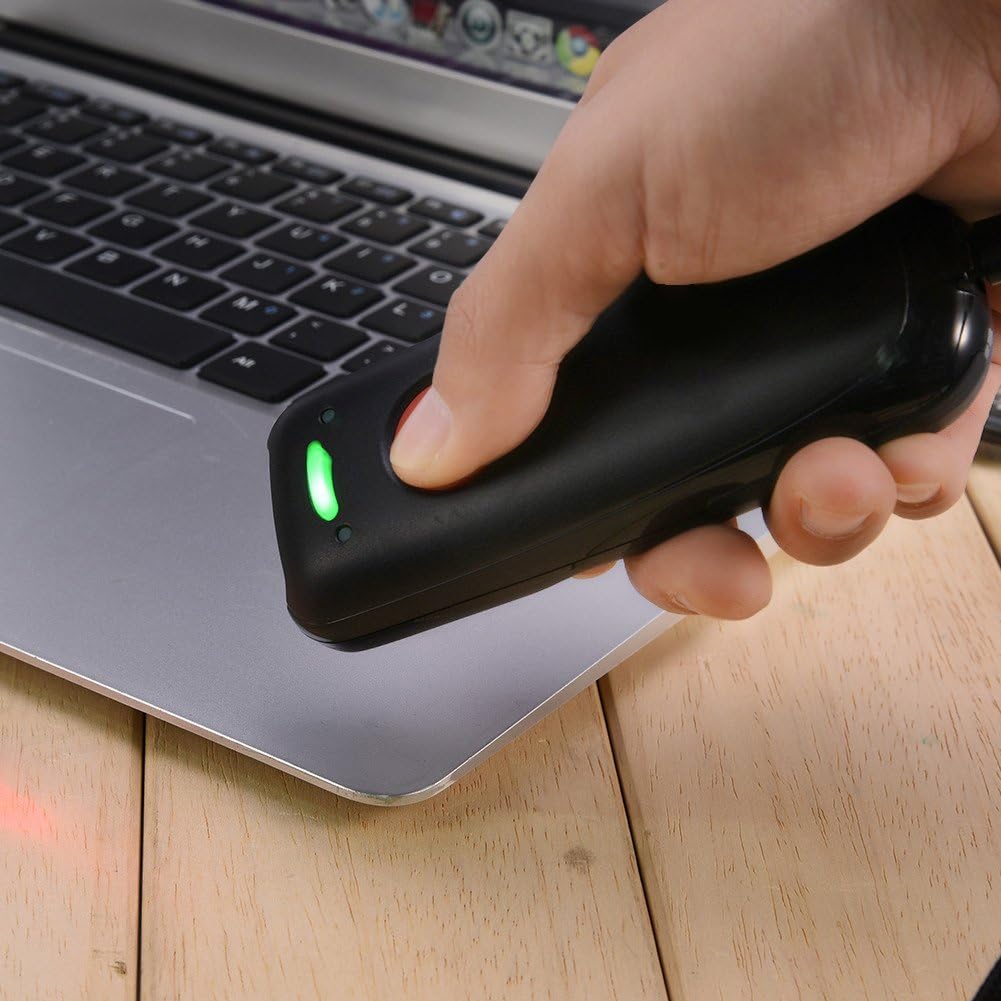
Image 5: A user demonstrating the scanning process, holding the scanner over a barcode to capture data.
4.2. Αποθήκευση δεδομένων
The scanner has an internal memory capacity to store up to 5,000 barcodes when operating in offline mode or out of Bluetooth range. Once reconnected, the stored data can be uploaded to your host device.
5. Αρμονία
The Xiuganpo Barcode Scanner offers wide compatibility with various operating systems and barcode types.
5.1. Συμβατότητα συσκευών
- Λειτουργικά Συστήματα: Compatible with iOS, Android, and Windows systems.
- Συσκευές: Suitable for iOS/Android phones, tablets, and Windows 7/8/10/XP computers.
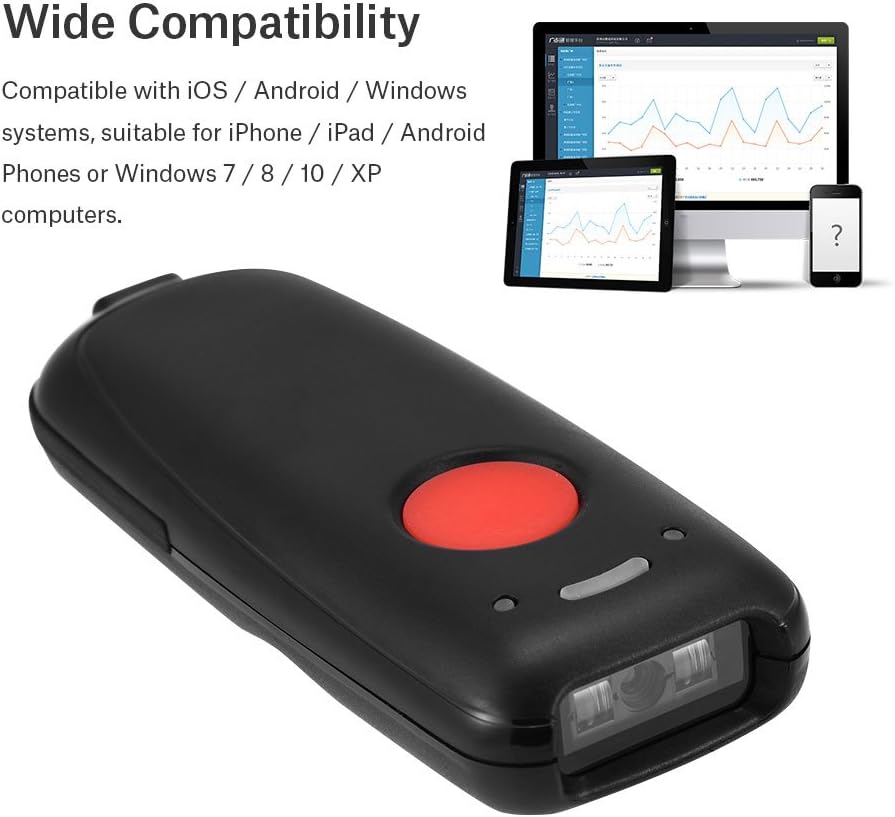
Image 6: The barcode scanner shown alongside a smartphone, tablet, and computer, illustrating its broad compatibility across different platforms.
5.2. Barcode Type Compatibility
The scanner supports a wide range of 1D barcode symbologies, including:
- EAN8, EAN13
- Codabar
- CODE11, CODE39, CODE93, CODE128
- China Post
- GS1-128, GS1-Limited, GS1-Omnidirectional
- UPC-A, UPC-E
- Interleaved 2 of 5, Industrial 2 of 5
- ISBN/ISSN
6. Συντήρηση
Proper care and maintenance will extend the life of your barcode scanner.
- Καθάρισμα: Use a soft, dry cloth to clean the scanner's exterior. For the scanning window, use a lint-free cloth lightly dampened with a mild cleaning solution (e.g., lens cleaner). Do not use abrasive cleaners or solvents.
- Αποθήκευση: Αποθηκεύστε τον σαρωτή σε δροσερό, ξηρό μέρος, μακριά από το άμεσο ηλιακό φως και τις ακραίες θερμοκρασίες.
- Φροντίδα μπαταρίας: Avoid fully discharging the battery frequently. If storing for a long period, charge the battery to about 50% and recharge every few months.
7. Αντιμετώπιση Προβλημάτων
Εάν αντιμετωπίσετε προβλήματα με τον σαρωτή σας, ανατρέξτε στα ακόλουθα συνηθισμένα προβλήματα και λύσεις:
- Ο σαρωτής δεν ενεργοποιείται: Βεβαιωθείτε ότι η μπαταρία είναι φορτισμένη. Συνδέστε τον σαρωτή σε μια πηγή τροφοδοσίας χρησιμοποιώντας το καλώδιο USB.
- Δεν είναι δυνατή η σύνδεση μέσω Bluetooth:
- Ensure Bluetooth is enabled on both the scanner and the host device.
- Make sure the scanner is within the 10-meter (33 feet) Bluetooth range.
- Αποσυνδέστε και επανασυνδέστε τη συσκευή.
- If connecting to a computer, ensure a functional Bluetooth dongle is installed.
- Scanner not reading barcodes:
- Ensure the barcode is not damaged or smudged.
- Check that the scanning window is clean.
- Verify the scanner is properly connected (Bluetooth or USB).
- Ensure the barcode type is supported by the scanner.
- Data not transmitting to device:
- Confirm successful connection (Bluetooth or USB).
- Check if the host device's input field is active (e.g., a text editor or application).
8. Προδιαγραφές
| Χαρακτηριστικό | Λεπτομέρεια |
|---|---|
| Μάρκα | Xiuganpo |
| Μοντέλο | Portable Bluetooth Barcode Scanner |
| Αριθμός ανταλλακτικού | Xiuganpo2p9f46qir37932 |
| Τεχνολογία Συνδεσιμότητας | Bluetooth, καλώδιο USB |
| Πηγή ισχύος | Battery Powered (1200mAh Lithium-ion) |
| Χρώμα | Μαύρος |
| Διαστάσεις | 120 x 48 x 23 mm (4.7 x 1.9 x 0.9 ίντσες) |
| Βάρος προϊόντος | 170 γρ |
| Ψήφισμα | 3.3MIL or Red 4.0MIL |
| Ασύρματη απόσταση | 10 meters / 33 feet (Bluetooth) |
| Χωρητικότητα αποθήκευσης | Up to 5,000 barcodes |
| Λειτουργικά Συστήματα | iOS, Android, Windows 7/8/10/XP |

Εικόνα 7: Το πίσω μέρος view of the scanner, displaying regulatory marks and basic product information such as BARCODE SCANNER, BATTERY: DC 3.7V 1200mA, and compatibility for IOS Android/Windows MAC.
9. Πληροφορίες Ασφάλειας
- Do not stare directly into the scanning beam when the light is open, as it may cause eye discomfort.
- Keep the device away from water or other liquids to prevent electric shock or damage.
- Μην επιχειρήσετε να αποσυναρμολογήσετε ή να επισκευάσετε μόνοι σας τον σαρωτή. Απευθυνθείτε σε εξειδικευμένο προσωπικό σέρβις.
- Dispose of the battery according to local regulations. Do not incinerate.
10. Εγγύηση και υποστήριξη
For warranty information or technical support, please refer to the documentation provided with your purchase or contact the manufacturer directly. Keep your purchase receipt as proof of purchase.


