1. Εισαγωγή
This manual provides instructions for the DOYOKY Wireless Switch Controller, model YS32-01. This controller is designed for use with Nintendo Switch and Switch Lite consoles, offering an enhanced gaming experience with features such as customizable LED lighting, precise motion control, dual vibration feedback, and a turbo function.
Please read this manual thoroughly before using the product to ensure proper operation and to maintain the device's longevity.
2. Το προϊόν τελείωσεview
The DOYOKY Wireless Switch Controller features an ergonomic design for comfortable gameplay and includes various buttons and functions for comprehensive control.

Εικόνα 2.1: Εμπρός view of the DOYOKY Wireless Switch Controller YS32-01. This image displays the controller's overall layout, including the D-pad, ABXY buttons, joysticks with LED rings, Home button, Capture button, Plus and Minus buttons, and shoulder buttons.
2.1 Στοιχεία Ελεγκτή
- Αριστερό Joystick: Για κατευθυνόμενη κίνηση.
- Δεξί Joystick: For camera control or aiming.
- D-Pad: Directional pad for precise input.
- Κουμπιά A/B/X/Y: Κουμπιά δράσης.
- Κουμπιά αριστερά/δεξιά: Κουμπιά αριστερού και δεξιού ώμου.
- Κουμπιά ZL/ZR: Left and Right trigger buttons.
- Κουμπί HOME: Returns to the console's home screen, also used for wake-up function.
- CAPTURE Button: Λαμβάνει στιγμιότυπα οθόνης.
- Κουμπιά ΣΥΝ (+) / ΠΛΟΝ (-): Λειτουργίες Έναρξης/Επιλογής.
- Κουμπί TURBO: Activates/deactivates turbo function.
- Ενδείξεις LED: Player number and charging status.
- Θύρα USB-C: Για φόρτιση και ενσύρματη σύνδεση.
3. Ρύθμιση
3.1 Φόρτιση του ελεγκτή
The controller is equipped with a built-in Lithium Ion battery. Before first use, fully charge the controller.
- Connect the provided USB-C cable to the charging port on the controller.
- Connect the other end of the USB-C cable to a USB power source (e.g., Nintendo Switch dock, USB wall adapter, computer USB port).
- The LED indicators on the controller will show the charging status. Once fully charged, the indicators will change or turn off.
A full charge provides approximately 8 hours of gameplay. The controller can be used while charging.

Εικόνα 3.1: Illustration of the controller's high-performance battery, indicating 8 hours of service and a 600mAh capacity. This image highlights the internal battery and its specifications.
3.2 Pairing with Nintendo Switch / Switch Lite
The controller connects wirelessly to your Nintendo Switch or Switch Lite console.
- Από το μενού HOME του Nintendo Switch, επιλέξτε "Χειριστήρια" > "Αλλαγή Λαβής/Σειράς".
- On the DOYOKY controller, press and hold the dedicated pairing button (often a small button on the top or back, refer to controller diagram if available) until the LED indicators begin to flash rapidly.
- Once the controller is successfully paired, the corresponding player LED(s) on the controller will remain solid.
- To wake up the console from sleep mode, simply press the HOME button on the controller.
The wireless connection range is approximately 23 feet (7 meters).
4. Οδηγίες λειτουργίας
4.1 LED Colors and Lighting Modes
The controller features customizable LED lighting around the joysticks, offering 7 different colors and three lighting modes.
- Διαθέσιμα χρώματα: Red, Orange, Green, Cyan, Blue, Purple, and Rainbow.
- Λειτουργίες φωτισμού: Palette (static color), Breathe (fading in/out), Rainbow Breathe (cycling rainbow colors).
Refer to the controller's specific button combinations (usually a combination of a function button and a joystick click) to cycle through colors and modes. This allows for personalization based on game or preference.

Εικόνα 4.1: Κοντινό πλάνο view of the controller's joysticks with illuminated LED rings, demonstrating the "6 Colors Breathing LED" feature. This image illustrates the various color options and lighting effects.
4.2 Έλεγχος κίνησης
The controller incorporates a 6-axis gyro sensor for precise motion control, enhancing gameplay in titles that utilize tilt and movement inputs.
- The gyro sensor provides accurate detection of the controller's orientation and movement in 3D space.
- This feature is automatically active in compatible games.
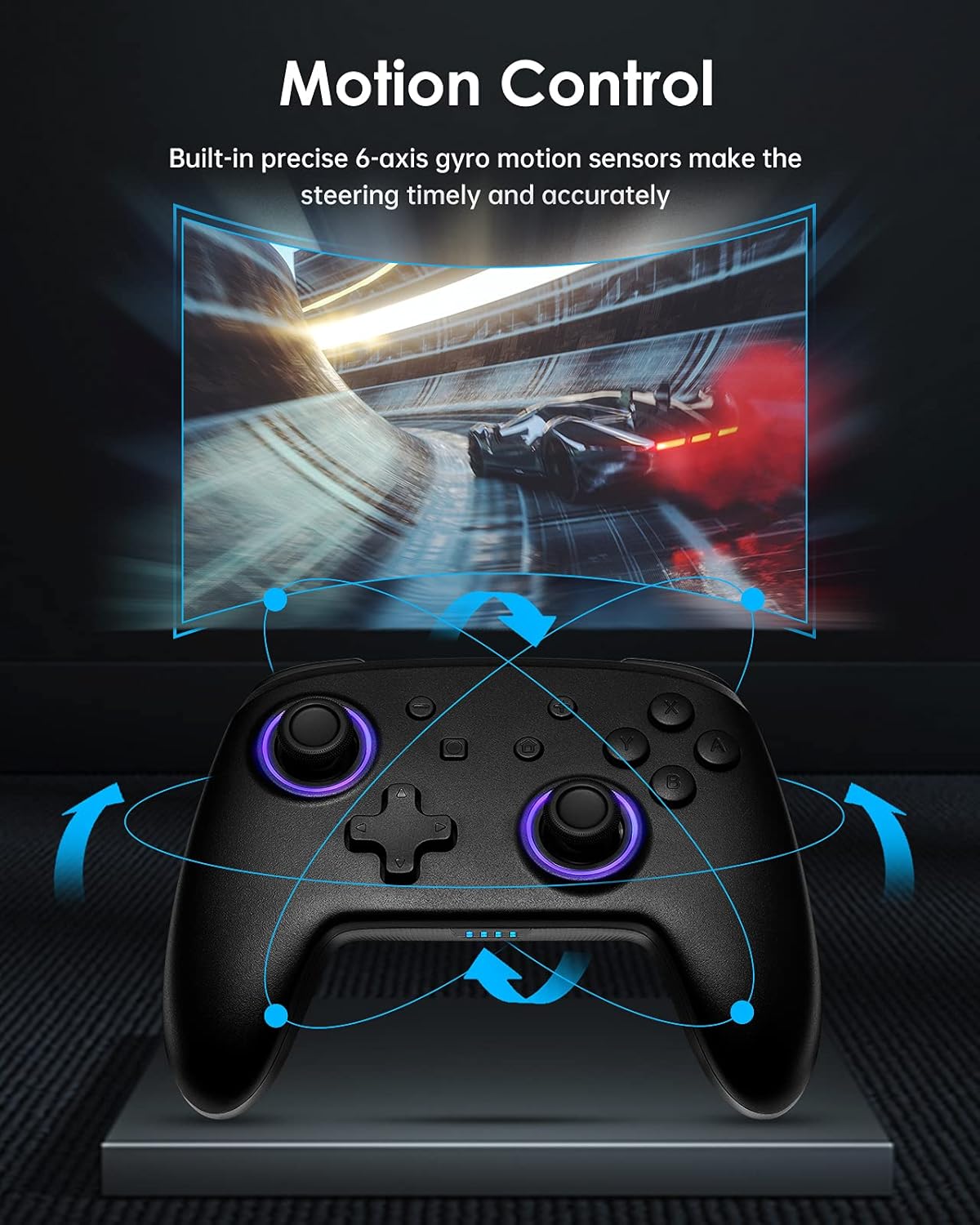
Εικόνα 4.2: Diagram illustrating the motion control capabilities of the controller, showing how tilting and movement translate into in-game actions, such as steering in a racing game.
4.3 Διπλή Δόνηση
Experience immersive feedback with the controller's dual vibration motors, providing timely and varied haptic responses to in-game events.
- The controller features 4-level built-in dual motors for different intensities of vibration.
- Vibration feedback is automatically triggered by compatible games.

Εικόνα 4.3: εξερράγη view of the controller highlighting the dual vibration motors and illustrating the different levels of vibration feedback.
4.4 Λειτουργία TURBO
The TURBO function allows for continuous rapid input of a selected button, useful in games requiring fast, repeated presses.
- The controller supports a three-gear adjustable turbo speed.
- To activate TURBO: Press and hold the TURBO button, then press the desired action button (e.g., A, B, X, Y, L, R, ZL, ZR). The button will now continuously input when held.
- To adjust TURBO speed: While TURBO is active, press the TURBO button and move the Right Joystick Up or Down to cycle through speeds (e.g., 5/s, 12/s, 20/s).
- To deactivate TURBO: Press and hold the TURBO button, then press the same action button again.

Εικόνα 4.4: Graphic illustrating the TURBO function with three adjustable speeds (5/s, 12/s, 20/s) and how the 'T' button activates this feature.
5. Συντήρηση
Proper care and maintenance will extend the life of your DOYOKY controller.
- Διατηρείτε το χειριστήριο στεγνό. Αποφύγετε την έκθεση σε υγρασία ή υγρά.
- Καθαρίστε το χειριστήριο με ένα μαλακό, στεγνό πανί. Μην χρησιμοποιείτε σκληρά χημικά ή λειαντικά καθαριστικά.
- Avoid extreme temperatures. Store the controller in a cool, dry place.
- Do not attempt to disassemble or modify the controller, as this will void any warranty and may cause damage.
6. Αντιμετώπιση Προβλημάτων
Εάν αντιμετωπίσετε προβλήματα με το χειριστήριό σας, ανατρέξτε στις ακόλουθες συνήθεις λύσεις:
- Controller does not connect or frequently disconnects:
- Βεβαιωθείτε ότι το χειριστήριο είναι πλήρως φορτισμένο.
- Επαναλάβετε τη διαδικασία σύζευξης όπως περιγράφεται στην Ενότητα 3.2.
- Ensure the controller is within the 23-foot wireless range of the console.
- Ελέγξτε για τυχόν ασύρματες παρεμβολές από άλλες συσκευές.
- If the issue persists, try restarting both the controller and the Nintendo Switch console.
- Τα κουμπιά ή τα joystick δεν ανταποκρίνονται:
- Ensure the controller is properly connected to the console.
- Check if the controller's battery is low.
- Clean around the buttons and joysticks with a soft, dry cloth to remove any debris.
- Test the controller in a different game or on a different console (if available) to determine if the issue is with the controller or the game/console settings.
- LEDs are not working or displaying incorrectly:
- Refer to Section 4.1 for instructions on changing LED colors and modes.
- Ensure the controller has sufficient battery power.
7. Προδιαγραφές
| Χαρακτηριστικό | Λεπτομέρεια |
|---|---|
| Αριθμός μοντέλου | ΥΣ32-01 |
| Αρμονία | Nintendo Switch, Nintendo Switch Lite |
| Συνδεσιμότητα | Ασύρματος |
| Τύπος μπαταρίας | 1 Lithium Ion battery (built-in) |
| Διάρκεια ζωής μπαταρίας | Έως και 8 ώρες (περίπου) |
| Διαστάσεις (Μ x Π x Υ) | 16.51 x 11.18 x 6.86 εκ |
| Βάρος | 290 γρ |
| Ειδικά Χαρακτηριστικά | 7 LED Colors, 3 Lighting Modes, 6-axis Gyro Motion Control, Dual Vibration (4 levels), 3-gear TURBO Function |
8. Εγγύηση και υποστήριξη
Warranty information for the DOYOKY Wireless Switch Controller YS32-01 is typically provided with the product packaging or available on the manufacturer's official webιστότοπο. Παρακαλούμε φυλάξτε την απόδειξη αγοράς για τυχόν αξιώσεις εγγύησης.
For technical support or further inquiries, please refer to the contact information provided by your retailer or visit the official DOYOKY support channels.


