1. Το προϊόν τελείωσεview
The BroadLink TC3-2Gang Smart Light Switch is designed for convenient control of your home lighting. This switch operates without a neutral wire, making it suitable for a wide range of electrical installations. It integrates with smart home ecosystems for app and voice control.
Βασικά Χαρακτηριστικά:
- No Neutral Wire Required: Compatible with installations that only provide live wire connections.
- App Control: Manage lights remotely via the BroadLink app.
- Voice Control: Works with Alexa, Google Assistant, and Siri Shortcuts.
- Scheduling and Routines: Automate lighting based on schedules or custom routines.
- Touch Interface: Modern touch-sensitive control panel.
Important Note: A BroadLink S3 Hub is required for the smart functionalities of this switch. For initial setup, consider purchasing a kit that includes the S3 Hub.
2. Ρύθμιση και εγκατάσταση
2.1 Προφυλάξεις ασφαλείας
- Always turn off power at the circuit breaker before beginning any electrical work.
- If you are unsure about electrical installations, consult a qualified electrician.
- Βεβαιωθείτε ότι ο διακόπτης έχει εγκατασταθεί σε ξηρό εσωτερικό περιβάλλον.
2.2 Διάγραμμα καλωδίωσης και διαστάσεις
The BroadLink TC3-2Gang switch is designed for easy installation in systems without a neutral wire. The modularized design facilitates quick setup.

Image: Wiring diagram and physical dimensions of the BroadLink Smart Light Switch. It shows connections for L-in, L-out, and ground, along with measurements of 4.02 x 2.83 x 1.38 inches.
Unlike some other no-neutral switches, the BroadLink TC3-2Gang typically does not require an external capacitor for stable operation with most LED and incandescent loads (up to 100W for LED, 200W for incandescent per gang).

Image: A comparison illustrating wiring for other no-neutral switches (requiring a capacitor) versus BroadLink switches (typically not requiring a capacitor).
2.3 Βήματα εγκατάστασης
- Απενεργοποιώ: Εντοπίστε τον ασφαλειοδιακόπτη και απενεργοποιήστε την παροχή ρεύματος στον διακόπτη φωτισμού που αντικαθιστάτε. Βεβαιωθείτε ότι η παροχή ρεύματος είναι απενεργοποιημένη χρησιμοποιώντας ένα διακόπτη έντασης.tagε δοκιμαστής.
- Αφαίρεση παλιού διακόπτη: Carefully remove the existing wall plate and light switch. Disconnect the wires.
- Wire the BroadLink Switch: Connect the Live-in (L-in) wire to the 'L' terminal on the BroadLink switch. Connect the Live-out (L-out) wires to the 'L1' and 'L2' terminals for the respective gangs. If a ground wire is present, connect it to the 'NG' terminal.
- Τοποθετήστε το διακόπτη: Secure the BroadLink switch into the wall box. Ensure wires are neatly tucked away.
- Συνδέστε την πρόσοψη: Κουμπώστε την γυάλινη πρόσοψη στη μονάδα διακόπτη.
- Ενεργοποίηση: Επαναφέρετε την ισχύ στον διακόπτη κυκλώματος.
2.4 App Pairing (Requires BroadLink S3 Hub)
Before pairing the switch, ensure your BroadLink S3 Hub is already set up and connected to your 2.4GHz Wi-Fi network. The BroadLink app is required for pairing and control.
- Download the BroadLink app from your device's app store.
- Ανοίξτε την εφαρμογή και συνδεθείτε ή δημιουργήστε έναν λογαριασμό.
- Follow the in-app instructions to add your BroadLink S3 Hub if not already done.
- Once the hub is connected, select the option to add a new device and choose the Smart Light Switch.
- Follow the on-screen prompts to put the switch into pairing mode (usually by pressing and holding a button on the switch until an indicator light flashes).
- Complete the pairing process within the app.
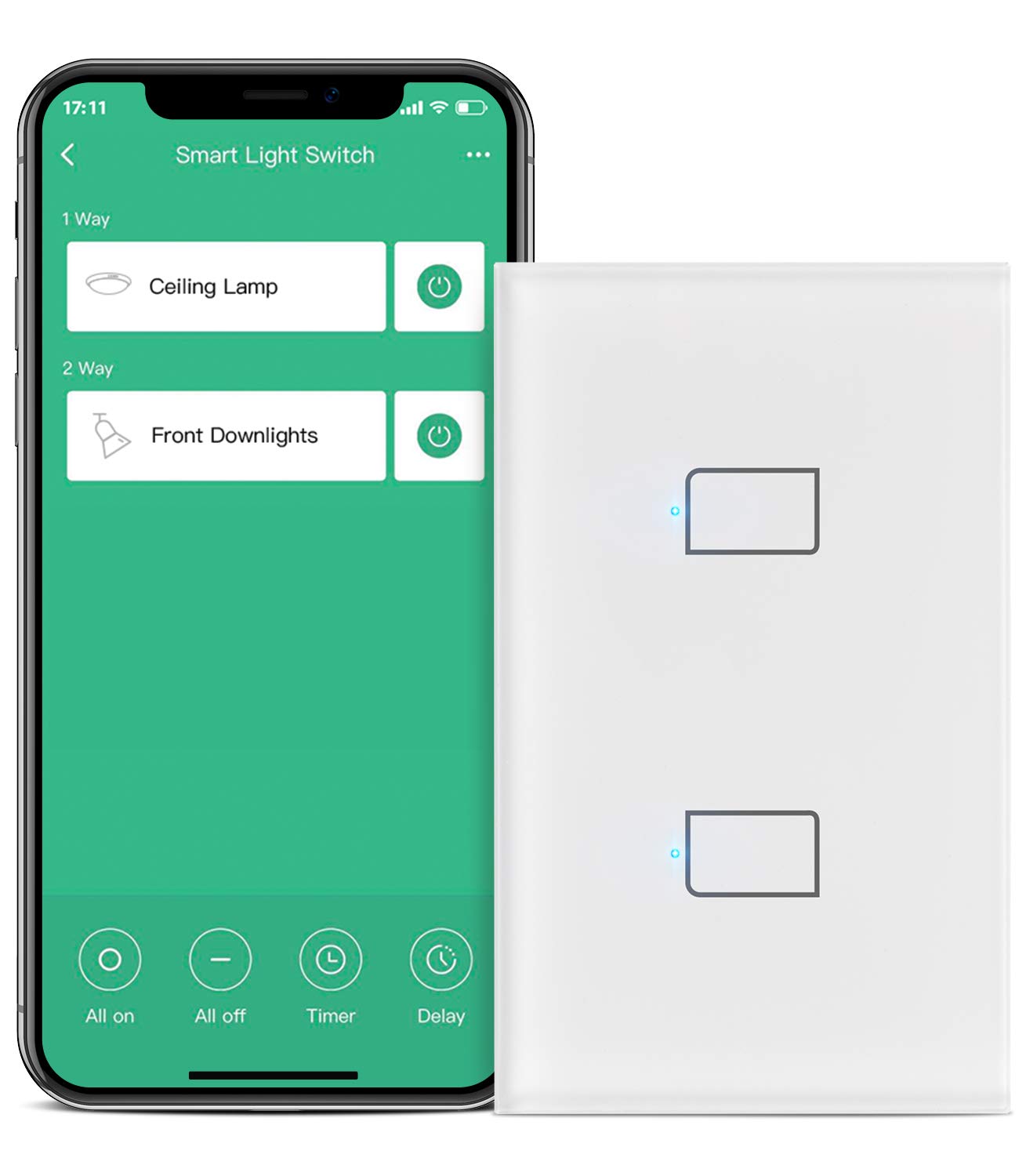
Image: The BroadLink Smart Light Switch alongside a smartphone displaying the BroadLink app interface, showing controls for 'Ceiling Lamp' and 'Front Downlights'.
3. Operating the Smart Light Switch
3.1 Χειροκίνητος έλεγχος
The switch features a touch-sensitive panel. Simply tap the designated areas on the glass faceplate to turn the connected lights on or off.
3.2 Τηλεχειριστήριο εφαρμογής
Once paired with the BroadLink app and S3 Hub, you can control your lights from anywhere using your smartphone.

Image: A smartphone displaying the BroadLink app, showing remote control of lights in a house, with lights turned on before arrival home.
3.3 Φωνητικός έλεγχος
The BroadLink Smart Light Switch is compatible with popular voice assistants.
- Alexa: Enable the 'BroadLink' skill in the Alexa app. Then, use commands like "Alexa, turn on [light name]."
- Βοηθός Google: Link your BroadLink account in the Google Home app. Use commands like "Hey Google, turn off [light name]."
- Συντομεύσεις Siri: Configure custom Siri Shortcuts within the BroadLink app for voice control via Apple devices.

Image: A person in a bedroom using voice commands with an Amazon Echo device to control lights connected to the BroadLink Smart Light Switch.
3.4 Προγραμματισμός και Χρονοδιακόπτες
Set up schedules to automatically turn lights on or off at specific times. The app supports single timers, repeated timers, delay timers, and random timers.

Image: A smartphone displaying the BroadLink app's 'Timing Set' interface, showing a regular timer set to turn on a light at 07:00 every day.
3.5 Scenes and Routines
Create custom scenes and routines within the BroadLink app or through integrated platforms like Alexa and IFTTT.
- Σκηνές: Configure a single command to control multiple lights or devices simultaneously (e.g., a 'Movie Night' scene that dims lights).
- Ρουτίνες: Automate actions based on triggers (e.g., turn on lights when a door sensor is opened, or use 'Away Mode' to turn off all lights when you leave home).
- Smart Home Controller: The switch buttons can be configured in routines to trigger other smart home devices or scenes, extending its functionality beyond just lighting.

Image: An illustration demonstrating smart home routines, such as turning on lights when a person arrives home or turning them off when a person leaves, using Google Assistant, Alexa, or IFTTT.
4. Συντήρηση
- Καθάρισμα: Use a soft, dry cloth to clean the glass faceplate. Avoid abrasive cleaners or solvents.
- Ενημερώσεις υλικολογισμικού: Periodically check the BroadLink app for available firmware updates for your switch and S3 Hub to ensure optimal performance and security.
- Περιβαλλοντικές Συνθήκες: Βεβαιωθείτε ότι ο διακόπτης δεν εκτίθεται σε υπερβολική υγρασία ή ακραίες θερμοκρασίες.
5. Αντιμετώπιση Προβλημάτων
5.1 Προβλήματα συνδεσιμότητας
- Hub Not Connecting: Ensure your BroadLink S3 Hub is powered on and within range of your Wi-Fi router. Verify your Wi-Fi network is 2.4GHz, as 5GHz networks are not supported.
- Switch Not Pairing: Confirm the S3 Hub is successfully connected to the app. Ensure the switch is in pairing mode (indicator light flashing). Try moving the hub closer to the switch during the pairing process.
- Συχνές αποσυνδέσεις: Check your Wi-Fi signal strength in the area of the switch and hub. Ensure there are no obstructions or interference. Restarting your Wi-Fi router and the BroadLink S3 Hub may resolve intermittent connection issues.
5.2 Ο διακόπτης δεν ανταποκρίνεται
- Χωρίς ισχύ: Check the circuit breaker to ensure power is supplied to the switch.
- Manual Control Failure: If the touch panel does not respond, try cycling the power to the switch at the circuit breaker.
- App/Voice Control Failure: Verify the switch is connected to the S3 Hub and the hub is online in the BroadLink app. Check your internet connection.
5.3 Physical Installation Challenges
- Fitting into Wall Box: In older homes, metal electrical boxes may be smaller or have different dimensions. If the switch does not fit, a wall box extender may be required. Do not force the switch into an incompatible box.
6. Προδιαγραφές
- Αριθμός μοντέλου: TC3-2Gang
- Διαστάσεις προϊόντος: 4.02 x 2.83 x 1.38 ίντσες
- Λειτουργικός τόμοςtage: 120 Volt (AC)
- Max Load (per gang): 100W (LED) or 200W (Incandescent)
- Συνδεσιμότητα: Wi-Fi (μόνο 2.4 GHz)
- Τύπος ελεγκτή: Amazon Alexa, Google Assistant, IFTTT
- Τύπος ενεργοποιητή: Επαφή
- Διεθνής Αξιολόγηση Προστασίας: IP65
- Κατασκευαστής: Hangzhou BroadLink Technology Co., Ltd.
7. Εγγύηση και υποστήριξη
For detailed warranty information, please refer to the documentation included with your product packaging or visit the official BroadLink website. BroadLink provides customer support for product inquiries, technical assistance, and warranty claims.
Επικοινωνήστε με την Υποστήριξη:
- Refer to the BroadLink app for support options.
- Visit the official BroadLink webιστότοπος με συχνές ερωτήσεις και στοιχεία επικοινωνίας.


