1. Εισαγωγή
This manual provides detailed instructions for the installation, configuration, and operation of your Lorex 2K Dual Lens Indoor Wi-Fi Security Camera, model W463AQD-E. Please read this manual thoroughly before using the product to ensure proper functionality and safety. Keep this manual for future reference.

Image 1.1: Lorex 2K Dual Lens Indoor Wi-Fi Security Camera with its retail packaging.
2. Περιεχόμενα συσκευασίας
Verify that all items listed below are included in your package. If any items are missing or damaged, please contact Lorex customer support.
- 1 × 2K Dual-Lens Indoor Pan-Tilt Camera
- 1 × 32GB MicroSD Card (pre-installed)
- 1 × 6.5 ft (2 m) Power Cable
- 1 × Βάση στήριξης
- 3 × Άγκυρες & Βίδες
- 1 × Μετασχηματιστής ρεύματος
3. Το προϊόν τελείωσεview
Familiarize yourself with the components and features of your Lorex security camera.
3.1 Στοιχεία κάμερας

Εικόνα 3.1: Εμπρός view of the camera, showing the dual lenses and call button.

Εικόνα 3.2: Πλάγια όψη view of the camera, highlighting its dome shape.

Εικόνα 3.3: Πίσω μέρος view of the camera, showing the power input and reset button.

Image 3.4: Bottom label displaying model number W463AQD-E and other regulatory information.
3.2 Βασικά χαρακτηριστικά
- Βίντεο Quad HD 2K: Καταγράφει καθαρά και λεπτομερή βίντεοtage.
- Σχεδιασμός διπλού φακού: Παρέχει βελτιωμένες δυνατότητες επιτήρησης.
- 360° Pan-Tilt: Ρυθμίστε την κάμερα από απόσταση viewing angle to cover a full 360-degree area.
- Αυτόματη παρακολούθηση: Ακολουθεί αυτόματα την ανιχνευόμενη κίνηση εντός του πεδίου του view.
- Smart Person & Pet Detection: Differentiates between human and pet activity to reduce false alerts.
- Νυχτερινή όραση IR: Provides clear video in low-light conditions up to 33 feet.
- Ομιλία αμφίδρομης: Allows for real-time communication through the camera's built-in microphone and speaker.
- Quick Call Button: Enables visitors to initiate a call to your connected device.
- Ευέλικτη αποθήκευση: Supports local storage via an included 32GB MicroSD card and optional cloud storage or Lorex Fusion recorders.
- Λειτουργία απορρήτου: Physically hides the camera lens for enhanced privacy when needed.
- Συνδεσιμότητα Wi-Fi: Connects to your home network wirelessly (2.4GHz).
4. Ρύθμιση
4.1 Αρχική εγκατάσταση και σύνδεση εφαρμογής
- Ενεργοποίηση: Connect the power adapter to the camera and plug it into a power outlet. The camera will power on and begin its startup sequence.
- Κατεβάστε την εφαρμογή Lorex Home: Κατεβάστε την εφαρμογή Lorex Home από το App Store (iOS) ή το Google Play Store (Android) στο smartphone ή το tablet σας.
- Δημιουργία λογαριασμού: Ανοίξτε την εφαρμογή Lorex Home και ακολουθήστε τις οδηγίες στην οθόνη για να δημιουργήσετε έναν νέο λογαριασμό ή να συνδεθείτε σε έναν υπάρχοντα.
- Προσθήκη συσκευής: Tap the '+' icon in the app to add a new device. Scan the QR code located on the bottom of your camera or on its packaging.
- Σύνδεση σε Wi-Fi: Follow the app's prompts to connect the camera to your 2.4GHz Wi-Fi network. Ensure your mobile device is connected to the same Wi-Fi network during setup.
- Ολοκληρωμένη εγκατάσταση: Once connected, follow the remaining steps in the app to name your camera and finalize the setup process.

Image 4.1: The Lorex Home application interface for managing camera feeds.
4.2 Τοποθέτηση της κάμερας
The camera can be placed on a flat surface or mounted to a ceiling or wall using the included mounting bracket.
- Επιλέξτε Τοποθεσία: Select a suitable indoor location with a clear view and within range of your Wi-Fi network.
- Σημειώστε τις τρύπες: Place the mounting bracket at the desired location and mark the screw holes with a pencil.
- Τρυπήστε τρύπες: Drill pilot holes at the marked spots. If mounting on drywall, insert the included anchors.
- Ασφαλής βραχίονας: Align the mounting bracket with the holes and secure it using the provided screws.
- Σύνδεση κάμερας: Twist the camera onto the mounting bracket until it clicks securely into place.
5. Λειτουργία
5.1 Ζωντανά View και Έλεγχοι
Πρόσβαση στο live view of your camera through the Lorex Home app. From the live view screen, you can control various camera functions.
- Μετακίνηση και κλίση: Use the directional controls in the app to remotely adjust the camera's horizontal (pan) and vertical (tilt) angles.
- Ψηφιακό ζουμ: Pinch to zoom in or out on the live video feed.
- Διπλός φακός View: The app may offer options to switch between or combine views from the dual lenses.

Image 5.1: Camera shown with a smartphone displaying the dual lens live view στην εφαρμογή Lorex Home.
5.2 Two-Way Talk and Call Button
The camera features two-way audio for communication and a physical call button.
- Ομιλία αμφίδρομης: Στα live view, tap the microphone icon to speak through the camera's speaker. Tap again to end.
- Κουμπί κλήσης: A person near the camera can press the physical call button on the camera to initiate a call to your connected mobile device.

Image 5.2: Demonstrating two-way talk functionality via the Lorex Home app.

Image 5.3: A user pressing the quick call button on the camera.
5.3 Ανίχνευση κίνησης και ειδοποιήσεις
The camera uses smart detection to identify important events.
- Έξυπνη ανίχνευση: The camera can detect and differentiate between people and pets, sending specific alerts to your phone.
- Αυτόματη παρακολούθηση: When motion is detected, the camera can automatically pan and tilt to follow the subject.
- Προσαρμογή: Adjust motion detection zones and sensitivity settings within the Lorex Home app to minimize unwanted alerts.

Image 5.4: Auto-tracking feature following a baby's movement.

Εικόνα 5.5: Άλλη μια view of the auto-tracking feature in action.

Image 5.6: Smart motion detection alerting to a person's presence.

Image 5.7: Pet detection and auto-tracking following a dog.
5.4 Night Vision and Smart Lighting
Η κάμερα παρέχει καθαρή παρακολούθηση ακόμα και σε συνθήκες χαμηλού φωτισμού.
- Νυχτερινή όραση IR: Infrared LEDs provide black and white video up to 33 feet in complete darkness.
- Έξυπνος φωτισμός ασφαλείας: The camera features integrated lighting that can be configured to activate upon motion detection or on a schedule.

Image 5.8: Comparison of daytime and IR night vision footage of a sleeping baby.

Image 5.9: Clear night vision image of a baby sleeping.

Image 5.10: The camera's smart security lighting feature in action.
5.5 Εγγραφή και αποθήκευση
Your camera offers multiple options for storing recorded video footage.
- Τοπική αποθήκευση: A 32GB MicroSD card is pre-installed for local recording. This ensures your footage is stored directly on the device.
- Cloud Storage: Optional cloud storage plans are available for off-site backup of your recordings. Refer to the Lorex Home app for details.
- Lorex Fusion Recorders: The camera is compatible with Lorex Fusion recorders for integrated system storage.

Image 5.11: The included 32GB MicroSD card for private and secure local storage.
5.6 Λειτουργία απορρήτου
Activate Privacy Mode to physically conceal the camera lens when surveillance is not desired.
- Δραστηριοποίηση: Privacy Mode can be activated through the Lorex Home app. When active, the camera lens will rotate downwards, blocking its view.
- Απενεργοποίηση: Deactivate Privacy Mode via the app to resume normal operation.
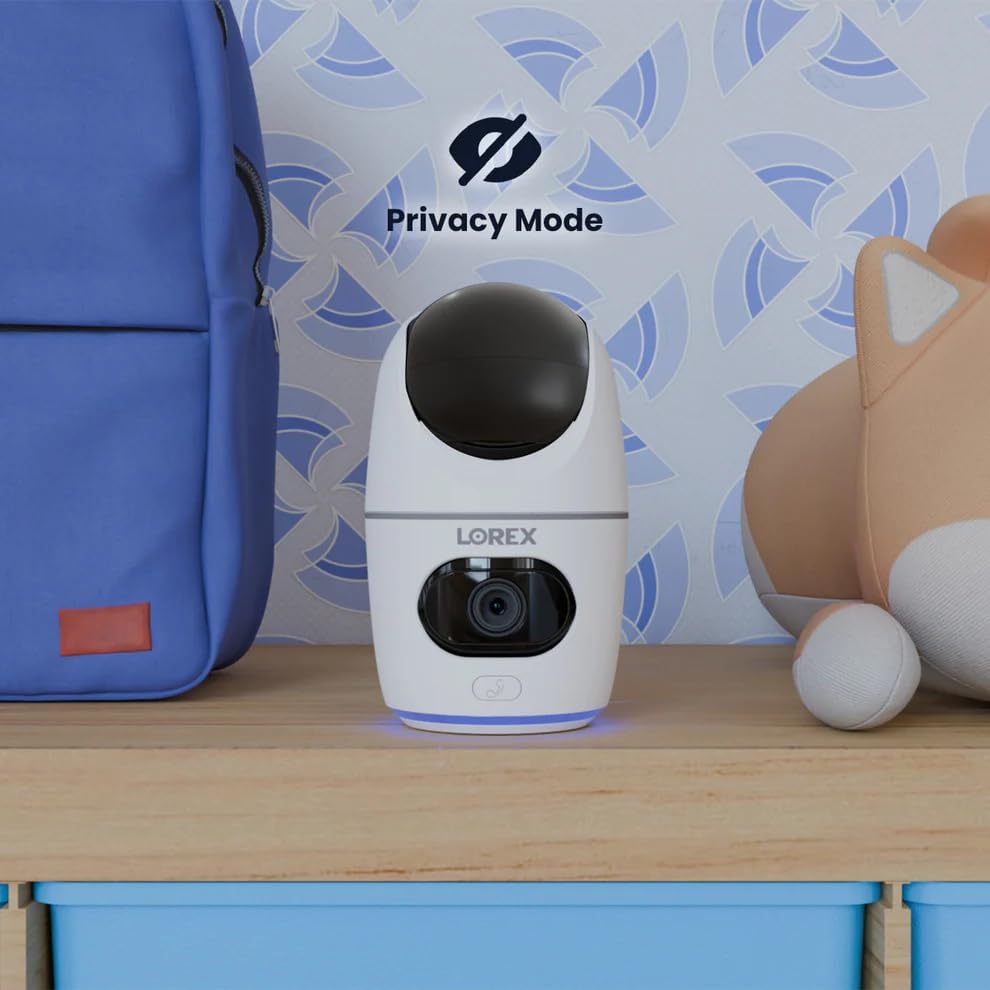
Image 5.12: The camera in Privacy Mode, with the lens retracted.
6. Συντήρηση
- Καθάρισμα: Χρησιμοποιήστε ένα μαλακό, στεγνό πανί για να καθαρίσετε τον φακό και το σώμα της κάμερας. Αποφύγετε τα λειαντικά καθαριστικά ή τους διαλύτες.
- Ενημερώσεις υλικολογισμικού: Regularly check the Lorex Home app for available firmware updates to ensure optimal performance and security.
- Κάρτα MicroSD: Periodically check the status of the MicroSD card in the app. If the card is full and continuous recording is enabled, older footage will be overwritten. Back up important footagε όπως χρειάζεται.
- Τροφοδοτικό: Ensure the camera is connected to a stable power source. Avoid using third-party power adapters that are not specified for this device.
7. Αντιμετώπιση Προβλημάτων
| Πρόβλημα | Διάλυμα |
|---|---|
| Η κάμερα είναι εκτός σύνδεσης ή αποσυνδεδεμένη. |
|
| Δεν είναι δυνατή η σύνδεση σε Wi-Fi. |
|
| No video or poor video quality. |
|
| Οι ειδοποιήσεις κίνησης είναι πολύ συχνές ή δεν λαμβάνονται. |
|
8. Προδιαγραφές
| Χαρακτηριστικό | Λεπτομέρεια |
|---|---|
| Αριθμός μοντέλου | W463AQD-E |
| Ανάλυση βίντεο | 2K (1440p) |
| Αποτελεσματική σταθερή ανάλυση | 4 MP |
| Viewγωνιά | 360 Degrees (Pan-Tilt), 135 Degrees (Field of View) |
| Εύρος νυχτερινής όρασης | 33 Feet (IR Night Vision) |
| Συνδεσιμότητα | Wi-Fi (2.4 GHz) |
| Αποθήκευση | 32GB MicroSD Card (included), supports up to 256GB, Cloud Storage (optional), Lorex Fusion compatible |
| Ήχος | Αμφίδρομη Ομιλία (Ενσωματωμένο Μικρόφωνο & Ηχείο) |
| Ανίχνευση | Smart Person & Pet Detection, Auto-Tracking |
| Πηγή ισχύος | Corded Electric (5V=2A) |
| Διαστάσεις (Μ x Π x Υ) | 5 x 6 x 5 ίντσες |
| Βάρος αντικειμένου | 15.2 ουγγιές |
| Εσωτερική/Εξωτερική χρήση | Μόνο για εσωτερικούς χώρους |
| Συμπεριλαμβανόμενα εξαρτήματα | Camera, 32GB MicroSD Card, Power Cable, Mounting Bracket, Power Adapter |
9. Εγγύηση και υποστήριξη
For warranty information, technical support, or additional resources, please visit the official Lorex webστον ιστότοπο ή επικοινωνήστε με το τμήμα εξυπηρέτησης πελατών τους.
- Λόρεξ Webτοποθεσία: www.lorex.com
- Υποστήριξη πελατών: Refer to the Lorex website for contact details and support hours.
Συνιστάται η εγγραφή προϊόντος για να λαμβάνετε ενημερώσεις και υποστήριξη.


