1. Εισαγωγή
The JBL LIVE 400BT are on-ear wireless headphones designed to deliver JBL Signature Sound. These headphones feature Bluetooth connectivity, a built-in microphone for hands-free calls, and integrated voice assistant support (Amazon Alexa). They also include Ambient Aware and TalkThru technologies for enhanced situational awareness and convenient conversations without removing the headphones. The headphones offer up to 24 hours of battery life and can be used with an audio cable when the battery is depleted.
2. Τι υπάρχει στο κουτί
Μόλις ανοίξετε τη συσκευασία, βεβαιωθείτε ότι υπάρχουν όλα τα απαραίτητα στοιχεία:
- JBL LIVE 400BT Headphones
- Καλώδιο φόρτισης
- Aux Cable (3.5 mm)
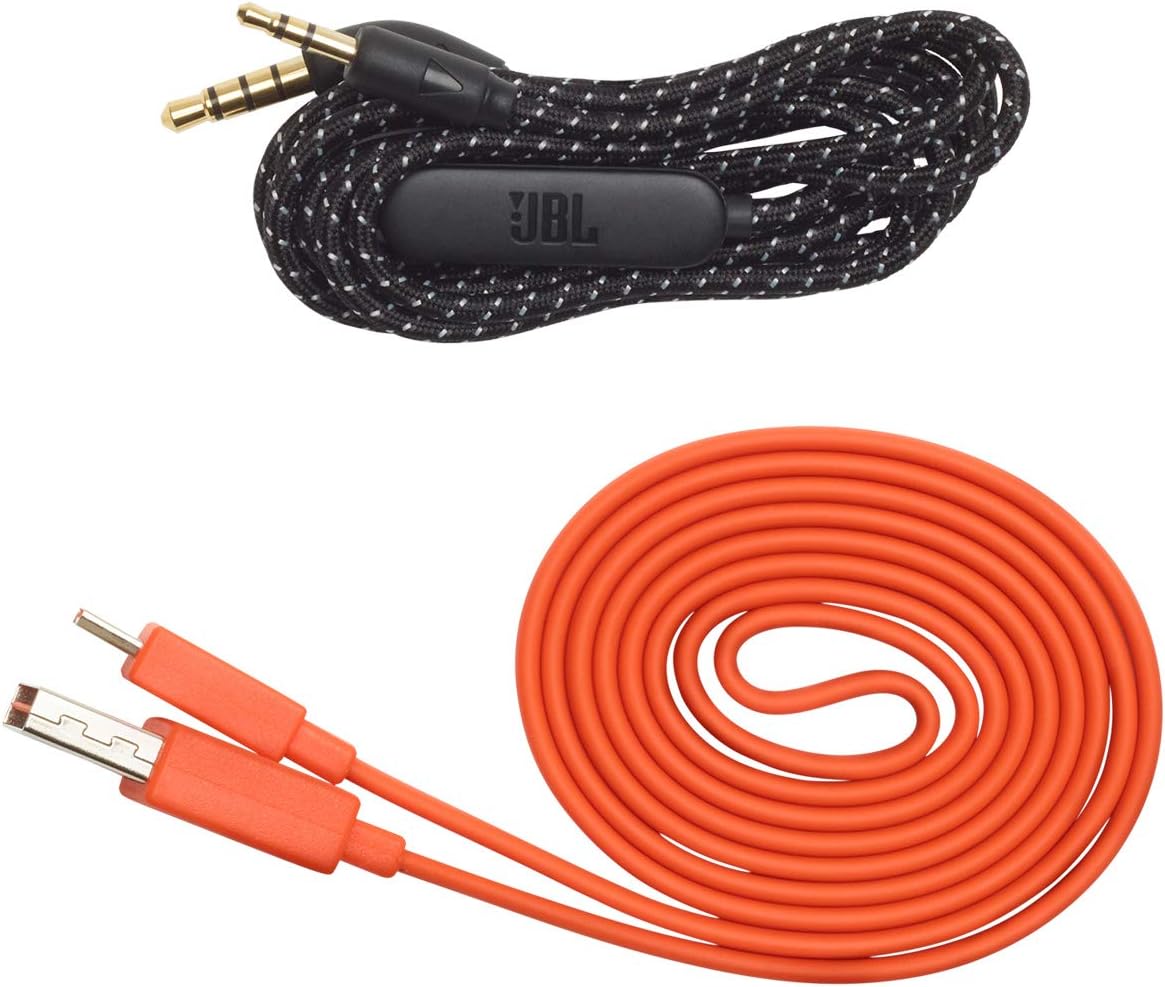
Image: JBL LIVE 400BT headphones shown with the included charging cable and 3.5mm aux cable.
3. Ρύθμιση
3.1. Φόρτιση των ακουστικών
Before first use, fully charge your JBL LIVE 400BT headphones. A full charge provides up to 24 hours of playback. A quick 15-minute charge can provide an additional 2 hours of listening time.
- Συνδέστε το παρεχόμενο καλώδιο φόρτισης στη θύρα φόρτισης των ακουστικών.
- Connect the other end of the charging cable to a USB power source (e.g., wall adapter, computer USB port).
- The LED indicator on the headphones will show charging status. It typically turns off or changes color when fully charged.
3.2. Ενεργοποίηση/Απενεργοποίηση
- To power on, slide the power switch located on the right earcup.
- To power off, slide the power switch back to the off position.
3.3. Σύζευξη Bluetooth
The JBL LIVE 400BT headphones use Bluetooth 4.0 for wireless connectivity with a range of up to 10 meters.
- Βεβαιωθείτε ότι τα ακουστικά είναι απενεργοποιημένα.
- Slide the power switch to the "on" position and hold it for approximately 3-5 seconds until the LED indicator flashes blue, indicating pairing mode.
- Στη συσκευή σας (smartphone, tablet, υπολογιστή), ενεργοποιήστε το Bluetooth και αναζητήστε διαθέσιμες συσκευές.
- Select "JBL LIVE 400BT" from the list of available devices.
- Μόλις συνδεθεί, η ένδειξη LED θα γίνει σταθερά μπλε.

Image: The right earcup of the JBL LIVE 400BT headphones, highlighting the power switch and LED indicator for Bluetooth pairing.
4. Λειτουργία των ακουστικών
4.1. Βασικοί έλεγχοι
The headphones feature intuitive controls on the earcups for managing audio and calls.
- Αναπαραγωγή/Παύση: Πατήστε το κουμπί πολλαπλών λειτουργιών μία φορά.
- Επόμενο κομμάτι: Πατήστε δύο φορές το κουμπί πολλαπλών λειτουργιών.
- Προηγούμενο κομμάτι: Πατήστε τρεις φορές το κουμπί πολλαπλών λειτουργιών.
- Αύξηση/Μείωση έντασης: Χρησιμοποιήστε τα ειδικά κουμπιά έντασης ήχου.
- Απάντηση/Τερματισμός κλήσης: Πατήστε το κουμπί πολλαπλών λειτουργιών μία φορά κατά τη διάρκεια μιας εισερχόμενης ή μιας ενεργής κλήσης.
- Απόρριψη κλήσης: Πατήστε παρατεταμένα το κουμπί πολλαπλών λειτουργιών για 2 δευτερόλεπτα κατά τη διάρκεια μιας εισερχόμενης κλήσης.
4.2. Voice Assistant (Amazon Alexa)
Access Amazon Alexa directly from your headphones. Use the JBL App to set up your voice assistant preference.
- Ensure your headphones are connected to your smartphone via Bluetooth.
- Download and open the JBL Headphones App.
- Follow the in-app instructions to select and configure Amazon Alexa as your voice assistant.
- Once configured, tap the left earcup to activate Alexa and issue commands (e.g., "Play my favorite playlist," "Check the weather").
4.3. Ambient Aware and TalkThru Technology
These features allow you to stay connected to your surroundings or have conversations without removing your headphones.
- Ambient Aware: A touch of the Ambient Aware button (located on the left earcup) increases ambient sound, allowing you to hear what's happening around you while music continues at a lower volume.
- TalkThru: Activate TalkThru mode by pressing the TalkThru button (located on the left earcup). This significantly drops the music volume, enabling clear conversations with others without removing the headphones.
Video: Official JBL demonstration of the LIVE 400BT headphones, highlighting features like JBL Signature Sound, Ambient Aware, TalkThru technology, and voice assistant integration.
4.4. Ενσύρματη σύνδεση
If the battery runs out or you prefer a wired connection, use the provided 3.5mm audio cable.
- Συνδέστε το ένα άκρο του καλωδίου ήχου 3.5 mm στην υποδοχή ήχου των ακουστικών.
- Plug the other end into your audio source's 3.5mm output.
- The headphones will function passively, without requiring battery power.
5. Συντήρηση
Proper care ensures the longevity of your JBL LIVE 400BT headphones.
- Καθάρισμα: Χρησιμοποιήστε ένα μαλακό, στεγνό πανί για να καθαρίσετε τα ακουστικά και το στήριγμα κεφαλής. Αποφύγετε τη χρήση σκληρών χημικών ουσιών ή λειαντικών υλικών.
- Αποθήκευση: When not in use, store the headphones in a cool, dry place. Avoid extreme temperatures. The headphones are foldable for compact storage.
- Φροντίδα μπαταρίας: Για να διατηρήσετε τη διάρκεια ζωής της μπαταρίας, αποφύγετε την πλήρη αποφόρτιση των ακουστικών συχνά. Φορτίστε τα τακτικά, ακόμα κι αν δεν τα χρησιμοποιείτε συνεχώς.
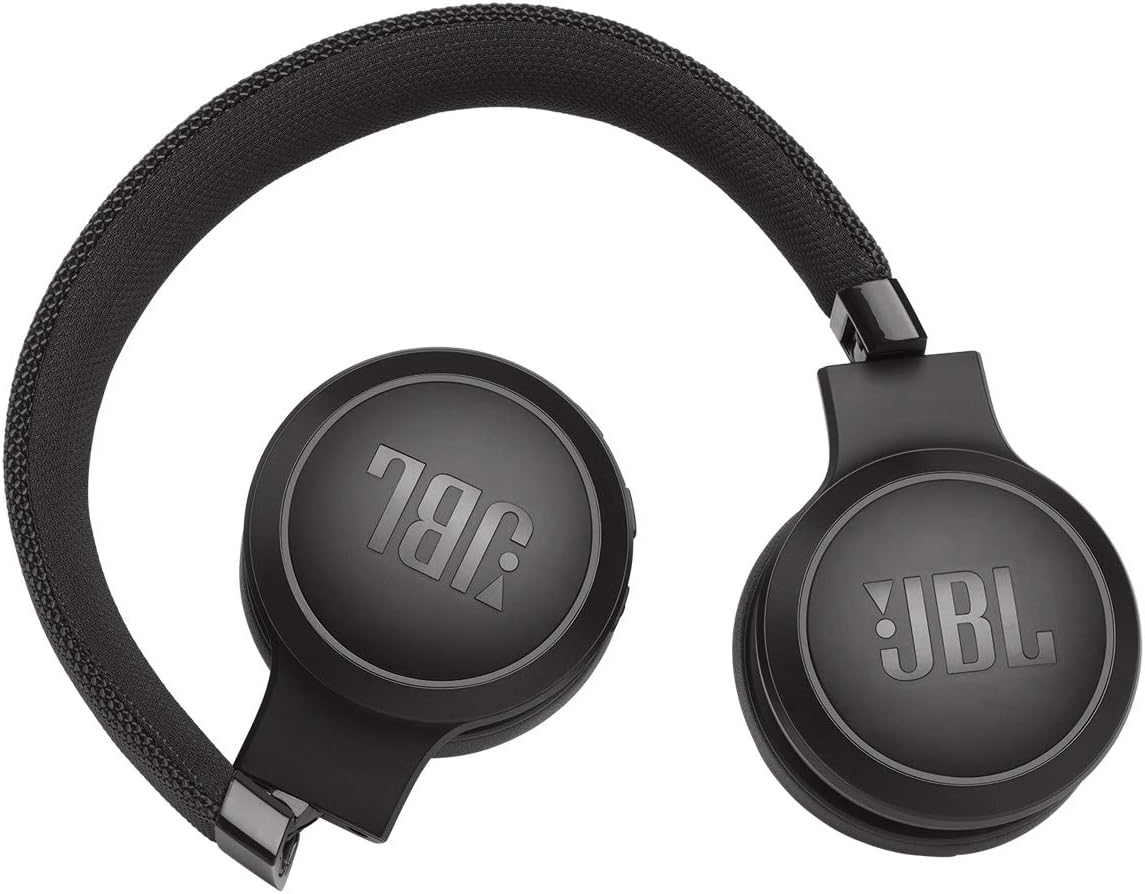
Image: JBL LIVE 400BT headphones shown in a folded position, demonstrating their portability and ease of storage.
6. Αντιμετώπιση Προβλημάτων
If you encounter issues with your JBL LIVE 400BT headphones, refer to the following common solutions.
6.1. No Power / Cannot Turn Off
- Φόρτιση μπαταρίας: Ensure the headphones are fully charged. A low battery can cause unexpected behavior.
- Κύκλος ισχύος: If the headphones are stuck on or cannot be turned off, try connecting them to a charger for a few minutes, then attempt to power off again.
- Εργοστασιακή επανεκκίνηση: If the issue persists, a factory reset may resolve it. Consult the JBL support website or the full user manual for specific factory reset instructions for your model, as this often involves a combination of button presses.
6.2. Προβλήματα συνδεσιμότητας Bluetooth
- Ensure Pairing Mode: Verify the headphones are in pairing mode (flashing blue LED).
- Εγγύτητα συσκευής: Make sure the headphones are within 10 meters of your Bluetooth device.
- Ξεχάστε τη συσκευή: On your device, "forget" or "unpair" the JBL LIVE 400BT from your Bluetooth settings, then attempt to pair again.
- Επανεκκίνηση συσκευών: Restart both your headphones and the Bluetooth device.
6.3. Δεν υπάρχει ήχος ή η ένταση είναι χαμηλή
- Check Volume Levels: Ensure volume is turned up on both the headphones and your connected device.
- Correct Output: Verify that your device is sending audio to the JBL LIVE 400BT.
- Ενσύρματη σύνδεση: If using the aux cable, ensure it is fully inserted into both the headphones and the audio source.
7. Προδιαγραφές
| Χαρακτηριστικό | Προσδιορισμός |
|---|---|
| Όνομα μοντέλου | JBL LIVE 400 - Black (JBLLIVE400BTBLKAM) |
| Μάρκα | JBL |
| Τεχνολογία Συνδεσιμότητας | Bluetooth |
| Τεχνολογία ασύρματης επικοινωνίας | Bluetooth |
| Έκδοση Bluetooth | 4.0 |
| Εύρος Bluetooth | 10 μέτρα |
| Μέγεθος προγράμματος οδήγησης ήχου | 40 χιλιοστά |
| Τύπος προγράμματος οδήγησης ήχου | Δυναμικός οδηγός |
| Απόκριση συχνότητας | 20 KHz |
| Ευαισθησία | 106 dB |
| Αντίσταση | 32 Ωμ |
| Διάρκεια ζωής μπαταρίας | 24 ώρα |
| Χρόνος Φόρτισης | 2 Ώρες |
| Jack ακουστικών | 3.5 mm Jack |
| Τύπος ελέγχου | Alexa, Touch, Voice Assistant |
| Μέθοδος Ελέγχου | Άγγιγμα, Φωνή |
| Έλεγχος θορύβου | Active Noise Cancellation (basic_noise_control) |
| Υλικό | Συνθετικό δέρμα |
| Βάρος αντικειμένου | 6.6 ουγγιές (185.8 γραμμάρια) |
| Διαστάσεις προϊόντος | 8.07 x 2.17 x 8.78 ίντσες |
| Ημερομηνία πρώτης διαθεσιμότητας | 7 Ιανουαρίου 2019 |
8. Εγγύηση και υποστήριξη
For warranty information, technical support, or further assistance, please visit the official JBL support webή επικοινωνήστε με την εξυπηρέτηση πελατών τους. Κρατήστε την απόδειξη αγοράς για τυχόν αξιώσεις εγγύησης.
Μπορείτε να βρείτε πρόσθετους πόρους και στοιχεία επικοινωνίας στο Κατάστημα JBL στο Amazon.


