Εισαγωγή
Welcome to the user manual for your Google Pixel 3 smartphone. This guide provides comprehensive instructions on setting up, operating, maintaining, and troubleshooting your device. The Google Pixel 3 is designed to offer a seamless and intelligent smartphone experience, featuring an advanced camera system, the Google Assistant, and an all-day battery.
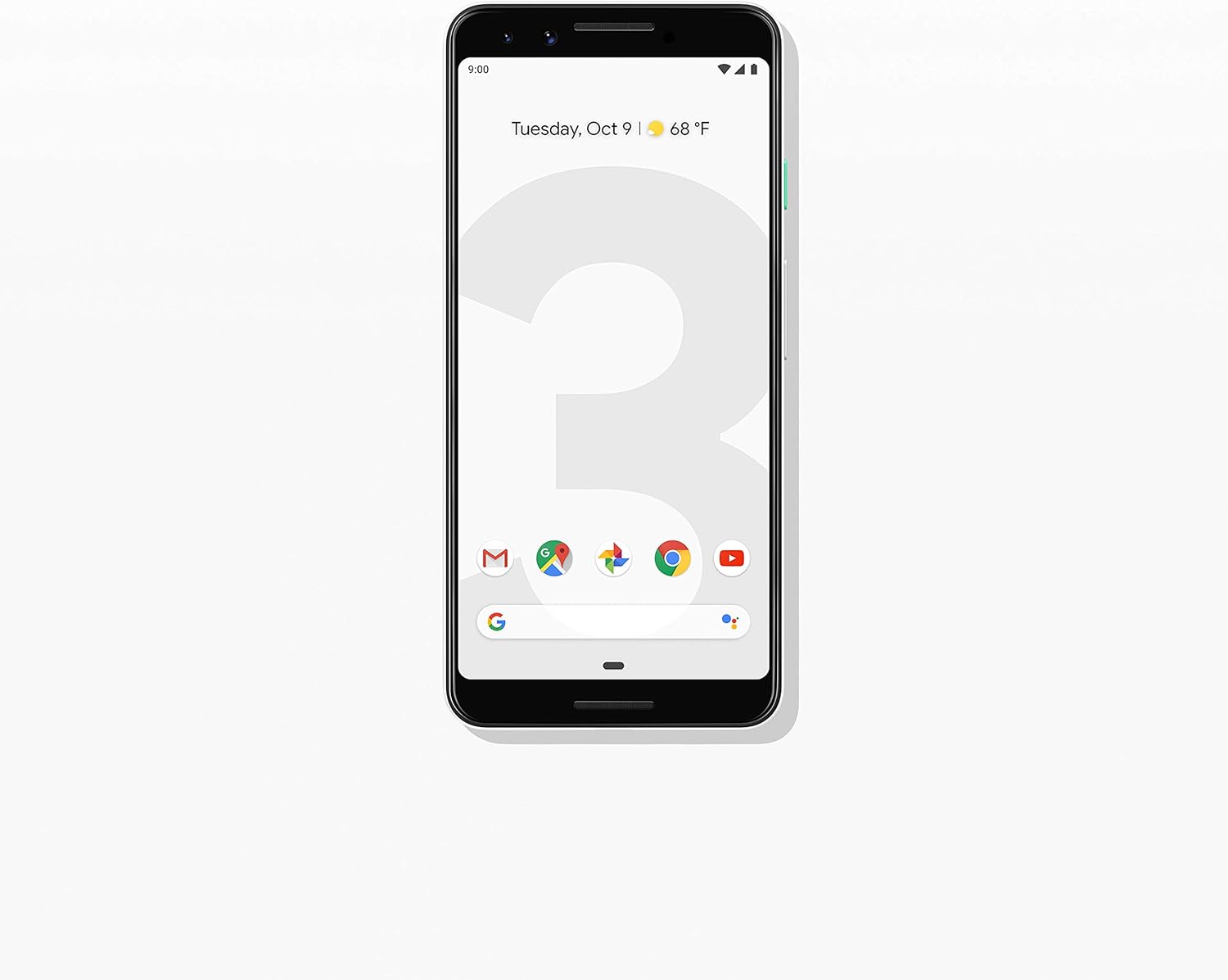
Εικόνα: Μπροστά view of the Google Pixel 3 smartphone, showcasing its display and sleek design in Clearly White.
Ρύθμιση
1. Αποσυσκευασία και αρχική επιθεώρηση
Upon opening the package, ensure all components are present and in good condition. The standard package for your Google Pixel 3 includes:
- Smartphone Google Pixel 3
- USB-C digital earbud
- Καλώδιο USB-C σε USB-C
- USB-C to 3.5mm headphone adapter
- Quick Switch Adapter (USB-A to USB-C)
- Εργαλείο SIM
2. Εγκατάσταση κάρτας SIM
Για να εγκαταστήσετε την κάρτα Nano-SIM:
- Εντοπίστε την υποδοχή κάρτας SIM στην αριστερή πλευρά του τηλεφώνου.
- Insert the SIM tool into the small hole on the tray to eject it.
- Τοποθετήστε την κάρτα Nano-SIM στη θήκη με τις χρυσές επαφές στραμμένες προς τα κάτω.
- Πιέστε απαλά τη θήκη πίσω στο τηλέφωνο μέχρι να ασφαλίσει στη θέση της.

Εικόνα: Πλευρά view of the Google Pixel 3, highlighting the location of the SIM card tray and volume/power buttons.
3. Οδηγός αρχικής ενεργοποίησης και εγκατάστασης
Press and hold the power button on the right side of the phone until the Google logo appears. Follow the on-screen instructions to complete the initial setup, including connecting to Wi-Fi, signing in with your Google account, and setting up security features.
4. Φόρτιση της Συσκευής
Connect the USB-C cable to the phone's charging port at the bottom and the other end to the power adapter. Plug the adapter into a wall outlet. The Pixel 3 supports fast charging and wireless charging. A full charge typically takes approximately 2 hours.
Οδηγίες Λειτουργίας
1. Basic Navigation (Android 9 Pie)
The Google Pixel 3 runs on Android 9 Pie, offering intuitive gesture navigation.
- Αρχική οθόνη: Σύρετε προς τα πάνω από το κάτω μέρος της οθόνης για να μεταβείτε στην αρχική οθόνη.
- Συρτάρι εφαρμογών: Σύρετε το δάχτυλό σας προς τα πάνω από την αρχική οθόνη για να αποκτήσετε πρόσβαση σε όλες τις εφαρμογές σας.
- Πρόσφατες εφαρμογές: Σύρετε το δάχτυλό σας προς τα πάνω από το κάτω μέρος και κρατήστε το πατημένο για view εφαρμογές που χρησιμοποιήθηκαν πρόσφατα.
- Πίσω: Tap the back arrow icon or swipe from the left or right edge of the screen (if gesture navigation is enabled).
- Ειδοποιήσεις: Σύρετε προς τα κάτω από το επάνω μέρος της οθόνης για να view ειδοποιήσεις και γρήγορες ρυθμίσεις.

Image: The Google Pixel 3 display showing the home screen with various app icons and the date/weather widget.
2. Χαρακτηριστικά κάμερας
The Pixel 3 camera is equipped with advanced features to capture high-quality photos and videos.
- Ομαδικές selfies: Utilize the wide-angle front camera to fit more people into your selfies.
- Λειτουργία πορτρέτου: Create professional-looking photos with a blurred background (bokeh effect).
- Κορυφαία λήψη: Automatically recommends the best shot from a burst of photos, ensuring no blinks or missed moments.
- Νυχτερινή όραση: Enhances low-light photography, capturing vibrant details in dark environments.
- Εγγραφή βίντεο 4K: Record high-resolution videos at 30 frames per second.
3. Βοηθός Google
Access the Google Assistant by squeezing the sides of your phone or by saying "Hey Google" or "Ok Google." The Assistant can help with tasks such as setting alarms, getting directions, making calls, sending messages, and providing information.
4. Έλεγχος κλήσεων
The Call Screen feature allows the Google Assistant to answer calls from unknown numbers and provide a real-time transcription of the conversation, helping you avoid spam and nuisance calls.
5. Ψηφιακή Ευημερία
Monitor and manage your screen time with Digital Wellbeing. Set app timers, enable Wind Down mode to grayscale your screen and mute notifications for better sleep, and focus on what matters.
6. Φακός Google
Use Google Lens to search what you see. Point your camera at objects, text, or landmarks to get information, translate languages, or identify plants and animals.
Συντήρηση
1. Φροντίδα μπαταρίας
To maximize battery life (2915 mAh capacity):
- Αποφύγετε τις ακραίες θερμοκρασίες.
- Use the provided charger or a certified wireless charger.
- Enable Adaptive Battery in settings to limit battery usage for infrequently used apps.
- Consider using Battery Saver mode when battery is low.
2. Ενημερώσεις λογισμικού
Διατηρήστε το λογισμικό της συσκευής σας ενημερωμένο για να διασφαλίσετε βέλτιστη απόδοση, ασφάλεια και πρόσβαση σε νέες λειτουργίες. Μεταβείτε στο Ρυθμίσεις > Σύστημα > Για προχωρημένους > Ενημέρωση συστήματος για να ελέγξετε και να εγκαταστήσετε ενημερώσεις.
3. Καθαρισμός της συσκευής σας
Use a soft, lint-free cloth to clean the screen and body of your Pixel 3. Avoid abrasive materials or harsh chemicals. For stubborn smudges, slightly dampen το πανί με νερό.
4. Διαχείριση αποθήκευσης
The Pixel 3 comes with 64GB of internal storage. To manage storage effectively:
- Regularly clear app caches.
- Διαγραφή περιττών files, φωτογραφίες και βίντεο.
- Utilize cloud storage services like Google Photos (which offers free unlimited storage for Pixel users at original quality for photos and videos uploaded from the device).
Αντιμετώπιση προβλημάτων
This section addresses common issues you might encounter with your Google Pixel 3.
| Πρόβλημα | Διάλυμα |
|---|---|
| Το τηλέφωνο δεν ανάβει | Ensure the battery is charged. Connect to a charger for at least 15 minutes. If unresponsive, press and hold the power button for 30 seconds. |
| Κακή διάρκεια ζωής της μπαταρίας | Check battery usage in settings to identify draining apps. Reduce screen brightness, disable unnecessary features (Bluetooth, GPS when not in use), and enable Adaptive Battery. |
| Οι εφαρμογές παρουσιάζουν σφάλματα ή παγώνουν | Εκκαθάριση της προσωρινής μνήμης και των δεδομένων της εφαρμογής (Settings > Apps & notifications > App info > [App Name] > Storage & cache). Update the app or reinstall it. Ensure system software is up to date. |
| Προβλήματα συνδεσιμότητας (Wi-Fi/Bluetooth) | Toggle Wi-Fi/Bluetooth off and on. Restart the phone. Forget and reconnect to the network/device. Reset network settings (Settings > System > Advanced > Reset options > Reset Wi-Fi, mobile & Bluetooth). |
| Το τηλέφωνο είναι αργό ή δεν ανταποκρίνεται | Restart the phone. Clear cached data. Uninstall unused apps. Check for system updates. As a last resort, consider a factory reset (back up data first). |
Επαναφορά εργοστασιακών ρυθμίσεων
A factory reset will erase all data from your phone's internal storage. Δημιουργήστε αντίγραφα ασφαλείας όλων των σημαντικών δεδομένων πριν προχωρήσετε.
- Μεταβείτε στο Settings > System > Advanced > Reset options.
- Παρακέντηση Διαγραφή όλων των δεδομένων (επαναφορά εργοστασιακών ρυθμίσεων).
- Επιβεβαιώστε την απόφασή σας και εισαγάγετε τον κωδικό PIN/μοτίβο/κωδικό πρόσβασης, εάν σας ζητηθεί.
- Παρακέντηση Διαγραφή όλων των δεδομένων.
Προδιαγραφές
Key technical specifications for the Google Pixel 3 (Model: G013A):
| Χαρακτηριστικό | Λεπτομέρεια |
|---|---|
| Διαστάσεις προϊόντος | 5.73 x 2.69 x 0.31 ίντσες |
| Βάρος αντικειμένου | 12.8 ουγγιές |
| Λειτουργικό σύστημα | Android 9.0 Pie |
| ΕΜΒΟΛΟ | 4 GB |
| Χωρητικότητα αποθήκευσης μνήμης | 64 GB |
| Μέγεθος οθόνης | 5.5 ίντσες |
| Ψήφισμα | 2560 x 1440 |
| Χωρητικότητα μπαταρίας | 2915 εκατamp Ώρες |
| Χρόνος Φόρτισης | 2 ώρες (περίπου) |
| Τεχνολογίες Συνδεσιμότητας | Bluetooth, 4G Cellular |
| Ειδικά Χαρακτηριστικά | 4K Video Recording, GPS |
| Χρώμα | Καθαρά λευκό |
Εγγύηση και υποστήριξη
Your Google Pixel 3 is covered by a limited warranty provided by Google LLC. For detailed warranty terms and conditions, please refer to the warranty information included with your device packaging or visit the official Google support webτοποθεσία.
Επικοινωνία με την Υποστήριξη
For technical assistance, troubleshooting beyond this manual, or warranty claims, please contact Google Support:
- Διαδικτυακή υποστήριξη: Επίσκεψη support.google.com/pixelphone
- Φόρουμ κοινότητας: Engage with other Pixel users and experts on Google's official forums.
When contacting support, please have your device's model number (G013A) and serial number ready.


