1. Εισαγωγή
The AXIS T8351 Mk II Microphone 3.5 mm is a high-performance analog microphone designed for integration into video surveillance systems. It provides superior audio monitoring and recording capabilities, particularly in environments with low ambient noise. This manual provides essential information for the proper installation, operation, and maintenance of your AXIS T8351 Mk II Microphone.
2. Πληροφορίες Ασφάλειας
- Διαβάστε προσεκτικά όλες τις οδηγίες πριν την εγκατάσταση και τη χρήση.
- Do not expose the microphone to extreme temperatures, humidity, or corrosive environments.
- Ensure the microphone is securely mounted to prevent accidental falls.
- Only use accessories and power sources specified by Axis Communications.
- Αποσυνδέστε την παροχή ρεύματος πριν από τον καθαρισμό ή την εκτέλεση οποιασδήποτε συντήρησης.
3. Περιεχόμενα συσκευασίας
Βεβαιωθείτε ότι όλα τα στοιχεία υπάρχουν στη συσκευασία:
- AXIS T8351 Mk II Microphone 3.5 mm
- Installation Guide (if separate)
Note: Additional mounting accessories may be sold separately.
4. Ρύθμιση και εγκατάσταση
4.1 Τοποθέτηση του μικροφώνου
The AXIS T8351 Mk II Microphone offers flexible mounting options for walls, ceilings, or covert areas. Choose a location that allows optimal sound capture for your surveillance needs.
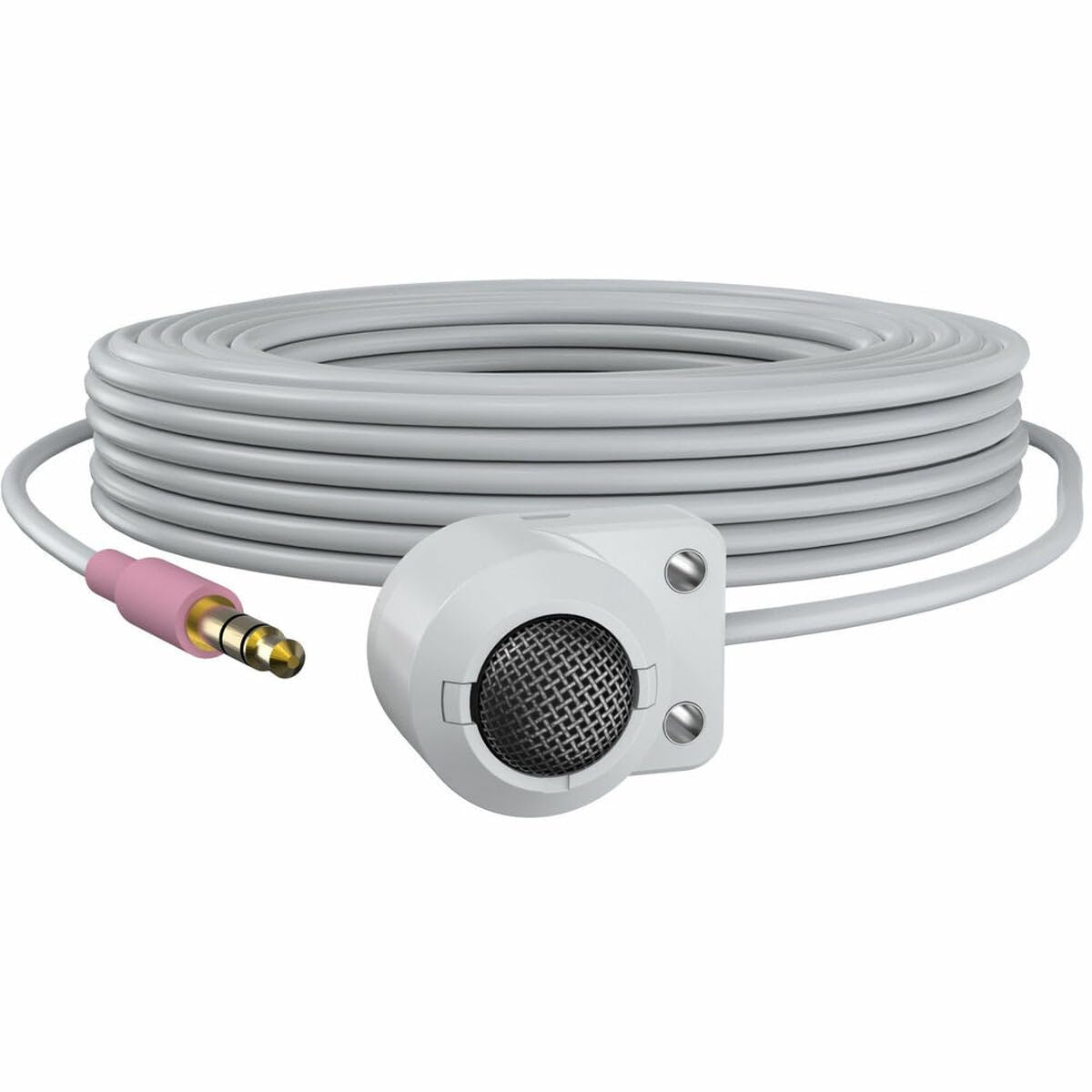
Figure 1: The AXIS T8351 Mk II Microphone, illustrating its compact design and the 3.5 mm connector for integration into surveillance systems. This image highlights the microphone's small form factor, making it suitable for discreet placement.
Λάβετε υπόψη τα ακόλουθα κατά την επιλογή μιας θέσης τοποθέτησης:
- Εγγύτητα στην πηγή ήχου: For best results, position the microphone close to the intended sound source.
- Θόρυβος περιβάλλοντος: While designed for low ambient noise environments, avoid placing the microphone near sources of constant noise (e.g., air conditioning vents, loud machinery).
- Διακριτικότητα: The compact size allows for subtle concealment if required.
4.2 Σύνδεση του μικροφώνου
The AXIS T8351 Mk II Microphone connects to compatible network products via a 3.5 mm microphone input jack or a 4-pin audio connector.
- Locate the 3.5 mm microphone input jack or 4-pin audio connector on your network product (e.g., IP camera, audio encoder).
- Insert the microphone's connector firmly into the corresponding port.
- Ensure a secure connection. The microphone is powered directly by the network product, eliminating the need for additional power cables.
5. Λειτουργία του μικροφώνου
5.1 Audio Capture
The AXIS T8351 Mk II is a hemispherical, omni-directional microphone, meaning it captures sound from all directions. This characteristic makes it effective for monitoring general ambient sound within a room.
- Once connected, the microphone will begin capturing audio as configured by your network product's settings.
- Adjust audio input levels and sensitivity through the interface of your connected network device to achieve optimal sound quality and prevent distortion.
5.2 Integration with Surveillance Systems
The microphone is designed to complement video surveillance by providing synchronized audio. Refer to your network product's documentation for specific instructions on:
- Enabling audio recording.
- Configuring audio triggers or events.
- Live audio monitoring.
6. Συντήρηση
6.1 Καθαρισμός
Για να διατηρήσετε τη βέλτιστη απόδοση και εμφάνιση:
- Gently wipe the exterior of the microphone with a soft, dry cloth.
- Μην χρησιμοποιείτε σκληρά χημικά, διαλύτες ή λειαντικά καθαριστικά.
- Ensure no moisture enters the microphone's openings.
6.2 Περιβαλλοντικές εκτιμήσεις
The microphone is designed for indoor use. Protect it from:
- Direct sunlight or extreme heat.
- Excessive dust or dirt.
- Strong vibrations or impacts.
7. Αντιμετώπιση Προβλημάτων
7.1 Δεν υπάρχει έξοδος ήχου
- Ελέγξτε τη σύνδεση: Ensure the 3.5 mm connector is fully inserted into the network product's audio input.
- Verify Network Product Settings: Confirm that audio input is enabled and configured correctly in your network product's software interface. Check volume levels.
- Εξουσία: Since the microphone is powered by the network product, ensure the network product itself is powered on and functioning correctly.
- Αρμονία: Confirm your network product supports a 3.5 mm microphone input or 4-pin audio connector.
7.2 Poor Audio Quality (Distortion, Low Volume, Noise)
- Τοποθέτηση μικροφώνου: Reposition the microphone closer to the sound source or away from sources of ambient noise.
- Επίπεδα εισαγωγής: Adjust the audio input sensitivity and gain settings on your network product. Too high a gain can cause distortion; too low can result in faint audio.
- Περιβαλλοντικός θόρυβος: Identify and mitigate external noise sources in the environment.
- Ακεραιότητα καλωδίου: Inspect the cable for any damage or kinks.
8. Προδιαγραφές
| Χαρακτηριστικό | Λεπτομέρεια |
|---|---|
| Όνομα μοντέλου | T8351 Mk II Microphone 3.5 mm |
| Συντελεστής φόρμας μικροφώνου | Μίνι |
| Πολικό μοτίβο | Hemispherical, Omni-directional |
| Τύπος σύνδεσης | Audio Line Out (3.5mm jack) |
| Τεχνολογία Συνδεσιμότητας | XLR (Note: Product description mentions 3.5mm, please verify specific model variant if XLR is primary) |
| Πηγή ισχύος | Corded Electric (powered by network product) |
| Απόκριση συχνότητας | 16 KHz |
| Λόγος σήματος προς θόρυβο | 76 dB |
| Ήχου Ευαισθησία | 22 ντεσιμπέλ |
| Διαστάσεις στοιχείου (Μ x Π x Υ) | 1.1 x 0.8 x 0.8 ίντσες |
| Βάρος αντικειμένου | 3.2 ουγγιές |
| Συμβατές Συσκευές | Camera (with 3.5mm mic input or 4-pin audio connector) |
9. Εγγύηση και υποστήριξη
For information regarding the product warranty, technical support, and additional resources, please visit the official Axis Communications webστον ιστότοπο ή επικοινωνήστε με τον εξουσιοδοτημένο αντιπρόσωπό σας. Κρατήστε την απόδειξη αγοράς σας για τυχόν αξιώσεις εγγύησης.
Axis Communications Official Webτοποθεσία: www.axis.com


