Εισαγωγή
The HyperX Alloy Core RGB Gaming Keyboard is designed to provide a responsive and durable typing experience with dynamic RGB lighting. This manual provides detailed instructions for setting up, operating, and maintaining your keyboard, ensuring optimal performance.

Image: The HyperX Alloy Core RGB Gaming Keyboard, showcasinτην πλήρη διάταξη και τον σχεδιασμό του.
Χαρακτηριστικά
- Δυναμικός φωτισμός RGB: Features a distinctive light bar and dynamic RGB lighting effects with multiple customizable patterns.
- Ανθεκτική κατασκευή: Built with a reinforced plastic frame for enhanced durability and stability.
- Ήσυχα και ευαίσθητα πλήκτρα: Equipped with soft-touch membrane keys that offer a quiet typing experience and anti-ghosting functionality for accurate input.
- Σχεδιασμός ανθεκτικός σε διαρροές: Tested to withstand up to 120ml of liquid spills, providing protection against accidental damage.
- Αποκλειστικά στοιχεία ελέγχου πολυμέσων: Convenient buttons for audio playback, volume adjustment, and mute functions.
- Κουμπιά γρήγορης πρόσβασης: Dedicated buttons for adjusting brightness, changing lighting modes, and activating game mode.
- Keyboard Lock Mode: Prevents accidental key presses during intense gaming sessions.
- Αρμονία: Supports Windows 7, 8, 8.1, and 10.
- Διαστάσεις: Approximately 443.20mm (width) x 175.31mm (depth) x 35.68mm (height).
Ρύθμιση
- Αποσυσκευάστε το πληκτρολόγιο: Αφαιρέστε προσεκτικά το πληκτρολόγιο από τη συσκευασία του.
- Σύνδεση στον υπολογιστή: Plug the USB-A connector of the keyboard cable into an available USB port on your computer. The keyboard is a plug-and-play device and typically does not require additional drivers for basic functionality.
- Ρύθμιση ποδιών πληκτρολογίου: For ergonomic comfort, you can extend the adjustable feet located on the underside of the keyboard to tilt it to your preferred angle.
Video: This video demonstrates the physical handling of the keyboard, including adjusting the feet for optimal typing angle, and showcases the initial RGB lighting effects upon connection.

Image: A hand connecting the USB-A cable of the keyboard to a computer's USB port.
Οδηγίες Λειτουργίας
Έλεγχος φωτισμού RGB
The HyperX Alloy Core RGB keyboard features dynamic RGB lighting. Use the dedicated quick access buttons located above the function keys to customize your lighting experience.
- Ρύθμιση φωτεινότητας: Press the sun icon button to cycle through different brightness levels.
- Επιλογή λειτουργίας φωτισμού: Press the color palette icon button to switch between various lighting effects (e.g., Color Cycle, Spectrum Wave, Breathing, Solid, 5 Zones, Aurora).
- Effect Speed: Use the FN key + Up/Down arrow keys to increase or decrease the speed of lighting effects.
- Solid Color Selection: Use the FN key + Left/Right arrow keys to switch between solid colors.
- 5-Zone Customization: For 5-zone lighting, press the FN key + F1-F5 keys multiple times to customize the color of each zone.
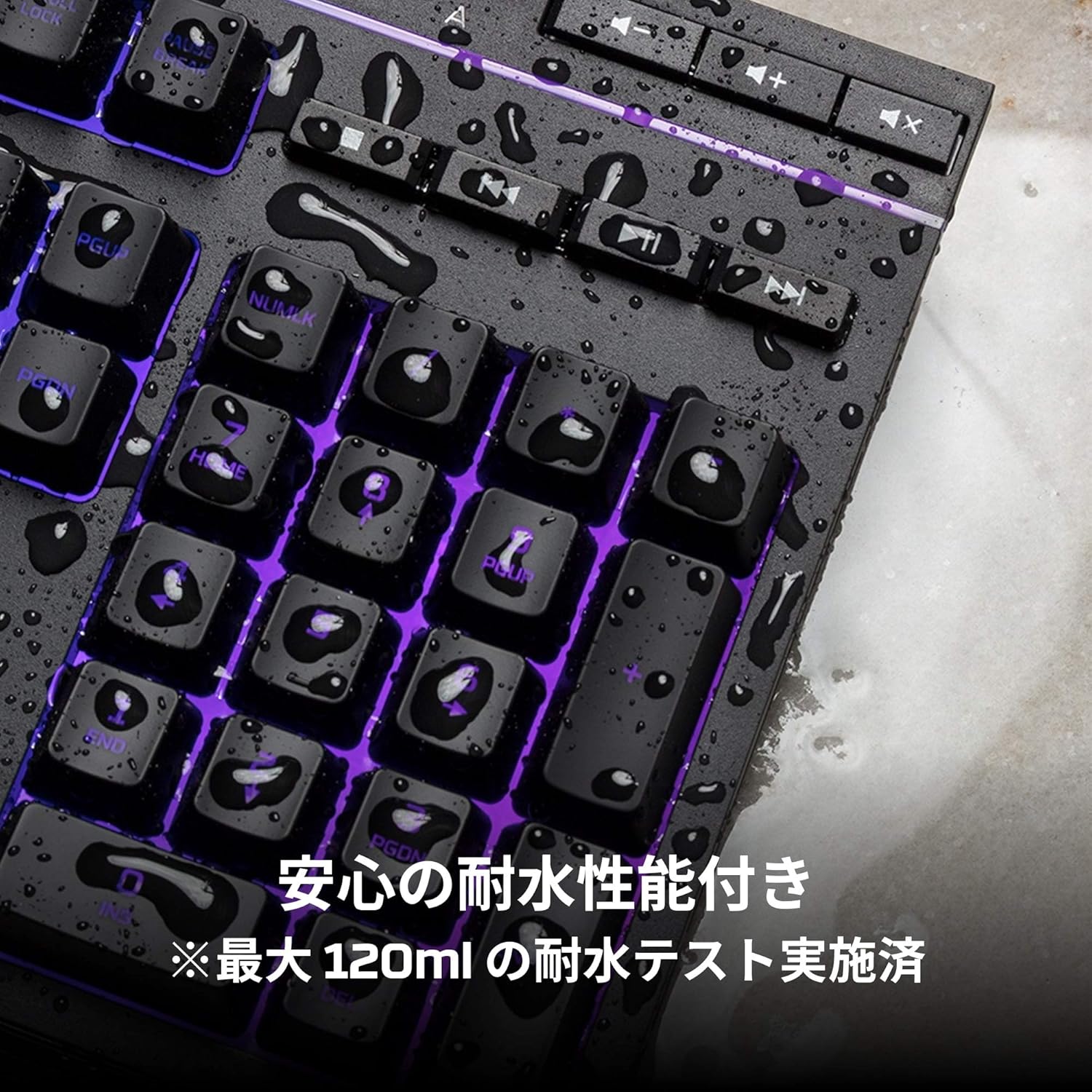
Image: Visual representation of various RGB lighting patterns and key combinations for controlling them.
Χειριστήρια πολυμέσων
Dedicated media control buttons are located on the top right of the keyboard for easy access to audio functions.
- Αύξηση/Μείωση έντασης: Ρυθμίστε την ένταση του συστήματος.
- Βουβός: Σίγαση ή κατάργηση σίγασης ήχου.
- Αναπαραγωγή/Παύση: Ελέγξτε την αναπαραγωγή πολυμέσων.
- Προηγούμενο/Επόμενο κομμάτι: Skip to the previous or next media track.

Image: Close-up of the dedicated media control buttons on the top right of the keyboard.
Game Mode and Keyboard Lock
- Λειτουργία παιχνιδιού: Press the game controller icon button to activate Game Mode, which disables the Windows key to prevent accidental interruptions during gameplay.
- Κλείδωμα πληκτρολογίου: Press FN + F12 to enable keyboard lock mode, which temporarily disables all key inputs.
Συντήρηση
To ensure the longevity and optimal performance of your HyperX Alloy Core RGB keyboard, follow these maintenance guidelines:
- Καθάρισμα: Regularly clean the keyboard with a soft, dry cloth. For stubborn dirt, a slightly damp μπορεί να χρησιμοποιηθεί πανί, διασφαλίζοντας ότι δεν θα εισέλθει υγρό στους διακόπτες με κλειδί.
- Αντίσταση σε διαρροές: While the keyboard is spill-resistant (up to 120ml), it is not waterproof. In case of a spill, immediately disconnect the keyboard from your computer, wipe off any liquid, and allow it to air dry completely before reconnecting.
- Αποφύγετε ακραίες συνθήκες: Μην εκθέτετε το πληκτρολόγιο σε ακραίες θερμοκρασίες, υγρασία ή άμεσο ηλιακό φως.

Image: The keyboard with water droplets on its surface, illustrating its spill-resistant feature.
Αντιμετώπιση προβλημάτων
If you encounter issues with your HyperX Alloy Core RGB keyboard, refer to the following common solutions:
- Το πληκτρολόγιο δεν ανταποκρίνεται:
- Βεβαιωθείτε ότι το καλώδιο USB είναι συνδεδεμένο σωστά τόσο στο πληκτρολόγιο όσο και στον υπολογιστή.
- Δοκιμάστε να συνδέσετε το πληκτρολόγιο σε μια διαφορετική θύρα USB στον υπολογιστή σας.
- Κάντε επανεκκίνηση του υπολογιστή σας.
- Check if Keyboard Lock Mode (FN + F12) is active.
- Ο φωτισμός RGB δεν λειτουργεί:
- Ensure the brightness is not set to the lowest level using the brightness adjustment button.
- Cycle through different lighting modes using the lighting mode selection button.
- Βεβαιωθείτε ότι το πληκτρολόγιο είναι σωστά συνδεδεμένο και τροφοδοτείται με ρεύμα.
- Τα κλειδιά δεν καταχωρούνται σωστά:
- Καθαρίστε γύρω από τα πλήκτρα που έχουν προσβληθεί για να αφαιρέσετε τυχόν υπολείμματα.
- Ensure your operating system is compatible (Windows 7/8/8.1/10).
- Game Mode Issues:
- Ensure Game Mode is properly activated by pressing the game controller icon button. The indicator light should be on.
If the issue persists after trying these steps, please contact HyperX customer support for further assistance.
Προδιαγραφές
| Χαρακτηριστικό | Λεπτομέρεια |
|---|---|
| Μάρκα | HyperX |
| Αριθμός μοντέλου | HX-KB5ME2-JP |
| Συνδεσιμότητα | USB-A |
| Τύπος πληκτρολογίου | Πληκτρολόγιο Membrane Gaming |
| Χρώμα οπίσθιου φωτισμού | RGB |
| Ειδικά Χαρακτηριστικά | Backlit, Spill-Resistant |
| Διαστάσεις (Μ x Π x Υ) | 44.32 x 17.53 x 3.57 εκ |
| Βάρος | 1.1 κιλά |
| Συμβατό λειτουργικό σύστημα | Windows 7/8/8.1/10 |
Εγγύηση και υποστήριξη
The HyperX Alloy Core RGB Gaming Keyboard comes with a 2 χρόνια εγγύηση από την ημερομηνία αγοράς. Παρακαλούμε φυλάξτε την απόδειξη αγοράς για τυχόν αξιώσεις εγγύησης.
For technical support, warranty inquiries, or additional information, please visit the official HyperX support webστον ιστότοπο ή επικοινωνήστε με το τμήμα εξυπηρέτησης πελατών τους.
Επίσημο HyperX Webτοποθεσία: www.hyperx.com


