1. Εισαγωγή
This manual provides essential information for setting up, operating, maintaining, and troubleshooting your HP 15-AY075NR Notebook. Please read this guide thoroughly to ensure proper use and to maximize the lifespan of your device. This notebook is designed for general computing tasks, featuring an Intel Core i3-5005U processor, 6GB of RAM, a 500GB HDD, and runs on Windows 10.
2. Περιεχόμενα συσκευασίας
Before proceeding with setup, verify that all items are present in the package:
- HP 15-AY075NR Notebook
- Μετασχηματιστής εναλλασσόμενου ρεύματος και καλώδιο τροφοδοσίας
- Οδηγός γρήγορης εκκίνησης (εάν περιλαμβάνεται)
- Πληροφορίες εγγύησης (εάν περιλαμβάνονται)
3. Φυσική Υπέρβασηview
Familiarize yourself with the main components and ports of your HP 15-AY075NR Notebook.
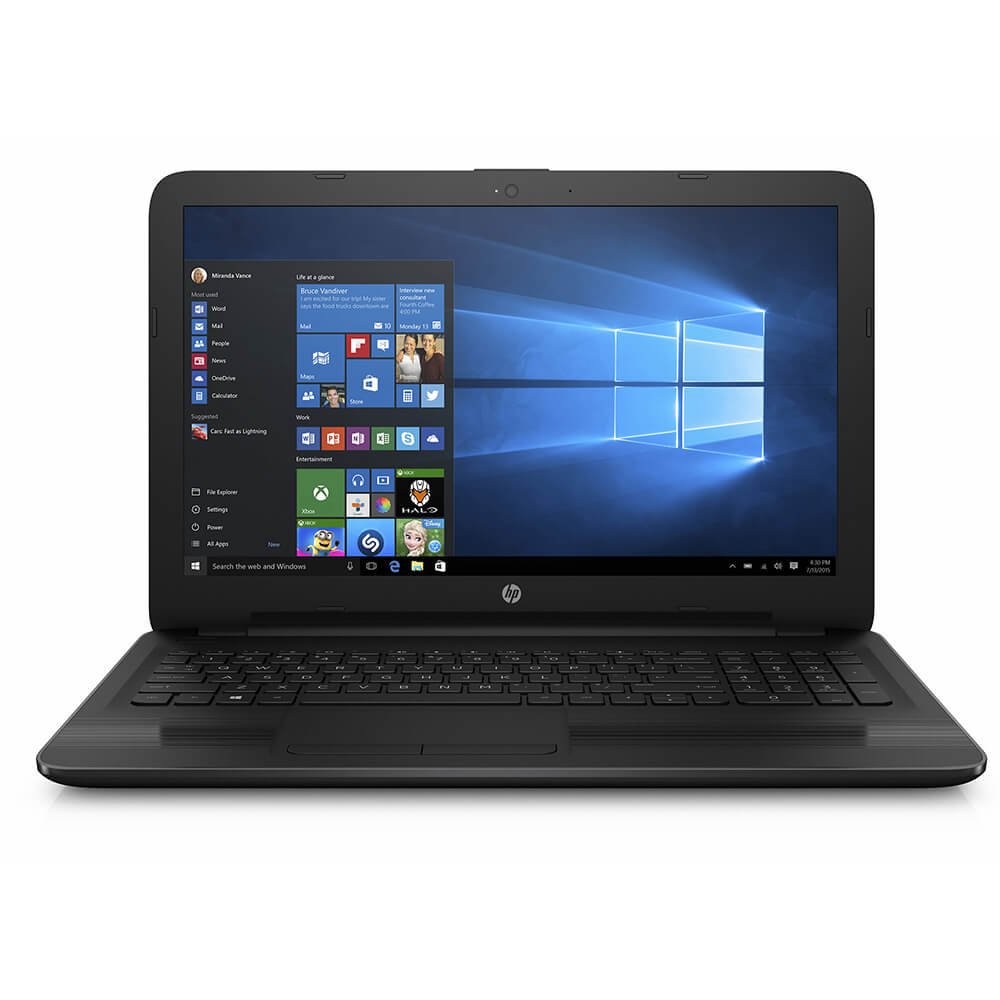
Εικόνα 3.1: Εμπρός view of the HP 15-AY075NR Notebook. This image displays the laptop in a closed position, highlighting its sleek black design and overall form factor.
3.1. Left Side Ports
- Υποδοχή ισχύος: Συνδέει το τροφοδοτικό AC.
- Θύρα Ethernet (RJ-45): Για ενσύρματη σύνδεση δικτύου.
- Θύρα HDMI: Connects to external displays or TVs.
- Θύρα USB 3.0: Για μεταφορά δεδομένων υψηλής ταχύτητας με συμβατές συσκευές.
- Θύρα USB 2.0: Για τη σύνδεση περιφερειακών συσκευών.
- Συνδυαστική υποδοχή ακουστικών/μικροφώνου: Για είσοδο/έξοδο ήχου.
3.2. Right Side Ports
- Optical Drive (DVD Super Multi): Για ανάγνωση και εγγραφή CD/DVD.
- Θύρα USB 2.0: Για τη σύνδεση περιφερειακών συσκευών.
- Αναγνώστης καρτών SD: Για την ανάγνωση καρτών μνήμης SD.
3.3. Πληκτρολόγιο και Touchpad
The notebook features a full-size island-style keyboard with a numeric keypad for efficient data entry. The multi-touch touchpad allows for precise cursor control and gesture-based navigation.
4. Ρύθμιση
4.1. Σύνδεση του τροφοδοτικού
- Connect the AC adapter to the power connector on the left side of the notebook.
- Συνδέστε το καλώδιο ρεύματος σε μια γειωμένη πρίζα.
- Η μπαταρία θα ξεκινήσει να φορτίζει αυτόματα. Συνιστάται να φορτίσετε πλήρως την μπαταρία πριν από την πρώτη χρήση.
4.2. Αρχική ενεργοποίηση και εγκατάσταση των Windows 10
- Open the notebook lid and press the power button, typically located above the keyboard.
- Follow the on-screen instructions to complete the Windows 10 initial setup. This includes selecting your region, language, accepting license terms, creating a user account, and setting up network connections.
- Connect to a Wi-Fi network or use a wired Ethernet connection during setup to download necessary updates.
5. Λειτουργία
5.1. Διαχείριση ενέργειας
- Ενεργοποίηση: Πατήστε το κουμπί λειτουργίας.
- Κλείνω το εργοστάσιον: Κάντε κλικ στο κουμπί Έναρξη και, στη συνέχεια, επιλέξτε Τροφοδοσία > Τερματισμός λειτουργίας.
- Κατάσταση ύπνου: Κλείστε το καπάκι ή κάντε κλικ στο κουμπί Έναρξη και, στη συνέχεια, επιλέξτε Τροφοδοσία > Ύπνος.
- Επανεκκίνηση: Κάντε κλικ στο κουμπί Έναρξη και, στη συνέχεια, επιλέξτε Τροφοδοσία > Επανεκκίνηση.
5.2. Σύνδεση σε δίκτυα
- Wi-Fi: Click the network icon in the taskbar, select your desired network, and enter the password if prompted.
- Ενσύρματο (Ethernet): Connect an Ethernet cable from your router/modem to the Ethernet port on the notebook.
5.3. Χρήση εξωτερικών συσκευών
- Συσκευές USB: Insert USB drives, mice, or other peripherals into the available USB 2.0 or USB 3.0 ports.
- Εξωτερική οθόνη: Connect an HDMI cable from the notebook's HDMI port to an external monitor or TV. Press Πλήκτρο Windows + P to adjust display settings.
- Κάρτες SD: Insert an SD card into the card reader slot until it clicks into place.
- Optical Discs: Press the eject button on the optical drive to open the tray. Place a CD or DVD onto the tray, label side up, and gently push the tray back in.
6. Συντήρηση
6.1. Cleaning the Notebook
- Χρησιμοποιήστε ένα μαλακό πανί που δεν αφήνει χνούδι ελαφρώς dampξεπλύνετε με νερό ή καθαριστικό οθόνης για να καθαρίσετε την οθόνη.
- Για το πληκτρολόγιο και το πλαίσιο, χρησιμοποιήστε ένα μαλακό, στεγνό πανί. Αποφύγετε τη χρήση σκληρών χημικών ουσιών ή λειαντικών υλικών.
- Χρησιμοποιήστε περιοδικά πεπιεσμένο αέρα για να απομακρύνετε τη σκόνη από τους αεραγωγούς, ώστε να διασφαλίσετε την κατάλληλη ροή αέρα.
6.2. Φροντίδα μπαταρίας
- Αποφύγετε την συχνή πλήρη αποφόρτιση της μπαταρίας.
- Store the notebook in a cool, dry place if not used for extended periods.
- Εάν η μπαταρία είναι αφαιρούμενη (ελέγξτε το συγκεκριμένο μοντέλο σας), βεβαιωθείτε ότι έχει τοποθετηθεί σωστά.
6.3. Ενημερώσεις λογισμικού
Regularly check for and install Windows updates and HP driver updates to ensure optimal performance and security. Access Windows updates via Ρυθμίσεις > Ενημέρωση και ασφάλεια > Windows Update.
7. Αντιμετώπιση Προβλημάτων
7.1. No Power / Does Not Turn On
- Ensure the AC adapter is securely connected to both the notebook and a working power outlet.
- Βεβαιωθείτε ότι η πρίζα λειτουργεί συνδέοντας μια άλλη συσκευή.
- Εάν η μπαταρία έχει αποφορτιστεί εντελώς, αφήστε την να φορτίσει για τουλάχιστον 15-30 λεπτά πριν επιχειρήσετε να την ενεργοποιήσετε.
7.2. Blank or Black Screen
- Ensure the notebook is powered on.
- Connect an external monitor to the HDMI port to check if the display output works. If it does, the internal display may have an issue.
- Try adjusting the screen brightness using the function keys (e.g., Fn + F2/F3 or similar, depending on your keyboard layout).
7.3. Προβλήματα σύνδεσης Wi-Fi
- Ensure Wi-Fi is enabled (check the wireless key or function key, e.g., Fn + F12).
- Επανεκκινήστε τον δρομολογητή και το μόντεμ σας.
- Εκτελέστε το Πρόγραμμα αντιμετώπισης προβλημάτων δικτύου των Windows (Ρυθμίσεις > Δίκτυο και Διαδίκτυο > Κατάσταση > Αντιμετώπιση προβλημάτων δικτύου).
8. Προδιαγραφές
| Χαρακτηριστικό | Προσδιορισμός |
|---|---|
| Μοντέλο | 15-AY075NR (X0H79UA#ABA) |
| Επεξεργαστής | Intel Core i3-5005U (2.0 GHz, Dual Core) |
| ΕΜΒΟΛΟ | 6 GB DDR3L-1600 SDRAM |
| Αποθήκευση | 500 GB HDD (5400 RPM) |
| Γραφικά | Intel HD Graphics (Integrated) |
| Επίδειξη | Φωτεινή οθόνη HD SVA 15.6 ιντσώνView Οπισθοφωτισμός WLED (1366 x 768) |
| Λειτουργικό σύστημα | Windows 10 |
| Ασύρματη Συνδεσιμότητα | Intel 802.11a/b/g/n/ac (1x1) Wi-Fi, Bluetooth 4.0 |
| λιμάνια | 1x USB 3.0, 2x USB 2.0, 1x HDMI, 1x RJ-45, 1x Headphone/Mic Combo, 1x Multi-format SD Media Card Reader |
| Μονάδα οπτικού δίσκου | DVD Super Multi |
| Διάρκεια ζωής μπαταρίας (μέση) | 6.25 Ώρες |
| Βάρος | 4.73 λίρες |
| Διαστάσεις (ΜxΠxΥ) | 24 x 4 x 14 ίντσες (Διαστάσεις προϊόντος) |
9. Εγγύηση και υποστήριξη
Your HP 15-AY075NR Notebook is covered by a standard manufacturer's warranty. For specific warranty terms and conditions, please refer to the documentation included with your product or visit the official HP support website. HP provides technical support, driver downloads, and troubleshooting resources online.
For further assistance, please visit the official HP Support webτοποθεσία: support.hp.com