1. Εισαγωγή
This manual provides detailed instructions for the installation, operation, and maintenance of your COMPUTHERM Q3 digital room thermostat. The Q3 thermostat is designed to regulate the temperature in your home or office, offering precise control for heating and cooling systems. It features a clear digital display and user-friendly controls for optimal comfort and energy efficiency.

Εικόνα 1.1: Εμπρός view of the COMPUTHERM Q3 Thermostat, showing the digital display and control buttons.
2. Ρύθμιση και εγκατάσταση
2.1 Τοποθέτηση του θερμοστάτη
The COMPUTHERM Q3 thermostat is designed for simple wall mounting. Choose an indoor location away from direct sunlight, drafts, or heat sources that could affect temperature readings. Ensure the chosen location allows for easy access to the controls and clear visibility of the display.

Εικόνα 2.1: The COMPUTHERM Q3 Thermostat mounted on a wall, illustrating its compact design and integration into a living space.
2.2 Οδηγίες καλωδίωσης
This thermostat uses wired connectivity and can be integrated with any boiler that has a secondary temperature connector. It operates on 250 Volts and has a maximum switching voltage of 1760W. For safety and proper function, wiring should be performed by a qualified professional.
- Ensure the main power supply to the heating/cooling system is turned off before beginning any wiring.
- Connect the thermostat to the appropriate terminals on your boiler or HVAC system as per the system's specific wiring diagram.
- The thermostat requires a wired connection for control signals.
2.3 Τροφοδοτικό
The COMPUTHERM Q3 thermostat is powered by 2 AA batteries. Ensure fresh batteries are installed correctly according to the polarity markings inside the battery compartment.
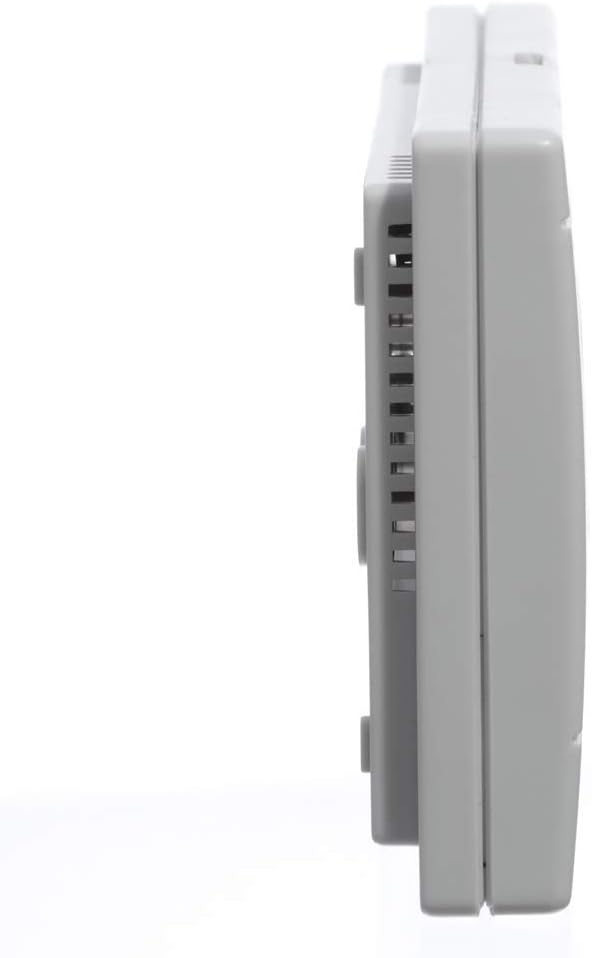
Εικόνα 2.2: Side profile of the COMPUTHERM Q3 Thermostat, showing its slim design and ventilation slots.
3. Οδηγίες λειτουργίας
3.1 Πληροφορίες οθόνης
The digital display provides real-time information about the room temperature and set temperature, along with operational indicators.

Εικόνα 3.1: Λεπτομερής view of the LCD display on the COMPUTHERM Q3 Thermostat, showing the current temperature, temperature unit (°C), and indicators for heating (HEAT) or air conditioning (A/C) operation, as well as room temperature (ROOM) and set temperature (SET).
- Οθόνη θερμοκρασίας: Εμφανίζει την τρέχουσα θερμοκρασία δωματίου.
- Μονάδα θερμοκρασίας: Indicates degrees Celsius (°C).
- HEAT/A/C Symbol: Indicates if the system is currently heating or cooling.
- ROOM/SET: Indicates whether the displayed temperature is the current room temperature or the user-set target temperature.
3.2 Ρύθμιση θερμοκρασίας
You can set your desired temperature between 5°C and 40°C in 0.5°C increments using the '+' and '-' buttons on the thermostat. The digital screen provides a precise temperature display.
3.3 Operating Modes (Economy/Comfort)
A selection slider on the control unit allows you to switch between two predefined temperature regimes: economy and comfort. This feature enables quick adjustment to suit your immediate needs without manually resetting the temperature.
- Οικονομική λειτουργία: Typically sets a lower temperature for heating or a higher temperature for cooling to conserve energy.
- Comfort Mode: Sets a more comfortable temperature, usually higher for heating or lower for cooling.
3.4 Heating and Cooling Functionality
The COMPUTHERM Q3 thermostat supports both heating and cooling operations, ensuring a stable indoor temperature with a sensitivity of ±0.1 or 0.2 degrees Celsius.
4. Συντήρηση
4.1 Καθαρισμός
To maintain the thermostat's appearance and functionality, wipe the exterior with a soft, dry cloth. Avoid using abrasive cleaners, solvents, or chemical sprays, as these can damage the unit.
4.2 Αντικατάσταση μπαταρίας
When the battery indicator appears on the display, replace the 2 AA batteries promptly to ensure continuous operation. Open the battery compartment, remove the old batteries, and insert new ones, observing correct polarity. Dispose of used batteries responsibly.
5. Αντιμετώπιση Προβλημάτων
If you encounter issues with your COMPUTHERM Q3 thermostat, please refer to the following common troubleshooting steps:
- Χωρίς εμφάνιση: Check if the 2 AA batteries are correctly installed and have sufficient charge. Replace them if necessary.
- Λανθασμένη ένδειξη θερμοκρασίας: Ensure the thermostat is not exposed to direct sunlight, drafts, or heat sources. Allow time for the thermostat to stabilize after installation.
- Το σύστημα δεν ανταποκρίνεται: Verify that the thermostat is correctly wired to your heating/cooling system. Check the power supply to your boiler or HVAC unit.
- Διακύμανση θερμοκρασίας: The thermostat has a high sensitivity. Ensure doors and windows are closed to maintain stable room conditions.
If problems persist after attempting these steps, please contact COMPUTHERM customer support or a qualified technician.
6. Προδιαγραφές
| Χαρακτηριστικό | Προσδιορισμός |
|---|---|
| Μάρκα | ΥΠΟΛΟΓΙΣΤΙΚΗ |
| Αριθμός μοντέλου | Q3 |
| Χρώμα | Λευκό |
| Διαστάσεις (Μ x Π x Υ) | 11 x 8 x 2.3 εκ |
| Βάρος | 150 γρ |
| Εξουσία | 1760 Watts (Max Switching) |
| Τομtage | 250 Volt |
| Υλικό | Πλαστική ύλη |
| Ειδικό χαρακτηριστικό | Dimmable (display) |
| Τεχνολογία Συνδεσιμότητας | Ενσύρματο |
| Τύπος ελέγχου θερμοκρασίας | Cooling, Heated |
| Πηγή ισχύος | Τροφοδοτείται από μπαταρία (απαιτούνται 2 μπαταρίες AA) |
| Ρυθμιζόμενο εύρος θερμοκρασίας | 5°C έως 40°C (σε προσαυξήσεις 0.5°C) |
| Ευαισθησία στη θερμοκρασία | ±0.1 or 0.2°C |
7. Εγγύηση και υποστήριξη
7.1 Εγγύηση Κατασκευαστή
The COMPUTHERM Q3 Thermostat comes with a 2-year manufacturer's warranty. Please retain your proof of purchase for warranty claims. The warranty covers defects in materials and workmanship under normal use.
7.2 Υποστήριξη πελατών
For technical assistance, troubleshooting, or warranty inquiries, please contact COMPUTHERM customer support. Refer to the product packaging or the official COMPUTHERM webιστοσελίδα για στοιχεία επικοινωνίας.


