1. Εισαγωγή
This manual provides instructions for the setup, operation, and maintenance of your ViewSonic VX2770SMH-LED 27-inch IPS 1080p Frameless LED Monitor. This monitor features a sleek design, Full HD 1920x1080 resolution, and an IPS panel for wide viewing angles and accurate color reproduction. It includes HDMI, DVI, and VGA inputs, along with integrated speakers.
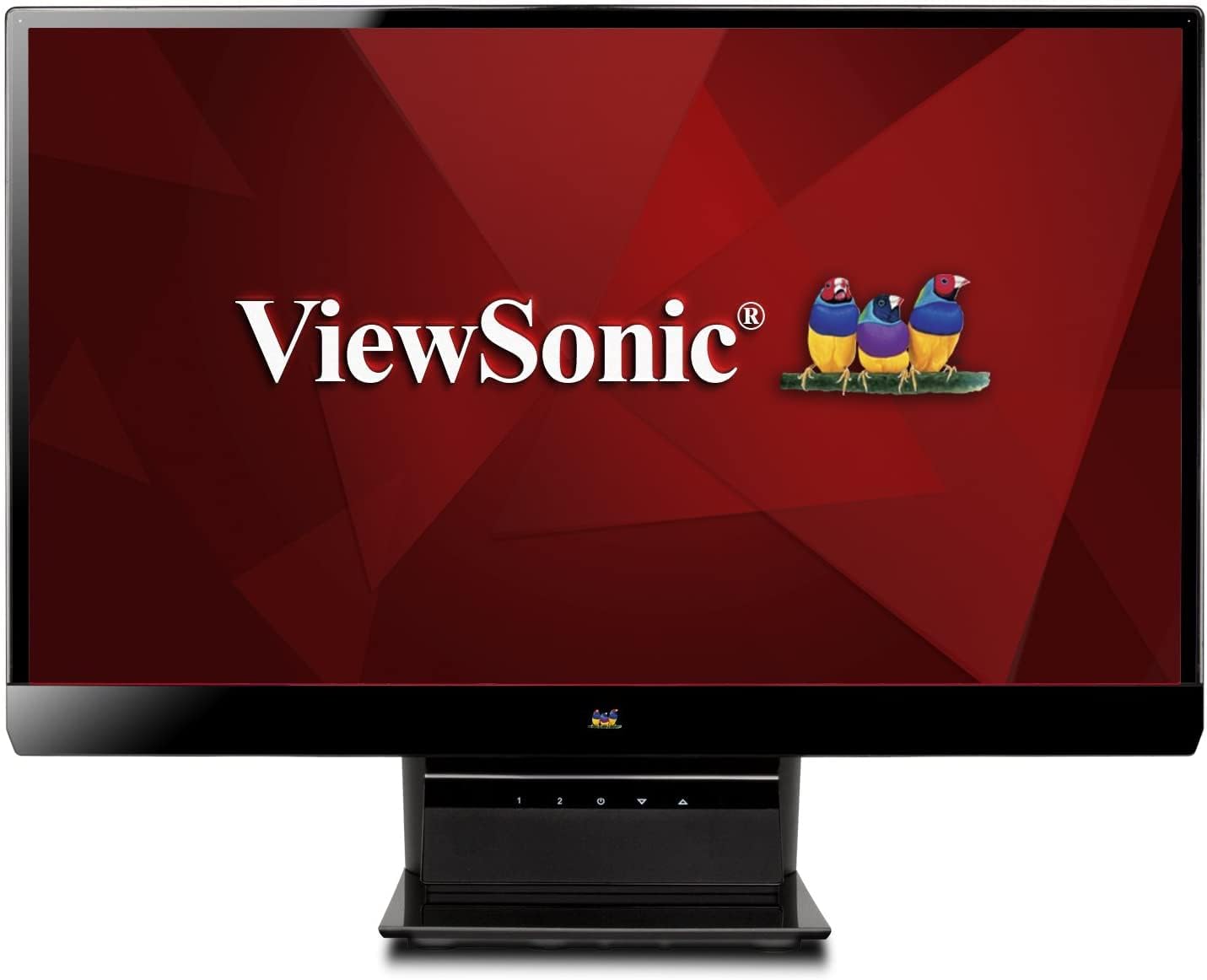
Εικόνα 1: ViewSonic VX2770SMH-LED 27-inch monitor displaying a tropical beach scene.
2. Περιεχόμενα συσκευασίας
Βεβαιωθείτε ότι όλα τα στοιχεία υπάρχουν στη συσκευασία του προϊόντος σας:
- VX2770Smh-LED display
- Καλώδιο τροφοδοσίας
- Μετασχηματιστής AC/DC
- Καλώδιο VGA
- Καλώδιο HDMI
- Οδηγός γρήγορης εκκίνησης
- ViewCD Sonic Wizard
3. Ρύθμιση
Ακολουθήστε αυτά τα βήματα για να ρυθμίσετε την οθόνη σας:
- Συναρμολογήστε το περίπτερο: Carefully attach the monitor panel to the stand base according to the Quick Start Guide. Ensure it is securely fastened.
- Σύνδεση τροφοδοσίας: Connect the AC/DC adapter to the monitor's power input, then plug the power cable into the adapter and a power outlet.
- Σύνδεση καλωδίου βίντεο: Connect one end of the appropriate video cable (HDMI, DVI, or VGA) to the corresponding port on the back of the monitor and the other end to your computer's video output port.
- Ενεργοποίηση: Πατήστε το κουμπί λειτουργίας στην οθόνη για να την ενεργοποιήσετε.

Εικόνα 2: Πίσω view of the monitor, illustrating the stand attachment area and overall design.
4. Λειτουργία της οθόνης
The monitor features capacitive control buttons located on the stand for easy access to settings and power functions.

Εικόνα 3: Εμπρός view of the monitor, showing the control buttons on the stand.
Ενεργοποίηση/Απενεργοποίηση
Press the power button (usually indicated by a power symbol) to turn the monitor on or off.
Μενού επί της οθόνης (OSD).
Use the control buttons to navigate the OSD menu. This menu allows you to adjust various display settings such as brightness, contrast, color temperature, input source, and more. Refer to the digital manual on the ViewSonic Wizard CD for detailed OSD navigation.
5. Συνδεσιμότητα
Ο ViewSonic VX2770SMH-LED monitor offers multiple input options for versatile connectivity:
- HDMI: Για ψηφιακό βίντεο και ήχο υψηλής ευκρίνειας.
- DVI-D: For digital video input.
- VGA: Για αναλογική είσοδο βίντεο.
The monitor also features integrated speakers with SRS Premium Sound for audio output.

Εικόνα 4: Κοντινό πλάνο view of the HDMI, DVI, and VGA input ports on the monitor's rear panel.
Video 1: Official product video demonstrating the features and design of the ViewSonic VX2770SMH-LED monitor, including its frameless design, IPS panel technology, connectivity options, and energy efficiency.
6. Χαρακτηριστικά οθόνης
- Τεχνολογία IPS Panel: Provides consistent and accurate colors with wide 178/178-degree viewing angles, ensuring clear images from nearly any perspective.
- Ανάλυση Full HD 1080p: Delivers sharp and detailed images (1920x1080) for an enhanced viewεμπειρία.
- Σχεδιασμός χωρίς πλαίσιο: The ultra-thin bezel creates a seamless visual experience, ideal for multi-monitor setups.
- MEGA Dynamic Contrast Ratio: A 30,000,000:1 dynamic contrast ratio enhances image depth and detail.
- Οπίσθιος φωτισμός LED: Energy-efficient LED backlighting contributes to lower power consumption.
- Οικολογική λειτουργία: Further reduces power consumption and extends the monitor's lifespan.
- sRGB Color Correction: Ensures accurate color reproduction for various applications.
7. Συντήρηση
Για να διασφαλίσετε τη μακροζωία και τη βέλτιστη απόδοση της οθόνης σας, ακολουθήστε αυτές τις οδηγίες συντήρησης:
- Καθαρισμός της οθόνης: Σκουπίστε απαλά την οθόνη με ένα μαλακό πανί που δεν αφήνει χνούδι. Για επίμονα σημάδια, τρίψτε ελαφρά.ampen the cloth with water or a mild, non-abrasive screen cleaner. Avoid spraying liquid directly onto the screen.
- Καθαρισμός του Casing: Χρησιμοποιήστε ένα μαλακό, στεγνό πανί για να καθαρίσετε την οθόνη.asing.
- Αερισμός: Βεβαιωθείτε ότι τα ανοίγματα εξαερισμού της οθόνης δεν είναι φραγμένα για να αποτρέψετε την υπερθέρμανση.
- Απενεργοποίηση όταν δεν χρησιμοποιείται: Turn off the monitor when not in use to save energy and prolong its life.
8. Αντιμετώπιση Προβλημάτων
Εάν αντιμετωπίσετε προβλήματα με την οθόνη σας, ανατρέξτε στα ακόλουθα συνηθισμένα βήματα αντιμετώπισης προβλημάτων:
- Χωρίς ισχύ: Check if the power cable and AC/DC adapter are securely connected to the monitor and a working power outlet.
- Χωρίς σήμα: Verify that the video cable is correctly connected to both the monitor and your computer. Ensure the correct input source is selected via the OSD menu.
- Προβλήματα εικόνας (θολές, παραμορφωμένες, λανθασμένα χρώματα): Adjust the display settings through the OSD menu. Ensure your computer's display resolution is set to the monitor's native resolution (1920x1080).
- Χωρίς ήχο: Check the audio cable connection (if using VGA) or ensure HDMI audio is selected. Adjust the volume settings on both the monitor and your computer.
For more detailed troubleshooting, consult the digital manual on the ViewCD Sonic Wizard.
9. Προδιαγραφές
| Χαρακτηριστικό | Προσδιορισμός |
|---|---|
| Μέγεθος οθόνης μόνιμης οθόνης | 27 ίντσες |
| Ανάλυση οθόνης | 1920x1080 |
| Μέγιστη ανάλυση οθόνης | 1920 x 1080 |
| Σειρά | Viewsonic VX2770SMH-LED |
| Αριθμός μοντέλου προϊόντος | VX2770SMH-LED |
| Βάρος αντικειμένου | 11 λίρες |
| Διαστάσεις προϊόντος | 7.6 x 24.5 x 18.1 ίντσες |
| Χρώμα | Μαύρος |
| Μέγεθος οθόνης | 27 ίντσες |
| Ψήφισμα | FHD 1080p |
| Αναλογία διαστάσεων | 1.78:1 |
| Περιγραφή επιφάνειας οθόνης | Λείος |

Σχήμα 5: Διαστάσεις οθόνης για τον σχεδιασμό του χώρου εργασίας σας.
10. Εγγύηση και υποστήριξη
Αυτό ViewSonic monitor is covered by a Περιορισμένη Εγγύηση 3 έτους. For warranty claims or technical support, please refer to the contact information provided in your Quick Start Guide or visit the official ViewΥποστήριξη Sonic webτοποθεσία.


