Εισαγωγή
The Chief TS325TU Medium THINSTALL Dual Swing Arm Wall Display Mount is designed to provide a secure and versatile mounting solution for flat panel displays ranging from 30 to 52 inches. This mount offers an ultra-low profile when collapsed and extends up to 25 inches, allowing for optimal viewing angles with its Centris low-profile tilt and Centerless lateral shift capabilities. It features integrated cable management for a clean installation.
Πληροφορίες Ασφάλειας
ΠΡΟΕΙΔΟΠΟΙΗΣΗ: Failure to read, understand, and follow all instructions can result in serious personal injury, property damage, or voiding of product warranty. If you have any questions, contact Chief customer service or a qualified installer.
- Μην υπερβαίνετε τη μέγιστη χωρητικότητα φορτίου του 75.00 λίβρες (34 κιλά).
- Βεβαιωθείτε ότι η επιφάνεια στήριξης μπορεί να υποστηρίξει με ασφάλεια το συνδυασμένο βάρος της βάσης στήριξης και της οθόνης.
- Always mount to structural studs or appropriate wall anchors. Note that this mount is designed for studs approximately 16 inches apart.
- Use appropriate tools and follow all local building codes.
- Κρατήστε τα παιδιά και τα κατοικίδια μακριά κατά την εγκατάσταση.
Περιεχόμενα συσκευασίας
Βεβαιωθείτε ότι όλα τα εξαρτήματα είναι παρόντα πριν ξεκινήσετε την εγκατάσταση:
- 1 x Κύριο Συγκρότημα
- 1 x Wall Rail
- 1 x Right Upright
- 1 x Left Upright
- 1 x Top Interface Support
- 1 x Bottom Interface Support
- 2 x Wall Rail Cover
- 1 x Lag Screw Cover
- 1 x Bumper
- 1 x Latch Spacer
- 2 x Long Adhesive
- 4 x Short Adhesive
- Mounting Hardware (various screws, washers, spacers)
Ρύθμιση και εγκατάσταση
Proper installation is critical for the safety and performance of your display mount. It is recommended to have at least two people for installation due to the weight and size of the mount.
Απαιτούμενα εργαλεία (Δεν περιλαμβάνονται):
- Finder Stud
- Τρυπήστε με κατάλληλα τρυπάνια
- Επίπεδο
- Μετροταινία
- Socket Wrench / Ratchet
- Κατσαβίδι Phillips Head
- Μολύβι
Βήμα-βήμα εγκατάσταση:
- Προετοιμάστε τον τοίχο:
Locate and mark the center of two adjacent wall studs. This mount is designed for standard 16-inch stud spacing. Ensure there are no electrical wires or plumbing in the drilling path. It is highly recommended to plan your entire layout, including TV, speakers, and wiring, before drilling.
- Attach Wall Rail:
Position the Wall Rail on the marked studs, ensuring it is level. Mark the pilot hole locations. Drill pilot holes into the studs. Secure the Wall Rail to the wall using the provided lag screws. Ensure the screws are tightened securely but do not overtighten to avoid stripping.
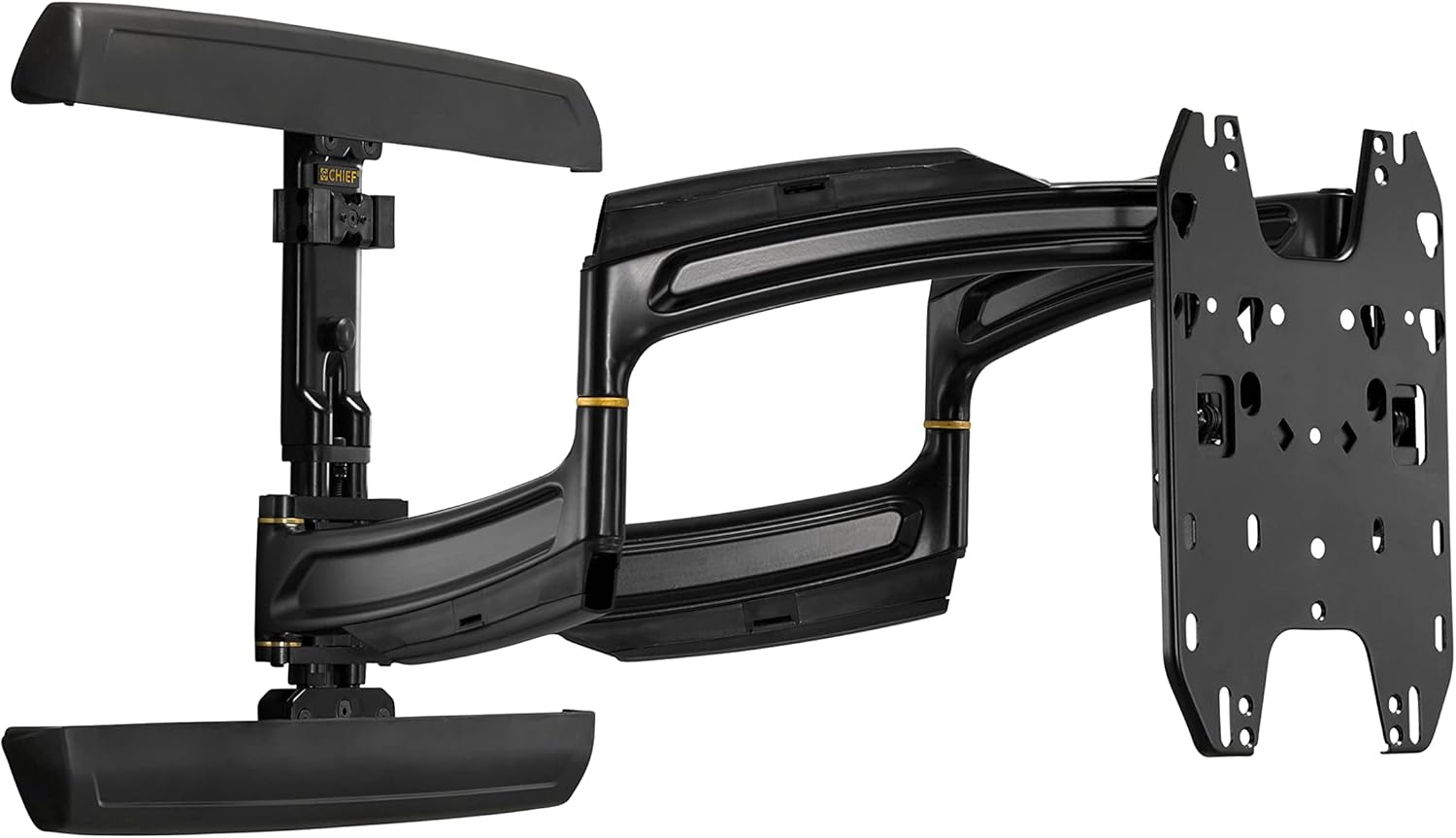
Image: Main assembly of the Chief TS325TU mount, showing the wall plate, articulating arms, and display interface.
- Assemble Display Interface:
Attach the Right and Left Uprights to the back of your display using the appropriate screws, washers, and spacers from the mounting hardware kit. Ensure the uprights are centered and level on the display. Then, attach the Top and Bottom Interface Supports to the uprights.
- Mount Display to Wall Rail:
Carefully lift the display with the attached interface and hook it onto the Wall Rail. The design allows for post-installation lateral shift of up to 16 inches (406 mm) for limitless centering capability. Secure the display to the mount according to the specific instructions in the detailed manual (refer to manufacturer's full manual for precise steps).
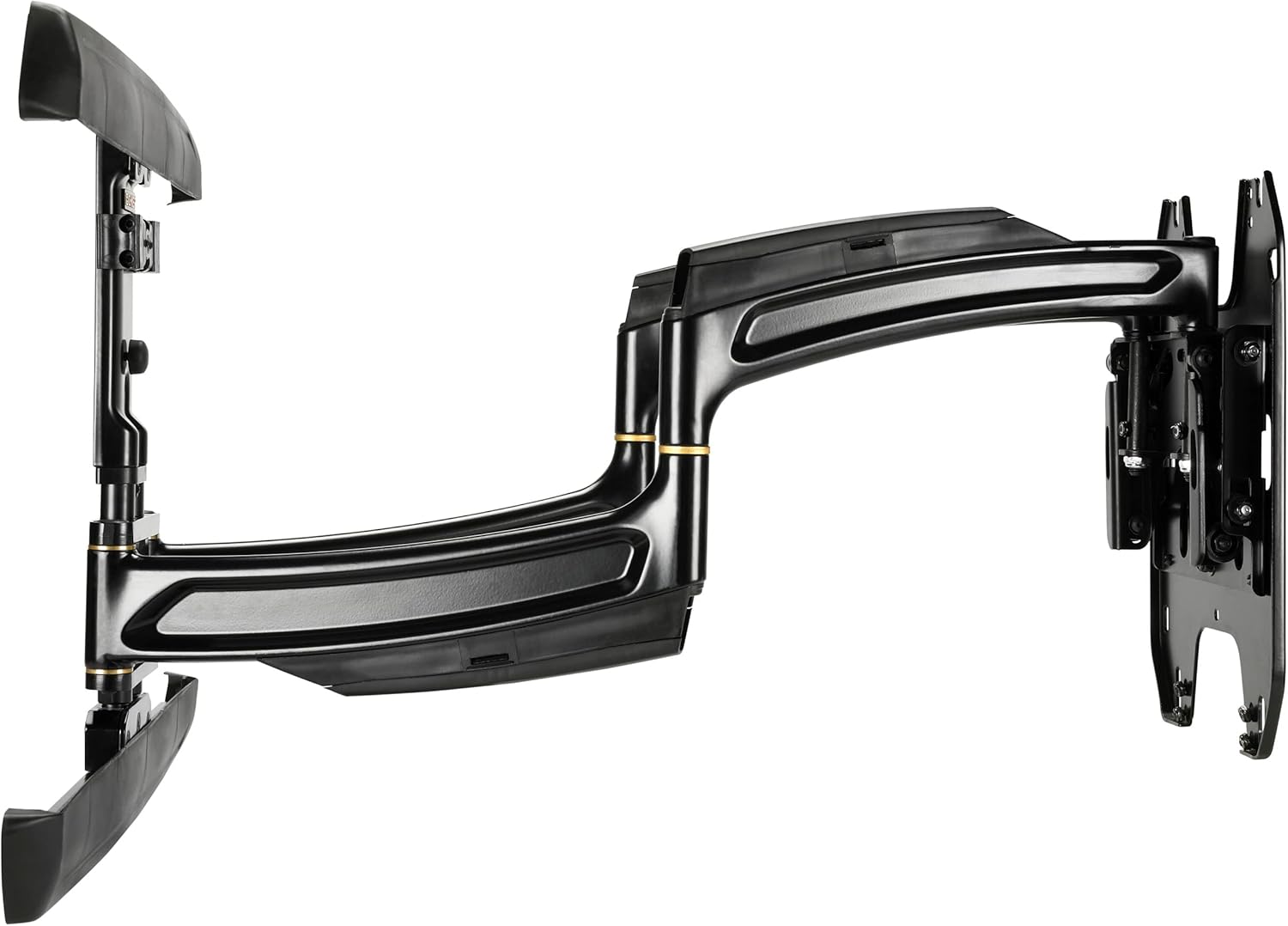
Εικόνα: Πλευρά view of the Chief TS325TU mount, illustrating its compact profile when retracted and the extension capability.
- Διαχείριση καλωδίων:
Utilize the enclosed, tool-free cable covers and the wide open wall plate to route power and signal cables. This helps maintain a clean and organized appearance.
Λειτουργία της βάσης
The Chief TS325TU mount offers flexible positioning for your display:
- Επέκταση: The mount extends up to 25 inches (635 mm) from the wall, maximizing viewing potential from various positions in the room.
- Κλίση: The Centris low-profile tilt mechanism allows for up to 15 degrees of effortless fingertip tilt. This enables you to achieve optimal viewing angles and reduce glare.
- Swivel/Pan: The dual swing arms allow for significant swivel capabilities, enabling you to turn the display left or right to suit your viewανάγκες.
- Πλευρική μετατόπιση: After installation, the display can be shifted laterally along the wall plate by up to 16 inches (406 mm) to fine-tune its horizontal position without re-drilling.

Εικόνα: Γωνιακή view of the Chief TS325TU mount, highlighting its robust construction and articulating design.
Συντήρηση
Regular maintenance ensures the longevity and safe operation of your mount:
- Καθάρισμα: Σκονίζετε τακτικά τη βάση με ένα μαλακό, στεγνό πανί. Για επίμονα σημάδια, χρησιμοποιήστε ένα ελαφρώςamp cloth with mild soap, then wipe dry. Avoid abrasive cleaners or solvents.
- Ελέγξτε τις συνδέσεις: Periodically check all screws and bolts to ensure they remain tight. Do not overtighten.
- Έλεγχος κίνησης: Occasionally extend, retract, tilt, and swivel the mount to ensure smooth operation. If movement becomes stiff, consult the troubleshooting section or contact support.
Αντιμετώπιση προβλημάτων
| Πρόβλημα | Πιθανή αιτία | Διάλυμα |
|---|---|---|
| Η βάση είναι ασταθής ή ασταθής. | Loose wall mounting bolts or display attachment screws. | Carefully re-tighten all wall and display attachment screws. Do not overtighten. If the issue persists, consult a professional installer. |
| Difficulty extending or retracting the arm. | Friction in the arm joints. | Ensure the mount is not overloaded. Check for any obstructions. The mount is designed for smooth movement; excessive force should not be required. |
| Display does not tilt smoothly. | Tilt mechanism tension. | The Centris tilt mechanism is designed for fingertip adjustment. Refer to the full manufacturer's manual for specific tilt tension adjustment procedures if needed. |
| Τα καλώδια δεν διαχειρίζονται με ακρίβεια. | Improper routing through cable covers. | Re-route cables through the integrated cable covers on the arms and wall plate for a cleaner look. |
For complex issues or if you are unsure about any step, please contact Chief customer support or a certified installer.
Προδιαγραφές
| Χαρακτηριστικό | Λεπτομέρεια |
|---|---|
| Μοντέλο προϊόντος | TS325TU |
| Μάρκα | Αρχηγός |
| Τύπος τοποθέτησης | Βάση τοίχου |
| Τύπος κίνησης | Tilt, Articulating |
| Μέγιστη χωρητικότητα φορτίου | 75.00 λίβρες (34 κιλά) |
| Minimum Compatible Display Size | 30 ίντσες |
| Maximum Compatible Display Size | 52 ίντσες |
| Μέγιστη επέκταση | 25 ίντσες (635 mm) |
| Μέγιστη γωνία κλίσης | 15 Μοίρες |
| Lateral Shift Adjustment | Up to 16 Inches (406 mm) |
| Διαστάσεις προϊόντος (Συμπτυγμένες) | 1.3 x 29.5 x 17.2 ίντσες (33 x 749 x 437 mm) |
| Βάρος αντικειμένου | 1 λίβρες (0.45 κιλά) Note: This weight seems unusually low for a mount of this type and capacity. Please refer to official manufacturer documentation for precise weight. |
| Υλικό | Μέταλλο |
| Χρώμα | Μαύρος |
Εγγύηση και υποστήριξη
For detailed warranty information, please refer to the official Chief Manufacturing website or the documentation included with your product. Chief provides support for their products to ensure customer satisfaction.
If you require technical assistance, have questions about installation, or need to report a missing part, please visit the official Chief Manufacturing support page or contact their customer service directly. Contact information can typically be found on their webτοποθεσία:


