1. Εισαγωγή
This manual provides essential instructions for setting up, operating, and maintaining your BlackBerry BB 9900 Bold Touch smartphone. Please read this guide thoroughly to ensure proper use and to maximize the device's capabilities. The BlackBerry BB 9900 Bold Touch combines a capacitive touchscreen with a full QWERTY keyboard, running on BlackBerry OS 7.
3. Η συσκευή τελείωσεview
Familiarize yourself with the physical features of your BlackBerry BB 9900 Bold Touch.
3.1 Μπροστά View

Εικόνα: Μπροστά view of the BlackBerry BB 9900 Bold Touch, highlighting the 2.8-inch touchscreen and the physical QWERTY keyboard below it. The device also features a trackpad and call/end buttons.
- Οθόνη αφής: 2.8-inch capacitive display for interactive navigation.
- Πληκτρολόγιο QWERTY: Full physical keyboard for efficient typing.
- Optical Trackpad: For precise navigation and selection.
- Κουμπιά κλήσης/τερματισμού: Standard telephony controls.
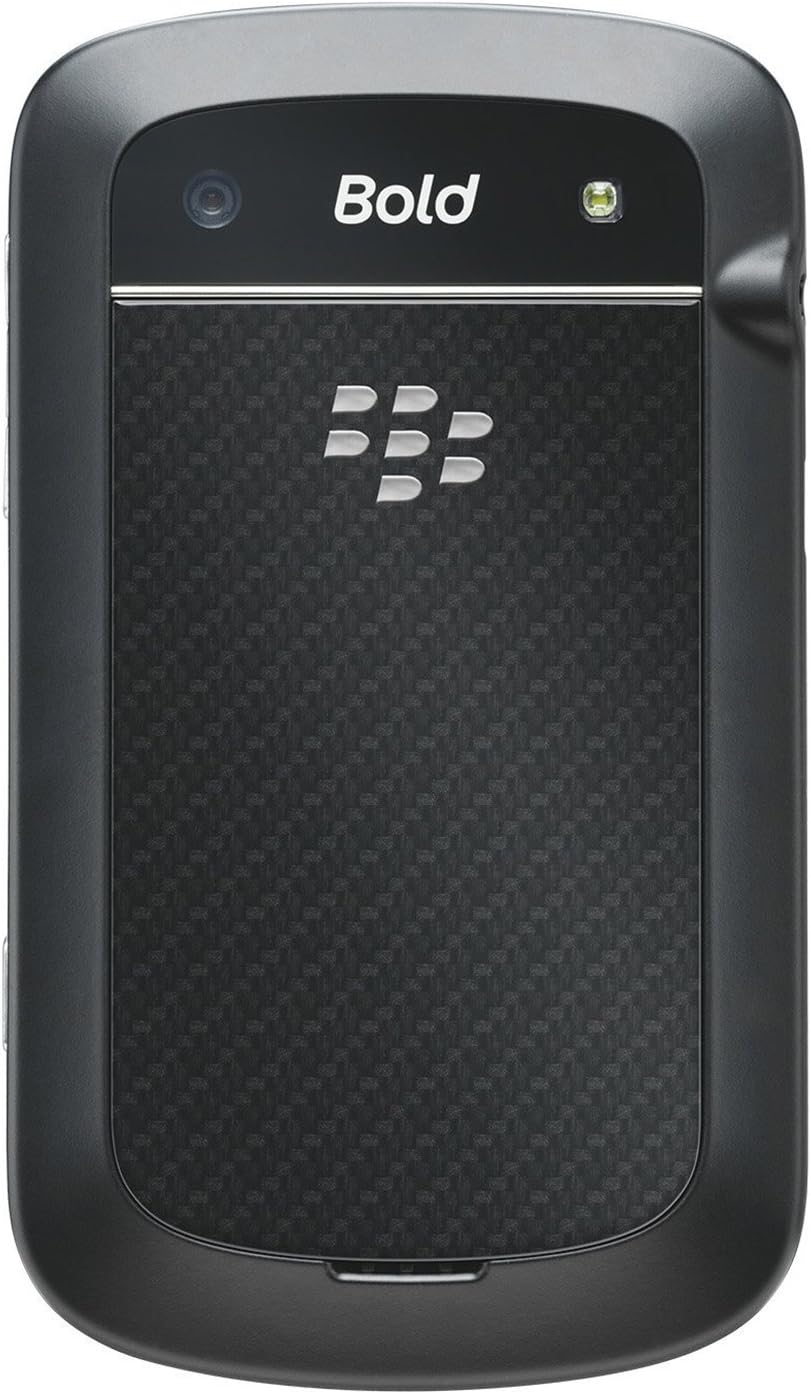
3.2 Πίσω View

Εικόνα: Πίσω view of the BlackBerry BB 9900 Bold Touch, featuring the 5-megapixel camera lens, LED flash, and the BlackBerry logo.
- 5MP Κάμερα: Primary camera with autofocus and LED flash.
- Κάλυμμα μπαταρίας: Removable cover for battery and SIM card access.
3.3 Πλευρά View
Εικόνα: Πλευρά view of the BlackBerry BB 9900 Bold Touch, illustrating the placement of the volume control buttons and a customizable convenience key.
- Κουμπιά έντασης ήχου: Προσαρμόστε τα επίπεδα ήχου.
- Convenience Key: Προσαρμόσιμο κουμπί συντόμευσης.
5. Οδηγίες λειτουργίας
5.1 Πλοήγηση με οθόνη αφής
- Παρακέντηση: Touch the screen briefly to open applications, select items, or activate buttons.
- Σουφρώνω: Drag your finger across the screen to scroll through lists or switch between home screen panels.
- Τσιμπήστε για ζουμ: Χρησιμοποιήστε δύο δάχτυλα για μεγέθυνση ή σμίκρυνση σε φωτογραφίες, web pages, or maps.
5.2 Χρήση του πληκτρολογίου QWERTY
The physical QWERTY keyboard allows for fast and accurate text entry. Each key corresponds to a letter, number, or symbol. Use the 'Alt' key for alternate characters and the 'Shift' key for capitalization.
5.3 Πραγματοποίηση κλήσεων
- From the home screen, tap the Phone icon or press the green Call button.
- Enter the phone number using the keyboard.
- Πατήστε το πράσινο κουμπί Κλήσης για να ξεκινήσετε την κλήση.
- Για να τερματίσετε μια κλήση, πατήστε το κόκκινο κουμπί τερματισμού κλήσης.
5.4 Αποστολή μηνυμάτων
- Tap the Messages icon from the home screen.
- Select 'Compose New' or similar option.
- Εισαγάγετε τον αριθμό του παραλήπτη ή επιλέξτε από τις επαφές.
- Πληκτρολογήστε το μήνυμά σας χρησιμοποιώντας το πληκτρολόγιο QWERTY.
- Tap 'Send'.
5.5 Χρήση της Κάμερας
- Πατήστε το εικονίδιο Κάμερα για να ανοίξετε την εφαρμογή κάμερας.
- Καδράρετε τη λήψη σας χρησιμοποιώντας την οθόνη ως viewευρίσκων.
- Tap the screen or press the convenience key (if configured) to take a photo.
- The 5MP camera features autofocus and an LED flash for improved image quality.
5.6 Σύνδεση σε Wi-Fi
- Go to 'Options' > 'Networks and Connections' > 'Wi-Fi'.
- Turn Wi-Fi on. The device will scan for available networks.
- Επιλέξτε το δίκτυο που επιθυμείτε και εισαγάγετε τον κωδικό πρόσβασης, εάν σας ζητηθεί.
- Once connected, the Wi-Fi indicator will appear in the status bar.
5.7 Using NFC (Near Field Communication)
The BlackBerry BB 9900 Bold Touch supports NFC for short-range wireless communication. This allows for quick pairing with compatible accessories or sharing data with other NFC-enabled devices by tapping them together.
- Βεβαιωθείτε ότι το NFC είναι ενεργοποιημένο στις ρυθμίσεις της συσκευής σας.
- Hold your device close to another NFC-enabled device or tag.
- Follow on-screen prompts to complete the desired action (e.g., pairing, data transfer).
9. Υποστήριξη και Εγγύηση
9.1 Υποστήριξη πελατών
For technical assistance, troubleshooting beyond this manual, or service inquiries, please visit the official BlackBerry support website or contact your local service provider. Refer to the packaging or official webιστότοπος για συγκεκριμένα στοιχεία επικοινωνίας.
9.2 Πληροφορίες εγγύησης
Your BlackBerry BB 9900 Bold Touch is covered by a limited warranty. Please refer to the warranty card included in your product packaging or visit the official BlackBerry webιστότοπος για λεπτομερείς όρους και προϋποθέσεις, συμπεριλαμβανομένης της περιόδου εγγύησης και των λεπτομερειών κάλυψης. Κρατήστε την απόδειξη αγοράς για τυχόν αξιώσεις εγγύησης.