
1. Ρύθμιση
This section guides you through the initial setup of your CHUWI CoreBook X laptop.
1.1 Αποσυσκευασία και Αρχική Ενεργοποίηση
- Αφαιρέστε προσεκτικά τον φορητό υπολογιστή και όλα τα αξεσουάρ από τη συσκευασία.
- Connect the provided USB-C power adapter to the laptop's USB-C port (PD Charging/USB 2.0) and then to a power outlet.
- Ανοίξτε το καπάκι του φορητού υπολογιστή. Ο φορητός υπολογιστής μπορεί να ενεργοποιηθεί αυτόματα ή μπορεί να χρειαστεί να πατήσετε το κουμπί λειτουργίας που βρίσκεται στο πληκτρολόγιο.
- Ακολουθήστε τις οδηγίες στην οθόνη για να ολοκληρώσετε την αρχική εγκατάσταση των Windows 11 Pro, συμπεριλαμβανομένης της επιλογής γλώσσας, της σύνδεσης δικτύου και της δημιουργίας λογαριασμού χρήστη.
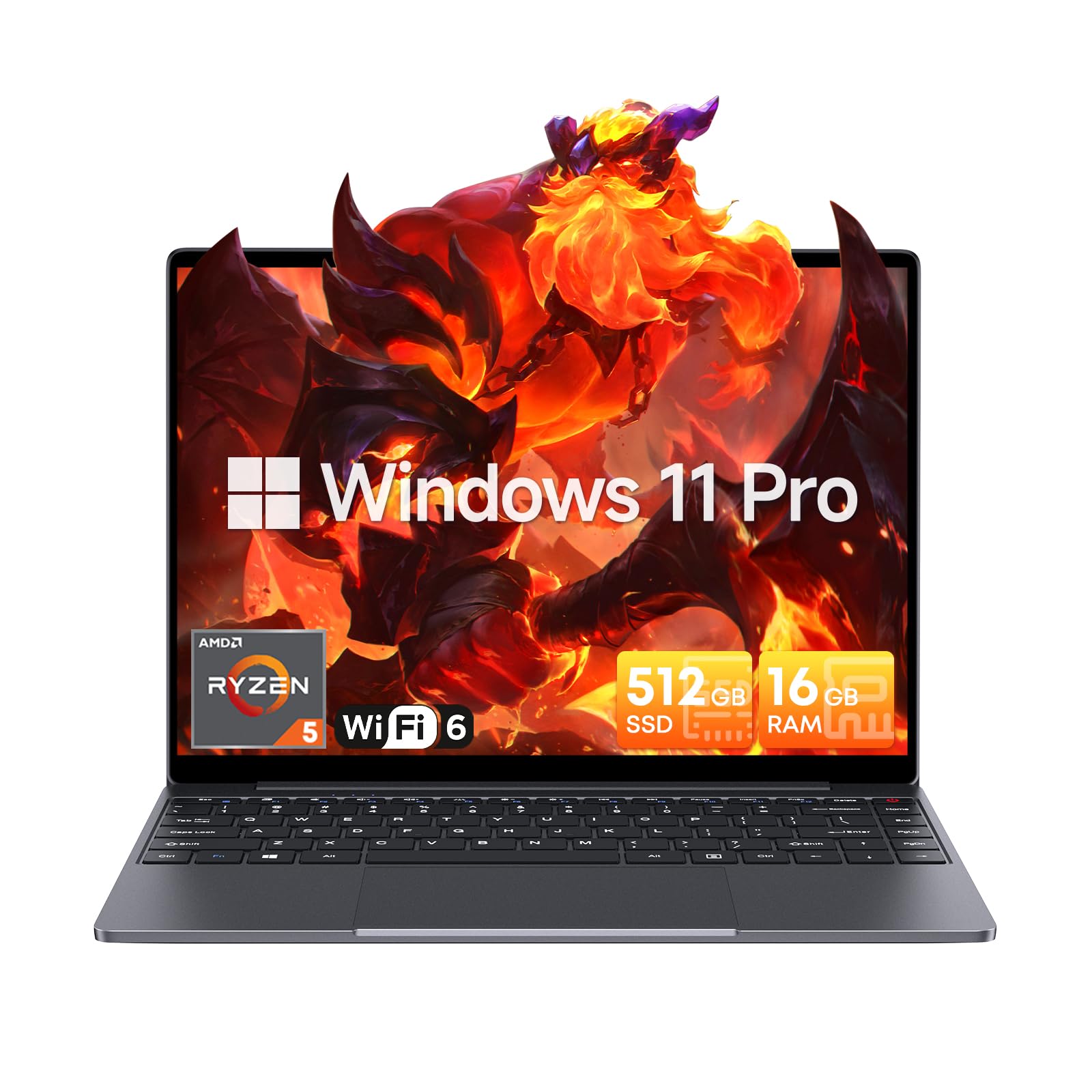
Image: The CHUWI CoreBook X laptop open on a desk, ready for use.
1.2 Σύνδεση περιφερειακών
- Συσκευές USB: Connect USB mice, keyboards, or external storage devices to the available USB 3.0 ports.
- Εξωτερική οθόνη: Use the HDMI 1.4 port or the full-featured USB Type-C port to connect an external monitor.
- Συσκευές ήχου: Συνδέστε ακουστικά ή εξωτερικά ηχεία στην υποδοχή ήχου 3.5 mm.
- Κάρτα TF: Insert a TF card into the TF card slot for additional storage.

Εικόνα: Λεπτομερής view of the laptop's ports, including TF Card Slot, 3.5mm Headphone Jack, USB 3.0 Port, Lock Slot, USB Type-C (PD Charging/USB 2.0), HDMI 1.4, and Full-featured USB Type-C Port.
1.3 Δίκτυο και σύνδεση Bluetooth
- Wi-Fi 6: Για να συνδεθείτε σε ένα ασύρματο δίκτυο, κάντε κλικ στο εικονίδιο Wi-Fi στη γραμμή εργασιών, επιλέξτε το δίκτυό σας και εισαγάγετε τον κωδικό πρόσβασης.
- Bluetooth 5.2: To pair Bluetooth devices, go to Windows Settings > Bluetooth & devices, turn on Bluetooth, and select your device to pair.
2. Λειτουργία
This section covers the basic operation of your CHUWI CoreBook X laptop.
2.1 Διαχείριση ενέργειας
- Ενεργοποίηση: Πατήστε το κουμπί λειτουργίας.
- Κατάσταση ύπνου: Κλείστε το καπάκι ή επιλέξτε "Ύπνος" από το μενού Έναρξη.
- Κλείνω το εργοστάσιον: Select "Shut down" from the Start menu.
- Επανεκκίνηση: Select "Restart" from the Start menu.
2.2 Πληκτρολόγιο και Touchpad
- The laptop features a full-sized backlit keyboard with white illumination. Use the function keys (Fn) in combination with other keys for shortcuts like adjusting brightness, volume, or toggling the backlight.
- The large touchpad supports multi-touch gestures for navigation. Refer to Windows settings for customizing touchpad gestures.

Εικόνα: Κοντινό πλάνο view of the laptop's backlit keyboard and large touchpad, highlighting its navigation features.
2.3 Οθόνη και Ήχος
- The 14-inch IPS display offers a 2160*1440 resolution. Adjust display settings (brightness, resolution, scaling) through Windows Display Settings.
- The laptop is equipped with stereo speakers. Volume can be controlled via the keyboard function keys or the Windows sound settings.
- Ένα HD webcam is integrated for video conferencing.

Image: The laptop's 14-inch 2K IPS display showcasing vibrant colors and a comparison of 3:2 and 16:9 aspect ratios.
2.4 Βίντεο Overview
Video: An official product video demonstrating various features and usage scenarios of the CHUWI CoreBook X laptop, including its performance, display, and connectivity options.
3. Συντήρηση
Η σωστή συντήρηση διασφαλίζει τη μακροζωία και τη βέλτιστη απόδοση του φορητού υπολογιστή σας.
3.1 Καθαρισμός
- Χρησιμοποιήστε ένα μαλακό πανί που δεν αφήνει χνούδι για να καθαρίσετε την οθόνη. Για επίμονα σημάδια,ampΣκουπίστε ελαφρά το πανί με νερό ή με ένα καθαριστικό κατάλληλο για την οθόνη.
- Wipe the chassis and keyboard with a soft, dry cloth. Avoid using harsh chemicals or abrasive materials.
- Periodically use compressed air to clear dust from the vents to maintain efficient cooling.
3.2 Φροντίδα μπαταρίας
- Avoid fully discharging the battery frequently. Charge the laptop when the battery level is low.
- Store the laptop in a cool, dry place if not used for extended periods, with the battery charged to around 50-70%.
- Use only the original or certified compatible USB-C PD charger.
3.3 Αναβαθμίσεις Αποθηκευτικού Χώρου και Μνήμης
The laptop supports RAM and SSD upgrades.
- The 16GB DDR4 RAM can be expanded up to 64GB via 2 SODIMM slots.
- The 512GB PCIe SSD can be expanded up to 2TB using the M.2 2280 PCIe slot.
- A convenient detachable bottom cover allows for easier access to upgrade components without removing the entire back panel.

Image: The underside of the laptop with the detachable cover removed, revealing the dual-channel SO-DIMM slot for RAM upgrades.
4. Αντιμετώπιση Προβλημάτων
Αυτή η ενότητα παρέχει λύσεις για συνηθισμένα προβλήματα που ενδέχεται να αντιμετωπίσετε.
4.1 Κοινά ζητήματα και λύσεις
- Ο φορητός υπολογιστής δεν ενεργοποιείται:
- Βεβαιωθείτε ότι ο προσαρμογέας ρεύματος είναι συνδεδεμένος με ασφάλεια τόσο στον φορητό υπολογιστή όσο και σε μια πρίζα που λειτουργεί.
- Βεβαιωθείτε ότι η πρίζα είναι λειτουργική.
- Δοκιμάστε να κρατήσετε πατημένο το κουμπί λειτουργίας για 10-15 δευτερόλεπτα για να πραγματοποιήσετε μια πλήρη επαναφορά.
- Προβλήματα οθόνης (καμία εικόνα, τρεμόπαιγμα):
- Ρυθμίστε τη φωτεινότητα της οθόνης χρησιμοποιώντας τα πλήκτρα λειτουργιών.
- Εάν είναι συνδεδεμένη μια εξωτερική οθόνη, δοκιμάστε να την αποσυνδέσετε.
- Κάντε επανεκκίνηση του φορητού υπολογιστή.
- Προβλήματα συνδεσιμότητας Wi-Fi ή Bluetooth:
- Βεβαιωθείτε ότι το Wi-Fi/Bluetooth είναι ενεργοποιημένο στις ρυθμίσεις των Windows.
- Επανεκκινήστε τον δρομολογητή/μόντεμ σας για προβλήματα Wi-Fi.
- Remove and re-pair Bluetooth devices.
- Update network and Bluetooth drivers through Device Manager.
- Αργή απόδοση:
- Κλείστε τις περιττές εφαρμογές που εκτελούνται στο παρασκήνιο.
- Ελέγξτε για ενημερώσεις των Windows και ενημερώσεις προγραμμάτων οδήγησης.
- Βεβαιωθείτε ότι υπάρχει επαρκής ελεύθερος χώρος στον SSD.
- Εκτελέστε μια σάρωση για κακόβουλο λογισμικό.
If you encounter issues not covered here or require further assistance, please refer to the Support section.
5. Προδιαγραφές
Detailed technical specifications for the CHUWI CoreBook X laptop.

Image: An illustration of the AMD Ryzen 5 processor, highlighting its core count, threads, and clock speed.
| Χαρακτηριστικό | Προσδιορισμός |
|---|---|
| Όνομα μοντέλου | Corebook X |
| Επεξεργαστής | AMD Ryzen 5 (6 Cores, 12 Threads, up to 4.3 GHz) |
| Γραφικά | AMD Radeon Graphics (1800MHz, Max 2GB Memory) |
| ΕΜΒΟΛΟ | 16GB DDR4 (Expandable up to 64GB via 2 SODIMM slots) |
| Αποθήκευση | 512GB PCIe SSD (Expandable up to 2TB via M.2 2280 PCIe slot) |
| Επίδειξη | 14-inch IPS, 2160*1440 Resolution, 100% sRGB Color Gamut |
| Λειτουργικό σύστημα | Windows 11 Pro |
| Συνδεσιμότητα | Wi-Fi 6 (802.11ax), Bluetooth 5.2 |
| λιμάνια | USB Type-C (PD Charging/USB 2.0), USB 3.0, HDMI 1.4, Full-featured USB Type-C, 3.5mm Audio Jack, TF Card Slot, Lock Slot |
| Μπαταρία | 46.2Wh Lithium-Ion Battery, 65W USB-C PD Fast Charging |
| Πληκτρολόγιο | Full-sized Backlit Keyboard with White Illumination |
| Touchpad | Large Touchpad, Multi-touch |
| Webέκκεντρο | HD Webέκκεντρο |
| Διαστάσεις | 12.2"L x 9"W x 0.67"Th (17mm thin) |
| Βάρος | 2.2 λίβρες (1.4 κιλά) |
6. Εγγύηση
The CHUWI CoreBook X laptop comes with a 1ετής εγγύηση κατασκευαστή.
This warranty covers defects in materials and workmanship under normal use. It does not cover damage caused by accidents, misuse, unauthorized repairs, or modifications. Please retain your proof of purchase for warranty claims.
7. Υποστήριξη
For technical assistance, warranty claims, or further inquiries, please contact CHUWI customer support.
- Υποστήριξη κατασκευαστή: Visit the official CHUWI webιστότοπος για πόρους υποστήριξης, συχνές ερωτήσεις και στοιχεία επικοινωνίας.
- Υποστήριξη πωλητή: If purchased through a retailer, you may also contact the seller for assistance.