
1. Το προϊόν τελείωσεview
The EPZ G20 In-Ear Monitor (IEM) earphones are designed for high-fidelity audio experiences, suitable for music, gaming, and calls. They feature a 3D printed resin cavity, a 10mm dynamic driver, and come with detachable cables for versatile connectivity.
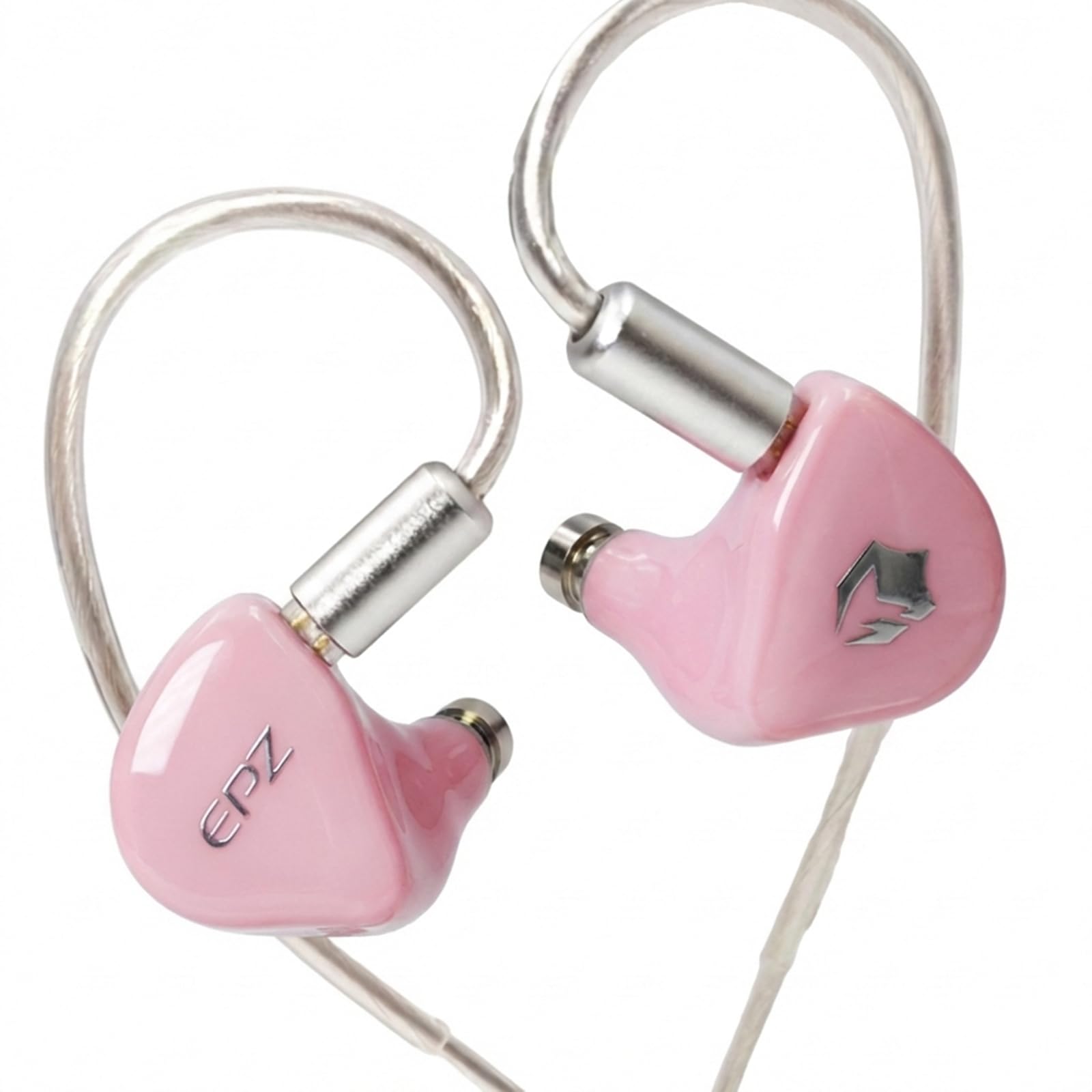
Figure 1.1: EPZ G20 In-Ear Monitor Earphones (Pink variant).
Βίντεο 1.1: Ένα overview of the EPZ G20 Gaming Earbuds, showcasing τον σχεδιασμό και τα χαρακτηριστικά τους.
Βασικά Χαρακτηριστικά:
- 3D Printed Resin Cavity: Ergonomically designed using medical-grade resin for comfort and durability.
- 10mm Silicone and PU Dynamic Unit: Delivers a wide frequency response range of 20Hz to 20kHz for immersive audio.
- Detachable OFC Cables: Includes a 5.9ft Type-C cable and a 3.9ft 3.5mm cable, both with a 0.78mm 2-pin plug for broad compatibility.
- Ελαφρύ και άνετο: Designed for extended wear without fatigue.
- Ήχος υψηλής πιστότητας: Provides natural sound with deep bass and clear treble.
2. Τι υπάρχει στο κουτί
Βεβαιωθείτε ότι όλα τα είδη που αναφέρονται παρακάτω περιλαμβάνονται στη συσκευασία σας:
- 1 x EPZ G20 HIFI Earphones
- 1 x 3.9ft 3.5mm Cable
- 1 x 5.9ft Type-C Cable
- 1 x Φάκελος
- 1 x Πανί καθαρισμού
- 1 x USB Adaptor
- 3 x Ζεύγη Καλύμματα Αυτιών (S/M/L)
- 1 x Κάρτα
- 1 x Πιστοποιητικό
- 1 x Accessory Box
- 1 x Εγχειρίδιο οδηγιών

Figure 2.1: Included cables and earphone unit, highlighting the detachable design.
3. Ρύθμιση
3.1 Attaching the Cables
- Identify the left (L) and right (R) earphone units and the corresponding cable connectors. The cables are equipped with 0.78mm 2-pin plugs.
- Align the 2-pin connector on the cable with the receptacle on the earphone unit. Ensure the pins are correctly oriented.
- Gently push the connector into the earphone unit until it is securely seated. Do not force the connection.
- Επαναλάβετε για την άλλη μονάδα ακουστικών.
3.2 Selecting and Installing Ear Tips
The EPZ G20 includes three pairs of silicone ear caps (S/M/L). Proper ear tip selection is crucial for sound quality and comfort.
- Experiment with different sizes to find the best fit for your ears. A good seal provides optimal bass response and noise isolation.
- To install, gently push the ear tip onto the nozzle of the earphone unit until it is firmly attached.
3.3 Χρήση ακουστικών
The EPZ G20 features a wrap-around ear design for a secure and comfortable fit.
- Τοποθετήστε τη μονάδα ακουστικών στον ακουστικό πόρο του αυτιού σας.
- Guide the cable over the top and behind your ear, ensuring it sits comfortably.
- Adjust the earphone's position until you achieve a snug and comfortable fit with a good seal.

Figure 3.1: Correct wearing method for the EPZ G20 earphones, demonstrating the over-ear cable routing.
4. Οδηγίες λειτουργίας
4.1 Σύνδεση σε πηγές ήχου
- Using the 3.5mm Cable: Plug the 3.5mm jack into your device's headphone port. This cable is suitable for most audio players, computers, and gaming consoles.
- Χρήση του καλωδίου Type-C: Plug the Type-C connector into your compatible device's USB-C port. An included USB adaptor can be used for devices with a standard USB-A port.
4.2 Αναπαραγωγή ήχου και κλήσεις
- Once connected, begin audio playback from your device.
- The Type-C cable features a DSP chip that remembers your preferred EQ settings.
- The earphones include a microphone for calls and in-game communication.
4.3 EQ Adjustment (Type-C Cable Only)
The Type-C cable supports EQ adjustment via a dedicated application. The 3.5mm jack does not support EQ adjustment.
- To download the tuning driver or application for EQ adjustment, please visit the official EPZ webιστότοπο ή επικοινωνήστε απευθείας με την υποστήριξη πελατών.
- Follow the instructions provided with the application to customize your sound profile.

Εικόνα 4.1: Πρample of an application interface for adjusting sound equalization.
5. Συντήρηση
5.1 Καθαρισμός
- Use the provided cleaning cloth to gently wipe the earphone units and cables.
- Regularly remove ear tips and clean any earwax or debris from the earphone nozzles using a small brush or cotton swab.
- Ensure earphones are dry before reattaching ear tips and storing.
5.2 Φροντίδα καλωδίων
- Αποφύγετε αιχμηρές στροφές ή υπερβολικό τράβηγμα των καλωδίων για να αποτρέψετε ζημιές.
- When detaching cables, grasp the connector firmly, not the cable itself.
- Store cables neatly to prevent tangling.
5.3 Αποθήκευση
- Store the earphones in the accessory box or a protective case when not in use to prevent dust accumulation and physical damage.
- Keep earphones away from extreme temperatures and humidity.
6. Αντιμετώπιση Προβλημάτων
If you encounter issues with your EPZ G20 earphones, refer to the following common problems and solutions:
| Πρόβλημα | Πιθανή αιτία | Διάλυμα |
|---|---|---|
| Χωρίς ήχο ή χαμηλή ένταση |
|
|
| Κακή ποιότητα ήχου (π.χ., αδύναμα μπάσα, παραμορφωμένος ήχος) |
|
|
| Το μικρόφωνο δεν λειτουργεί |
|
|
| EQ settings not applying (3.5mm cable) | The 3.5mm cable does not support EQ adjustment via the DSP chip. | Use the Type-C cable for EQ adjustment functionality. |
7. Προδιαγραφές
Detailed technical specifications for the EPZ G20 In-Ear Monitor Earphones:

Figure 7.1: Visual representation of EPZ G20 key specifications.
| Χαρακτηριστικό | Προσδιορισμός |
|---|---|
| Μάρκα | EPZ |
| Όνομα μοντέλου | EPZ-G20 |
| Επιλογές χρώματος | Pink, Blue, Gray, Green |
| Τοποθέτηση αυτιού | Στο αυτί |
| Form Factor | Στο αυτί |
| Αντίσταση | 32 Ωμ |
| Ευαισθησία | 100 dB |
| Απόκριση συχνότητας | 20Hz - 20kHz |
| Dynamic Unit | 10mm Silicone + PU Composite Diaphragm |
| Υλικό κοιλότητας | 3D Printed Resin |
| Τύπος καλωδίου | Καλώδιο OFC |
| Τύπος βύσματος | 3.5mm Jack, Type-C |
| Τύπος καρφίτσας | 0.78 χιλ. 2 ακίδων |
| Μήκος καλωδίου | 3.9ft (3.5mm), 5.9ft (Type-C) |
| Έλεγχος θορύβου | Ακύρωση περιβαλλοντικού θορύβου |
| Τεχνολογία Συνδεσιμότητας | Ενσύρματο |
| Πρόσθετα χαρακτηριστικά | Ελαφρύ, με μικρόφωνο που περιλαμβάνεται |
| Μέθοδος Ελέγχου | App (for Type-C EQ), Touch |
8. Εγγύηση και υποστήριξη
8.1 Πληροφορίες εγγύησης
The EPZ G20 In-Ear Monitor Earphones come with a 1 χρόνια εγγύηση από την ημερομηνία αγοράς. Η παρούσα εγγύηση καλύπτει κατασκευαστικά ελαττώματα υπό κανονική χρήση. Παρακαλούμε φυλάξτε την απόδειξη αγοράς για τυχόν αξιώσεις εγγύησης.
8.2 Υποστήριξη πελατών
For technical assistance, warranty claims, or any other inquiries, please:
- Visit the official EPZ webιστότοπος για πόρους υποστήριξης και στοιχεία επικοινωνίας.
- Contact EPZ customer service directly through the contact details provided on the official webιστότοπο ή την πλατφόρμα αγορών σας.
9. Πληροφορίες Ασφάλειας
- Προστασία της ακοής: Αποφύγετε την ακρόαση σε υψηλά επίπεδα έντασης για παρατεταμένες περιόδους για να αποφύγετε βλάβη της ακοής.
- Περιβαλλοντική ευαισθητοποίηση: Μην χρησιμοποιείτε ακουστικά σε καταστάσεις όπου η αδυναμία ακρόασης των ήχων του περιβάλλοντος μπορεί να είναι επικίνδυνη (π.χ. οδήγηση, ποδηλασία, περπάτημα στην κυκλοφορία).
- Κίνδυνος πνιγμού: Keep earphones and small parts away from children and pets.
- Καθάρισμα: Use only dry, soft cloths for cleaning. Avoid liquids or abrasive cleaners.
- Θερμοκρασία: Do not expose earphones to extreme temperatures or direct sunlight.