
1. Το προϊόν τελείωσεview
The Philips 55MLED610/94 is a 55-inch 4K Ultra HD QLED Smart QD-Mini LED Google TV. It features advanced display technology, smart connectivity, and integrated audio solutions for an enhanced viewεμπειρία.

Εμπρός view of the Philips 55MLED610/94 55-inch 4K QD-Mini LED Google TV.
Βασικά Χαρακτηριστικά:
- Επίδειξη: 4K QD-Mini LED Panel, Philips Halo Control Technology, Dolby Vision, Local Dimming, 120 Hz Motion Clarity HSR, HDR 10+, 178 Degree Wide Viewing Angle, MEMC, ALLM.
- Smart TV: Google TV operating system, 2GB RAM, 32GB ROM, Quad Core Processor, Dual band WIFI 5, Hands-Free Voice Control, Screen Mirroring, Google Assistant compatibility.
- Ήχος: 36 Watts Output, Dolby Atmos, Dolby Audio.
- Συνδεσιμότητα: 3 HDMI Ports (including HDMI 2.1), 2 USB Ports, 1 LAN Port, 1 Antenna Input, 1 Satellite Input, 1 Digital Audio Out (Optical), 1 AV-IN, 1 Earphone port.
2. Ρύθμιση και εγκατάσταση
2.1 Αποσυσκευασία και Περιεχόμενα
Carefully unpack the television and ensure all components are present.
- 1N TV Unit
- 2N Stand Bases
- Οδηγός γρήγορης εκκίνησης 1N
- 1N Κάρτα εγγύησης
- 1N Τηλεχειριστήριο
- 2N AAA Batteries (for remote)
- Καλώδιο τροφοδοσίας 1N
- 4N Screws (for stand/mount)
- 1N AV Converting Cable

Illustration showing the TV unit and its included accessories for setup.
2.2 Εγκατάσταση σε βάση ή τοποθέτηση σε τοίχο
The television supports both table-top stand installation and wall mounting.
- Βάση τραπεζιού: Attach the provided stand bases to the bottom of the TV unit using the included screws. Ensure the stand is stable on a flat surface.
- Βάση τοίχου: For wall mounting, use a compatible VESA wall mount (not included) and follow the instructions provided with the wall mount. Refer to the TV's back panel for mounting points.

Οπισθεν view of the television, highlighting the mounting points and various input/output ports.
2.3 Σύνδεση περιφερειακών
Connect your external devices such as set-top boxes, gaming consoles, and audio systems to the TV using the appropriate ports.
- HDMI: Use HDMI ports for high-definition video and audio from devices like Blu-ray players or gaming consoles. HDMI 2.1 supports advanced features.
- USB: Συνδέστε μονάδες USB για αναπαραγωγή πολυμέσων ή εξωτερική αποθήκευση.
- LAN: Για σταθερή ενσύρματη σύνδεση στο διαδίκτυο.
- Κεραία/Δορυφόρος: Συνδέστε την κεραία ή τη δορυφορική σας κεραία για τηλεοπτική μετάδοση.
- Ψηφιακή έξοδος ήχου (οπτική): Για σύνδεση με εξωτερικά ηχοσυστήματα.
- AV-IN: Για παλαιότερες συσκευές που χρησιμοποιούν σύνθετο βίντεο και στερεοφωνικό ήχο.
- Ακουστικά: Για ιδιωτική ακρόαση.

Λεπτομερής view of the television's input and output ports, including HDMI, USB, LAN, and audio connections.
3. Οδηγίες λειτουργίας
3.1 Αρχική ενεργοποίηση και ρύθμιση Google TV
After connecting the power cord, press the power button on the remote control or TV. Follow the on-screen instructions to complete the initial setup, including language selection, network connection (Wi-Fi or LAN), and Google account sign-in.

The Google TV interface, showing various streaming applications and content recommendations.
3.2 Λειτουργίες τηλεχειριστηρίου
The provided remote control uses both IR and Bluetooth technology. Insert the two AAA batteries as indicated.

The remote control for the Philips 55MLED610/94 TV, featuring dedicated buttons for streaming services and Google Assistant.
- Κουμπί λειτουργίας: Ενεργοποιεί ή απενεργοποιεί την τηλεόραση.
- Περιγραφή Πλοήγησης: Για πλοήγηση και επιλογή μενού.
- Κουμπί Βοηθού Google: Ενεργοποιεί τον φωνητικό έλεγχο για εντολές και αναζητήσεις.
- Κουμπιά έντασης ήχου/καναλιού: Ρυθμίζει την ένταση του ήχου και αλλάζει κανάλια.
- Κουμπιά συντόμευσης εφαρμογής: Direct access to popular streaming services like Netflix and Prime Video.
3.3 Χαρακτηριστικά και εφαρμογές έξυπνης τηλεόρασης
The Google TV platform provides access to a wide range of applications and services.
- Προεγκατεστημένες εφαρμογές: Access popular streaming services such as Prime Video, Netflix, Hotstar, Zee5, YouTube, Eros Now, Hungama, JioCinema, and SonyLiv.
- Βοηθός Google: Use hands-free voice control to search for content, control smart home devices, and get information.
- Screen Mirroring (Miracast): Μεταδώστε περιεχόμενο από συμβατές κινητές συσκευές στην οθόνη της τηλεόρασης.
- Web Πρόγραμμα περιήγησης: Περιηγηθείτε στο διαδίκτυο απευθείας από την τηλεόρασή σας.
3.4 Ρυθμίσεις οθόνης και ήχου
Προσαρμόστε τις ρυθμίσεις εικόνας και ήχου για να βελτιστοποιήσετε την viewεμπειρία ακρόασης.
- Λειτουργίες εικόνας: Select from various picture modes (e.g., Standard, Vivid, Movie, Game) or customize settings like brightness, contrast, color, and sharpness.
- Dolby Vision & HDR10+: The TV automatically detects and optimizes content for Dolby Vision and HDR10+ for enhanced dynamic range and color.
- Λειτουργίες ήχου: Choose sound modes (e.g., Standard, Music, Movie) or adjust equalizer settings. Dolby Atmos provides immersive audio.
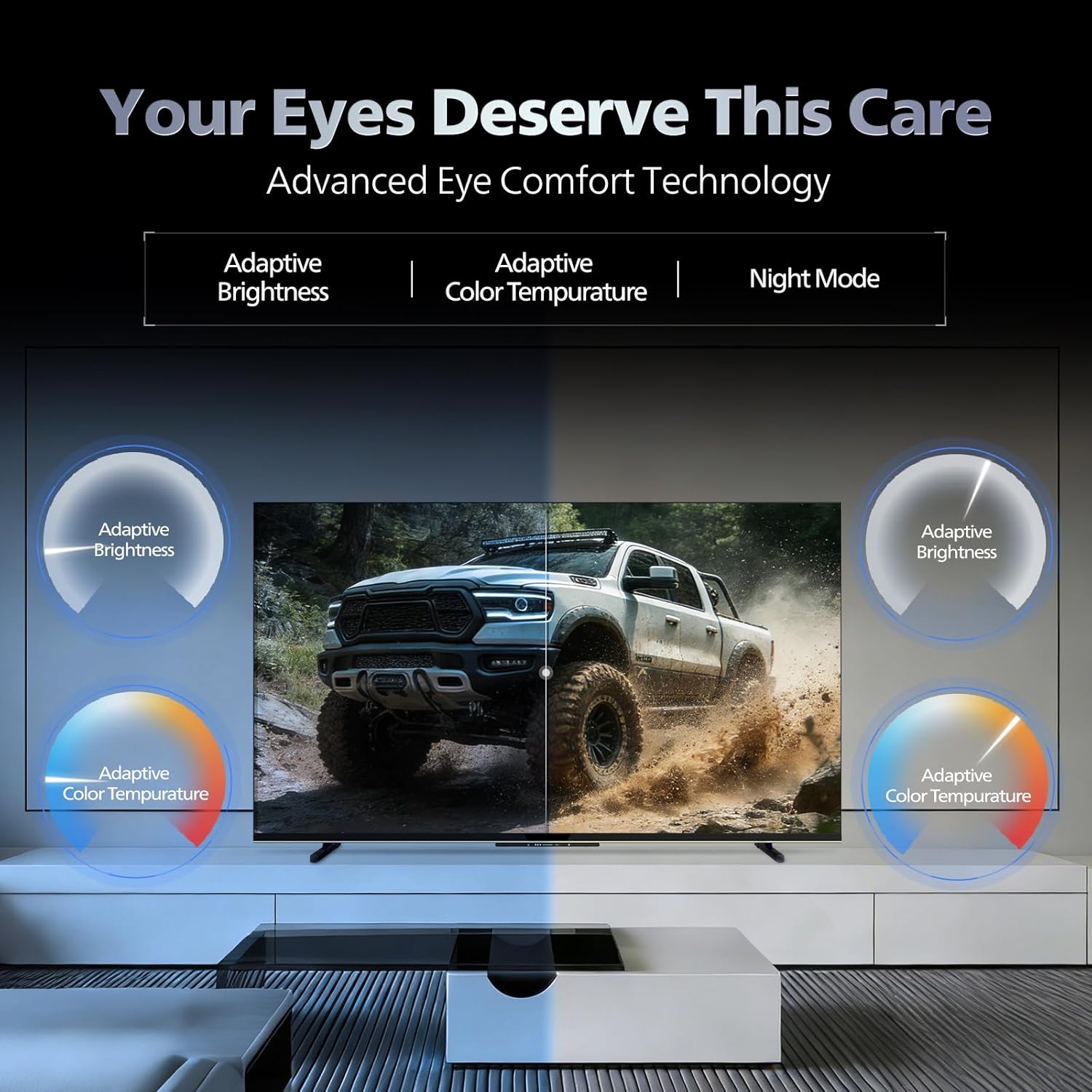
- Τεχνολογία άνεσης ματιών: Features like Adaptive Brightness, Adaptive Color Temperature, and Night Mode are available to reduce eye strain.

Visual representation of the TV's advanced eye comfort technology, including adaptive brightness and color temperature.

A visual demonstrating the immersive multi-dimensional audio experience provided by Dolby Atmos on the television.
4. Συντήρηση
4.1 Καθαρισμός της τηλεόρασης
To clean the screen and cabinet, first unplug the power cord. Use a soft, lint-free cloth. For stubborn marks, lightly dampΣκουπίστε το πανί με νερό ή με ένα ήπιο, μη λειαντικό καθαριστικό οθόνης. Μην ψεκάζετε ποτέ καθαριστικό απευθείας στην οθόνη.
Σπουδαίος: The television is δεν είναι ανθεκτικό στο νερό. Avoid exposing it to liquids.
4.2 Ενημερώσεις λογισμικού
Ensure your TV's software is up to date for optimal performance and security. The TV will typically prompt you for available updates. You can also manually check for updates in the settings menu.
5. Αντιμετώπιση Προβλημάτων
If you encounter issues with your television, try the following basic troubleshooting steps before contacting support.
- Χωρίς ισχύ: Ensure the power cord is securely plugged into both the TV and a working power outlet. Try a different outlet.
- Δεν υπάρχει εικόνα/ήχος: Check all cable connections (HDMI, AV, Antenna). Ensure the correct input source is selected on the TV.
- Το τηλεχειριστήριο δεν λειτουργεί: Αντικαταστήστε τις μπαταρίες στο τηλεχειριστήριο. Βεβαιωθείτε ότι δεν υπάρχουν εμπόδια μεταξύ του τηλεχειριστηρίου και του αισθητήρα υπερύθρων της τηλεόρασης.
- Προβλήματα σύνδεσης στο Διαδίκτυο: Restart your Wi-Fi router. Check the TV's network settings and ensure it's connected to the correct network. Try a wired LAN connection if possible.
- Προβλήματα ποιότητας εικόνας: Προσαρμόστε τις ρυθμίσεις εικόνας (φωτεινότητα, αντίθεση, ευκρίνεια). Βεβαιωθείτε ότι η πηγή περιεχομένου είναι υψηλής ποιότητας.
The television displaying a fast-paced gaming scene, highlighting its 120Hz refresh rate and gaming optimization features.
6. Προδιαγραφές
| Χαρακτηριστικό | Λεπτομέρεια |
|---|---|
| Αριθμός μοντέλου | 55MLED610/94 |
| Μέγεθος οθόνης | 55 ίντσες (138 εκ.) |
| Τεχνολογία εμφάνισης | QD-Mini LED |
| Ψήφισμα | 4K Ultra HD (3840 x 2160) |
| Ρυθμός ανανέωσης | 120 Hz HSR |
| Υποστηρίζεται μορφή HDR | HDR10+, Dolby Vision |
| Viewγωνιά | 178 Μοίρες |
| Έξοδος ήχου | 36 Watt |
| Κωδικοποίηση ήχου | Dolby Atmos, Dolby Audio |
| Λειτουργικό σύστημα | Google TV |
| ΕΜΒΟΛΟ | 2 GB |
| ROM | 32 GB |
| Συνδεσιμότητα | Wi-Fi (Dual band WIFI 5), Bluetooth 5.1, 3 HDMI (1x HDMI 2.1 eARC), 2 USB, 1 LAN, 1 Antenna, 1 Satellite, 1 Digital Audio Out (Optical), 1 AV-IN, 1 Earphone |
| Διαστάσεις προϊόντος (Β x Π x Υ) | 8D x 144.5W x 84H εκατοστά |
| Item Weight Without Stand | 9.4 κιλά |
| Κατανάλωση ρεύματος | 130 Watt |
| Βαθμολογία ενέργειας | 3 Αστέρι |
| Ετήσια κατανάλωση ενέργειας | 182 kWh / έτος |
| Συμπεριλαμβανόμενα εξαρτήματα | TV Unit, Stand Bases, Quick Start Guide, Warranty Card, Remote, Batteries, Power cord, Screws, AV Converting Cable |

Dimensional drawing of the Philips 55MLED610/94 TV, showing height, width, and depth measurements.
7. Εγγύηση και υποστήριξη
7.1 Πληροφορίες εγγύησης
A 1-year warranty is provided by the manufacturer from the date of purchase. Warranty claims can be processed using your Amazon e-invoice.
The warranty covers manufacturing defects but does not cover spares.
7.2 Υποστήριξη πελατών
For assistance, contact the brand's toll-free number: 18004256396. Please provide the product's model name (55MLED610/94) and seller's details from your invoice. The service center will schedule a convenient service slot.
Κατασκευαστής: Radiant Appliances And Electronics Private Limited
Survey No. 111, 112, S-2 A 1, Ecity, Fabcity, Maheshwaram Mandal Raviryala Village, Ranga Reddy, Telangana- 501141
Εισαγωγέας: TPV Technology India Private Limited
Unit No. 307-308 3rd Floor, SEWA Corporate Park MG Road Gurugram Haryana 122002