1. Εισαγωγή
This manual provides essential instructions for the installation, operation, and maintenance of the Generic AMX-MT070IE Touch Panel. This industrial touch screen is designed for integration with various Programmable Logic Controllers (PLCs) and features Ethernet connectivity for reliable communication. Please read this manual thoroughly before using the device to ensure proper functionality and safety.
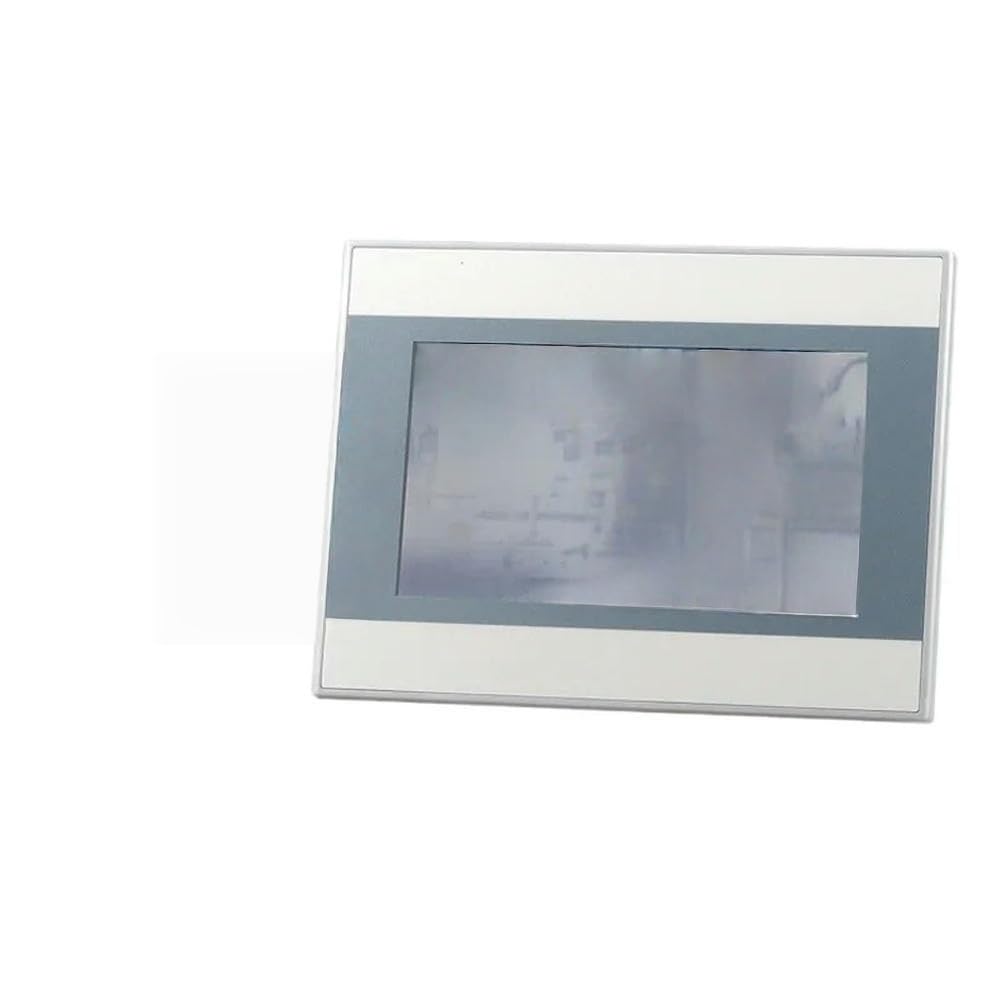
Αυτή η εικόνα δείχνει το μπροστινό μέρος view of the AMX-MT070IE Touch Panel, highlighting its screen and overall design. The panel is designed for industrial applications, featuring a robust build suitable for various PLC systems.
2. Ρύθμιση
Follow these steps to set up your AMX-MT070IE Touch Panel:
- Αποσυσκευασία: Carefully remove the touch panel from its packaging. Inspect for any visible damage. Report any damage to your supplier immediately.
- Βάση: Securely mount the touch panel in the desired location using appropriate mounting hardware (not included). Ensure adequate ventilation around the unit.
- Σύνδεση ρεύματος: Connect the power supply to the designated power input port on the touch panel. Ensure the power source matches the panel's voltagαπαιτήσεις.
- Σύνδεση Ethernet: Connect an Ethernet cable from your network or PLC to the Ethernet port on the touch panel.
- Άλλες συνδέσεις: If applicable, connect any other necessary cables (e.g., serial communication, USB) to their respective ports.
- Ενεργοποίηση: Once all connections are secure, apply power to the touch panel. The device should initiate its boot sequence.
3. Οδηγίες λειτουργίας
The AMX-MT070IE Touch Panel is designed for intuitive operation. Here are general guidelines:
- Αρχική εκκίνηση: Upon powering on, the panel will display a boot screen followed by the configured application interface.
- Διασύνδεση αφής: Interact with the panel using light touches. Avoid excessive force.
- Πλοήγηση: Navigate through menus and screens by tapping on buttons or icons displayed on the screen.
- Εισαγωγή δεδομένων: For data input fields, a virtual keyboard may appear. Tap on characters to enter data.
- Ρυθμίσεις συστήματος: Access system settings (if available in your application) to configure network parameters, display brightness, or other device-specific options. Refer to your application's documentation for details.
4. Συντήρηση
Regular maintenance ensures the longevity and optimal performance of your touch panel:
- Καθαρισμός της οθόνης: Χρησιμοποιήστε ένα μαλακό πανί που δεν αφήνει χνούδι ελαφρώς dampened with a non-abrasive, ammonia-free cleaner. Do not spray cleaner directly onto the screen.
- Καθαρισμός του Casing: Σκουπίστε το γasinμε ξηρό ή ελαφρώς damp πανί. Αποφύγετε τις σκληρές χημικές ουσίες.
- Περιβαλλοντικές Συνθήκες: Βεβαιωθείτε ότι το περιβάλλον λειτουργίας παραμένει εντός των καθορισμένων εύρων θερμοκρασίας και υγρασίας για την αποφυγή ζημιών.
- Ενημερώσεις υλικολογισμικού: Periodically check for firmware updates from the manufacturer or your system integrator. Follow update instructions carefully.
- Κύκλος ισχύος: If the device becomes unresponsive, perform a controlled power cycle by turning off the power, waiting 10 seconds, and then turning it back on.
5. Αντιμετώπιση Προβλημάτων
If you encounter issues with your AMX-MT070IE Touch Panel, refer to the following common problems and solutions:
| Πρόβλημα | Πιθανή αιτία | Διάλυμα |
|---|---|---|
| Ο πίνακας δεν ενεργοποιείται. | No power supply, faulty cable, or power adapter. | Check power connections. Ensure power adapter is functional. Verify power outlet. |
| Η οθόνη αφής δεν ανταποκρίνεται. | Software freeze, calibration issue, or physical damage. | Perform a power cycle. If issue persists, check for calibration options in system settings or contact support. |
| Δεν υπάρχει σύνδεση δικτύου. | Loose Ethernet cable, incorrect network settings, or network device issue. | Verify Ethernet cable is securely connected. Check network settings on the panel. Test network cable with another device. |
| Η οθόνη είναι αμυδρή ή τρεμοπαίζει. | Brightness settings, power issue, or hardware fault. | Adjust brightness settings. Ensure stable power supply. If problem continues, contact support. |
Εάν το πρόβλημα επιμένει αφού επιχειρήσετε αυτές τις λύσεις, επικοινωνήστε με την τεχνική υποστήριξη.
6. Προδιαγραφές
Key specifications for the Generic AMX-MT070IE Touch Panel:
- Κατασκευαστής: Γενικός
- ASIN: B0G5243CPW
- Αριθμός μοντέλου αντικειμένου: 7853444981472
- Ημερομηνία πρώτης διαθεσιμότητας: 4 Δεκεμβρίου 2025
- Συνδεσιμότητα: Ethernet (specifics depend on model variant)
- Μέγεθος οθόνης: Available in 4.3, 7, and 10 inch variants (this model is AMX-MT070IE, typically indicating a 7-inch display)
- Εφαρμογή: Designed for use with PLCs and industrial control systems.
7. Πληροφορίες εγγύησης
This Generic AMX-MT070IE Touch Panel is covered by a standard manufacturer's warranty against defects in materials and workmanship. The specific duration and terms of the warranty may vary by region and retailer. Please retain your proof of purchase for warranty claims.
For detailed warranty information, refer to the documentation provided at the time of purchase or contact your supplier.
8. Τεχνική Υποστήριξη
For technical assistance, troubleshooting beyond this manual, or warranty inquiries, please contact your product supplier or the manufacturer's support channels.
Όταν επικοινωνείτε με την υποστήριξη, παρακαλούμε να έχετε έτοιμες τις ακόλουθες πληροφορίες:
- Αριθμός μοντέλου: 7853444981472
- Περιγραφή του θέματος
- Steps taken to resolve the issue
- Ημερομηνία αγοράς