
1. Το προϊόν τελείωσεview
The VEIKK VK640 is a compact digital graphic tablet designed for drawing, design, online teaching, and other creative applications. It features a 6x4 inch active area, 6 customizable shortcut keys, and a battery-free stylus with 8192 pressure levels and 60-degree tilt support.

Εικόνα: Πάνωview of VEIKK VK640 Graphic Tablet features.

Image: The compact size of the VK640 drawing tablet, ideal for beginners.
2. Περιεχόμενα συσκευασίας
Πριν από την εγκατάσταση, βεβαιωθείτε ότι όλα τα στοιχεία υπάρχουν στη συσκευασία:
- VEIKK VK640 Pen Tablet
- P05 Battery-Free Pen
- Στυλόθήκη
- 28 ανταλλακτικές μύτες στυλό
- Τσέπη για στυλό
- OTG Adapter (USB-C)
- Nib Remover Tool
- Γάντι καλλιτέχνη
- Οδηγός γρήγορης εκκίνησης

Image: All items included in the VK640 product box.
3. Οδηγίες εγκατάστασης
3.1 Εγκατάσταση προγράμματος οδήγησης
- Uninstall Previous Drivers: If you have other tablet drivers installed, uninstall them completely before installing the VEIKK driver to avoid conflicts.
- Λήψη προγράμματος οδήγησης: Επισκεφθείτε το επίσημο VEIKK webιστοσελίδα (www.veikk.com) and download the latest driver for your operating system (Windows, macOS, or Linux).
- Εγκατάσταση προγράμματος οδήγησης: Εκτελέστε το ληφθέν πρόγραμμα εγκατάστασης και ακολουθήστε τις οδηγίες στην οθόνη.
- Επανεκκινήστε τον υπολογιστή: After installation, restart your computer to ensure the driver is properly loaded.
3.2 Σύνδεση του Tablet
Connect the VK640 tablet to your computer using the provided USB cable. For mobile devices, use the included OTG adapter if necessary.

Image: Connecting the VK640 tablet to a mobile device.

Image: The VK640 tablet connected and in use with a laptop.
4. Λειτουργία του Tablet
4.1 Using the Battery-Free Pen
The P05 pen is battery-free, eliminating the need for charging. It features 8192 levels of pressure sensitivity and supports 60-degree tilt function, allowing for natural and precise drawing strokes. Adjust the pressure in your software settings for desired line thickness and opacity.

Image: Features of the battery-free stylus, including pressure sensitivity and tilt function.
4.2 Προσαρμόσιμα Πλήκτρα Συντόμευσης
The VK640 tablet is equipped with 6 customizable shortcut keys. These keys can be programmed through the VEIKK driver software to perform various functions, such as undo, redo, zoom in/out, brush size adjustment, or switching tools. Refer to the driver software interface for detailed customization options.

Image: The 6 customizable shortcut keys on the VK640 tablet.
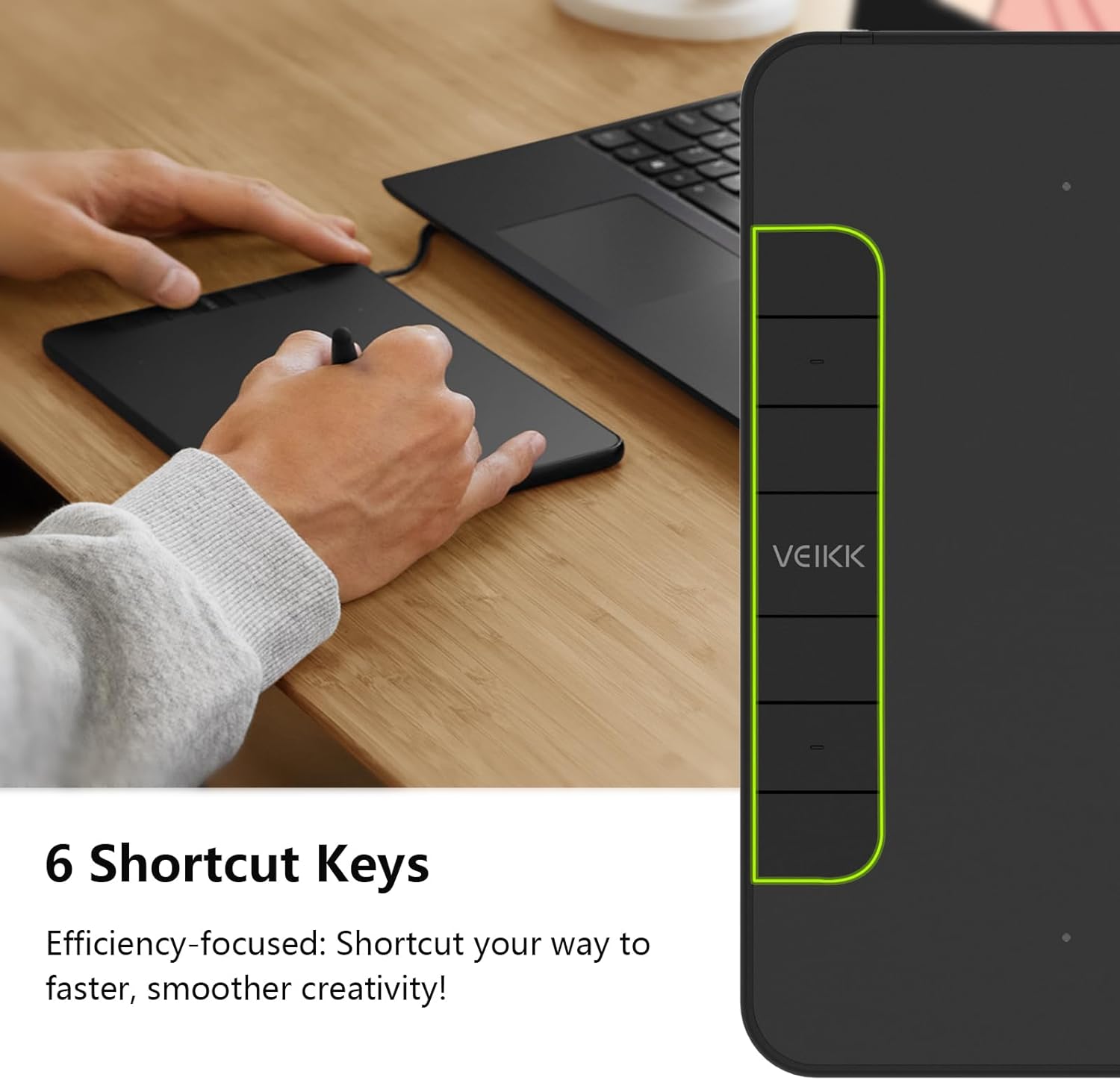
Εικόνα: Πχample functions for the 6 customizable press keys.
4.3 Συμβατότητα λογισμικού
The VK640 is compatible with a wide range of creative software, including but not limited to:
- Adobe Photoshop
- Κρίτα
- Adobe Illustrator
- SAI
- SketchBookPro
- ΦωτιάΑλπάκα
- OpenCanvas
- Manga Studio

Image: Broad compatibility of the VK640 with different operating systems and creative applications.
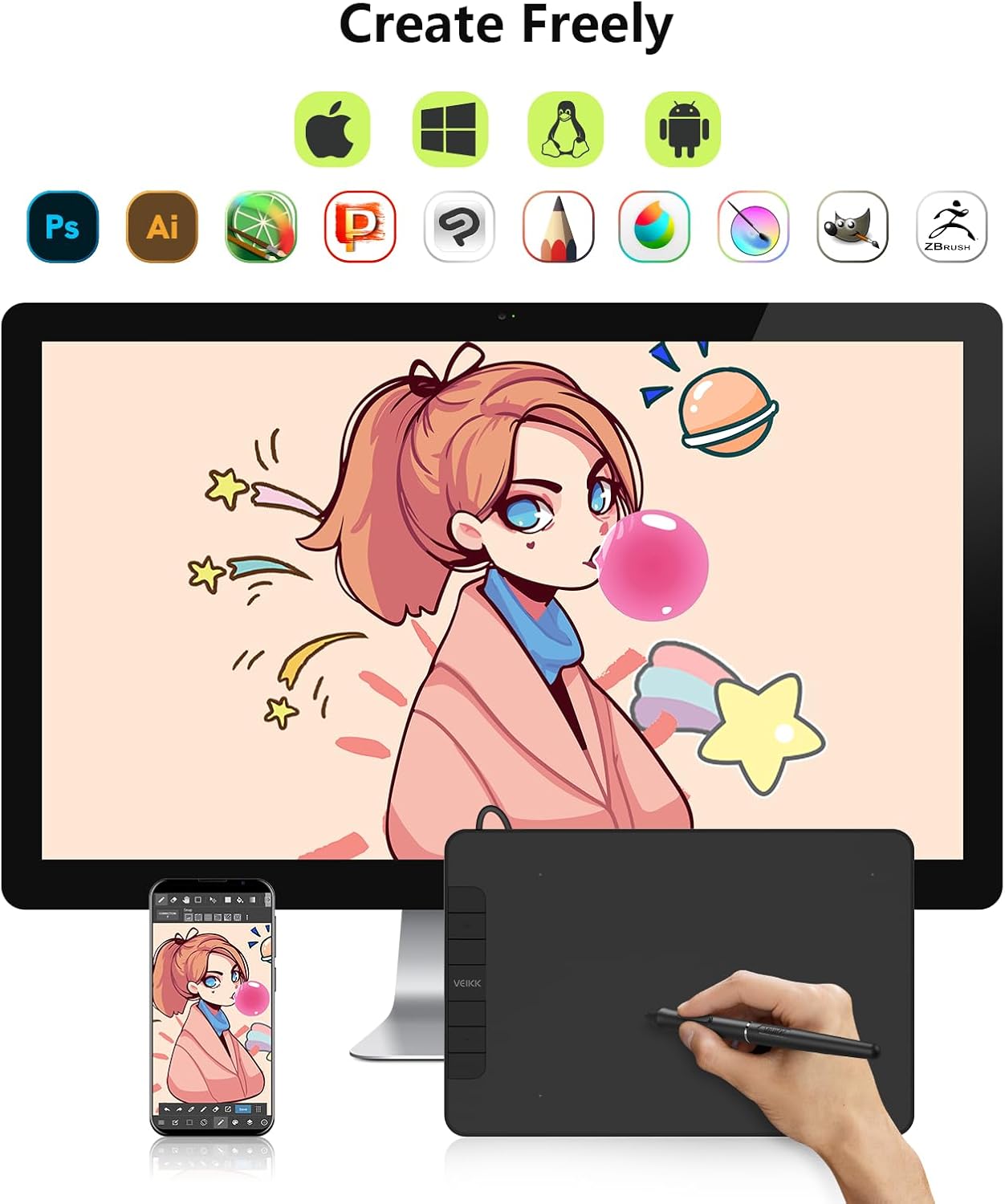
Image: Broad compatibility of the VK640 with different operating systems and creative applications.
5. Συντήρηση
5.1 Καθαρισμός του Tablet
Για να καθαρίσετε την επιφάνεια του tablet, χρησιμοποιήστε ένα μαλακό, στεγνό πανί. Για επίμονους λεκέδες, τρίψτε ελαφρά με έναamp Μπορεί να χρησιμοποιηθεί πανί με ένα ήπιο, μη λειαντικό καθαριστικό. Αποφύγετε την υπερβολική υγρασία και τις σκληρές χημικές ουσίες.
5.2 Αντικατάσταση των άκρων της πένας
The pen nibs will wear down with use. When a nib becomes too short or sharp, replace it using the included nib remover tool. Gently pull out the old nib and insert a new one until it is secure.
The package includes 28 replacement pen nibs to ensure long-term use.
6. Αντιμετώπιση Προβλημάτων
6.1 Pen Not Responding
- Ensure the tablet is properly connected to your computer.
- Verify that the VEIKK driver is installed correctly and running.
- Δοκιμάστε να κάνετε επανεκκίνηση του υπολογιστή σας.
- Check if the pen nib is securely inserted or needs replacement.
- Test the tablet on a different USB port or computer if possible.
6.2 Η ευαισθησία πίεσης δεν λειτουργεί
- Confirm that the VEIKK driver is installed and updated.
- Check the pressure settings within your drawing software and the VEIKK driver panel.
- Ensure no other tablet drivers are conflicting with the VEIKK driver. Uninstall any old drivers.
6.3 Shortcut Keys Not Functioning
- Open the VEIKK driver software and verify that the shortcut keys are correctly assigned.
- Ensure the driver is active and not conflicting with other software.
7. Προδιαγραφές
| Μάρκα | VEIKK |
| Όνομα μοντέλου | VK640 |
| Τεχνολογία Συνδεσιμότητας | USB |
| Ενεργή Περιοχή | 6 x 4 inches (24 square inches) |
| Ευαισθησία στην πίεση | 8192 Επίπεδα |
| Υποστήριξη Tilt | 60° |
| Πλήκτρα συντόμευσης | 6 Προσαρμόσιμα Πλήκτρα |
| Συμβατότητα λειτουργικού συστήματος | Windows 7 or later, macOS 10.12 or later, Android 6.0 or later, Linux |
| Βάρος αντικειμένου | 279 γρ |
| Πάχος | Περίπου 8 χιλιοστά (0.3 ίντσες) |

Image: Physical dimensions and weight of the VK640 tablet.

Image: Physical dimensions and weight of the VK640 tablet.
8. Εγγύηση και υποστήριξη
The VEIKK VK640 Digital Graphic Tablet comes with a εγγύηση ενός έτους from the date of purchase. VEIKK also provides δια βίου τεχνική υποστήριξη για αυτό το προϊόν.
For warranty claims, technical assistance, or further inquiries, please contact VEIKK customer support through their official webιστότοπο ή τα στοιχεία επικοινωνίας που παρέχονται στον Οδηγό Γρήγορης Έναρξης.