
1. Εισαγωγή
This manual provides essential information for setting up, operating, maintaining, and troubleshooting your Lenovo Laptop Computer 2026 Edition, Model IdeaPad Slim 3. Please read this manual thoroughly before using your device to ensure proper function and longevity.
2. Περιεχόμενα συσκευασίας
Βεβαιωθείτε ότι όλα τα αντικείμενα υπάρχουν στη συσκευασία σας:
- Lenovo Laptop Computer 2026 Edition (IdeaPad Slim 3)
- Μετασχηματιστής ρεύματος
- Αναγνώστης καρτών SD
- Οδηγός γρήγορης εκκίνησης (εάν περιλαμβάνεται)
- Warranty Information Card (if included)
3. Το προϊόν τελείωσεview
Familiarize yourself with the components and features of your Lenovo IdeaPad Slim 3 laptop.
3.1 Βασικά χαρακτηριστικά

This image displays the Lenovo IdeaPad Slim 3 laptop and highlights its primary features. It includes an Intel Core i7-13620H processor, a 15.3-inch WUXGA IPS display (1920x1200 resolution), and an HD camera with a privacy shutter. The laptop is 0.70 inches thin and weighs 3.51 lbs. It comes with 24GB DDR5 RAM, upgradable to 40GB, and a 512GB SSD, upgradable to 4TB. Audio is provided by dual 2W speakers. The device supports Rapid Charge Boost and features a Metal A Cover for durability, meeting Military Grade standards.
3.2 Οθόνη και Πληκτρολόγιο

This image focuses on the laptop's display and keyboard. The 15.3-inch WUXGA IPS display offers a 1920x1200 resolution, 300 nits brightness, anti-glare properties, and a 16:10 aspect ratio. It boasts up to a 90% active area ratio and is an Eyesafe Display, TÜV Rheinland Certified for low blue light. The keyboard is non-backlit and includes a numeric keypad.
3.3 Power and Audio
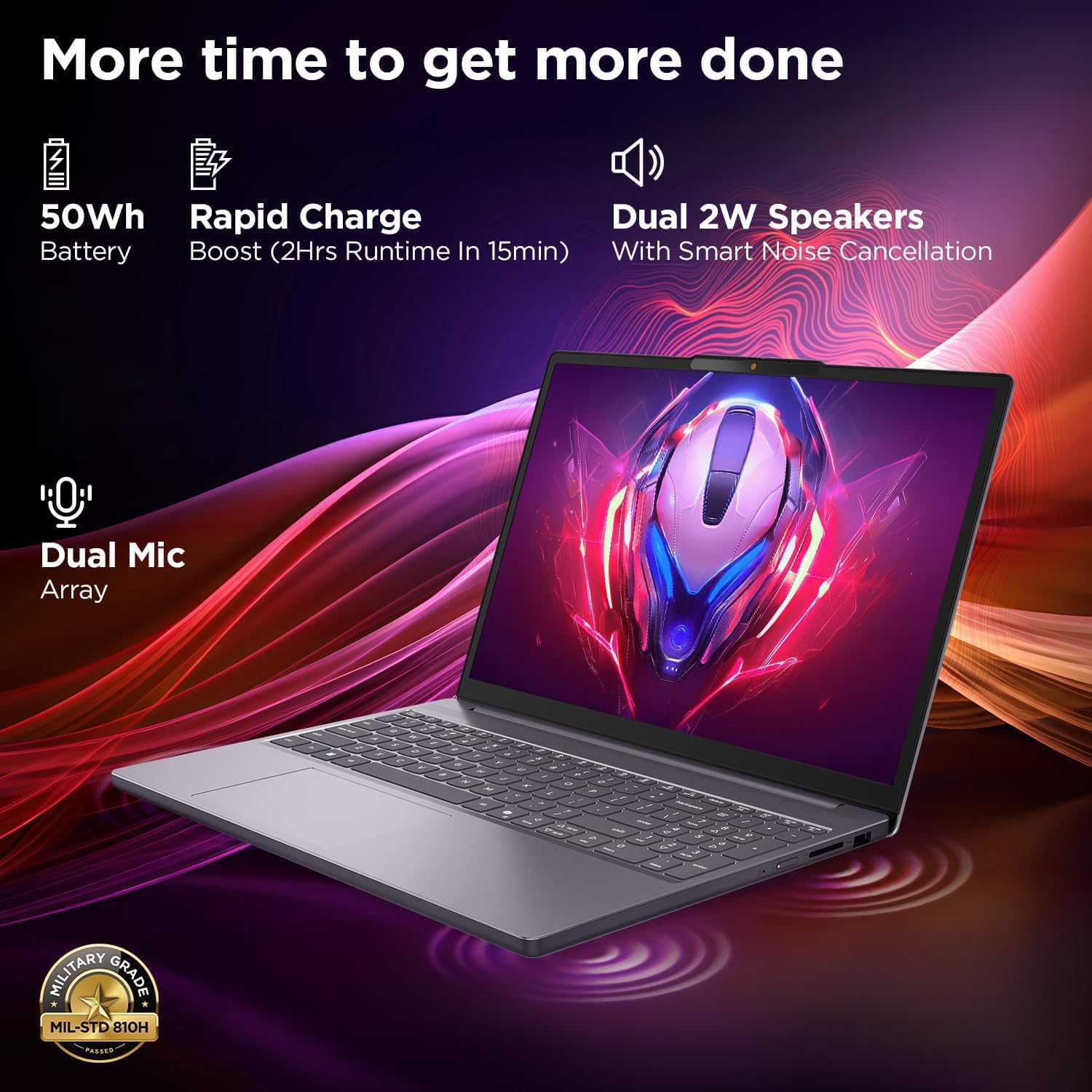
This image highlights the laptop's power and audio capabilities. It features a 50Wh battery with Rapid Charge Boost, providing 2 hours of runtime from a 15-minute charge. Dual 2W speakers with Smart Noise Cancellation and a Dual Mic Array enhance audio quality. The laptop also meets Military Grade MIL-STD 810H durability standards.
3.4 Θύρες και Συνδεσιμότητα

This image illustrates the various ports available on the Lenovo IdeaPad Slim 3. These include a power button, an SD card reader, a power connector, two USB-A ports (5Gbps), an HDMI port, and a USB-C port (5Gbps) with USB Power Delivery 3.0 and DisplayPort 1.2 support for data transfer and external displays. A headphone/microphone combo jack (3.5mm) is also present.
3.5 Keyboard and Touchpad Layout
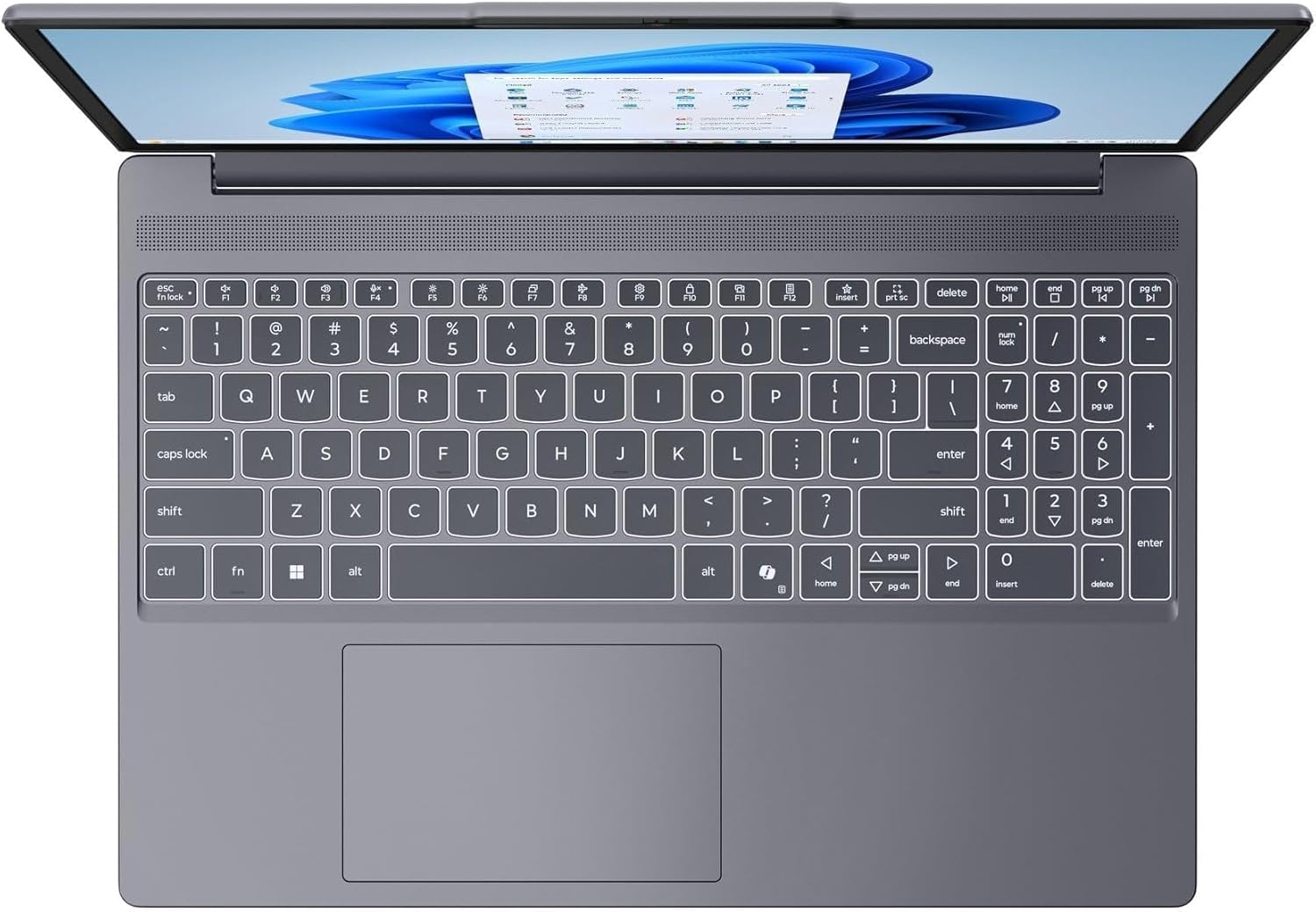
Αυτή η εικόνα παρέχει μια εικόνα από πάνω προς τα κάτω view of the laptop's full-size keyboard with a numeric keypad and the integrated touchpad. It shows the standard QWERTY layout along with function keys and dedicated navigation keys.
3.6 Laptop Exterior (Closed)
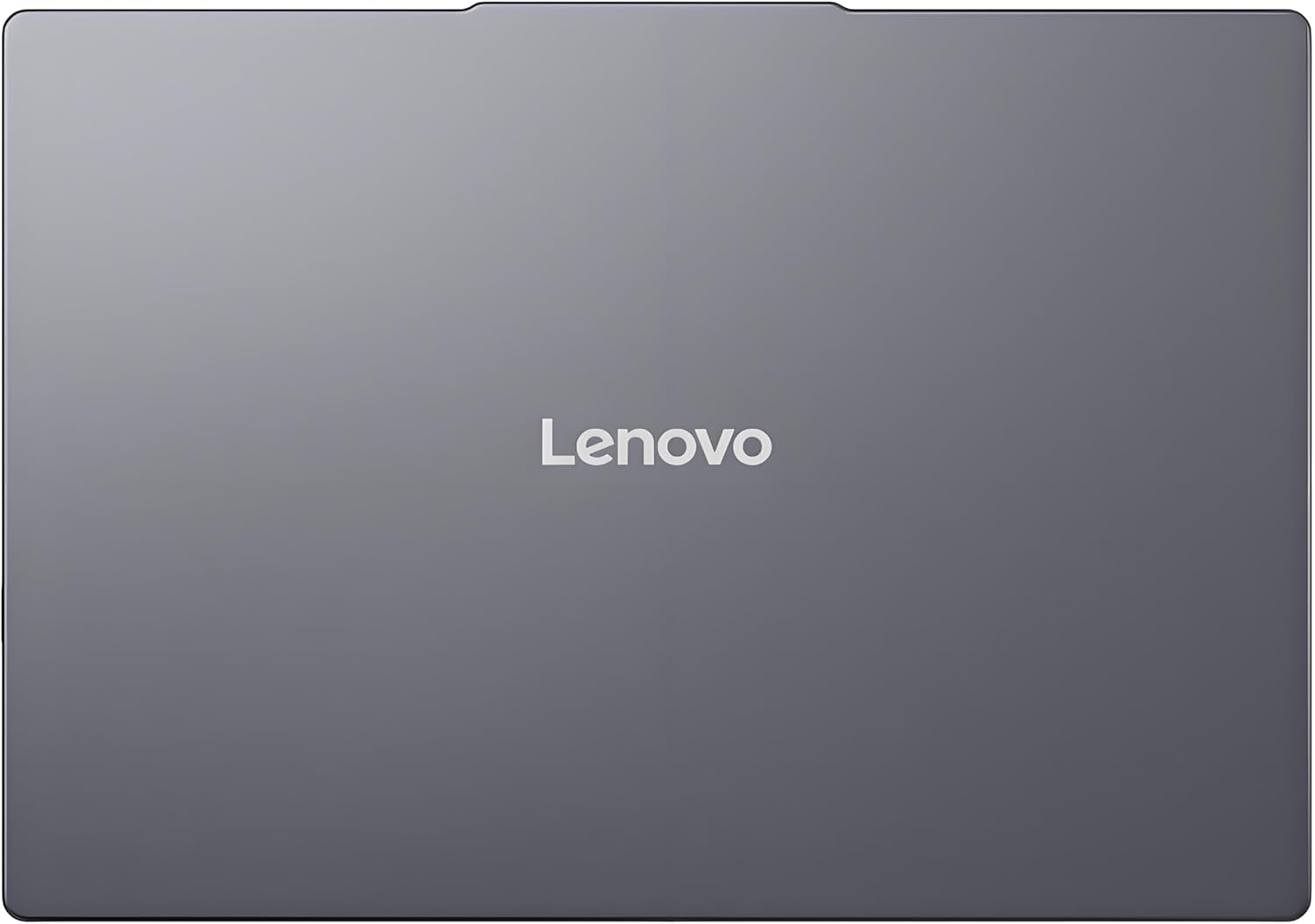
This image shows the top cover of the Lenovo IdeaPad Slim 3 laptop when closed, featuring the Lenovo brand logo centrally placed on the grey metallic surface.
3.7 Laptop Bottom View

This image displays the bottom panel of the Lenovo IdeaPad Slim 3 laptop, showing the ventilation grilles for cooling and rubber feet for stability.
4. Ρύθμιση
4.1 Αρχική ενεργοποίηση και φόρτιση
- Συνδέστε το τροφοδοτικό: Plug the power adapter into the laptop's power connector and then into a wall outlet.
- Φόρτιση της μπαταρίας: Αφήστε τον φορητό υπολογιστή να φορτίσει για τουλάχιστον 30 λεπτά πριν από την πρώτη χρήση ή μέχρι η ένδειξη μπαταρίας να δείξει επαρκή φόρτιση.
- Ενεργοποίηση: Ανοίξτε το καπάκι του φορητού υπολογιστή και πατήστε το κουμπί λειτουργίας που βρίσκεται στο πλάι ή στο πληκτρολόγιο.
- Εγκατάσταση των Windows: Ακολουθήστε τις οδηγίες στην οθόνη για να ολοκληρώσετε την εγκατάσταση των Windows 11 Home, συμπεριλαμβανομένης της γλώσσας, της περιοχής, της σύνδεσης δικτύου και της δημιουργίας λογαριασμού χρήστη.
4.2 Σύνδεση σε δίκτυο
- Wi-Fi: During Windows setup or later, click the Wi-Fi icon in the taskbar, select your network, enter the password, and click Connect.
- Ethernet (if applicable via adapter): Connect an Ethernet cable from your router/modem to a compatible USB-C adapter (not included) and then to the laptop's USB-C port.
5. Οδηγίες λειτουργίας
5.1 Χρήση του πληκτρολογίου και της επιφάνειας αφής
- Πληκτρολόγιο: The laptop features a full-size keyboard with a numeric keypad. Use the Fn key in combination with function keys (F1-F12) for special functions like adjusting brightness, volume, or enabling/disabling Wi-Fi.
- Touchpad: The integrated touchpad supports multi-touch gestures for navigation, scrolling, and zooming. Refer to Windows settings for customizing touchpad gestures.
5.2 Σύνδεση εξωτερικών συσκευών
- Συσκευές USB: Connect USB peripherals (mouse, keyboard, external drives) to the available USB-A or USB-C ports.
- HDMI/DisplayPort: Use the HDMI port or USB-C (with DP 1.2 support) to connect an external monitor or projector.
- Συσκευές Bluetooth: Enable Bluetooth in Windows settings to pair wireless headphones, speakers, or other Bluetooth accessories.
- Κάρτα SD: Insert an SD card into the dedicated SD card reader slot for data transfer.
5.3 Διαχείριση ενέργειας
- Κατάσταση ύπνου: Κλείστε το καπάκι ή πατήστε σύντομα το κουμπί λειτουργίας για να θέσετε τον φορητό υπολογιστή σε λειτουργία αναστολής λειτουργίας.
- Κλείνω το εργοστάσιον: Click the Start button, then Power, and select "Shut down" to turn off the laptop completely.
- Επανεκκίνηση: Click the Start button, then Power, and select "Restart" to reboot the laptop.
6. Συντήρηση
6.1 Καθαρισμός του φορητού υπολογιστή
- Οθόνη: Χρησιμοποιήστε ένα μαλακό πανί που δεν αφήνει χνούδι ελαφρά δampμε νερό ή καθαριστικό οθόνης. Μην ψεκάζετε υγρό απευθείας στην οθόνη.
- Πληκτρολόγιο και σασί: Χρησιμοποιήστε ένα μαλακό, στεγνό πανί. Για επίμονη βρωμιά,amp Μπορεί να χρησιμοποιηθεί πανί με διάλυμα ήπιου σαπουνιού, διασφαλίζοντας ότι δεν θα εισέλθει υγρό στα ανοίγματα.
- Αερισμός: Periodically clean the ventilation grilles with compressed air to prevent dust buildup, which can affect cooling performance.
6.2 Φροντίδα μπαταρίας
- Αποφύγετε τις ακραίες θερμοκρασίες.
- Μην αποφορτίζετε πλήρως την μπαταρία συχνά.
- Εάν αποθηκεύετε τον φορητό υπολογιστή για μεγάλο χρονικό διάστημα, φορτίστε την μπαταρία περίπου στο 50-60%.
6.3 Ενημερώσεις λογισμικού
- Ελέγχετε τακτικά για ενημερώσεις των Windows μέσω Ρυθμίσεις > Ενημέρωση των Windows.
- Επισκεφθείτε την επίσημη υποστήριξη της Lenovo website for driver and firmware updates specific to your IdeaPad Slim 3 model.
7. Αντιμετώπιση Προβλημάτων
| Πρόβλημα | Πιθανή Λύση |
|---|---|
| Ο φορητός υπολογιστής δεν ενεργοποιείται. | Ensure the power adapter is securely connected and the outlet is functional. Try a different outlet. If the battery is completely drained, allow it to charge for a while before attempting to power on. |
| Η οθόνη είναι κενή ή μαύρη. | Check if the laptop is powered on. Adjust screen brightness using function keys. Connect an external monitor to check if the issue is with the laptop's internal display. |
| Προβλήματα σύνδεσης Wi-Fi. | Ensure Wi-Fi is enabled in Windows settings. Restart your router/modem. Check for updated Wi-Fi drivers on the Lenovo support webτοποθεσία. |
| Αργή απόδοση. | Close unnecessary applications. Check Task Manager for resource-intensive processes. Ensure Windows and drivers are up to date. Run a disk cleanup. |
| Το πληκτρολόγιο ή η επιφάνεια αφής δεν ανταποκρίνονται. | Restart the laptop. Check for driver updates. Ensure no physical obstructions are present. |
8. Προδιαγραφές
| Χαρακτηριστικό | Λεπτομέρεια |
|---|---|
| Μάρκα | Lenovo |
| Όνομα μοντέλου | IdeaPad Slim 3 |
| Μέγεθος οθόνης | 15.3 Inches WUXGA IPS |
| Ψήφισμα | 1920 x 1200 pixel |
| Επεξεργαστής | 13th Gen Intel Core i7-13620H (2.4 GHz, up to 4.9 GHz) |
| ΕΜΒΟΛΟ | 24GB DDR5 RAM (Upgradable to 40GB) |
| Αποθήκευση | 1TB NVMe M.2 SSD (Upgradable to 4TB) |
| Λειτουργικό σύστημα | Windows 11 Home |
| Γραφικά | Ολοκληρωμένος |
| Ασύρματη Συνδεσιμότητα | WiFi 6 (802.11ax) |
| Bluetooth | Bluetooth 5.2 |
| λιμάνια | 2x USB-A (5Gbps), 1x USB-C (5Gbps, PD 3.0, DP 1.2), 1x HDMI, 1x Headphone/Mic Combo, 1x SD Card Reader, Power Connector |
| Webέκκεντρο | HD Camera with Privacy Shutter |
| Ήχος | Dual 2W Speakers with Smart Noise Cancellation, Dual Mic Array |
| Μπαταρία | 50Wh, Rapid Charge Boost |
| Διαστάσεις (Μ x Π x Πάχος) | 13.52" x 9.43" x 0.7" |
| Βάρος | 3.51 λίβρες |
| Ειδικά Χαρακτηριστικά | Privacy Shutter, Power Delivery, Military Grade Durability (MIL-STD 810H) |
9. Πληροφορίες εγγύησης
Your Lenovo Laptop Computer 2026 Edition (IdeaPad Slim 3) comes with a Περιορισμένη Εγγύηση. The specific terms and duration of your warranty may vary by region and purchase date. For detailed warranty information, including coverage, terms, and conditions, please refer to the warranty card included with your product or visit the official Lenovo support webτοποθεσία:
https://support.lenovo.com/warranty
It is recommended to register your product on the Lenovo website to facilitate warranty claims and receive important updates.
10. Υποστήριξη
For further assistance, technical support, or to download the latest drivers and manuals, please visit the official Lenovo Support webτοποθεσία:
You may also contact Lenovo customer service directly. Contact information can typically be found on the support webιστότοπο για την περιοχή σας.