
Εισαγωγή
This manual provides essential information for setting up, operating, and maintaining your NIMO 15.6" FHD Laptop Computer (Model NIMO N157). Please read this manual thoroughly before using your device to ensure optimal performance and longevity.
Τι υπάρχει στο κουτί
- 1 x NIMO N157 Laptop
- 1 x Type-C 65W PD Fast Charger
- 1 x Εγχειρίδιο χρήστη (αυτό το έγγραφο)
- Windows 11 Home (προεγκατεστημένα)
- 2 Years Warranty, 90 Days Return information
Οδηγός εγκατάστασης
1. Αρχική ενεργοποίηση και φόρτιση
Before first use, ensure your NIMO laptop is fully charged. Connect the provided Type-C 65W PD Fast Charger to the laptop's Type-C charging port and a power outlet. The charge LED indicator will illuminate. A full charge is recommended for optimal battery calibration.

Image: NIMO laptop connected to its Type-C 65W GaN II PD charger. This charger provides fast charging capabilities.
2. Operating System Setup (Windows 11 Home)
Upon first power-on, the laptop will guide you through the Windows 11 Home setup process. Follow the on-screen instructions to configure language, region, network settings, and create a user account. An internet connection (Wi-Fi 6 supported) is recommended for the initial setup to download necessary updates.

Image: The NIMO laptop screen showing the Windows 11 desktop interface.
3. Ρύθμιση συσκευής ανάγνωσης δακτυλικών αποτυπωμάτων
For enhanced security and quick login, set up the integrated fingerprint reader. Navigate to Windows Settings > Accounts > Sign-in options and follow the prompts to register your fingerprint. This allows for secure one-touch login.

Εικόνα: Κοντινό πλάνο view of the fingerprint reader on the NIMO laptop, illustrating its use for secure login.
Οδηγίες Λειτουργίας
1. Keyboard and Backlight
The NIMO laptop features a full-size keyboard with a numeric keypad and a backlit function. To activate or adjust the keyboard backlight, use the dedicated function keys (Fn + Fx, refer to your keyboard layout for specific key). This feature allows for comfortable typing in low-light environments.
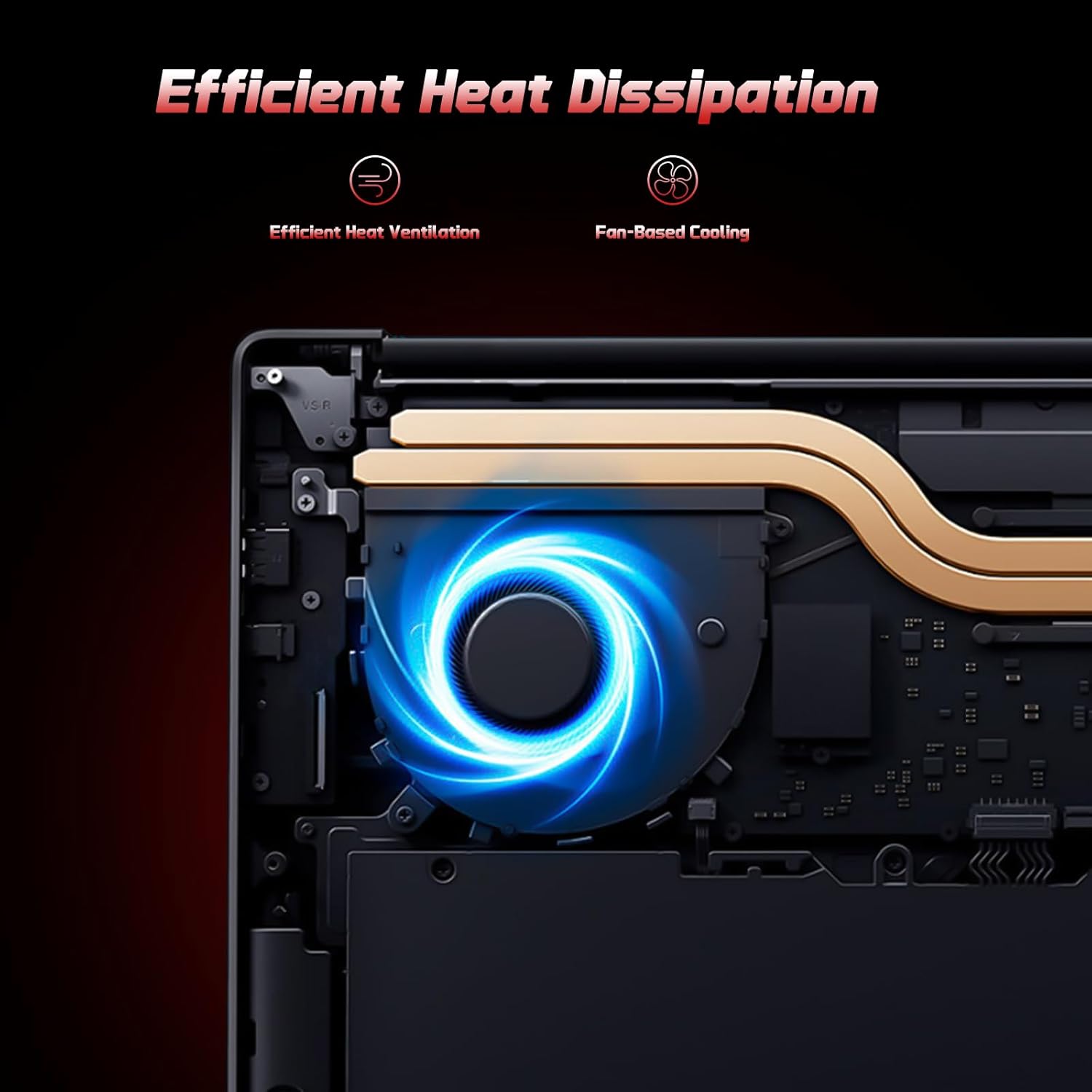
Image: A user typing on the NIMO laptop's backlit keyboard in a dim environment.
2. Σύνδεση περιφερειακών
The laptop is equipped with multiple ports for various peripherals:
- Θύρες USB: Connect USB devices such as external drives, mice, or keyboards.
- Θύρα HDMI: Συνδέστε το σε εξωτερική οθόνη ή τηλεόραση για εκτεταμένη προβολή.
- Θύρες τύπου C: One port supports 65W PD fast charging, and another is a multifunction port for data transfer and display output.
- Υποδοχή Micro SD: Insert a Micro SD card for expandable storage.
- Βύσμα ακουστικών: Συνδέστε ακουστικά ή εξωτερικά ηχεία.
- Κουλοχέρης Kensington Lock: Για τη φυσική ασφάλεια.
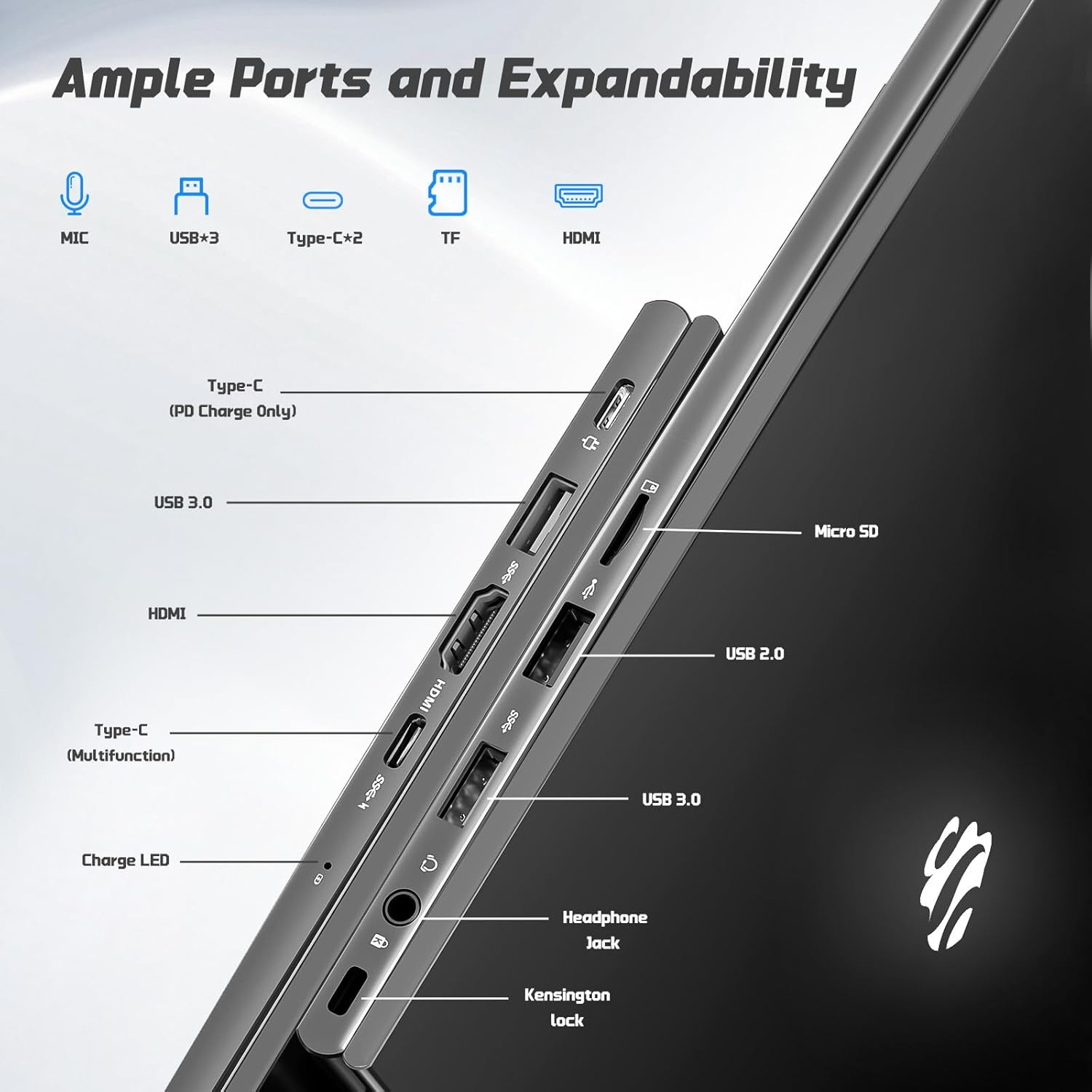
Εικόνα: Πλευρά view of the NIMO laptop highlighting the available ports including USB, HDMI, Type-C, Micro SD, and headphone jack.
3. Webκάμερα και ιδιωτικότητα
Η ενσωματωμένη κάμερα 2MP webcam is suitable for video calls and online meetings. For privacy, ensure the camera is covered or disabled when not in use, if a physical privacy shutter is present (refer to product images for confirmation).
Video: This video demonstrates the NIMO laptop's features, including the webcam and various ports. It shows the laptop being used for work, school, and play, highlighting the backlit keyboard and fingerprint unlock feature.
Video: This video showcases the NIMO laptop's versatility for different users, including students and professionals. It highlights the 15.6" FHD display, backlit keyboard, and multiple connectivity options.
Video: A comprehensive introduction to the NIMO 15.6" laptop, detailing its design, performance, and user experience for various tasks.
Video: This video emphasizes the efficiency and convenience of the NIMO laptop, showcasing its features that contribute to productivity and ease of use.
Video: This video highlights the NIMO 15.6" FHD laptop's suitability for students, home use, and work, demonstrating its performance in various daily scenarios.
Συντήρηση
1. Καθαρισμός του φορητού υπολογιστή
To clean the screen, use a soft, lint-free cloth specifically designed for electronics. For the keyboard and chassis, a slightly damp cloth with mild cleaning solution can be used. Avoid excessive moisture and abrasive materials. Ensure the laptop is powered off before cleaning.
2. Φροντίδα μπαταρίας
The NIMO laptop features a 53.58 Watt Hours Lithium Polymer battery. To prolong battery life, avoid fully discharging the battery frequently. It is recommended to keep the battery charge between 20% and 80% when possible. Store the laptop in a cool, dry place when not in use for extended periods.
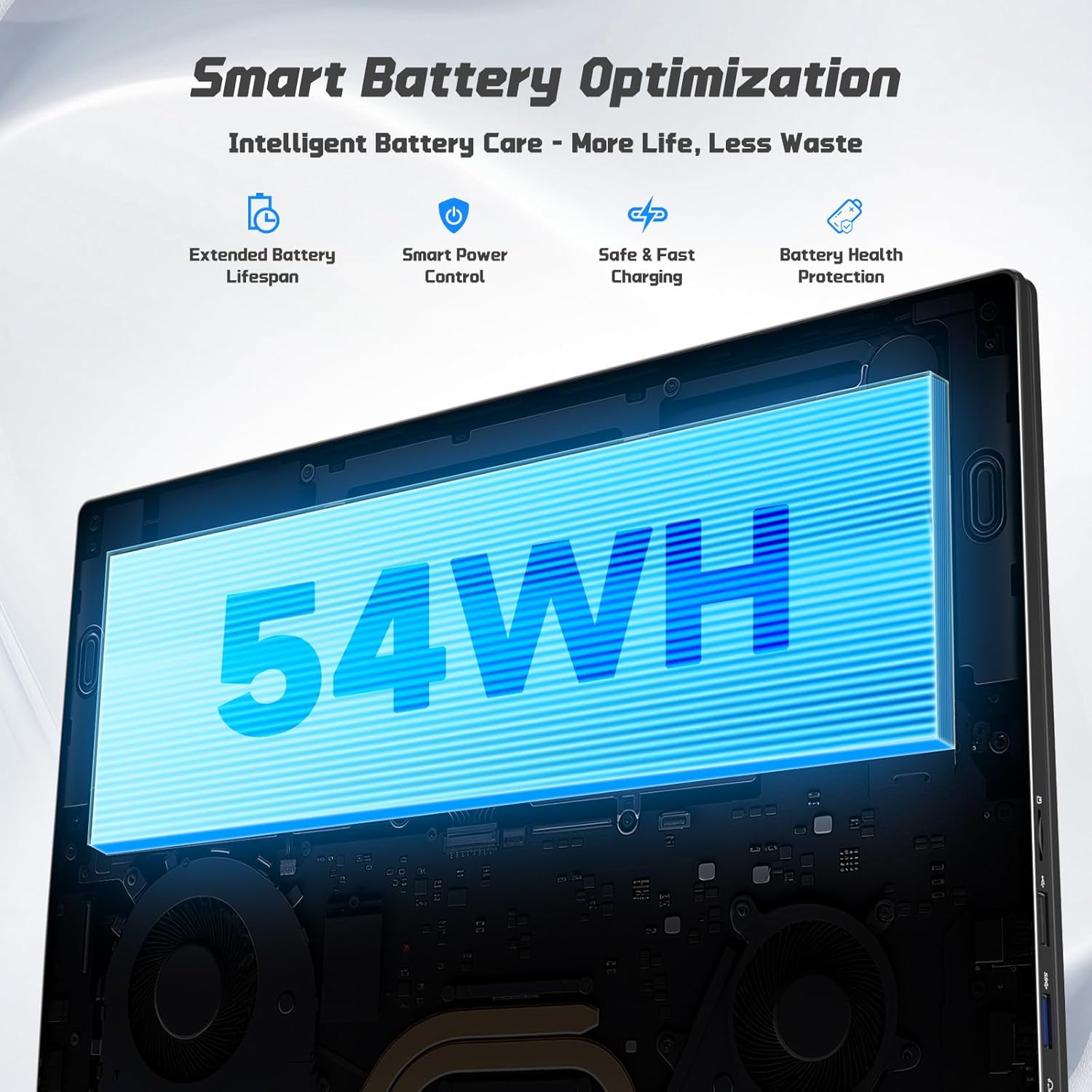
Image: Diagram illustrating the NIMO laptop's smart battery optimization features, including extended lifespan, smart power control, safe and fast charging, and battery health protection.
3. Ενημερώσεις λογισμικού
Regularly check for and install Windows updates to ensure your system has the latest security patches and performance improvements. Go to Settings > Windows Update to manage updates.
4. Διάχυση θερμότητας
The laptop is designed with efficient heat ventilation and fan-based cooling. To prevent overheating, ensure that the ventilation openings are not blocked during use. Avoid placing the laptop on soft surfaces like beds or couches that can obstruct airflow.
Εικόνα: Μια εσωτερική view of the NIMO laptop showing its efficient heat dissipation system with fan-based cooling.
Αντιμετώπιση προβλημάτων
1. Ο φορητός υπολογιστής δεν ενεργοποιείται
- Βεβαιωθείτε ότι ο φορτιστής είναι συνδεδεμένος με ασφάλεια τόσο στον φορητό υπολογιστή όσο και σε μια πρίζα που λειτουργεί.
- Check the charge LED indicator. If it's not lit, try a different outlet or charger.
- Πατήστε παρατεταμένα το κουμπί λειτουργίας για 10-15 δευτερόλεπτα για να εκτελέσετε μια πλήρη επαναφορά.
2. Προβλήματα οθόνης (Δεν εμφανίζεται, τρεμοπαίζει)
- Connect an external monitor via the HDMI port to check if the issue is with the laptop's display or graphics output.
- Κάντε επανεκκίνηση του φορητού υπολογιστή.
- Ensure display drivers are up to date via Windows Update or NIMO's support webτοποθεσία.
3. Αργή απόδοση
- Κλείστε τις περιττές εφαρμογές που εκτελούνται στο παρασκήνιο.
- Ελέγξτε και εγκαταστήστε τυχόν εκκρεμείς ενημερώσεις των Windows.
- Ensure sufficient free space on the 128GB SSD. Consider expanding storage using the Micro SD slot or upgrading the SSD if needed.
- Εκτελέστε μια σάρωση για ιούς.
4. Wi-Fi or Bluetooth Connectivity Issues
- Ensure Wi-Fi and Bluetooth are enabled in Windows Settings.
- Επανεκκινήστε τον δρομολογητή/μόντεμ σας για προβλήματα Wi-Fi.
- Update network drivers via Windows Update or NIMO's support webτοποθεσία.
Προδιαγραφές
| Χαρακτηριστικό | Λεπτομέρεια |
|---|---|
| Μάρκα | NIMO |
| Όνομα μοντέλου | NIMO N157G |
| Μέγεθος οθόνης | 15.6 ίντσες |
| Ανάλυση οθόνης | 1920x1080 εικονοστοιχεία (FHD) |
| Τύπος οθόνης | IPS LCD, Anti-glare |
| Επεξεργαστής | Intel Pentium N150 (4-Core, up to 3.6 GHz) |
| ΕΜΒΟΛΟ | 4 GB DDR4 (επεκτάσιμη έως 16 GB) |
| Αποθήκευση | 128 GB SSD (Expandable via Micro SD) |
| Λειτουργικό σύστημα | Windows 11 Home |
| Γραφικά | Intel Integrated Graphics |
| Webέκκεντρο | Μπροστινή κάμερα 2 MP |
| Συνδεσιμότητα | Wi-Fi 6, Bluetooth 5.3 |
| λιμάνια | 2x USB 3.0, 1x USB 2.0, 2x Type-C (1x PD Charge Only, 1x Multifunction), 1x HDMI, 1x Micro SD Slot, 1x Headphone Jack, 1x Kensington Lock |
| Μπαταρία | 53.58 Wh Lithium Polymer (Up to 12.75 hours life) |
| Αλογο αξιωματικού | 65W Type-C PD Fast Charger |
| Ειδικά Χαρακτηριστικά | Backlit Keyboard, Fingerprint Reader, HD Audio, Numeric Keypad |
| Διαστάσεις | 14.07"Μ x 8.98"Π x 0.76"Π |
| Βάρος | 3.75 λίρες |
Εγγύηση & Υποστήριξη
Your NIMO laptop comes with a Εγγύηση 2 ετών from NIMO Direct Inc. Additionally, a 90-Day Hassle-Free Return Policy is provided. For any product-related questions, technical assistance, or warranty claims, please contact NIMO customer support.
Στοιχεία επικοινωνίας:
- E-mail: service@nimopc.com
- Διαδικτυακή υποστήριξη: Refer to the official NIMO webιστότοπος για περαιτέρω πόρους υποστήριξης.
Please have your model number (NIMO N157) and purchase details ready when contacting support.