
SAMSUNG LS32FM803UNXZA
SAMSUNG 32” Smart Monitor M8 (M80F) User Manual
Model: LS32FM803UNXZA
1. Εισαγωγή
This manual provides comprehensive instructions for the setup, operation, and maintenance of your SAMSUNG 32” Smart Monitor M8 (M80F), model LS32FM803UNXZA. Please read this manual thoroughly before using your monitor to ensure proper and safe operation.
The Samsung 32” M8 Smart Monitor features a 4K UHD display powered by the NQM AI Processor, offering an AI-enhanced viewing experience. It integrates Smart TV Apps for direct content streaming, AI Picture Optimizer for tailored visuals, and Knox Security for data protection. Key features include the Gaming Hub, One UI Tizen OS, Active Voice Amplifier Pro, SmartThings integration, and a SlimFit Camera for video calls. Its ergonomic design and multiple connectivity ports (USB-C, HDMI, USB-A) provide versatility for various uses.

Figure 1.1: Samsung 32” Smart Monitor M8 (M80F) Overview
This image displays the front of the Samsung 32-inch Smart Monitor M8, highlighting its sleek design and the vibrant display. The screen shows a user interface with various streaming application icons and a picture of a girl with a dog, illustrating its multimedia capabilities.
2. Ρύθμιση
2.1. Τι υπάρχει στο κουτί
Πριν ξεκινήσετε, βεβαιωθείτε ότι υπάρχουν όλα τα εξαρτήματα:
- Καλώδιο τροφοδοσίας
- Τηλεχειριστήριο
- Μπαταρίες (για τηλεχειριστήριο)
- Εξαρτήματα βάσης
- Samsung 32” Smart Monitor M8 (M80F)
- SlimFit Camera
2.2. Συναρμολόγηση του περιπτέρου
Follow these steps to securely attach the stand to your monitor:
- Τοποθετήστε προσεκτικά την οθόνη με την όψη προς τα κάτω σε ένα μαλακό, καθαρό πανί για να αποφύγετε γρατσουνιές.
- Attach the stand neck to the monitor's mounting area, ensuring it clicks into place or is secured with screws as per the included quick setup guide.
- Connect the stand base to the stand neck, tightening any screws required.
- Σηκώστε απαλά την οθόνη και τοποθετήστε την σε μια σταθερή, επίπεδη επιφάνεια.
Σχήμα 2.1: Διαστάσεις οθόνης
This image provides a detailed diagram of the Samsung 32-inch Smart Monitor M8's physical dimensions, including its width, height with the stand, and depth both with and without the stand, aiding in proper placement and setup.
2.3. Καλώδια σύνδεσης
Connect the necessary cables to the monitor's ports:
- Καλώδιο ρεύματος: Συνδέστε το καλώδιο τροφοδοσίας στην είσοδο τροφοδοσίας της οθόνης και στη συνέχεια σε μια πρίζα.
- HDMI: For connecting external devices like computers or gaming consoles.
- USB-C: For connecting compatible devices, supporting video, data, and power delivery.
- USB-A: Για τη σύνδεση περιφερειακών όπως πληκτρολόγια, ποντίκια ή μονάδες USB.
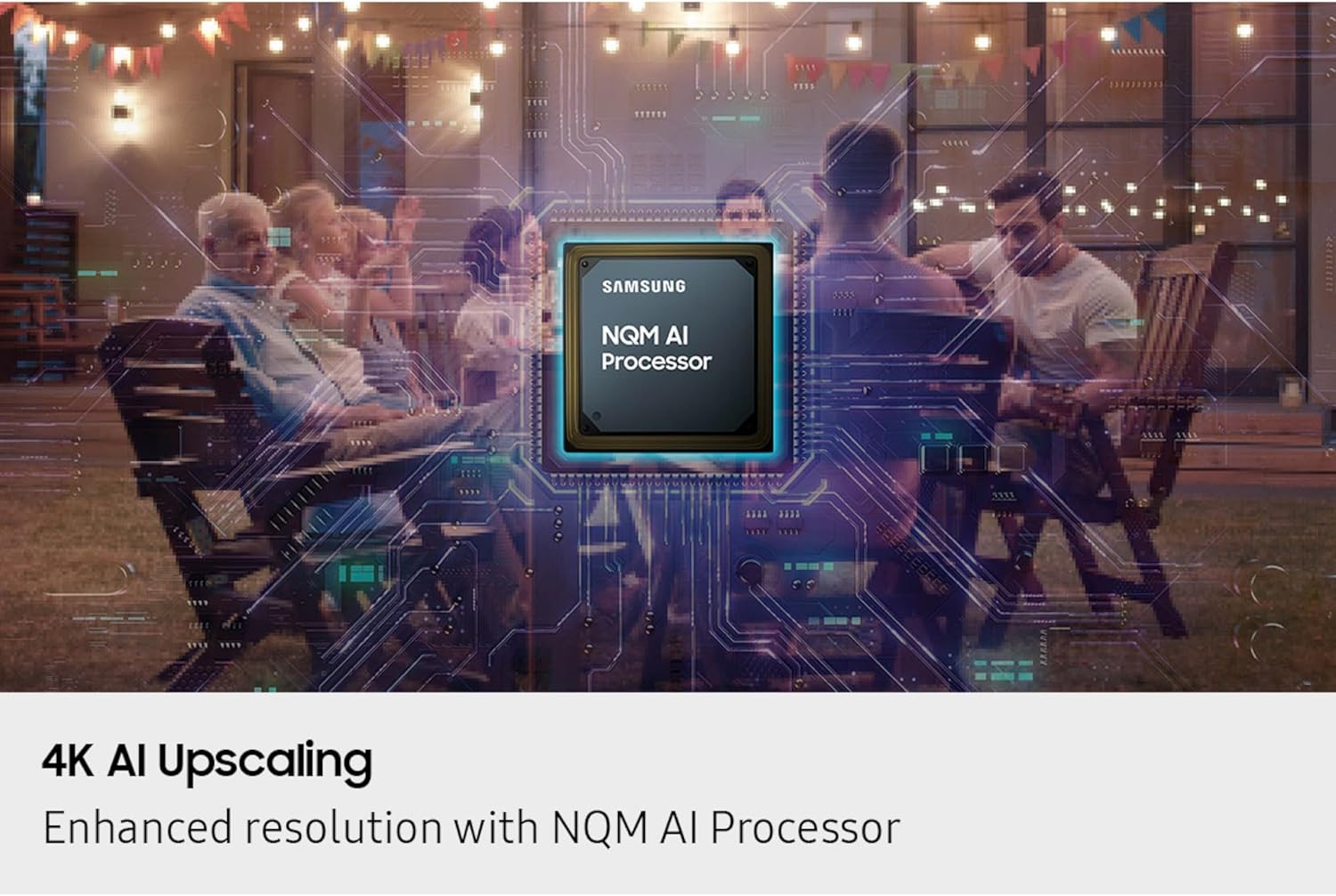
Figure 2.2: Monitor Ports
Αυτή η εικόνα δείχνει μια λεπτομερή view of the connectivity ports located on the back of the Samsung Smart Monitor M8. The ports are clearly numbered and labeled, indicating connections for USB Type-C Upstream, HDMI input, two USB Type-A Downstream ports, and the power input, facilitating easy setup of external devices.
2.4. Attaching the SlimFit Camera
The SlimFit Camera can be easily attached to the top of your monitor for video calls:
- Locate the magnetic attachment point on the top center of the monitor.
- Align the SlimFit Camera with this point; it will snap into place magnetically.
- Ensure the camera is securely attached and facing forward.

Figure 2.3: SlimFit Camera
Αυτή η εικόνα παρέχει ένα κοντινό πλάνο view of the SlimFit Camera, highlighting its sleek design and the magnetic connector that allows for easy attachment to the Samsung Smart Monitor M8. This camera is designed for seamless video conferencing.
3. Λειτουργία της οθόνης
3.1. Smart TV Apps and Content Streaming
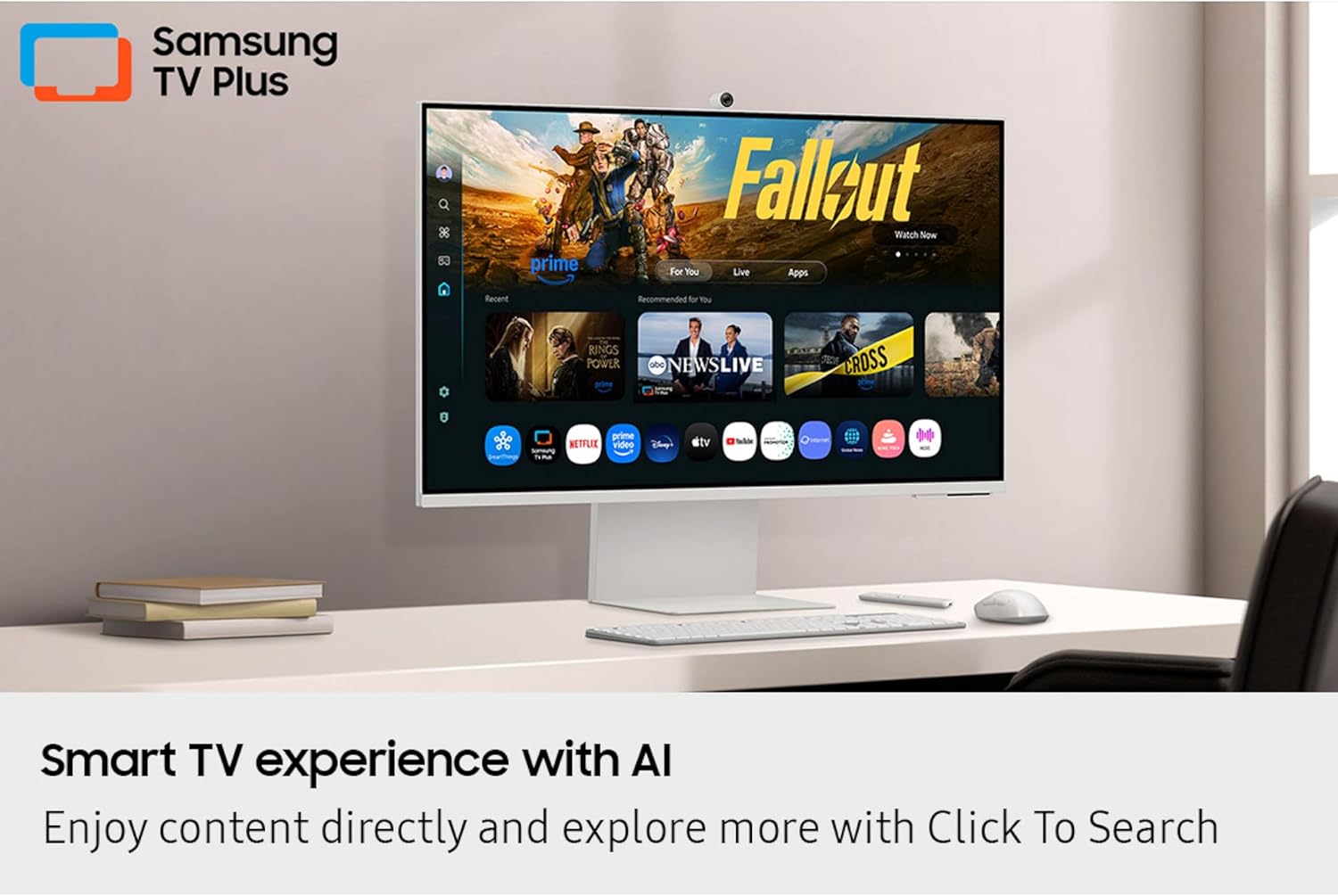
Your Smart Monitor M8 provides instant access to a wide range of streaming content and Smart TV apps. Stream directly from your monitor or tune into Samsung TV Plus for live channels and on-demand content.
- Navigate through the Smart Hub using the included remote control.
- Select your desired streaming service or app.
- Enjoy content without the need for an external PC or TV tuner.

Figure 3.1: Smart TV Experience
This image shows the Samsung Smart Monitor M8 positioned on a desk, actively displaying its Smart TV interface. The screen features various streaming applications and the Samsung TV Plus logo, demonstrating its capability to provide a comprehensive entertainment experience directly from the monitor.
3.2. AI-Powered Visuals and Audio
The NQM AI Processor enhances your viewεμπειρία ακρόασης και ηχογράφησης:
- Αναβάθμιση 4K AI: The processor upscales lower-resolution content to 4K, providing enhanced clarity and detail.
- AI Picture Optimizer: This feature adapts visuals for optimal quality based on your activity (working, gaming, watching videos), ensuring comfort and immersion.
- Ενεργητική φωνή Amplifier Pro: Analyzes background noise and automatically adjusts content volume to ensure dialogue is clear, even in noisy environments.
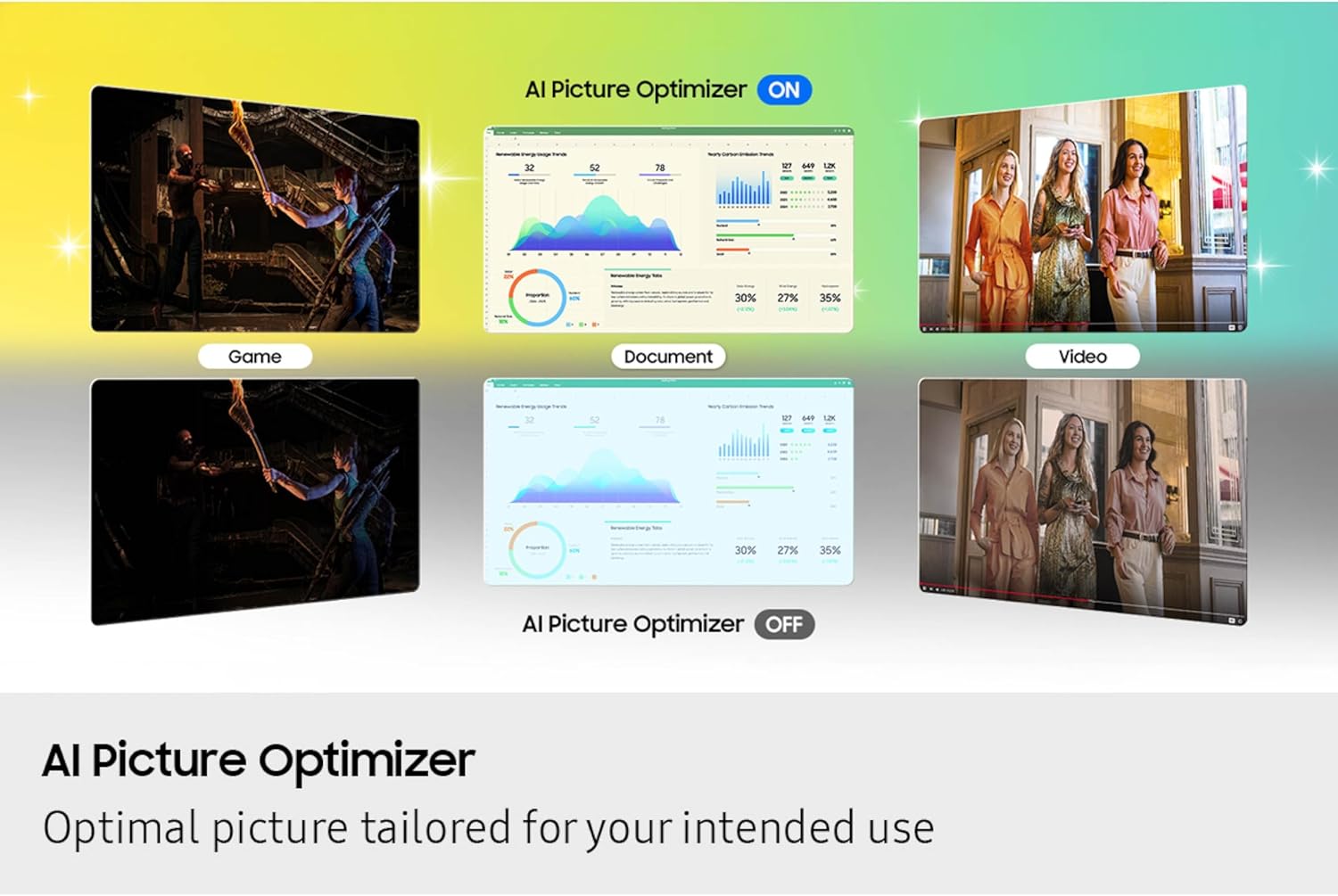
Figure 3.2: 4K AI Upscaling
This image visually represents the 4K AI Upscaling capability of the Samsung Smart Monitor M8, featuring the NQM AI Processor. It shows a scene of people gathered in a backyard, with a digital overlay of the processor chip, symbolizing how the monitor enhances lower-resolution content to a sharper 4K quality.

Figure 3.3: AI Picture Optimizer
This image illustrates the AI Picture Optimizer feature, demonstrating how it adjusts display settings for different usage scenarios such as gaming, document viewing, and video playback. It shows the visual differences between the 'ON' and 'OFF' states of the optimizer, highlighting its ability to tailor picture quality for optimal viewing.
3.3. Smart Home Integration and Security
- SmartThings: Control connected smart home devices through a 3D Map View, monitor energy usage, and activate energy-saving modes.
- Ασφάλεια Knox: Protects your monitor data and enhances the security of your IoT connections with robust, multi-layered security and tightly controlled access.

Figure 3.4: Knox Security
This image visually represents the Knox Security feature, showing a monitor displaying a secure login screen alongside a prominent shield icon. This illustrates the multi-layered security system designed to protect sensitive data and enhance the safety of IoT connections on the Samsung Smart Monitor M8.
3.4. Gaming Hub and Productivity Features
- Κέντρο Παιχνιδιών: Access a wide selection of games from top streaming partners without needing a PC or console. Discover and play games directly from your monitor.
- One UI Tizen: Powered by Samsung Tizen OS, it provides a personalized screen experience and access to the latest Samsung features.
- Click-to-Search: Enrich your viewing experience by instantly getting content recommendations and details on what you're watching.
- Εργονομικός σχεδιασμός: The stand offers height adjustment, tilt, and pivot capabilities for comfortable viewing during long sessions.

Σχήμα 3.5: Βασικά χαρακτηριστικά πάνω απόview
This image is a collage showcasing several key features of the Samsung Smart Monitor M8. It includes visuals demonstrating the ergonomic design with pivot, tilt, and height adjustment, the Gaming Hub interface, the multiple connectivity ports, and the SlimFit Camera in use for video calls, providing a comprehensive look at the monitor's versatility.

Figure 3.6: Video Calls with SlimFit Camera
This image shows a woman engaged in a video call using the Samsung Smart Monitor M8, with the SlimFit Camera clearly visible at the top of the screen. The monitor displays multiple participants in the video conference, illustrating the camera's functionality for seamless communication.
4. Συντήρηση
Proper maintenance ensures the longevity and optimal performance of your Samsung Smart Monitor M8.
4.1. Καθαρισμός της οθόνης
- Πάντα να αποσυνδέετε την οθόνη από την πρίζα πριν από τον καθαρισμό.
- Χρησιμοποιήστε ένα μαλακό πανί που δεν αφήνει χνούδι ελαφρώς dampμε νερό ή με ένα ειδικό καθαριστικό οθόνης.
- Μην ψεκάζετε υγρό απευθείας στην οθόνη ή στο μόνιτορ.asing.
- Αποφύγετε τη χρήση λειαντικών καθαριστικών, κεριών ή διαλυτικών.
4.2. Γενική Φροντίδα
- Κρατήστε την οθόνη μακριά από άμεσο ηλιακό φως, πηγές θερμότητας και υπερβολική σκόνη.
- Βεβαιωθείτε ότι υπάρχει επαρκής αερισμός γύρω από την οθόνη για να αποτρέψετε την υπερθέρμανση.
- Αποφύγετε την τοποθέτηση βαρέων αντικειμένων πάνω στην οθόνη ή στα καλώδιά της.
- When moving the monitor, handle it carefully and support the base.
5. Αντιμετώπιση Προβλημάτων
Εάν αντιμετωπίσετε προβλήματα με την οθόνη σας, ανατρέξτε στις ακόλουθες συνήθεις λύσεις:
5.1. Χωρίς ισχύ
- Βεβαιωθείτε ότι το καλώδιο τροφοδοσίας είναι συνδεδεμένο με ασφάλεια τόσο στην οθόνη όσο και σε μια λειτουργική πρίζα.
- Ελέγξτε αν η πρίζα λειτουργεί συνδέοντας μια άλλη συσκευή.
- Πατήστε το κουμπί λειτουργίας στην οθόνη ή στο τηλεχειριστήριο.
5.2. No Signal / Blank Screen
- Verify that the HDMI or USB-C cable is firmly connected to both the monitor and the source device (e.g., computer, gaming console).
- Βεβαιωθείτε ότι η συσκευή πηγής είναι ενεργοποιημένη και εκπέμπει σήμα.
- Use the monitor's input selection menu (usually accessible via the remote) to select the correct input source.
- Try a different cable or port if available.
5.3. Picture Issues (Distorted, Flickering, Incorrect Colors)
- Ελέγξτε τις συνδέσεις των καλωδίων για χαλαρότητα ή ζημιά.
- Adjust the display resolution and refresh rate settings on your connected device to match the monitor's capabilities.
- Perform a factory reset of the monitor's display settings through the OSD (On-Screen Display) menu.
5.4. Προβλήματα ήχου
- Ensure the monitor's volume is not muted or set too low.
- Check the audio output settings on your connected device to ensure sound is being sent to the monitor.
- Εάν χρησιμοποιείτε εξωτερικά ηχεία, βεβαιωθείτε ότι είναι σωστά συνδεδεμένα και ενεργοποιημένα.
Για πιο λεπτομερή αντιμετώπιση προβλημάτων ή για επίμονα προβλήματα, ανατρέξτε στην επίσημη υποστήριξη της Samsung. webιστότοπο ή επικοινωνήστε με την εξυπηρέτηση πελατών.
6. Προδιαγραφές
Detailed technical specifications for the SAMSUNG 32” Smart Monitor M8 (M80F):
| Χαρακτηριστικό | Λεπτομέρεια |
|---|---|
| Μάρκα | SAMSUNG |
| Αριθμός μοντέλου | LS32FM803UNXZA |
| Μέγεθος οθόνης | 32 ίντσες |
| Ψήφισμα | 4K UHD 2160p (3840x2160) |
| Τεχνολογία εμφάνισης | οθόνη υγρού κρυστάλλου |
| Αναλογία διαστάσεων | 16:9 |
| Περιγραφή επιφάνειας οθόνης | Ματ |
| Διαστάσεις προϊόντος (Μ x Π x Υ) | 7.9 x 28.9 x 24.3 ίντσες |
| Βάρος αντικειμένου | 15.4 λίρες |
| Τεχνολογίες Συνδεσιμότητας | Bluetooth, HDMI, USB, Wi-Fi |
| Ειδικά Χαρακτηριστικά | Built-In Speakers, Height Adjustment, High Dynamic Range, Multiple Voice Assistance, USB Hub |
| Συμπεριλαμβανόμενα εξαρτήματα | Batteries, Power Cable, Remote Control, Stand |
7. Εγγύηση και υποστήριξη
Για πληροφορίες σχετικά με την εγγύηση και την υποστήριξη πελατών, ανατρέξτε στους ακόλουθους πόρους:
- Επίσημο Εγχειρίδιο Χρήστη (PDF): For detailed instructions and safety information, you can download the official PDF manual from εδώ.
- Υποστήριξη Samsung: Επισκεφθείτε την επίσημη Samsung website or contact their customer service for product registration, warranty claims, technical assistance, and service inquiries.
- Samsung Brand Store: Explore other Samsung products and accessories at the Κατάστημα Samsung στο Amazon.
Παρακαλούμε φυλάξτε την απόδειξη αγοράς για λόγους εγγύησης.
Ask a question about this manual
Ask about setup, troubleshooting, compatibility, parts, safety, or missing instructions. Manuals+ will review the question and use this page’s manual context to help answer it.