
Εισαγωγή
This manual provides detailed instructions for the installation, operation, and maintenance of your Zyyini B150M V3 Computer Motherboard. Please read this manual thoroughly before proceeding with installation to ensure proper setup and to prevent damage to the components. This motherboard is designed for desktop computers, supporting LGA 1151 CPUs and DDR4 memory, offering a stable and efficient platform for various computing needs.
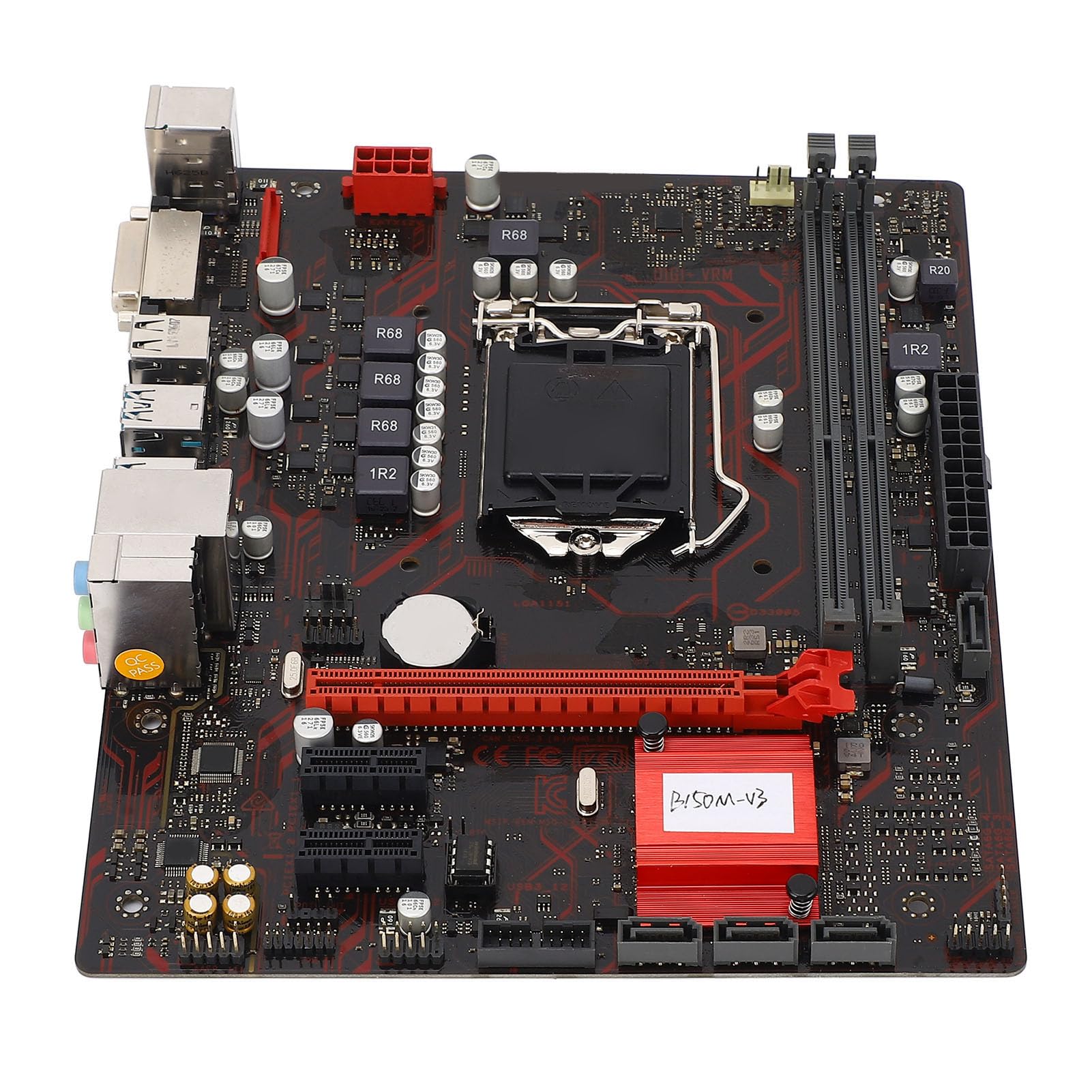
Εικόνα 1: Τέλοςview of the Zyyini B150M V3 Motherboard.
Ρύθμιση και εγκατάσταση
Before beginning installation, ensure your workspace is clean and static-free. It is recommended to wear an anti-static wrist strap to prevent electrostatic discharge (ESD) damage to components.
1. Προφυλάξεις ασφαλείας
- Αποσυνδέετε πάντα την παροχή ρεύματος από την πρίζα πριν από την εγκατάσταση ή την αφαίρεση οποιωνδήποτε εξαρτημάτων.
- Handle components by their edges to avoid touching sensitive circuits.
- Ensure proper grounding to prevent ESD.
- Refer to the CPU, memory, and other component manuals for specific installation instructions.
2. Διάταξη μητρικής πλακέτας

Σχήμα 2: Από πάνω προς τα κάτω view highlighting key components and connectors on the motherboard.
Familiarize yourself with the locations of the CPU socket, memory slots, PCI-E slots, SATA ports, and power connectors before installation.
3. Εγκατάσταση CPU (LGA 1151)
- Εντοπίστε την υποδοχή CPU LGA 1151 στη μητρική πλακέτα.
- Gently push down the load lever and pull it sideways to open the CPU socket cover.
- Carefully align the notches on your Intel Core i7/i5/i3/Pentium/Celeron (14nm) processor with the corresponding keys on the socket. Ensure the gold triangle on the CPU matches the triangle on the socket.
- Place the CPU gently into the socket without forcing it.
- Κλείστε την πλάκα φόρτωσης και πιέστε τον μοχλό φόρτωσης πίσω στη θέση του μέχρι να κάνει κλικ.

Εικόνα 3: Κοντινό πλάνο view of the LGA 1151 CPU socket, ready for processor installation.
4. Memory Installation (DDR4 DIMM)
The motherboard features two DDR4 DIMM slots, supporting dual-channel DDR4 2133MHz memory up to a maximum of 32GB.
- Ανοίξτε τα κλιπ και στα δύο άκρα της υποδοχής DIMM.
- Ευθυγραμμίστε την εγκοπή στη μονάδα μνήμης DDR4 με το κλειδί στην υποδοχή DIMM.
- Τοποθετήστε σταθερά τη μονάδα μνήμης στην υποδοχή μέχρι να ασφαλίσουν τα κλιπ στη θέση τους. Βεβαιωθείτε ότι και τα δύο κλιπ είναι κλειστά.

Figure 4: The two DDR4 DIMM slots for memory installation.
5. Storage Device Installation (SATA III & M.2)
The motherboard provides 4 x Serial ATA III interfaces and 1 x M.2 slot for storage devices.
- Συσκευές SATA: Connect one end of a SATA data cable to a SATA III port on the motherboard and the other end to your SATA hard drive or SSD. Connect the SATA power cable from your power supply to the drive.
- Συσκευές M.2: Insert your M.2 SSD into the M.2 slot, securing it with the provided screw.
6. Expansion Card Installation (PCI-E)
The motherboard includes 1 x PCI-E x16 graphics card slot and 2 x PCI-E x1 slots for expansion cards.
- Align your PCI-E expansion card (e.g., graphics card, sound card, network card) with the desired PCI-E slot.
- Press the card firmly into the slot until it is fully seated. Secure the card with a screw to the chassis.
7. Σύνδεση περιφερειακών και μπροστινού πίνακα
Connect your USB devices, DVI display, audio devices, and Ethernet cable to the rear I/O panel. Connect the front panel connectors (power button, reset button, USB ports, audio jacks) from your PC case to the corresponding headers on the motherboard.

Εικόνα 5: Αναλυτικά view of the rear I/O panel, showing USB, DVI, Ethernet, and audio ports.
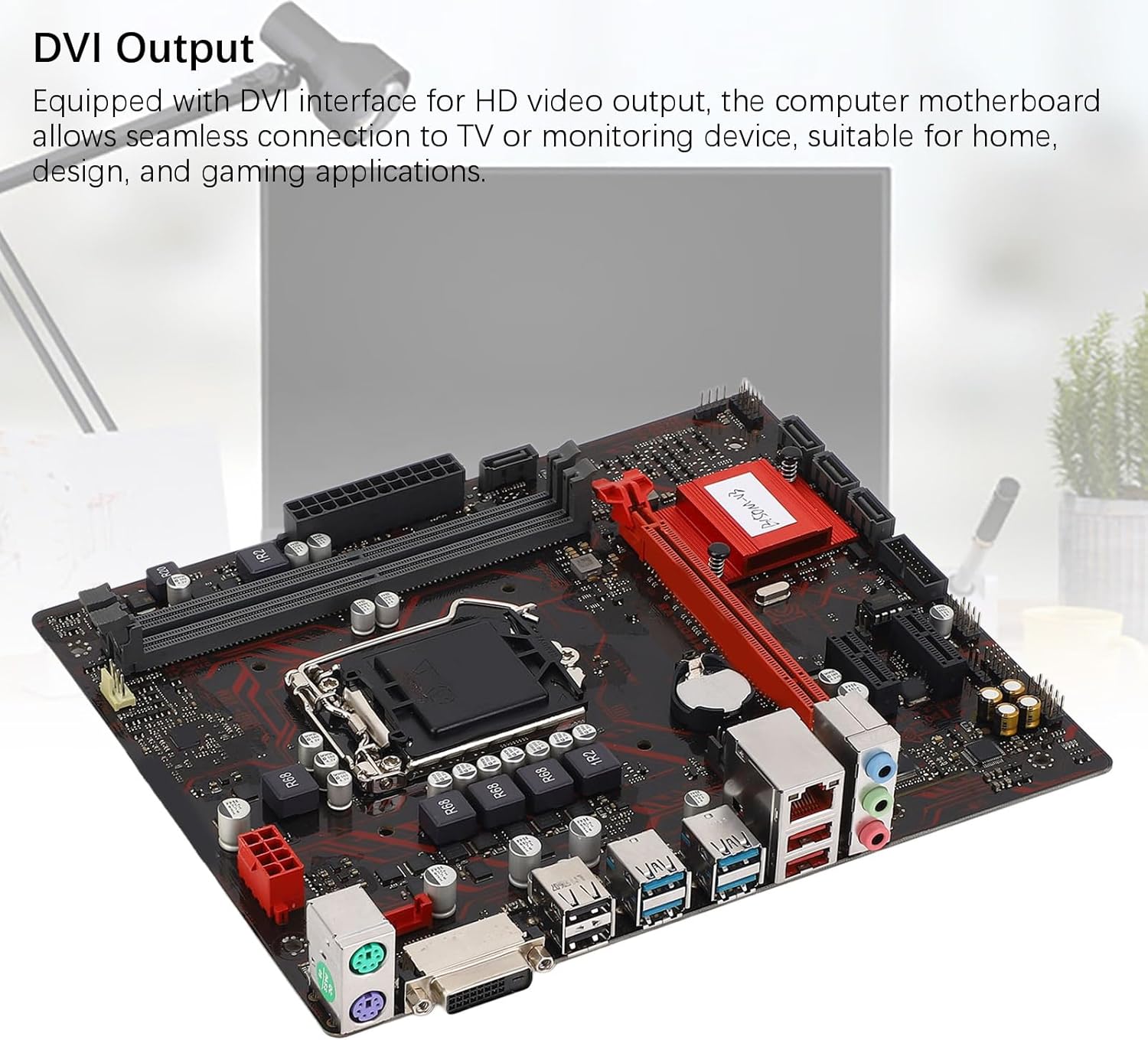
Figure 6: The DVI interface for connecting a display.
8. Συνδέσεις τροφοδοσίας
Connect the 24-pin ATX power connector and the 8-pin CPU power connector from your power supply to the respective ports on the motherboard. Ensure they are firmly seated.

Σχήμα 7: Γωνιακό view showing the location of power connectors and other ports.
Οδηγίες Λειτουργίας
1. Αρχική εκκίνηση
After all components are installed and connected, power on your system. The system should initiate the boot process. If no display appears, refer to the troubleshooting section.
2. Ρύθμιση παραμέτρων BIOS/UEFI
During boot-up, press the designated key (usually ΔΕΛ or F2) to enter the BIOS/UEFI setup. Here you can configure boot order, system time, and other advanced settings. Save changes before exiting.
3. Εγκατάσταση προγράμματος οδήγησης
After installing your operating system, install the necessary drivers for the motherboard chipset, network, and audio. These are typically provided on a driver CD or available for download from the manufacturer's webτοποθεσία.
Συντήρηση
1. Καθαρισμός σκόνης
Regularly clean the inside of your computer case to prevent dust buildup, which can lead to overheating and component failure. Use compressed air to gently remove dust from fans, heatsinks, and motherboard surfaces.
2. Ενημερώσεις BIOS
Ελέγχετε περιοδικά τις οδηγίες του κατασκευαστή webΙστότοπος για ενημερώσεις BIOS. Οι ενημερώσεις BIOS μπορούν να βελτιώσουν τη σταθερότητα του συστήματος, να προσθέσουν υποστήριξη για νέο υλικό ή να διορθώσουν σφάλματα. Ακολουθήστε προσεκτικά τις οδηγίες ενημέρωσης για να αποφύγετε την πρόκληση ζημιάς στη μητρική πλακέτα.
Αντιμετώπιση προβλημάτων
1. Χωρίς ισχύ
- Ensure the power supply is connected to the wall outlet and switched on.
- Verify that the 24-pin and 8-pin power connectors are securely attached to the motherboard.
- Ελέγξτε τη σύνδεση του διακόπτη τροφοδοσίας του μπροστινού πίνακα με τη μητρική πλακέτα.
2. Χωρίς οθόνη
- Confirm that the monitor is connected to the correct video output (DVI) on the motherboard or graphics card and is powered on.
- Reseat the memory modules. Try booting with only one memory module installed.
- Επανατοποθετήστε την κάρτα γραφικών (εάν υπάρχει).
- Ensure the CPU is properly installed and the CPU cooler is securely attached.
3. Αστάθεια συστήματος / Σφάλματα λειτουργίας
- Check for overheating. Ensure all fans are working and heatsinks are clean.
- Verify that all components (CPU, RAM, storage) are properly seated.
- Εκτελέστε εργαλεία διαγνωστικού ελέγχου μνήμης για να ελέγξετε για ελαττωματική μνήμη RAM.
- Βεβαιωθείτε ότι όλα τα προγράμματα οδήγησης είναι ενημερωμένα.
Προδιαγραφές

Figure 8: The motherboard's robust construction ensures stable performance and longevity.
| Χαρακτηριστικό | Λεπτομέρεια |
|---|---|
| Μοντέλο μητρικής πλακέτας | B150M-V3 |
| Chipset | B150 Chipset |
| Υποδοχή CPU | LGA 1151 |
| Compatible CPU Type | Intel Core i7, i5, i3, Pentium, Celeron (14nm processors) |
| Τύπος μνήμης | 2 x DDR4 DIMM (Διπλό Κανάλι) |
| Ταχύτητα μνήμης | 2133 MHz |
| Μέγιστη χωρητικότητα μνήμης | 32 GB |
| Πρότυπο PCI-E | PCI-E 3.0 |
| PCI-E x16 Slots | 1 |
| PCI-E x1 Slots | 2 |
| Διεπαφές αποθήκευσης | 4 x Serial ATA III, 1 x M.2 |
| USB Interfaces (Rear) | 4 x USB3.0, 4 x USB2.0 |
| USB Interfaces (Internal) | 1 x USB3.0 header, 1 x USB2.0 header |
| Διασύνδεση βίντεο | 1 x DVI |
| Network Chip | Realtek RTL8111GR Gigabit Ethernet |
| Τσιπ ήχου | Realtek ALC887 8-Channel |
| Διασυνδέσεις ισχύος | One 8-Pin, One 24-Pin |
| Form Factor | M-ATX |
| Λειτουργία τροφοδοσίας ρεύματος | 5 Φάση |
| Άλλες διεπαφές | RJ45, Chassis Fan, Internal Speaker, System Panel, Sound, PS/2 Mouse, PS/2 Keyboard, COM |
Πληροφορίες εγγύησης
For specific warranty terms and conditions, please refer to the documentation provided with your purchase or visit the official Zyyini webΗ κάλυψη της εγγύησης συνήθως περιλαμβάνει ελαττώματα στα υλικά και την κατασκευή υπό κανονική χρήση.
Υποστήριξη Πελατών
If you encounter any issues that cannot be resolved using this manual, please contact your retailer or visit the Zyyini official support channels for assistance. Have your product model number (B150M-V3) and purchase details ready when seeking support.