
1. Το προϊόν τελείωσεview
The UNIWA F41 is a rugged 4G Android mobile phone designed with walkie-talkie capabilities, featuring a durable build, long-lasting battery, and support for various communication applications like Zello. It combines smartphone functionality with push-to-talk (PTT) features, making it suitable for professional and outdoor use.

Εικόνα 1: Εμπρός και πίσω view of the UNIWA F41 device, showing the display, keypad, PTT button, and rear clip.
Βασικά Χαρακτηριστικά:
- Λειτουργικό σύστημα: Android 8.1
- Επεξεργαστής: MT6739 Quad Core
- Μνήμη: 1GB RAM + 8GB ROM (expandable up to 64GB with Micro SD)
- Επίδειξη: 2.4-inch IPS capacitive touch screen (320x240 resolution)
- Μπαταρία: Removable 4600mAh Li-Polymer battery with 10W fast charging
- Αντοχή: IP54 waterproof, drop, and shockproof
- Συνδεσιμότητα: 2G/3G/4G global network bands, Wi-Fi (2.4GHz/5GHz), Bluetooth 4.2, GPS/BeiDou/GLONASS
- Κάμερες: 5MP εμπρός, 8MP πίσω
- Ήχος: Front Φ36/3 Watt BOX Speaker
- Ειδικά χαρακτηριστικά: Zello intercom, Smart PTT, Posctar support, NFC for patrolling, SOS button, Dual SIM
2. Περιεχόμενα συσκευασίας
Βεβαιωθείτε ότι όλα τα στοιχεία υπάρχουν στη συσκευασία:
- UNIWA F41 Talkie Walkie Smartphone (x1)
- Power Adapter (5V/2A) (x1)
- Καλώδιο USB (x1)
- Κλιπ (x1)
- Κεραία (x1)
- Εγχειρίδιο χρήστη (x1)

Εικόνα 2: Contents of the UNIWA F41 retail package.
3. Ρύθμιση
3.1. Εγκατάσταση μπαταρίας και αρχική φόρτιση
- Αφαιρέστε το πίσω κάλυμμα της συσκευής.
- Insert the 4600mAh Li-Polymer battery into the battery compartment, ensuring the contacts align.
- Επανατοποθετήστε το πίσω κάλυμμα με ασφάλεια.
- Connect the provided USB cable to the device's USB Type-C port and the power adapter.
- Συνδέστε το τροφοδοτικό σε μια πρίζα τοίχου.
- Charge the device for at least 1 hour before initial use. The charging indicator will show progress.

Εικόνα 3: The UNIWA F41 device with its high-capacity 4600mAh removable battery.
3.2. Εγκατάσταση κάρτας SIM και κάρτας Micro SD
The device supports dual SIM cards and one TF (Micro SD) card.
- With the device powered off, remove the back cover and battery.
- Locate the SIM card slots (SIM Card Slot *2) and TF Card Slot *1.
- Carefully insert your SIM card(s) into the designated slots with the gold contacts facing down.
- Insert your Micro SD card (up to 64GB) into the TF card slot.
- Επανατοποθετήστε την μπαταρία και το πίσω κάλυμμα.
3.3. Σύνδεση κεραίας
Screw the provided antenna onto the top of the device until it is finger-tight. Ensure it is securely attached for optimal signal reception.
4. Οδηγίες λειτουργίας
4.1. Ενεργοποίηση/Απενεργοποίηση
- Ενεργοποίηση: Πατήστε παρατεταμένα το κουμπί λειτουργίας (συνήθως στο πλάι) μέχρι να ανάψει η οθόνη.
- Απενεργοποιώ: Πατήστε παρατεταμένα το κουμπί λειτουργίας και, στη συνέχεια, επιλέξτε "Απενεργοποίηση" από τις επιλογές στην οθόνη.
4.2. Βασική πλοήγηση
The UNIWA F41 features a 2.4-inch IPS capacitive touch screen and a T9 keypad for navigation.
- Οθόνη αφής: Πατήστε για επιλογή, σύρετε για κύλιση.
- Πληκτρολόγιο: Use the directional keys for menu navigation and the central button to confirm selections.
- Κουμπί Πίσω: Επιστρέφει στην προηγούμενη οθόνη.
- Κουμπί αφετηρίας: Επιστρέφει στην αρχική οθόνη.

Εικόνα 4: The 2.4-inch IPS capacitive touch screen of the UNIWA F41, displaying various application icons.
4.3. Using Walkie-Talkie (Zello/PTT) Functionality
The UNIWA F41 is pre-adapted for popular PTT applications like Zello, Real PTT, and Pocstar.
- Ensure you have an active internet connection (Wi-Fi or 4G).
- Open your preferred PTT application (e.g., Zello).
- Συνδεθείτε ή δημιουργήστε λογαριασμό.
- Join a channel or contact.
- Press and hold the dedicated PTT Intercom Button (located on the side) to transmit your voice. Release to listen.
- Use the Group Switching Knob (if available on your model) to quickly switch between talk groups.

Εικόνα 5: The UNIWA F41 showcasing its integration with Zello and other PTT applications, highlighting the ergonomic PTT button.
4.4. Network Connectivity (4G, Wi-Fi, Bluetooth)
- Δίκτυο 4G: Ensure your SIM card supports the device's network bands (2G: GSM850/900/1800/1900MHz; 3G: WCDMA B1/B2/B5/B8, TD-SCDMA B34/B39; 4G: FDD-LTE:B1/B3/B7/B8/B20; TDD-LTE:B38/B39/B40/B41). The device will automatically connect to available cellular networks.
- Wi-Fi: Go to Settings > Network & Internet > Wi-Fi to connect to available Wi-Fi networks.
- Bluetooth: Μεταβείτε στις Ρυθμίσεις > Συνδεδεμένες συσκευές > Bluetooth για σύζευξη με αξεσουάρ Bluetooth.

Εικόνα 6: The UNIWA F41's capability to support global 2G/3G/4G network bands for seamless communication.
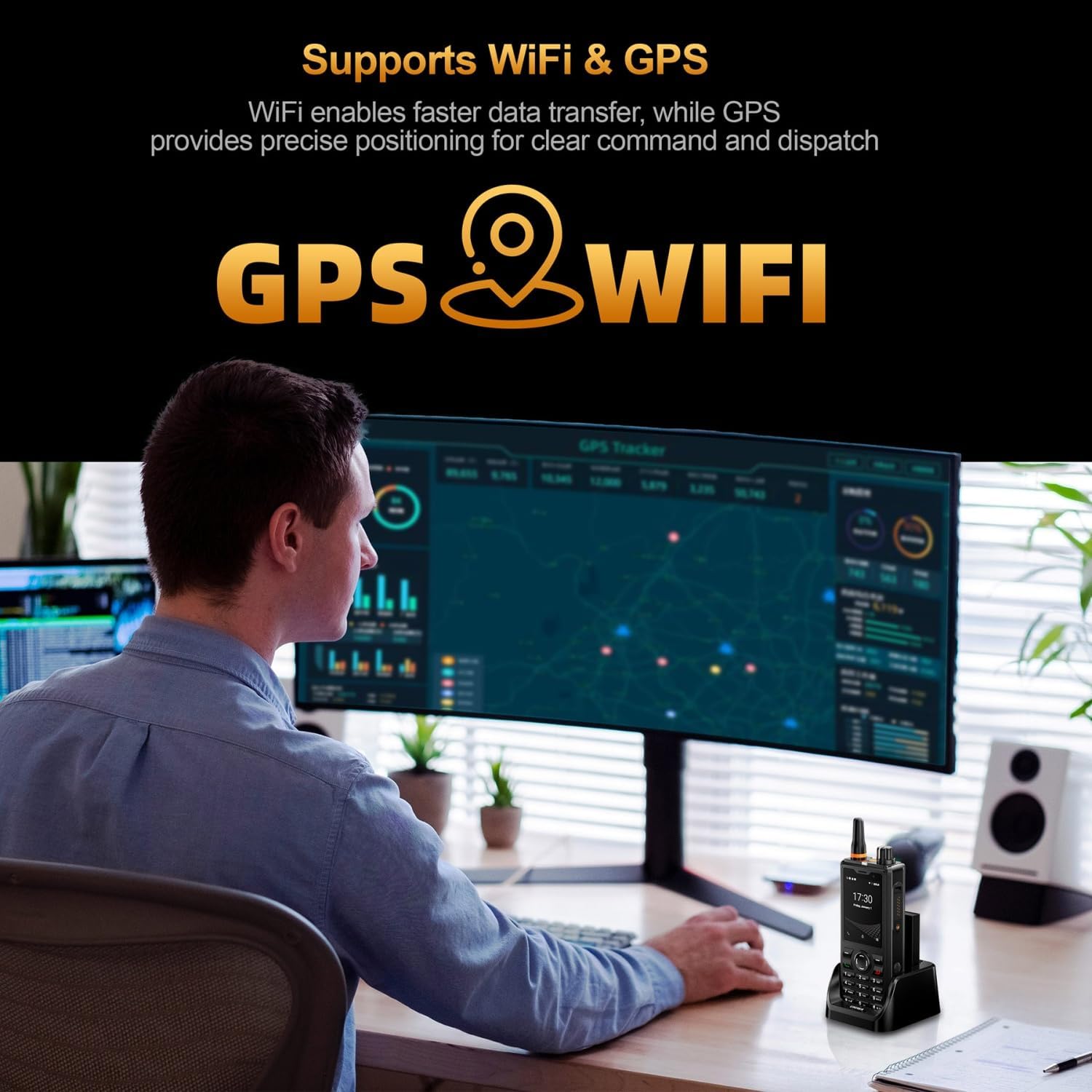
Εικόνα 7: Illustration of the UNIWA F41's integrated WiFi for faster data and GPS for precise positioning.
4.5. Χρήση κάμερας
The device features a 5MP front camera and an 8MP rear camera.
- Ανοίξτε την εφαρμογή Κάμερα από την αρχική οθόνη ή το συρτάρι εφαρμογών.
- Πατήστε το κουμπί κλείστρου για να τραβήξετε μια φωτογραφία.
- Εναλλαγή μεταξύ μπροστινής και πίσω κάμερας χρησιμοποιώντας το εικονίδιο εναλλαγής κάμερας.
- Επιλέξτε λειτουργία βίντεο για να εγγράψετε βίντεο.
Εικόνα 8: The UNIWA F41's dual camera system, featuring a 5MP front camera and an 8MP rear camera for high-definition capture.
4.6. Λειτουργικότητα NFC
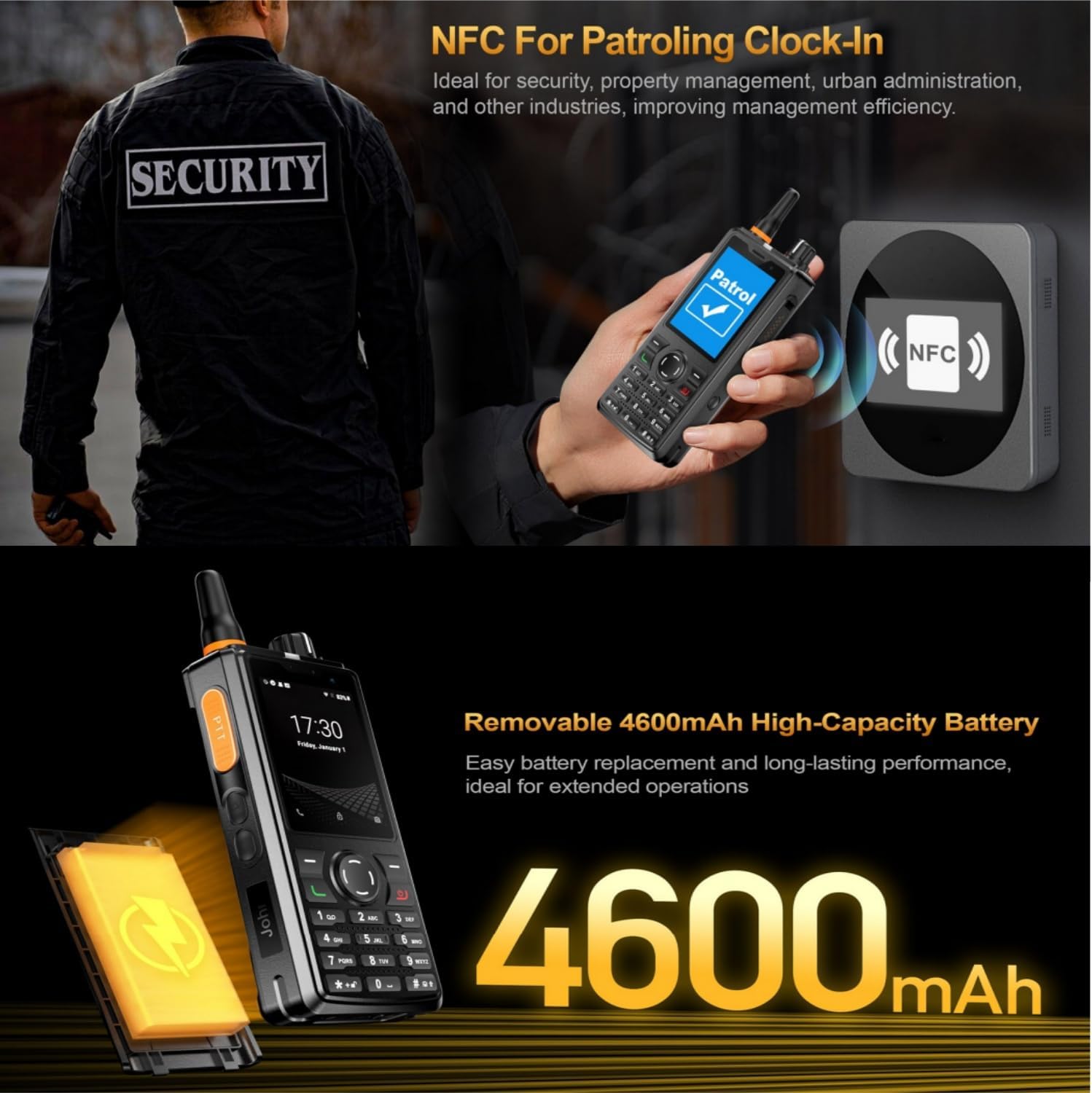
The built-in NFC can be used for applications such as patrolling clock-in.
- Ensure NFC is enabled in Settings.
- Open the relevant NFC-enabled application.
- Tap the device near an NFC tag or reader to perform the desired action (e.g., clock-in).

Εικόνα 9: The UNIWA F41 utilizing its NFC feature for applications like patrolling clock-in, ideal for various industries.
4.7. SOS Emergency Call
The device includes a dedicated SOS button for emergency situations.
- Configure emergency contacts in the device settings.
- In an emergency, press the SOS Button (usually on the side) to initiate an emergency call or send an SOS message to pre-set contacts.
5. Συντήρηση
5.1. Καθαρισμός της συσκευής
- Use a soft, lint-free cloth to wipe the screen and body of the device.
- Για επίμονη βρωμιά, ελαφρώςampΣκουπίστε το πανί με νερό ή με ένα ήπιο καθαριστικό οθόνης.
- Avoid using harsh chemicals, abrasive cleaners, or aerosols.
- Βεβαιωθείτε ότι όλες οι θύρες είναι στεγνές πριν από τη φόρτιση ή τη σύνδεση αξεσουάρ.
5.2. Φροντίδα μπαταρίας
- Φορτίστε πλήρως την μπαταρία πριν από την πρώτη χρήση.
- Αποφύγετε τις ακραίες θερμοκρασίες, καθώς μπορούν να υποβαθμίσουν την απόδοση της μπαταρίας.
- Μην τρυπάτε, αποσυναρμολογείτε ή βραχυκυκλώνετε την μπαταρία.
- Εάν η συσκευή δεν πρόκειται να χρησιμοποιηθεί για μεγάλο χρονικό διάστημα, φορτίστε την περίπου στο 50% και φυλάξτε την σε δροσερό και ξηρό μέρος.
5.3. Ενημερώσεις λογισμικού
Important Note: Currently, the F41 only supports Android 8.1. Do not upgrade the Android version, otherwise the phone will not work.
Regularly check for official software updates from UNIWA to ensure optimal performance and security. Follow the instructions provided by the update notification or check in Settings > System > System update.
6. Αντιμετώπιση Προβλημάτων
| Πρόβλημα | Πιθανή αιτία | Διάλυμα |
|---|---|---|
| Η συσκευή δεν ανάβει. | Low battery; Battery not installed correctly; Software issue. | Charge the device for at least 1 hour. Reinstall the battery. Perform a force restart (refer to device specific instructions if available). |
| Χωρίς σήμα δικτύου. | Η κάρτα SIM δεν έχει τοποθετηθεί σωστά. Εκτός κάλυψης δικτύου. Λανθασμένες ρυθμίσεις δικτύου. | Reinsert SIM card. Move to an area with better coverage. Check APN settings in Network & Internet settings. Ensure antenna is securely attached. |
| PTT function not working. | No internet connection; PTT app not configured; App permissions. | Verify Wi-Fi or 4G connection. Ensure PTT app is logged in and configured correctly. Check app permissions for microphone and network access. |
| Η μπαταρία αδειάζει γρήγορα. | High screen brightness; Many apps running in background; Poor network signal. | Reduce screen brightness. Close unused apps. Disable Wi-Fi/Bluetooth when not in use. Use power-saving mode. |
| Η συσκευή είναι αργή ή δεν ανταποκρίνεται. | Too many apps open; Low storage; Software glitch. | Κλείστε τις εφαρμογές που λειτουργούν στο παρασκήνιο. Εκκαθαρίστε την προσωρινή μνήμη. Ελευθερώστε χώρο αποθήκευσης. Επανεκκινήστε τη συσκευή. |
| Cannot upgrade Android version. | Περιορισμός συσκευής. | The UNIWA F41 is designed to operate on Android 8.1. Attempting to upgrade may cause the device to malfunction. Do not upgrade the Android version. |
| Speaker volume is low or distorted. | Volume settings; Speaker obstruction; Software issue. | Increase volume using the volume buttons. Ensure speaker is not blocked. Restart the device. |
| GPS not accurate. | Poor satellite signal; GPS settings. | Βεβαιωθείτε ότι βρίσκεστε σε ανοιχτό χώρο με καθαρό ουρανό view. Check location settings and ensure GPS is enabled. |
| Το NFC δεν λειτουργεί. | NFC disabled; Incorrect positioning. | Enable NFC in settings. Ensure the device's NFC area is close to the tag/reader. |
7. Προδιαγραφές
| Χαρακτηριστικό | Λεπτομέρεια |
|---|---|
| Μάρκα | επέκταση UNIWA |
| Μοντέλο | F41 |
| Λειτουργικό σύστημα | Android 8.1 |
| CPU | MT6739 Quad Core |
| Μνήμη (RAM) | 1 GB |
| Αποθηκευτικός χώρος (ROM) | 8 GB |
| Επεκτάσιμος χώρος αποθήκευσης | Έως 64GB (Micro SD) |
| Υποστήριξη κάρτας SIM | Διπλή SIM |
| Μέγεθος οθόνης | 2.4 ίντσες |
| Τύπος οθόνης | IPS Capacitive Touch Screen |
| Ανάλυση οθόνης | 320x240 |
| Πίσω κάμερα | 8MP |
| Μπροστινή κάμερα | 5MP |
| Χωρητικότητα μπαταρίας | 4600mAh Li-Polymer (Removable) |
| Φόρτιση | 10W Fast Charging, USB Type-C, Dock charging connectors |
| Διαστάσεις | 135.6 x 60.5 x 26.0 mm |
| Βάρος | 265g (including battery and clip) |
| Αντοχή σε νερό/σκόνη | IP54 Waterproof, Drop and Shockproof |
| Ζώνες Δικτύου | 2G: GSM850/900/1800/1900MHz; 3G: WCDMA B1/B2/B5/B8, TD-SCDMA B34/B39; 4G: FDD-LTE:B1/B3/B7/B8/B20; TDD-LTE:B38/B39/B40/B41 |
| Wi-Fi | 2.4GHz / 5GHz |
| Bluetooth | BT4.2 |
| GNSS | GPS/BeiDou/GLONASS |
| NFC | Ναί |
| Ομιλητής | Front Φ36/3 Watt BOX Speaker |
| Κουμπιά | PTT Intercom Button, Volume +/-, SOS Button, Customize Button, T9 Keypad |
| Υποδοχή ακουστικών | M6 Headphone Jack |
| Θερμοκρασία λειτουργίας | -20℃ έως +60℃ |
8. Πληροφορίες Ασφάλειας
- Διαβάστε προσεκτικά όλες τις οδηγίες πριν χρησιμοποιήσετε τη συσκευή.
- Μην εκθέτετε τη συσκευή σε ακραίες θερμοκρασίες, άμεσο ηλιακό φως ή υπερβολική υγρασία.
- Use only manufacturer-approved accessories (battery, charger, antenna).
- Μην επιχειρήσετε να αποσυναρμολογήσετε, να επισκευάσετε ή να τροποποιήσετε τη συσκευή μόνοι σας. Απευθυνθείτε σε εξειδικευμένο προσωπικό σέρβις.
- Απορρίψτε τη συσκευή και την μπαταρία υπεύθυνα σύμφωνα με τους τοπικούς κανονισμούς.
- Αποφύγετε τη χρήση της συσκευής κατά την οδήγηση ή τον χειρισμό βαρέων μηχανημάτων.
- Maintain a safe distance from medical implants (e.g., pacemakers) when using the device.
- The device is IP54 rated for water and dust resistance, but it is not fully submersible. Avoid prolonged exposure to water.
9. Εγγύηση και υποστήριξη
For warranty information, please refer to the warranty card included with your product or contact UNIWA customer support. Keep your purchase receipt as proof of purchase.
For technical support or service inquiries, please contact your retailer or visit the official UNIWA webιστοσελίδα για στοιχεία επικοινωνίας.